Establishing secure connection…Loading editor…Preparing document…

Company Policy on AIDS

This template is fully customizable. Edit the text, fill out the fields, and send it for signature. Give it a try!
Company Policy on AIDS

What the Company Policy on AIDS Covers

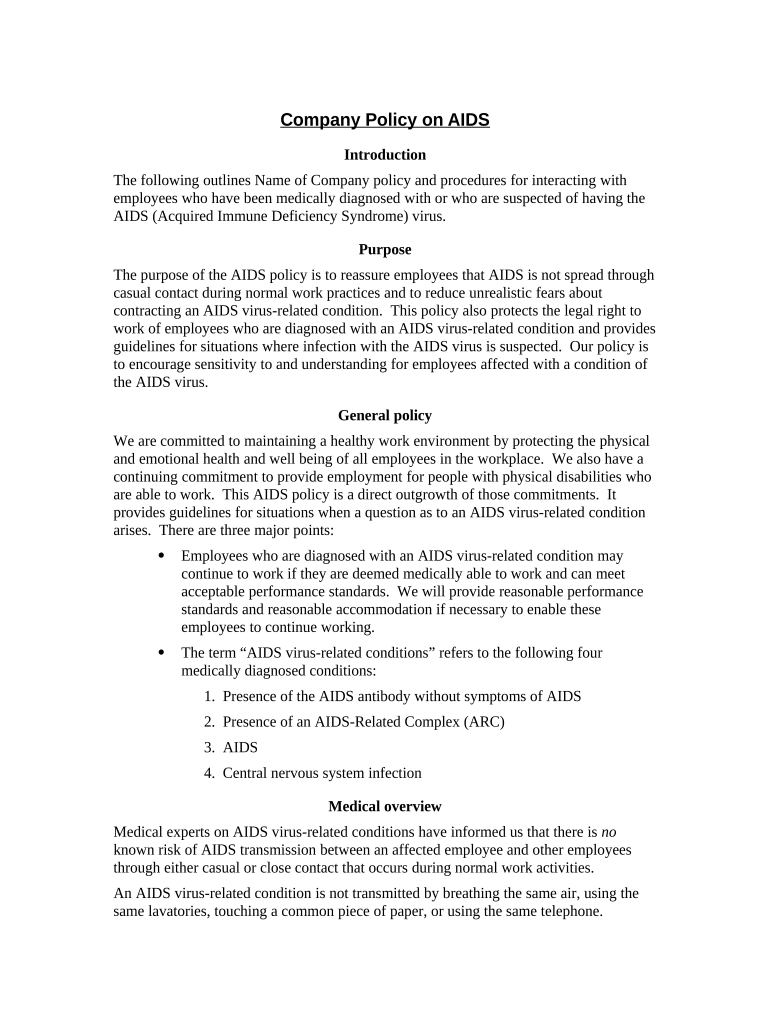
A Company Policy on AIDS sets an employer's formal position on HIV/AIDS in the workplace, combining health and privacy protections, non-discrimination commitments, and procedures for reasonable accommodation. It explains confidentiality rules for health information, addresses stigma and harassment prevention, and outlines responsibilities for managers, HR, and occupational health while aligning with federal anti-discrimination law and applicable state requirements.

Why a Clear AIDS Policy Matters

A written policy reduces legal risk, protects employee privacy, and creates consistent procedures for accommodation and reporting. It also supports safe, non-discriminatory operations and demonstrates compliance with anti-discrimination and health privacy expectations.

Why a Clear AIDS Policy Matters

Who Prepares and Uses This Policy

Recommended stakeholders who draft, approve, and apply the policy are listed below.

  • Human resources teams who draft and administer policy and manage employee communications.
  • Legal and compliance counsel who review legal alignment with ADA, state law, and privacy rules.
  • Supervisors and occupational health staff who must apply procedures and handle disclosures.

Keep these roles engaged for training, periodic reviews, and incident response.

Core Elements to Include in a Professional Policy

A complete Company Policy on AIDS has discrete sections that address legal compliance, confidentiality, accommodations, training, reporting, and recordkeeping to ensure clarity and consistent application across the organization.

Purpose

A short statement explaining the policy goal, scope of employees covered, and the employer's commitment to non-discrimination and safety, written clearly for staff reference.
Scope

Defines who and which situations the policy applies to, such as employees, contractors, volunteers, and workplace-related events or on-site health screenings.

Confidentiality

Describes how health information is protected, who may access records, and methods for secure storage and limited disclosure consistent with HIPAA and state privacy laws.

Accommodations

Explains the process for requesting reasonable accommodations, interactive process steps, timelines, and how confidentiality is preserved during requests and determinations.

Education & Training

Outlines required training topics, targeted audiences, frequency, and materials to reduce stigma, correct misinformation, and ensure supervisors understand legal obligations.

Reporting & Investigation

Specifies how to report harassment or policy breaches, investigation procedures, timeline expectations, and possible corrective actions or discipline.

Required Information and Key Fields

Policy Title: Company Policy on AIDS
Effective Date: MM/DD/YYYY
Responsible Office: HR or compliance office
Confidential Data: Health records designation
Accommodation Steps: Request and review process
Review Cycle: Annual review schedule

Step-by-Step: Create, Approve, and Publish the Policy

Follow these sequential steps to draft, review, approve, sign, and distribute a Company Policy on AIDS so it is legally sound and operationally clear.

  • 01
    Draft: Create initial text with legal input.
  • 02
    Review: Legal and HR review for compliance.
  • 03
    Approve: Obtain executive sign-off and dated approval.
  • 04
    Distribute: Publish to staff and track acknowledgments.

How to Configure a Digital Approval Workflow

When deploying the policy electronically, configure fields and routing to capture approvals, maintain confidentiality, and retain an audit trail.

Field Configuration
Signature Block Require signers' name and date fields
Authentication Use email plus optional SMS code
Routing Route HR → Legal → Executive for approval
Notifications Set reminders for unsigned items

Flow for Sharing and Collecting Acknowledgments

A typical distribution flow ensures employees receive the policy, sign acknowledgments, and that records are stored securely with an accessible audit trail.

  • Upload: Place final policy into the system.
  • Assign: Select recipient groups and roles.
  • Sign: Employees review and sign electronically.
  • Archive: Store signed copies and logs securely.

Technical Considerations for Digital Distribution

Confirm platform capabilities for secure delivery, audit trails, and supported file formats before e-distributing or e-signing the policy.

  • Authentication Methods: Email, SMS, or stronger 2FA
  • File Formats: PDF, DOCX support
  • Integrations: HRIS and cloud storage

Choose a platform that supports role-based access, audit logging, and secure storage; verify any required BAAs or accessibility standards with your provider.

Typical Timelines and Processing Expectations

Set clear internal timeframes for review, acknowledgment collection, accommodation response, and periodic policy updates to ensure consistent compliance.

Initial Review Period:

30–60 days to draft and obtain stakeholder input

Acknowledgment Window:

Employees should sign within 14 days of distribution

Accommodation Response:

Aim to begin interactive process within 15 business days

Training Frequency:

Provide training annually and for new hires

Policy Review Cycle:

Review at least annually or after regulatory changes

Common Mistakes to Avoid

  • Using vague accommodation procedures that delay decisions and increase disputes with employees.
  • Failing to limit access to health records, leading to unnecessary disclosures and privacy breaches.
  • Treating HIV/AIDS differently than other disabilities, which can create discrimination claims under ADA.
  • Neglecting to document interactive process steps and decisions, which weakens legal defenses in disputes.

Potential Penalties and Legal Risks

Discrimination Claims: EEOC actions and damages
Privacy Violations: HIPAA/state fines and remediation
Failure to Accommodate: ADA remedy and back pay
Reputational Harm: Employee distrust and turnover
Regulatory Scrutiny: Investigations by state agencies
Recordkeeping Errors: Loss of evidentiary protections

How This Policy Differs from Related Documents

A Company Policy on AIDS overlaps with other health and disability policies but has distinct emphasis on confidentiality, accommodation procedures, and anti-stigma education.

Criteria Company Policy on AIDS Disability Accommodation Policy
Primary focus infectious-disease guidance workplace accommodations
Confidentiality emphasis high — health records protected high — functional limitations
Typical audience all employees managers and hr primarily
Training required stigma reduction and facts interactive process training

eSignature Vendor Pricing Overview for Policy Distribution

Compare common pricing and capability criteria for sending and collecting signatures on an internal policy. signNow appears first for parity with other widely used providers.

signNow DocuSign Adobe Sign PandaDoc HelloSign
Starting Price $8/user/mo $15/user/mo $14/user/mo $19/user/mo $15/user/mo
Free Trial 7-day free trial Varies Varies Varies Varies
Bulk Send Yes (Business Premium) Yes Yes Yes No
Audit Trail Yes Yes Yes Yes Yes
HIPAA Compliant Yes Yes Yes No No

Frequently Asked Questions

Answers to common questions about legal limits, confidentiality, e-signatures, and practical handling of disclosures related to HIV/AIDS in the workplace.


Need help? Contact support

be ready to get more
Join over 28 million airSlate SignNow users