Establishing secure connection…Loading editor…Preparing document…

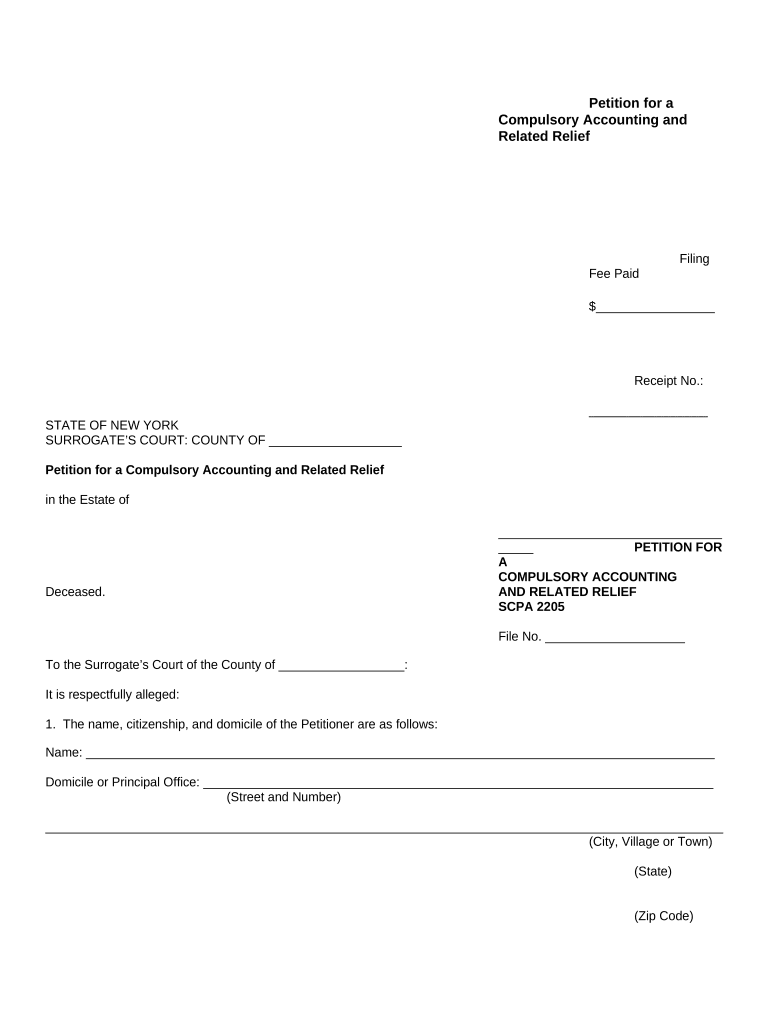
New York Petition for Compulsory Accounting and Related Relief

This template is fully customizable. Edit the text, fill out the fields, and send it for signature. Give it a try!
New York Petition for Compulsory Accounting and Related Relief

What the New York Petition for Compulsory Accounting and Related Relief Is

The New York Petition for Compulsory Accounting and Related Relief is a court pleading used to require a fiduciary, trustee, executor, guardian, or other custodian to produce a formal accounting of assets, receipts, disbursements, and transactions. The petition asks the court to review financial records, resolve disputes over management, and, if warranted, order relief such as surcharge, removal, restitution, or instructions for future administration. This petition is typically filed in the court that has jurisdiction over the estate, trust, guardianship, or fiduciary relationship and follows civil procedure rules for service and notice.

Why Filing This Petition Matters

A compulsory accounting compels transparency, preserves estate or trust assets, and creates a court record for remedies such as surcharge or removal. It helps beneficiaries and creditors identify mismanagement, enforce fiduciary duties, and obtain judicial oversight of financial conduct.

Why Filing This Petition Matters

Who Typically Files or Responds

Common parties and roles involved with this petition.

  • Beneficiaries seeking clarity on receipts, disbursements, or distributions.
  • Co-trustees or co-executors disputing account administration or seeking reconciliation.
  • Creditors or estate representatives asserting claims against fiduciary accounting.

Parties should confirm standing and venue before filing; consult court clerk or counsel for local practice.

Typical Filers and Their Objectives

Beneficiary

An individual or entity entitled to distributions who seeks a formal accounting to verify asset handling, identify improper charges, and request corrective relief. Beneficiaries often pursue this petition when informal requests for records are refused or incomplete.

Fiduciary

A trustee, executor, or guardian who may file a petition to obtain court approval for actions taken or to settle accounting issues proactively; also responds to petitions defending accounting choices and requesting judicial instructions.

Essential Information to Include

Petitioner: Full legal name
Respondent: Fiduciary name
Case Caption: Court and index number
Accounting Period: Start and end dates
Relief Requested: Specific remedies
Verification: Signed affidavit

Key Risks and Consequences of Errors

Dismissal for Standing: Lack of standing can result in dismissal
Statute of Limitations: Claims barred if untimely
Sanctions: Court may impose costs or sanctions
Perjury Risk: False verifications carry criminal exposure
Delay: Incomplete filings prolong resolution
Monetary Liability: Surcharge or restitution may be ordered

Common Preparation Pitfalls to Avoid

  • Failing to confirm proper venue or court division can result in transfer or dismissal and lost time.
  • Attaching incomplete or unverified financial records leads to evidentiary objections and hearing delays.
  • Neglecting required service or notice procedures risks default judgments or procedural dismissal.
  • Using vague relief requests (e.g., unspecified surcharge) makes it harder for the court to grant precise remedies.

Step-by-Step Filing Outline

Follow these core steps to prepare and file a petition accurately and efficiently.

  • 01
    Gather Records: Collect bank statements, ledgers, receipts, and prior accountings.
  • 02
    Draft Petition: State parties, jurisdiction, accounting period, and relief requested.
  • 03
    Attach Exhibits: Label and paginate supporting financial documents.
  • 04
    File and Serve: File with clerk and serve respondents per local rules.

What Happens After You File

The filing sets a procedural path: the court accepts the petition, respondents answer, and the court may schedule hearings or discovery.

  • Clerk Review: Clerk checks form, fees, and filing sufficiency.
  • Service: Respondents must be served per civil procedure.
  • Response: Defendant files objections or answer in allotted time.
  • Hearing: Court may order accounting, discovery, or settlement conference.

Core Components of a Professional Petition

A well-crafted petition organizes facts, evidence, and legal requests so the court can evaluate fiduciary conduct without procedural friction.

Caption

Clear court caption and index number identifying jurisdiction, parties, and case type so the clerk assigns the matter correctly and all documents match.
Parties

Designate petitioner, respondent, and interested parties with full legal names, addresses, and relationship to the fiduciary or estate to establish standing.

Factual Allegations

State succinct facts describing fiduciary acts, dates, transactions, and why an accounting is necessary to show a pattern or omission.

Accounting Schedule

Provide a chronological statement of receipts, disbursements, transfers, and asset values, with references to exhibits and source documents.

Requested Relief

Specify precise remedies sought (accounting, surcharge, removal, restitution, injunction) and the legal basis for each request.

Verification

Include a signed verification or affidavit confirming the truth of the petition and attachment authenticity to satisfy evidentiary requirements.

Supporting Documents to Include

Attach exhibits that corroborate the accounting and enable the court to evaluate transactions without further document requests.

Bank Statements

Complete statements for the accounting period showing deposits, withdrawals, fees, and balances to reconcile ledger entries and identify undisclosed transactions.

Receipts and Invoices

Original receipts, contracts, and invoices backing disbursements, including payee, amount, date, and purpose to substantiate fiduciary expenditures.

Prior Accountings

Copies of any previously filed accountings or settlements to show history and identify discrepancies or unapplied credits.

Proof of Service

Signed return of service or affidavit showing how and when respondents and interested parties were served per court rules.

Practical Tips for Accurate and Efficient Petitions

Follow these practices to reduce procedural objections and expedite judicial review.

Confirm Standing and Venue
Verify that you have legal standing and the court has jurisdiction before filing; incorrect venue can cause dismissal or transfer and add weeks to resolution.
Use Clear Exhibit References
Number, tab, and cross-reference exhibits in the petition so the judge and opposing counsel can locate supporting records quickly during review and hearings.
Avoid Ambiguous Relief
State exact remedies and calculations (e.g., surcharge amounts or accounting formats) to allow the court to enter precise orders rather than issuing broad directives.
Keep Certified Copies
Retain certified or verified copies of all filed documents, proofs of service, and filed accountings to support appeals or subsequent enforcement actions.

Typical Timing and Deadlines to Expect

Timelines vary by county and court calendar; the following items describe common procedural timeframes and deadlines parties should plan for.

Response Period:

Respondents generally have a set time under local rules to answer or object; confirm specific days with the clerk.

Service Timing:

Service must occur before scheduled hearings and in timeframes required by state civil procedure rules.

Hearing Scheduling:

Scheduling depends on court docket; contested matters commonly require multiple weeks for briefing and calendar placement.

Discovery Period:

Court-ordered discovery deadlines vary; expect document exchange and depositions if issues are disputed.

Appeal Windows:

Post-judgment appeal periods are fixed by statute; confirm with counsel to preserve appellate rights.

How to Configure an eFile and eSignature Workflow

Set up an organized digital workflow to assemble, sign, notarize, and file the petition while preserving audit trails.

Upload Format PDF | Use a searchable, high-quality PDF for exhibits and attachments
Signature Blocks Signature fields | Collect signatures and dates with clear role assignment
Authentication Signer verification | Use email, SMS code, or advanced auth for higher assurance
Notarization RON or in-person | Configure notarization step per state and court acceptance
Retention Audit record | Keep complete audit trail and signed PDF for the case file

Digital Filing and Platform Considerations

Many courts accept e-filed petitions and electronic signatures subject to local rules and verification requirements.

  • File Formats: PDF, DOCX
  • Integrations: Court e-filing systems
  • Authentication: Email, SMS, 2FA

Confirm local court e-filing standards and notarization acceptance; retain full audit logs and signed originals in your case file.

eSignature Vendor Comparison for Petition Workflows

Compare common vendor criteria relevant to signing, audit trails, and compliance when collecting signatures and notarizations for court filings.

signNow DocuSign Adobe Sign PandaDoc HelloSign
Starting Price $8/user/mo $15/user/mo $14/user/mo $19/user/mo $15/user/mo
Free Trial 7-day free trial Varies by vendor Varies by vendor Varies by vendor Varies by vendor
Bulk Send Yes Yes Yes Yes No
Audit Trail Yes Yes Yes Yes Yes
HIPAA Compliant Yes Yes Yes No No

Common Questions About the Petition Process

Answers to frequent questions about electronic signatures, notarization, filing venue, supporting documents, timing, and consequences.


Need help? Contact support

be ready to get more
Join over 28 million airSlate SignNow users