Establishing secure connection… Loading editor… Preparing document…
Navigation

Fill and Sign the Contract Deed Seller Form
Fill and Sign the Contract Deed Seller Form

How it works

Open the document and fill out all its fields.
Apply your legally-binding eSignature.
Save and invite other recipients to sign it.

Rate template

4.4
64 votes
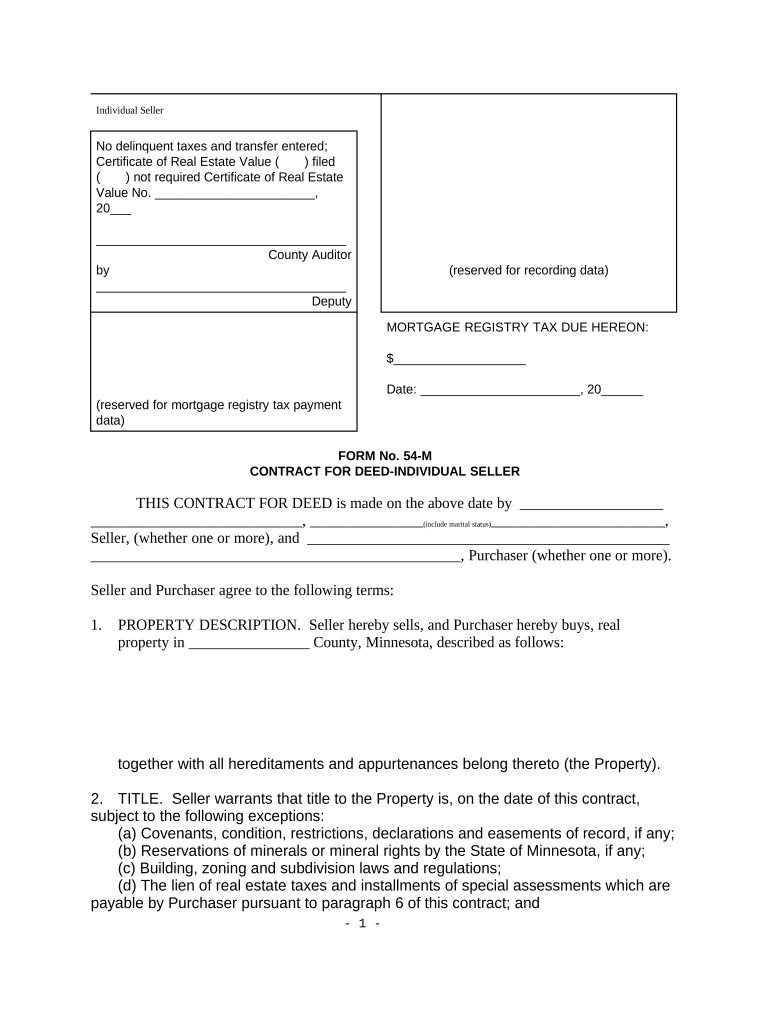
Individual Seller No delinquent taxes and transfer entered; Certificate of Real Estate Value ( ) filed ( ) not required Certificate of Real Estate Value No. _______________________, 20___ ____________________________________ County Auditor by ____________________________________ Deputy (reserved for recording data) (reserved for mortgage registry tax payment data) MORTGAGE REGISTRY TAX DUE HEREON: $___________________ Date: _______________________, 20______ FORM No. 54-M CONTRACT FOR DEED-INDIVIDUAL SELLER THIS CONTRACT FOR DEED is made on the above date by ___________________ ____________________________, _______________ (include marital status) _______________________, Seller, (whether one or more), and ________________________________________________ _________________________________________________, Purchaser (whether one or more). Seller and Purchaser agree to the following terms: 1. PROPERTY DESCRIPTION. Seller hereby sells, and Purchaser hereby buys, real property in ________________ County, Minnesota, described as follows: together with all hereditaments and appurtenances belong thereto (the Property). 2. TITLE. Seller warrants that title to the Property is, on the date of this contract, subject to the following exceptions: (a) Covenants, condition, restrictions, declarations and easements of record, if any; (b) Reservations of minerals or mineral rights by the State of Minnesota, if any; (c) Building, zoning and subdivision laws and regulations; (d) The lien of real estate taxes and installments of special assessments which are payable by Purchaser pursuant to paragraph 6 of this contract; and - 1 - (e) The following liens or encumbrances: 3. DELIVERY OF DEED AND EVIDENCE OF TITLE. Upon Purchaser's prompt and full performance of this contract, Seller shall: (a) Execute, acknowledge and deliver to Purchaser a __________________ Deed, in recordable form, conveying marketable title to the Property to Purchaser, subject only to the following exceptions: (i) Those exceptions referred to in paragraph 2(a), (b), (c) and (d) of this contract; (ii) Liens, encumbrances, adverse claims or other matters which Purchaser has created, suffered or permitted to accrue after the date of this contract; and (iii) The following liens or encumbrances: ; and (b) Deliver to Purchaser the abstract of title to the Property or if the title is registered, the owner's duplicate certificate of title. 4. PURCHASE PRICE. Purchaser shall pay to Seller, at ______________________, the sum of _______________ ($______________), as and for the purchase price for the Property, payable as follows: 5. PREPAYMENT. Unless otherwise provided in this contact, Purchaser shall have the right to fully or partially prepay this contract at any time without penalty. Any partial prepayment shall be applied first to payment of amounts then due under this contact, including unpaid accrued interest, and the balance shall be applied to the principal installments to be paid in the inverse order of their maturity. Partial prepayment shall not postpone the due date of the installments to be paid pursuant to this contract or change the amount of such installments. 6. REAL ESTATE TAXES AND ASSESSMENTS. Purchaser shall pay, before penalty accrues, all real estate taxes and installments of special assessments assessed against the Property which are due and payable in the year in which this contract is dated shall be paid as follows: Seller warrants that the real estate taxes and installments of special assessments - 2 - which were due and payable in the years preceding the year in which this contract is dated are paid in full. 7. PROPERTY INSURANCE. (a) INSURED RISKS AND AMOUNT. Purchaser shall keep all buildings, improvements and fixtures now or later located on or a part of the Property insured against loss by fire, extended coverage perils, vandalism, malicious mischief and, if applicable, steam boiler explosion for at least the amount of ___________________. If any of the buildings, improvements or fixtures are located in a federally designated flood prone area, and if flood insurance is available for that area, Purchaser shall procure and maintain flood insurance in amounts reasonably satisfactory to Seller. (b) OTHER TERMS. The insurance policy shall contain a loss payable clause in favor of Seller which provides that Seller's right to recover under the insurance shall not be impaired by any acts or omissions of Purchaser or Seller, and that Seller shall otherwise be afforded all rights and privileges customarily provided a mortgagee under the so-called standard mortgage clause. (c) NOTICE OF DAMAGE. In the event of damage to the Property by fire or other casualty, Purchaser shall promptly give notice of such damage to Seller and the insurance company. 8. DAMAGE TO THE PROPERTY. (a) APPLICATION OF INSURANCE PROCEEDS. If the Property is damaged by fire or other casualty, the insurance proceeds paid on account of such damage shall be applied to payment of the amounts payable by Purchaser under this contract, even if such amounts are not then due to be paid, unless Purchaser makes a permitted election described in the next paragraph. Such amounts shall be first applied to unpaid accrued interest and next to the installments to be paid as provided in this contract in the inverse order of their maturity. Such payment shall not postpone the due date of the installments to be paid pursuant to this contract or change the amount of such installments. The balance of insurance proceeds, if any, shall be the property of Purchaser. (b) PURCHASER'S ELECTION TO REBUILD. If Purchaser is not in default under this contract, or after curing any such default, and if the mortgagees in any prior mortgages and sellers in any prior contracts for deed do not require otherwise, Purchaser may elect to have that portion of such insurance proceeds necessary to repair, replace or restore the damaged Property (the repair work) deposited in escrow with a bank or title insurance company qualified to do business in the State of Minnesota, or such other party as may be mutually agreeable to Seller and Purchaser. The election may only be made by written notice to Seller within sixty days after the damage occurs. Also, the election will only be permitted if the plans and specifications and contracts for the repair work are approved by Seller, which approval Seller shall not unreasonable withhold or delay. If such a permitted election is made by Purchaser, Seller and Purchaser shall jointly deposit, when paid, such insurance proceeds into such escrow. If such insurance proceeds are insufficient for the repair work, Purchaser shall, before the commencement of the repair work, deposit into such escrow sufficient additional money to insure the full payment for the repair work. Even if the insurance proceeds are unavailable or are insufficient to pay for the repair work, Purchaser shall - 3 - at all times be responsible to pay the full cost of the repair work. All escrowed funds shall be disbursed by the escrowee in accordance with generally accepted sound construction disbursement procedures. The costs incurred or to be incurred on account of such escrow shall be deposited by Purchaser into such escrow before the commencement of the repair work. Purchaser shall complete the repair work as soon as reasonably possible and in a good and workmanlike manner, and in any event the repair work shall be completed by Purchaser within one year after the damage occurs. If following the completion of and payment for the repair work, there remain any undisbursed escrow funds, such funds shall be applied to payment of the amounts payable by Purchaser under this contract in accordance with paragraph 8(a) above. 9. INJURY OR DAMAGE OCCURRING ON THE PROPERTY. (a) LIABILITY. Seller shall be free from liability and claims for damages by reason of injuries occurring on or after the date of this contract to any person or persons or property while on or about the Property. Purchaser shall defend and indemnify Seller form all liability, loss, costs and obligations, including reasonable attorneys' fees, on account of or arising out of any such injuries. However, Purchaser shall have no liability or obligation to Seller for such injuries which are caused by the negligence or intentional wrongful acts or omissions of Seller. (b) LIABILITY INSURANCE. Purchaser shall, at Purchaser's own expense, procure and maintain liability insurance against claims for bodily injury, death and property damage occurring on or about the Property in amounts reasonably satisfactory to Seller and naming Seller as an additional insured. 10. INSURANCE, GENERALLY. The insurance which Purchaser is required to procure and maintain pursuant to paragraphs 7 and 9 of this contract shall be issued by an insurance company or companies licensed to do business in the State of Minnesota and acceptable to Seller. The insurance shall be maintained by Purchaser at all times while any amount remains unpaid under this contract. The insurance policies shall provide for not less than ten days written notice to Seller before cancellation, non- renewal, termination or change in coverage, and Purchaser shall deliver to Seller a duplicate original or certificate of such insurance policy or policies. 11. CONDEMNATION. If all or any part of the Property is taken in condemnation proceedings instituted under power of eminent domain or is conveyed in lieu thereof under threat of condemnation, the money paid pursuant to such condemnation or conveyance in lieu thereof shall be applied to payment of the amounts payable by Purchaser under this contract, even if such amounts are not then due to be paid. Such amounts shall be applied first to unpaid accrued interest and next to the installments to be paid as provided in this contract in the inverse order of their maturity. Such payment shall not postpone the due date of the installments to be paid pursuant to this contract or change the amount of such installments. The balance, if any, shall be the property of Purchaser. 12. WASTE, REPAIR AND LIENS. Purchaser shall not remove or demolish any buildings, improvements or fixtures now or later located on or part of the Property, nor shall Purchaser commit or allow waste of the Property. Purchaser shall maintain the - 4 - Property in good condition and repair. Purchaser shall not create or permit to accrue liens or adverse claims against the Property which constitute a lien or claim against Seller's interest in the Property; Purchaser shall pay to Seller all amounts, costs and expenses, including reasonable attorney's fees, incurred by Seller to remove any such liens or adverse claims. 13. DEED AND MORTGAGE REGISTRY TAXES. Seller shall, upon Purchaser's full performance of this contract, pay the deed tax due upon the recording or filing of the deed to be delivered by Seller to Purchaser. The mortgage registry tax due upon the recording or filing of this contract shall be paid by the party who records or files this contract; however, this provision shall not impair the right of Seller to collect from Purchaser the amount of such tax actually paid by Seller as provided in the applicable law governing default and service of notice of termination of this contract. 14. NOTICE OF ASSIGNMENT. If either Seller or Purchaser assigns their interest in the Property, a copy of such assignment shall promptly be furnished to the non- assigning party. 15. PROTECTION OF INTERESTS. If Purchaser fails to pay any sum of money required under the terms of this contract or fails to perform any of Purchaser's obligations as set forth in this contract, Seller may, at Seller's option, pay the same or cause the same to be performed, or both, and the amounts so paid by Seller and the cost of such performance shall be payable at once, with interest at the rate stated in paragraph 4 of this contract, as an additional amount due Seller under this contract. If there now exists, or if Seller hereafter creates, suffers or permits to accrue, any mortgage, contract for deed, lien or encumbrance against the Property which is not herein expressly assumed by Purchaser, and provided Purchaser is not in default under this contract, Seller shall timely pay all amount due thereon, and if Seller fails to do so, Purchaser may, at Purchaser's option, pay any such delinquent amounts and deduct the amounts paid from the installment(s) next coming due under this contract. 16. DEFAULT. The time of performance by Purchaser of the terms of this contract is an essential part of this contract. Should Purchaser fail to timely perform any of the terms of this contract, Seller may, at Seller's option, elect to declare this contract canceled and terminated by notice to Purchaser in accordance with applicable law. All right, title and interest acquired under this contract by Purchaser shall then cease and terminate, and all improvements made upon the Property and all payments made by purchaser pursuant to this contract shall belong to Seller as liquidated damages for breach of contract. Neither the extension of the time for payment of any sum of money to be paid hereunder nor any waiver by Seller or Seller's rights to declare this contract forfeited by reason of any breach shall in any manner affect Seller's right to cancel this contract because of default subsequently occurring, and no extension of time shall be valid unless agreed to in writing. After service of notice of default and failure to cure such default within the period allowed by law, Purchaser shall, upon demand, surrender possession of the Property to Seller, but Purchaser shall be entitled to possession of the Property until the expiration of such period. - 5 - 17. BINDING EFFECT. The terms of this contract shall run with the land and bind the parties hereto and their successors in interest. 18. HEADINGS. Headings of the paragraphs of this contract are for convenience only and do not define, limit or construe the contents of such paragraphs. 19. ASSESSMENTS BY OWNER'S ASSOCIATION. If the Property is subject to a recorded declaration providing for assessments to be levied against the Property by any owners' association, which assessments may become a lien against the Property if not paid, then: (a) Purchaser shall promptly pay, when due, all assessments imposed by the owners’ association or other governing body as required by the provisions of the declaration or other related documents; and (b) So long as the owners' association maintains a master or blanket policy of insurance against fire, extended coverage perils an such other hazards and in such amounts as are required by this contract, then: (i) Purchaser's obligation in this contract to maintain hazard insurance coverage on the Property is satisfied; and (ii) The provisions in paragraph 8 of this contract to maintain hazard insurance coverage on the Property is satisfied; and (iii) In the event of a distribution of insurance proceeds in lieu of restoration or repair following an insured casualty loss to the Property, any such proceeds payable to purchaser are hereby assigned and shall be paid to Seller for application to the sum secured by this contract, with the excess, if any paid to Purchaser. 20. ADDITIONAL TERMS: SELLER(S) ________________________________ ________________________________ ________________________________ ________________________________ ________________________________ PURCHASER(S) ________________________________ ________________________________ ________________________________ ________________________________ ________________________________ - 6 - State of Minnesota ) ) ss. County of _________________________ ) The foregoing instrument was acknowledged before me this ___ day of __________, 20__, by ____________________________________________________________ ____________________________________________________________________ ____________________________________________________________________ NOTARIAL STAMP OR SEAL (OR OTHER TITLE OR RANK) _______________________________ SIGNATURE OF NOTARY PUBLIC OR OTHER OFFICIAL State of Minnesota ) ) ss. County of _________________________ ) The foregoing instrument was acknowledged before me this ___ day of __________, 20__, by _________________________________________________________________________ ____________________________________________________________________________ NOTARIAL STAMP OR SEAL (OR OTHER TITLE OR RANK) ______________________________________________SI GNATURE OF NOTARY PUBLIC OR OTHER OFFICIAL Tax Statements for the real property described in this instrument should be sent to: THIS INSTRUMENT WAS DRAFTED BY (NAME & ADDRESS) FAILURE TO RECORD OR FILE THIS CONTRACT FOR DEED MAY GIVE OTHER - 7 - PARTIES PRIORITY OVER PURCHASER'S INTEREST IN THE PROPERTY. - 8 -

Useful Suggestions for Preparing Your ‘Contract Deed Seller’ Online

Are you fed up with the complications of managing paperwork? Look no further than airSlate SignNow, the leading electronic signature service for both individuals and organizations. Bid farewell to the tedious routine of printing and scanning documents. With airSlate SignNow, you can easily finalize and sign paperwork online. Take advantage of the extensive features included in this user-friendly and cost-effective platform and transform your document management strategy. Whether you need to approve forms or gather eSignatures, airSlate SignNow manages it all seamlessly, requiring just a few clicks.

Follow these comprehensive steps:

  1. Log into your account or sign up for a complimentary trial of our service.
  2. Click +Create to upload a document from your device, cloud, or our template repository.
  3. Open your ‘Contract Deed Seller’ in the editor.
  4. Click Me (Fill Out Now) to set up the document on your end.
  5. Add and designate fillable fields for others (if needed).
  6. Continue with the Send Invite options to solicit eSignatures from others.
  7. Save, print your copy, or convert it into a reusable template.

Don't be concerned if you need to collaborate with others on your Contract Deed Seller or send it for notarization—our platform provides everything necessary to accomplish such tasks. Sign up with airSlate SignNow today and elevate your document management to new levels!

Here is a list of the most common customer questions. If you can’t find an answer to your question, please don’t hesitate to reach out to us.

Need help? Contact Support

The best way to complete and sign your contract deed seller form
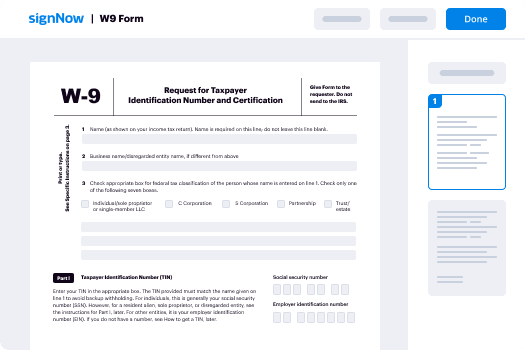
Save time on document management with airSlate SignNow and get your contract deed seller form eSigned quickly from anywhere with our fully compliant eSignature tool.

How to Sign a PDF Online How to Sign a PDF Online

How to complete and sign documents online

In the past, dealing with paperwork took pretty much time and effort. But with airSlate SignNow, document management is easy and fast. Our robust and easy-to-use eSignature solution allows you to easily complete and electronically sign your contract deed seller form online from any internet-connected device.

Follow the step-by-step guide to eSign your contract deed seller form template online:

  • 1.Sign up for a free trial with airSlate SignNow or log in to your account with password credentials or SSO authorization option.
  • 2.Click Upload or Create and add a form for eSigning from your device, the cloud, or our form library.
  • 3.Click on the file name to open it in the editor and use the left-side toolbar to fill out all the blank fields appropriately.
  • 4.Put the My Signature field where you need to eSign your form. Provide your name, draw, or upload a picture of your handwritten signature.
  • 5.Click Save and Close to finish modifying your completed document.

As soon as your contract deed seller form template is ready, download it to your device, save it to the cloud, or invite other parties to eSign it. With airSlate SignNow, the eSigning process only takes several clicks. Use our powerful eSignature solution wherever you are to deal with your paperwork successfully!

How to Sign a PDF Using Google Chrome How to Sign a PDF Using Google Chrome

How to fill out and sign forms in Google Chrome

Completing and signing documents is easy with the airSlate SignNow extension for Google Chrome. Installing it to your browser is a quick and effective way to deal with your paperwork online. Sign your contract deed seller form sample with a legally-binding eSignature in a couple of clicks without switching between applications and tabs.

Follow the step-by-step guide to eSign your contract deed seller form template in Google Chrome:

  • 1.Navigate to the Chrome Web Store, search for the airSlate SignNow extension for Chrome, and install it to your browser.
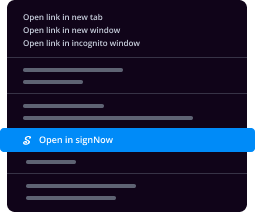
  • 2.Right-click on the link to a document you need to sign and choose Open in airSlate SignNow.
  • 3.Log in to your account using your password or Google/Facebook sign-in option. If you don’t have one, you can start a free trial.
  • 4.Utilize the Edit & Sign menu on the left to complete your template, then drag and drop the My Signature option.
  • 5.Insert an image of your handwritten signature, draw it, or simply type in your full name to eSign.
  • 6.Verify all the details are correct and click Save and Close to finish modifying your form.

Now, you can save your contract deed seller form sample to your device or cloud storage, email the copy to other people, or invite them to electronically sign your document with an email request or a secure Signing Link. The airSlate SignNow extension for Google Chrome enhances your document workflows with minimum effort and time. Try airSlate SignNow today!

How to Sign a PDF in Gmail How to Sign a PDF in Gmail How to Sign a PDF in Gmail

How to complete and sign documents in Gmail

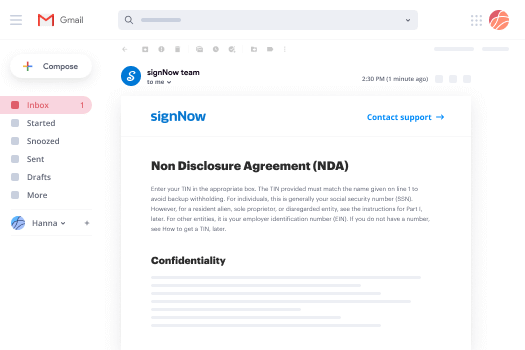
When you receive an email with the contract deed seller form for approval, there’s no need to print and scan a file or download and re-upload it to a different program. There’s a better solution if you use Gmail. Try the airSlate SignNow add-on to rapidly eSign any documents right from your inbox.

Follow the step-by-step guidelines to eSign your contract deed seller form in Gmail:

  • 1.Navigate to the Google Workplace Marketplace and find a airSlate SignNow add-on for Gmail.
  • 2.Set up the tool with a corresponding button and grant the tool access to your Google account.
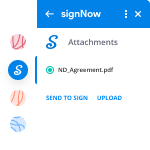
  • 3.Open an email containing an attachment that needs signing and use the S symbol on the right panel to launch the add-on.
  • 4.Log in to your airSlate SignNow account. Choose Send to Sign to forward the file to other people for approval or click Upload to open it in the editor.
  • 5.Put the My Signature option where you need to eSign: type, draw, or import your signature.

This eSigning process saves time and only requires a couple of clicks. Use the airSlate SignNow add-on for Gmail to adjust your contract deed seller form with fillable fields, sign paperwork legally, and invite other parties to eSign them al without leaving your mailbox. Improve your signature workflows now!

How to Sign a PDF on a Mobile Device How to Sign a PDF on a Mobile Device How to Sign a PDF on a Mobile Device

How to complete and sign documents in a mobile browser

Need to quickly submit and sign your contract deed seller form on a smartphone while working on the go? airSlate SignNow can help without the need to install extra software apps. Open our airSlate SignNow solution from any browser on your mobile device and add legally-binding electronic signatures on the go, 24/7.
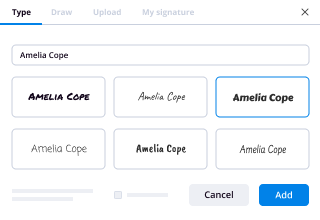
Follow the step-by-step guidelines to eSign your contract deed seller form in a browser:

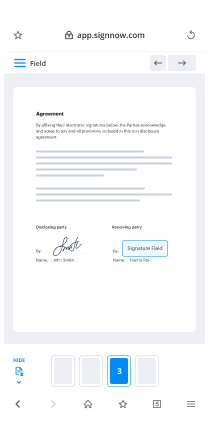
  • 1.Open any browser on your device and follow the link www.signnow.com
  • 2.Sign up for an account with a free trial or log in with your password credentials or SSO authentication.
  • 3.Click Upload or Create and import a file that needs to be completed from a cloud, your device, or our form collection with ready-made templates.
  • 4.Open the form and fill out the empty fields with tools from Edit & Sign menu on the left.
  • 5.Place the My Signature field to the sample, then enter your name, draw, or upload your signature.

In a few easy clicks, your contract deed seller form is completed from wherever you are. Once you're finished editing, you can save the document on your device, create a reusable template for it, email it to other people, or ask them to electronically sign it. Make your documents on the go prompt and productive with airSlate SignNow!
How to Sign a PDF on iPhone How to Sign a PDF on iPhone

How to complete and sign forms on iOS

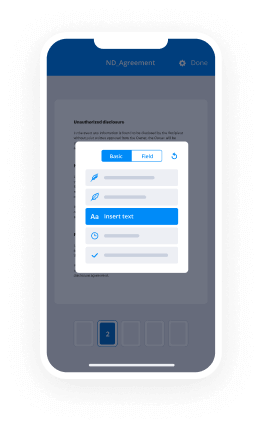
In today’s business community, tasks must be completed rapidly even when you’re away from your computer. With the airSlate SignNow app, you can organize your paperwork and sign your contract deed seller form with a legally-binding eSignature right on your iPhone or iPad. Set it up on your device to conclude contracts and manage forms from anywhere 24/7.

Follow the step-by-step guidelines to eSign your contract deed seller form on iOS devices:

  • 1.Go to the App Store, find the airSlate SignNow app by airSlate, and install it on your device.
  • 2.Open the application, tap Create to import a form, and select Myself.
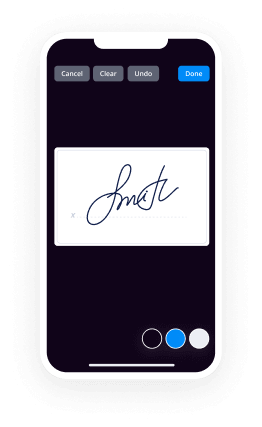
  • 3.Choose Signature at the bottom toolbar and simply draw your autograph with a finger or stylus to eSign the sample.
  • 4.Tap Done -> Save after signing the sample.
  • 5.Tap Save or take advantage of the Make Template option to re-use this document in the future.

This method is so straightforward your contract deed seller form is completed and signed in just a few taps. The airSlate SignNow application works in the cloud so all the forms on your mobile device remain in your account and are available any time you need them. Use airSlate SignNow for iOS to improve your document management and eSignature workflows!
How to Sign a PDF on Android How to Sign a PDF on Android

How to complete and sign documents on Android

With airSlate SignNow, it’s easy to sign your contract deed seller form on the go. Install its mobile app for Android OS on your device and start enhancing eSignature workflows right on your smartphone or tablet.

Follow the step-by-step guide to eSign your contract deed seller form on Android:

  • 1.Navigate to Google Play, find the airSlate SignNow app from airSlate, and install it on your device.
  • 2.Log in to your account or create it with a free trial, then add a file with a ➕ key on the bottom of you screen.
  • 3.Tap on the imported file and select Open in Editor from the dropdown menu.
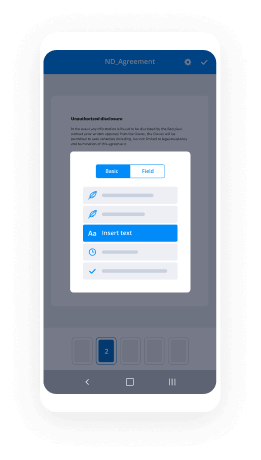
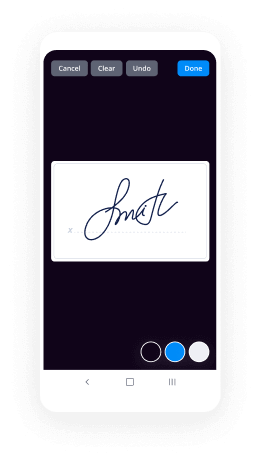
  • 4.Tap on Tools tab -> Signature, then draw or type your name to electronically sign the sample. Complete blank fields with other tools on the bottom if needed.
  • 5.Utilize the ✔ key, then tap on the Save option to end up with editing.

With a user-friendly interface and full compliance with main eSignature standards, the airSlate SignNow app is the best tool for signing your contract deed seller form. It even works without internet and updates all record changes once your internet connection is restored and the tool is synced. Complete and eSign forms, send them for approval, and create multi-usable templates anytime and from anywhere with airSlate SignNow.

Sign up and try Contract deed seller form
  • Close deals faster
  • Improve productivity
  • Delight customers
  • Increase revenue
  • Save time & money
  • Reduce payment cycles