Establishing secure connection…Loading editor…Preparing document…

Contract Marketing Agreement

This template is fully customizable. Edit the text, fill out the fields, and send it for signature. Give it a try!
Contract Marketing Agreement

What a Contract Marketing Agreement Is and when it applies

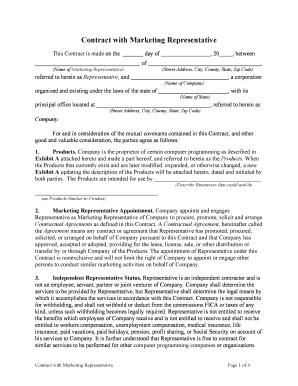
A Contract Marketing Agreement is a written contract defining the scope, deliverables, compensation, intellectual property rights, performance metrics, and termination terms between a marketer (agency or freelancer) and a client. It sets expectations for campaign strategy, creative production, media buying, reporting cadence, and payment schedule. The document reduces ambiguity about ownership of creative assets, usage rights, deliverables, and post-termination obligations, and it records mutual representations and warranties that protect both parties during execution and after completion.

Why using a clear marketing contract protects both parties

A written Contract Marketing Agreement clarifies responsibilities, reduces disputes over scope and payment, and establishes remedies for missed milestones or deliverables. It documents IP ownership, usage licenses, confidentiality, and data handling expectations.

Why using a clear marketing contract protects both parties

Who typically completes and signs a Contract Marketing Agreement

Parties vary by engagement size: from in-house marketing managers and independent contractors to agencies and procurement officers; signatories should be authorized representatives with contracting authority.

  • Marketing Agencies — sign and manage multiple client contracts with centralized billing and creative ownership clauses.
  • Freelancers / Consultants — use simplified agreements that define deliverables, payment milestones, and IP assignment for specific projects.
  • Corporate Marketing Teams — procurement or legal teams often approve standard SOWs and master agreements for vendor services.

Ensure the signatory has authority to bind the organization and that financial approvers are aligned before execution to prevent post-signature disputes.

Primary signers and their roles

Client Authorized Signer

A corporate officer or delegated procurement/marketing manager who can lawfully bind the client. Verify title and signing authority; include name, title, and business address in the signature block to avoid later rejection.

Agency / Contractor Signer

An owner, CEO, or designated operations contact who accepts payment terms, IP assignment, and warranty obligations. If signing on behalf of an entity, include the capacity (e.g., 'CEO, Company Name').

Essential clauses to include in a professional Contract Marketing Agreement

A comprehensive agreement balances commercial detail with enforceable legal provisions; include measurable deliverables, clear financial terms, and protections for intellectual property and confidential data.

Scope of Work

Define services, deliverables, milestones, acceptance criteria, and reporting frequency so both parties have a shared performance standard.
Payment Terms

State fees, invoicing schedule, late payment interest, retainers, expense reimbursement, and any milestone-based release triggers.

Intellectual Property

Specify ownership or license of creative work, transfer timing, moral rights waivers, and permitted post-termination use.

Confidentiality

Set obligations for handling trade secrets, customer data, and analytics, including return and destruction procedures.

Termination & Remedies

Include termination for cause and convenience, cure periods, refund or final invoice mechanics, and dispute resolution method.

Compliance & Warranties

Include representations about lawfulness of materials, data privacy compliance, and indemnities for IP infringement or regulatory violations.

Step-by-step: how to prepare and execute this marketing contract

Follow these steps to draft, review, and execute a clear Contract Marketing Agreement while reducing risk and administrative friction.

  • 01
    Draft Scope: Draft a detailed SOW before pricing to avoid scope creep.
  • 02
    Review Compliance: Confirm required legal language for privacy, contests, or disclosures.
  • 03
    Approve Financials: Budget sign-off and payment method must be confirmed.
  • 04
    Execute Agreement: Obtain authorized signatures and retain a signed copy.

Setting up a digital workflow for this agreement

Configure digital routing and fields for efficient execution and auditability when sending the agreement electronically.

Field Configuration
Signature Field Assign to specific signer with required date field
Initials Field Place at each page where changes may occur
Conditional Scope Fields Show pricing options only when selected by checkbox
Authentication Use email link plus optional SMS code for higher assurance

How electronic completion and routing usually work

Typical e-signature workflows reduce turnaround time by automating routing, reminders, and audit trail capture; plan signer order and authentication level before sending.

  • Upload Document: Upload final PDF or DOCX and confirm version
  • Place Fields: Add signature, date, and checkbox fields
  • Add Signers: Enter name, email, and signing order
  • Send & Track: Monitor status and download completed certificate

Technical and compliance considerations for e-signing

Choose a platform that supports required authentication, secure storage, and compliance controls for your industry and the parties involved.

  • Authentication Options: Email link, SMS verification, or stronger KBA/SSO per risk level
  • Document Formats: PDF and Word DOCX support are essential for edits and recordkeeping
  • Integrations: CRM and storage integrations (Salesforce, NetSuite, Google Workspace) simplify record retention

Ensure the chosen service provides an audit trail, tamper-evident signed files, and any required BAAs or vendor agreements for regulated data before execution.

Common deadlines and timing expectations

Set clear dates and milestone windows within the agreement to avoid disputes; include review, approval, and delivery timeframes tied to payments.

Proposal Acceptance:

Client acceptance within 7–14 days to lock pricing

Project Kickoff:

Begin within 5 business days after initial payment

Deliverable Windows:

Specify delivery as 'within X business days' after approval

Payment Due Dates:

Net 30 is common; confirm billing cycle

Termination Notice:

Provide 30 days' written notice for convenience termination

Key milestones from engagement to closeout

Map the contract lifecycle into milestone stages so responsibilities and payment events align with deliverables.

01

Stage 1 — Agreement Execution

Finalize and sign the contract; initial payment collected.

02

Stage 2 — Strategy & Planning

Approve campaign plan and creative briefs.

03

Stage 3 — Production & Launch

Complete assets and launch media buys.

04

Stage 4 — Reporting & Closeout

Deliver final reports, transfer assets, and settle final payment.

Security and compliance features to specify for signed agreements

Encryption: TLS 1.2/1.3 in transit; AES-256 at rest
Audit Trail: Timestamp, IP, and action history recorded
HIPAA Support: BAA available where PHI is handled
Regulatory Compliance: ESIGN and UETA compliant for U.S. transactions
21 CFR Part 11: Controls for FDA-regulated records available
Certifications: SOC 2 Type II and ISO 27001

Principal risks and consequences of a flawed agreement

Contract Ambiguity: Disputes and litigation risk
IP Misallocation: Loss of ownership or costly reassignments
Late Payments: Cashflow disruption and collection costs
Regulatory Noncompliance: Fines and enforcement actions
Data Breach: Liability and reputational harm
Unauthorized Signer: Contract may be voidable

Common errors to avoid when preparing this agreement

  • Using vague scope language that allows scope creep and disputes
  • Failing to define IP ownership and post-termination usage rights
  • Not specifying payment triggers for milestone-based work
  • Omitting required privacy or regulatory clauses for industry data

Real-world examples of marketing contracts in action

These examples show how organizations operationalize marketing agreements to speed execution and preserve compliance.

Martin Properties — Tim Martin

The agreement standardized how property listings are promoted and assets transferred

  • This allowed mobile execution and consistent rights management
  • By using a clear contract template the company processed and executed documents online with compliance and reduced turnaround time for each listing.

Fertility Centers of Illinois — John Butler

The team required secure handling of patient-facing marketing consent and creative assets

  • They integrated signed releases with their CRM and storage workflow
  • This ensured consent records were auditable, retained per HIPAA timing, and available for regulatory or patient inquiries.

eSignature vendor pricing and feature snapshot relevant to marketing contracts

Basic pricing and capability differences affect cost and operational fit; signNow is listed first for comparison. Confirm vendor terms and plan details directly with each provider before purchase.

signNow DocuSign Adobe Sign PandaDoc HelloSign
Starting Price $8/user/mo $15/user/mo $14/user/mo $19/user/mo $15/user/mo
Free Trial 7-day free trial Varies Varies Varies Varies
Bulk Send Yes Yes Yes Yes Yes
Audit Trail Yes Yes Yes Yes Yes
Envelope Cap No cap 100 envelopes/user/year Varies Varies Varies

Frequently asked questions about using and signing the agreement

Answers to common execution, enforceability, and compliance questions when using an electronic workflow for a Contract Marketing Agreement.


Need help? Contact support

be ready to get more
Join over 28 million airSlate SignNow users