Establishing secure connection…Loading editor…Preparing document…

Conveyance Documents

This template is fully customizable. Edit the text, fill out the fields, and send it for signature. Give it a try!
Conveyance Documents

What Conveyance Documents Are and when they matter

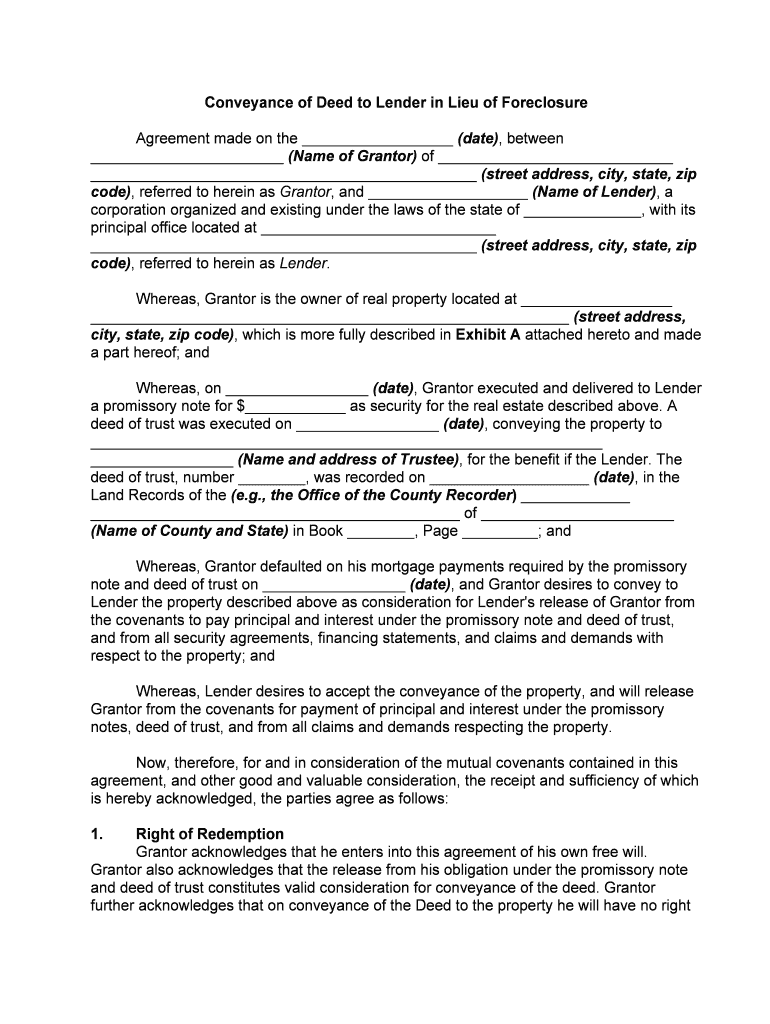
Conveyance Documents are the written instruments used to transfer ownership, title, or an interest in real property from one party to another. They include deeds, bills of sale for fixtures, assignments, easements, and releases that describe the property, identify grantor and grantee, state consideration, and include any conditions or reservations. Accurate conveyance paperwork is required to record the transfer in county land records, update title, and protect the parties’ rights. Proper execution, notarization, and recording ensure the document is effective against third parties and preserves marketable title.

Why precise Conveyance Documents matter

Clear, properly executed conveyance paperwork protects property rights, enables timely recording, and reduces the risk of title defects or future disputes. Accurate documents help ensure marketability, avoid recording rejections, and support tax and regulatory compliance across federal and state systems.

Why precise Conveyance Documents matter

Who prepares and relies on conveyance paperwork

Each participant has a defined role; clarity about responsibilities reduces errors and speeds recording and post-closing tasks.

  • Title companies and closing agents — Prepare, review, and record deeds and related instruments to clear title and produce title commitments and policies.
  • Real estate attorneys — Draft tailored conveyances, address exceptions, and advise on state-specific formalities and tax implications.
  • Lenders and servicers — Require accurate instruments for lien priority, releases, and mortgage reconveyances.

Who can sign and accept conveyances

Closing Attorney

A closing attorney or settlement agent commonly signs or certifies delivery on behalf of a party when authorized in writing. They coordinate notary acknowledgements, ensure deeds conform to local practice, and communicate with the county recorder to complete filing.

Corporate Officer

For corporate grantors or grantees, an authorized officer or corporate representative must sign in the corporate capacity. Corporate resolutions or power of attorney evidence of signing authority should be attached to avoid recording rejections.

Essential parts of a professional conveyance

A complete conveyance contains several standardized elements; missing or imprecise content often causes recording issues or title exceptions.

Grantor/Grantee

Full legal names and business entity types for parties, with authority evidence for entities and trustees to avoid ambiguity or later challenges.
Legal Description

A precise legal description (metes and bounds or lot-block-plat citation) tied to county records; street addresses alone are not sufficient for recording.

Consideration

Clear statement of consideration (amount or nominal recital) that aligns with tax reporting and transfer tax calculations in the recording jurisdiction.

Habendum/Reservations

Clauses that define conveyed estate, exceptions, easements, reservations, or retained rights; must be specific to avoid ambiguity in title scope.

Signatures

Authorized signatures with capacity indicated (e.g., President, Trustee), plus printed names and dates adjacent to each signature block.

Notary Acknowledgement

A jurisdiction-compliant notary block attesting to identity and signature, and any witness block required by state law or county practice.

Security, compliance, and technical safeguards

Encryption: TLS 1.2/1.3 in transit, AES-256 at rest
Access Controls: Role-based permissions and SSO/SAML
Audit Trail: Timestamps, IP, action history
HIPAA BAA: Available where required
ESIGN / UETA: Legal frameworks supported
Retention: Tamper-evident archival options

Common risks and consequences of flawed conveyances

Recording Rejection: Delays, additional fees
Title Defects: Marketability impaired
Tax Exposure: Transfer tax miscalculations
Fraud Risk: Unauthorized transfers
Contract Voidance: Improper signatory authority
Regulatory Fines: I-9 or disclosure violations

Frequent preparation errors to avoid

  • Using an incomplete legal description that mismatches recorded plat references, which commonly triggers county recorder rejection and requires corrective instruments.
  • Failing to confirm entity signing authority or attach corporate resolutions, resulting in rejected filings or post-closing litigation over capacity.
  • Omitting proper notarization language or witness blocks when required by state law; this often forces supplemental affidavits or re-execution.
  • Entering inconsistent consideration amounts that conflict with transfer tax returns and create audit or assessment questions with revenue agencies.

Step-by-step: Preparing and completing a conveyance

Follow these sequential tasks to prepare a recordable conveyance and reduce the chance of delays or rejections.

  • 01
    Draft: Assemble accurate names, legal description, and consideration.
  • 02
    Review: Title exam and counsel review for exceptions and liens.
  • 03
    Sign: Authorized parties sign before a notary or under RON rules.
  • 04
    Record: File with the county recorder and obtain stamped instrument copy.

Routing and filing workflow for conveyance instruments

A conveyance typically moves through a defined routing sequence from drafter to recorder; understanding each handoff prevents oversight.

  • Preparation: Draft file prepared with attachments and title exceptions.
  • Internal Approval: Lender or seller authorizations completed.
  • Notarization: Signatures notarized in-person or via authorized RON.
  • Recording: County recorder files instrument and returns copy.

Typical digital workflow settings for conveyance files

Common workflow settings help ensure correct field placement, signer order, and required authentications for recordable conveyances.

Field Configuration
Signature Order Sequential signer routing to preserve closing order
Authentication Email + SMS code or ID verification for higher assurance
Notary Field Dedicated acknowledgement block with date field
Attachments Attach title commitments, exhibits, and resolutions

Technical and integration considerations

Ensure your chosen platform preserves original file format, supports notarization fields, and integrates with title or closing systems for automated routing and secure storage.

  • Integrations: Salesforce, NetSuite, and Google Workspace
  • File Formats: PDF/A, DOCX supported
  • Authentication: KBA, SMS, or ID analysis

Key timing and processing expectations

Timely execution and recording reduce exposure to competing claims and preserve lien priority; local county timing varies.

Execution to Recording:

Record as soon as practicable to protect priority; delays risk intervening liens.

Transfer Tax Return:

File transfer tax forms per county/state timelines, often concurrent with recording.

Document Retention:

Keep originals until recording confirmed and then retain per legal retention rules.

Notary Record Keeping:

Notaries retain journal entries as required by state rules.

RON Recording:

If using Remote Online Notarization, confirm county acceptance before relying on RON.

Conveyance lifecycle: milestone sequence

These numbered milestones summarize the typical path from drafting to a recorded instrument and final distribution.

01

1. Drafting

Prepare instrument, exhibits, and supporting resolutions.

02

2. Review & Approval

Title, lender, and counsel review for exceptions and signatures.

03

3. Execution & Notarization

Authorized individuals sign and notary acknowledges signatures.

04

4. Recording & Return

Recorder accepts instrument, stamps copy, and returns to filer.

eSignature vendor pricing and compliance snapshot

Compare starting price and key features for vendors commonly used with conveyance workflows. Do not rely on this table as an exclusive procurement source; verify vendor sites for plan details.

signNow DocuSign Adobe Sign PandaDoc HelloSign
Starting Price $8/user/mo $15/user/mo $14/user/mo $19/user/mo $15/user/mo
Free Trial Yes, 7-day free trial Varies by plan Varies by plan Varies by plan Varies by plan
Bulk Send Yes Yes Yes Yes No
Audit Trail Yes Yes Yes Yes Yes
HIPAA Compliant Yes Yes Yes No No

Real-world examples from organizations using digital conveyance workflows

These short examples illustrate operational outcomes when teams digitize conveyance preparation and signing.

Martin Properties — Tim Martin, Founder

Tim Martin used online execution to handle remote closings efficiently

  • Reduced in-person signings for renters and buyers
  • He reported being able to complete and return required conveyance paperwork for closings from mobile or offline environments, improving turnaround without compromising compliance.

Optica Ventures — Brian Fitzgibbons, COO

Optica Ventures adopted digital signing for property assignments and easements

  • Streamlined counterparty workflows
  • The team found the interface straightforward for internal staff and clients, reducing manual rekeying and accelerating file-ready recordation steps.

Document and platform features to prioritize

Select features that preserve legal form, support notarization, and integrate with title and recorder workflows to minimize manual steps and rework.

Digital Recording

Support for county electronic submission or automated package assembly minimizes courier time and speeds acceptance by recorder offices that accept e-recording.

Title Integration

Integration with title systems and the ability to attach commitments and exception schedules reduces mismatches and supports seamless closing.

Redaction Tools

Built-in redaction and secure attachment handling protect sensitive data while ensuring the recorded instrument contains required public elements.

Multi-Party Signing

Simultaneous or ordered signer routing with notarization support and audit trails preserves sign order and evidentiary records for later review.

Frequently asked questions about conveyance documents

Answers to common questions about execution, notarization, recording, and correcting conveyances to reduce delays and legal risk.


Need help? Contact support

be ready to get more
Join over 28 million airSlate SignNow users