Establishing secure connection…Loading editor…Preparing document…

Missouri Corporate Dissolution

This template is fully customizable. Edit the text, fill out the fields, and send it for signature. Give it a try!
Missouri Corporate Dissolution

Overview of a Missouri Corporate Dissolution

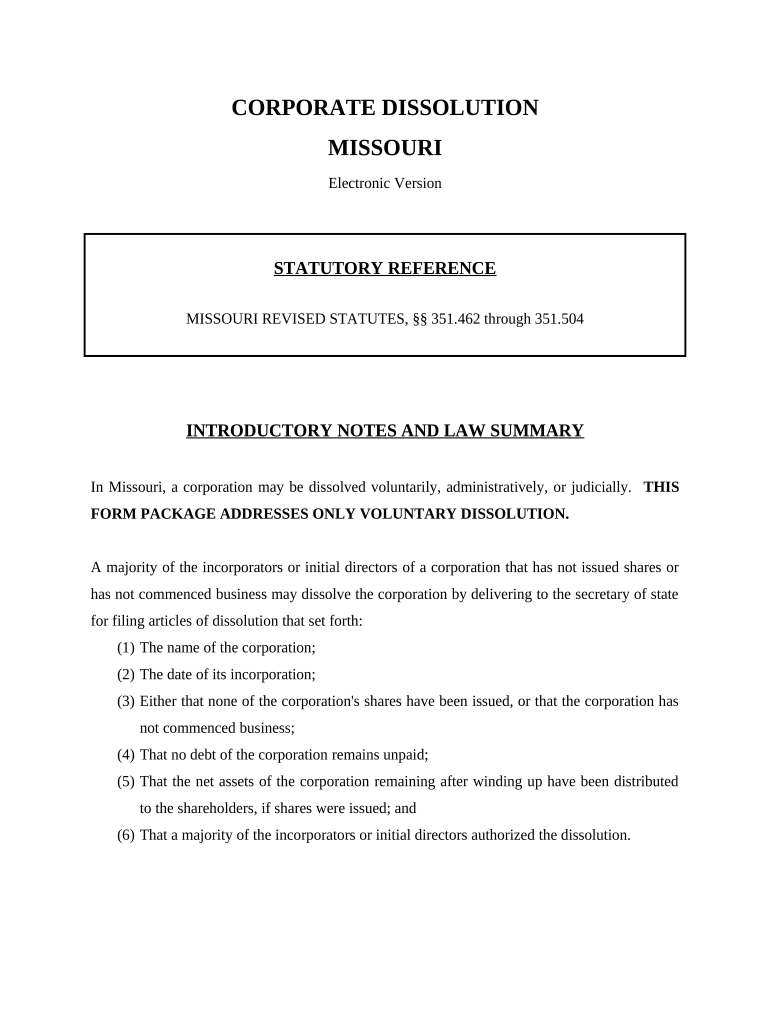
A Missouri Corporate Dissolution is the formal process a corporation uses to terminate its existence under Missouri law and wind up affairs, pay liabilities, and distribute remaining assets to shareholders. It typically involves corporate action (board and shareholder approval), filing the required documents with the Missouri Secretary of State, resolving tax and regulatory obligations, and notifying creditors. Completing dissolution correctly closes state registration and can limit future corporate liabilities; incomplete or improperly executed dissolutions can leave tax, reporting, or creditor exposure in place and delay terminal distributions to owners.

Why completing a formal dissolution matters

Voluntary dissolution provides legal certainty by ending the corporation’s state existence, establishing a formal wind-up process for creditor claims and tax obligations, and documenting final distributions to owners; it also helps avoid ongoing franchise taxes, registered agent obligations, and potential personal liability for officers and directors.

Why completing a formal dissolution matters

Who typically completes a Missouri Corporate Dissolution

The dissolution process is usually handled by corporate officers, company counsel, or an appointed wind-up agent; small-business owners and accountants may also prepare required forms.

  • Corporate officers and directors
  • Company attorneys and paralegals
  • Certified public accountants

External service providers (registered agents or dissolution specialists) commonly assist with filings and final compliance tasks when internal staff lack bandwidth or subject-matter expertise.

Key roles and who signs the paperwork

Officer — President

An authorized corporate officer (for example, president or CEO) typically signs the Articles of Dissolution or Certificate of Termination; corporate bylaws or board resolutions determine authority and signatory requirements.

Registered Agent

The registered agent remains a point of contact during the wind-up period for service of process and communications with the Secretary of State; the agent does not usually sign dissolution papers unless specifically authorized.

Required information commonly included

Corporate name: Exact name as on SoS records
Entity ID: Missouri business registration number
Effective date: MM/DD/YYYY format
Approval date: Board/shareholder action date
Signature block: Officer name and title
Address: Principal business address

Step-by-step: completing a Missouri Corporate Dissolution

Follow these core steps to prepare and file dissolution documents and wind up company affairs.

  • 01
    Board approval: Approve dissolution by board resolution per bylaws.
  • 02
    Shareholder vote: Obtain required shareholder approval if statutory thresholds apply.
  • 03
    Prepare filings: Complete Articles/Certificate of Dissolution with accurate data.
  • 04
    File and wind up: File with the Missouri Secretary of State and wind up liabilities.

How to customize and submit dissolution documents online

When preparing an online filing, configure document fields, signer roles, and any required attachments before submission.

Field Configuration
Entity name field Auto-fill from corporate record; require exact match
Signature role Assign to officer with authorization
Attachment upload Attach board resolution and shareholder consent
Filing method Select online or paper filing option

Where to file and how the submission flows

Dissolution filings are submitted to the Missouri Secretary of State; subsequent tax and regulatory closures require separate agency notifications.

  • Prepare document: Complete Articles/Certificate with corporate details
  • Submit to SoS: File online or by mail with required signatures
  • Notify tax agencies: Close state and federal tax accounts as applicable
  • Settle creditors: Advertise claims and resolve outstanding obligations

Distribution and digital signing considerations

Choose distribution and signing methods that meet legal and evidentiary needs while preserving the audit trail.

  • eSignature authentication: Use identity methods appropriate for corporate signers
  • Document formats: Use PDF or DOCX to preserve content integrity
  • Integration needs: Confirm CRM or storage connections

Preserve a tamper-evident signed copy and a separate audit trail (timestamps, signer IP, and identity verification) to support enforceability and record retention.

Typical timelines and processing expectations

Timing depends on completeness of paperwork and chosen filing method; plan for agency, tax, and creditor processes in the wind-up schedule.

Missouri filing processing:

Processing time varies by method and volume

Tax account closures:

Allow weeks for federal and state processing

Creditor claim period:

Advertised claim windows vary by statute

Final distributions:

Issue after liabilities and claims resolved

Record retention start:

Retention begins on effective dissolution date

Key milestones in the dissolution timeline

Follow these milestones in sequence to complete dissolution and wind up corporate affairs.

01

Adopt resolution

Board adopts dissolution plan and authorizes filings

02

Shareholder approval

Shareholders approve dissolution per governing documents

03

File Articles

Submit Articles/Certificate of Dissolution to SoS

04

Wind up affairs

Notify creditors, settle liabilities, distribute assets

Common mistakes to avoid when preparing dissolution paperwork

  • Using an incorrect corporate name or ID that does not match Secretary of State records, causing rejection or processing delays.
  • Failing to document required board or shareholder approvals in writing, which can lead to post-dissolution disputes over authority to act.
  • Neglecting to cancel tax accounts and file final returns with IRS and Missouri Department of Revenue, creating ongoing tax liabilities.
  • Distributing assets before resolving creditor claims or required notices, exposing officers and the corporation to potential personal liability.

Penalties and risks from an incorrect or incomplete dissolution

Ongoing taxes: Unresolved state/federal taxes remain collectible
Personal liability: Officers may face claims for improper distributions
Reinstatement costs: Administrative dissolution can require fees to reinstate
Creditor suits: Creditors can sue for unpaid obligations
Filing rejections: Incorrect forms may be returned or delayed
Recordkeeping gaps: Missing records complicate audits or litigation

How voluntary dissolution differs from administrative dissolution

Compare voluntary and administrative dissolution to determine which path applies and what filings or remedial steps are necessary.

Criteria Voluntary Dissolution Administrative Dissolution
Cause by corporate choice by sos action for noncompliance
Approval board/shareholder vote required no corporate vote
Remedy file dissolution documents file to reinstate or cure defaults
Typical outcome orderly wind-up possible penalties and reinstatement fees

Common eSignature vendors for completing dissolution paperwork

Below is a concise pricing and capability comparison for common eSignature vendors; signNow appears first per vendor ordering rules.

signNow DocuSign Adobe Sign PandaDoc HelloSign
Starting Price $8/user/mo $15/user/mo $14/user/mo $19/user/mo $15/user/mo
Free Trial 7-day free trial Varies by plan Varies by plan Varies by plan Varies by plan
Bulk Send Yes Yes Yes Yes No
Audit Trail Yes Yes Yes Yes Yes
HIPAA Compliant Yes Yes Yes No No

Real-world examples of electronic execution and wind-up

These customer examples show common scenarios for using digital workflows during corporate wind-up.

Martin Properties

Tim Martin’s property business moved document execution fully online to complete transactions remotely

  • Quote: 'I can process and execute all of these documents online with 100% compliance and built-in security.'
  • Result: Faster final distributions and fewer in-person steps during property wind-up and asset transfers.

BIS Operations

Dan Rotelli’s company prioritized SOC 2 compliance during contract workflows

  • Quote: 'We felt most comfortable with airSlate SignNow given their SOC 2 certification and strict focus on ESIGN and UETA act compliance.'
  • Result: Maintained audit trails and regulatory evidence while closing business lines and terminating vendor agreements.

Frequently asked questions about Missouri Corporate Dissolution

Answers to common questions about filing, authority, and post-dissolution responsibilities in Missouri.


Need help? Contact support

be ready to get more
Join over 28 million airSlate SignNow users