Establishing secure connection…Loading editor…Preparing document…

Deed of Distribution

This template is fully customizable. Edit the text, fill out the fields, and send it for signature. Give it a try!
Deed of Distribution

What a Deed of Distribution Is and when it's used

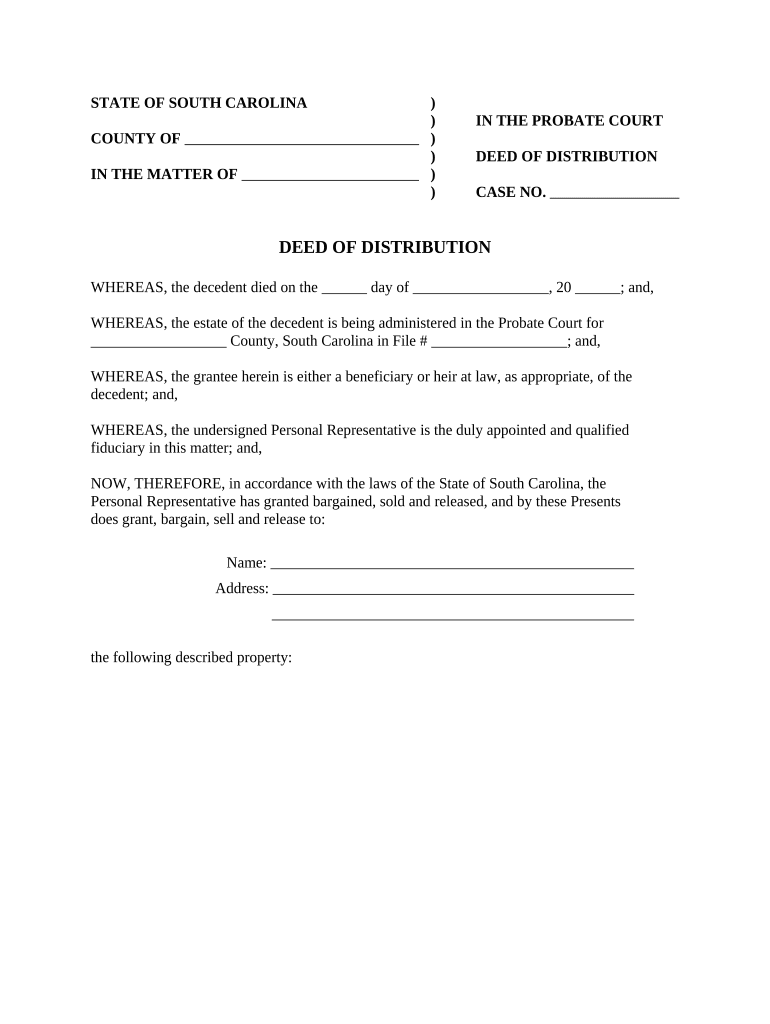
A Deed of Distribution is a legal instrument used to transfer title or allocate property and assets to beneficiaries, heirs, or co‑owners under an estate plan, probate order, partnership distribution, or corporate dissolution. It records who receives specific property, the consideration (if any), and the effective transfer date. The document typically requires precise identification of the grantor and grantee, a clear legal description of the property or asset, execution formalities such as signature and notarization, and compliance with local recording rules to perfect the transfer.

Legal basis and primary value of using a Deed of Distribution

A properly executed Deed of Distribution creates clear title transfer evidence and reduces later disputes. Electronic execution and retention are generally enforceable under the ESIGN Act (15 U.S.C. ch. 96) and UETA (1999) when the four ESIGN validity elements are met.

Legal basis and primary value of using a Deed of Distribution

Who commonly prepares and signs a Deed of Distribution

The Deed of Distribution is used by estate administrators, trustees, executors, corporate officers, and real estate agents when transferring property or allocating assets to beneficiaries or co‑owners.

  • Estate professionals and executors handling probate, trust administration, or beneficiary transfers.
  • Corporate officers and liquidators distributing assets on corporate dissolution or shareholder buyouts.
  • Real estate attorneys and closing agents preparing property transfers for recording at the county level.

Parties who sign must have authority under the governing instrument (will, trust, corporate resolution) and must follow state recording, notarization, and witness rules to preserve marketable title.

Typical signatories and document preparers

Executor / Trustee

An executor or trustee is authorized by a will or trust instrument to distribute assets. They must act within the instrument's terms and state probate laws and may need a court order if authority is disputed.

Company Officer

A corporate officer or authorized agent executes distributions under board resolutions or dissolution plans; corporate records should show delegated authority and the effective date of transfer.

Core parts of a professional Deed of Distribution

A clear, consistent structure helps recording clerks, title companies, and future owners determine rights. Include these elements to make the deed usable and enforceable.

Grantor and Grantee

Full legal names and capacity (e.g., trustee, executor) to show authority to transfer title.
Legal Description

Precise property description or asset identifier rather than a street address to ensure accurate recording.

Consideration Clause

State monetary consideration or state 'for love and affection' when appropriate; clarity avoids ambiguity.

Effective Date

The date when title passes; affects taxes, liability, and recording priority.

Execution Block

Signature, printed name, date, and signer capacity, followed by notary acknowledgement if required.

Recording Instructions

County recording venue, return address, and space for recording data (book/page or document number).

Step-by-step: prepare and execute a Deed of Distribution

Follow a consistent sequence to prepare, sign, notarize, and record the deed to ensure title transfer and reduce processing delays.

  • 01
    Assemble Authority: Confirm will, trust, court order, or corporate resolution granting distribution power.
  • 02
    Draft Deed: Use precise legal description and state-required language; avoid informal phrasing.
  • 03
    Execute and Notarize: Have authorized signer sign before a notary and required witnesses.
  • 04
    Record: File the deed with the county recorder in the property's jurisdiction.

Routing: where to send and file the completed deed

Understanding the correct recipients and order prevents rejection and delays at recording offices and among stakeholders.

  • Title Company: Provide final executed deed to the title company for insurance and closing purposes.
  • County Recorder: Record the deed in the county where the property is located to perfect transfer.
  • Beneficiaries: Deliver copies to grantees after recording for their records and mortgage satisfaction.
  • Grantor Records: Retain an executed copy in estate or corporate records for at least the retention period.

Configuring an online workflow for Deed of Distribution execution

Set up a repeatable digital workflow to capture signatures, notarization, and automatic distribution of final recorded copies.

Field Configuration
Template Create reusable deed template with locked legal description and editable variable fields.
Signer Order Set signer order to ensure authorized party signs before witnesses or notary.
Authentication Require email plus SMS or knowledge-based verification for higher assurance.
Notary Integration Use RON or attach a physical notary step depending on state requirements.

Digital signing and file requirements for a valid eExecuted deed

Digital workflows must preserve intent, signer attribution, and an unalterable audit trail to meet ESIGN and UETA standards.

  • Document Format: Use PDF/A or final PDF to preserve formatting for recording.
  • Audit Trail: Capture timestamp, IP, authentication method, and signer email for evidence.
  • Notarization Support: Support RON or facilitate in-person acknowledgement per state rules.

Ensure the chosen eSignature platform supports secure storage, audit logs, and the notarization workflow required by the recording county and state law.

eSignature vendor pricing and key features for deed workflows

Compare core pricing and common plan attributes across major eSignature vendors. signNow is listed first per platform comparison guidance.

signNow DocuSign Adobe Sign PandaDoc HelloSign
Starting Price $8/user/mo $15/user/mo $14/user/mo $19/user/mo $15/user/mo
Free Trial 7-day free trial Varies by plan Varies by plan Varies by plan Varies by plan
Bulk Send Yes (Business Premium+) Varies by plan Varies by plan Varies by plan Varies by plan
Audit Trail Yes Yes Yes Yes Yes
HIPAA Compliant Yes (BAA required) Varies by plan Varies by plan Varies by plan Varies by plan
Envelope Cap No cap 100 envelopes/user/year Varies by plan Varies by plan Varies by plan

Security and compliance features to look for

Encryption: TLS 1.2/1.3 in transit; AES-256 at rest
Audit Trail: Tamper-evident logs and timestamps
BAA Option: HIPAA BAA available when required
Regulatory Certs: SOC 2 Type II and ISO 27001
eSignature Law: ESIGN and UETA compliance
Accessibility: WCAG 2.0 Level AA support

Common mistakes to avoid when preparing a Deed of Distribution

  • Using a street address instead of a legal description, causing recording rejection.
  • Mismatched grantor or grantee names between deed and appointment documents.
  • Skipping required notarization or witness steps under state law.
  • Failing to update title insurance or notify mortgage holders, creating lien risk.

Consequences and legal risks of incorrect deeds

Title Defect: May trigger disputes or insurance claims
Recording Rejection: Delays transfer and leaves prior owner exposed
Tax Exposure: Documentary transfer taxes or reassessment risk
Fiduciary Liability: Executor or trustee may face claims for improper distributions
Mortgage Breach: Transfer without lender consent can violate mortgage terms
Fraud Risk: Improper signatures or authority can void conveyance

Typical timing and deadlines in the deed lifecycle

Timing depends on notarization availability, county recorder processing, and whether additional court filings are required; plan for administrative lead time.

Execution and Notarization:

Complete immediately before recording; notarization must coincide with signer presence.

County Recording:

Recording is typically same-day to several business days depending on county workload.

Title Update:

Title companies update records after recording, often within 1–2 weeks.

Tax Reporting:

Transfers may trigger local transfer tax filings within county deadlines.

Document Retention:

Retain executed copies per retention schedule for audits or disputes.

Key milestones from drafting to recorded transfer

Track each milestone to keep the transfer on schedule and to provide evidence of proper process in case of challenge.

01

Draft Complete

Legal description and parties verified; draft locked for signing.

02

Authority Confirmed

Will, trust, or corporate resolution reviewed and attached if required.

03

Execution & Notarization

Authorized signature(s) notarized and witnessed per state rule.

04

Recording Completed

Deed recorded and indexed at the county recorder's office.

Real-world examples of digital deed workflows

Organizations use digital signing and workflow automation to reduce delays in multi‑party transfers and to maintain auditable records.

Martin Properties (Founder)

Martin Properties moved deed execution online to avoid in-person closings and delays.

  • The founder noted mobile signing supported remote closings.
  • The result was faster turnaround across transactions and a consistent archive of executed deeds for future title needs.

Optica Ventures (COO)

Optica Ventures centralized document execution for distributions to investors.

  • The COO emphasized ease of use for internal and external parties.
  • Centralized signed copies reduced follow-up time and simplified audit preparations during investor reporting.

Practical tips for accurate and efficient deed completion

Follow these practices to reduce rejections and protect all parties involved in the property transfer.

Verify Authority Documentation
Attach or reference the will, trust, court order, or corporate resolution that authorizes the distribution. Confirm the signing party’s capacity before execution to avoid voidable transfers.
Use Exact Legal Descriptions
Copy the legal description from the existing deed or title report verbatim. Minor alterations or abbreviations can lead to recording rejection.
Coordinate with Title/Mortgage
Notify the title company and any mortgage holders in advance. Confirm whether lender consent is required and whether transfer triggers recording-related taxes.
Confirm Local Recording Requirements
Check county recorder formatting rules, page margins, and fee schedules. Some counties require specific cover sheets or separate affidavits.

How a Deed of Distribution compares to other deed types

Choose the deed type that matches the transfer intent and the level of warranty the grantor provides; this table summarizes primary differences.

Deed Type Primary Purpose Warranty Level
Deed of Distribution allocate assets per estate or dissolution limited warranty, instrument-specific
Warranty Deed conveys title with full seller warranties high warranty
Quitclaim Deed transfers whatever interest grantor holds, no warranties no warranty
Executor's Deed executor conveys estate property per court or will limited warranty

Frequently asked questions about Deeds of Distribution and eSigning

Common questions about validity, notarization, recording, and digital signatures are answered below to help avoid delays and legal uncertainty.


Need help? Contact support

be ready to get more
Join over 28 million airSlate SignNow users