Establishing secure connection…Loading editor…Preparing document…

Discretionary Distribution Trust Agreement for Children

This template is fully customizable. Edit the text, fill out the fields, and send it for signature. Give it a try!
Discretionary Distribution Trust Agreement for Children

What a Discretionary Distribution Trust Agreement for Children Is

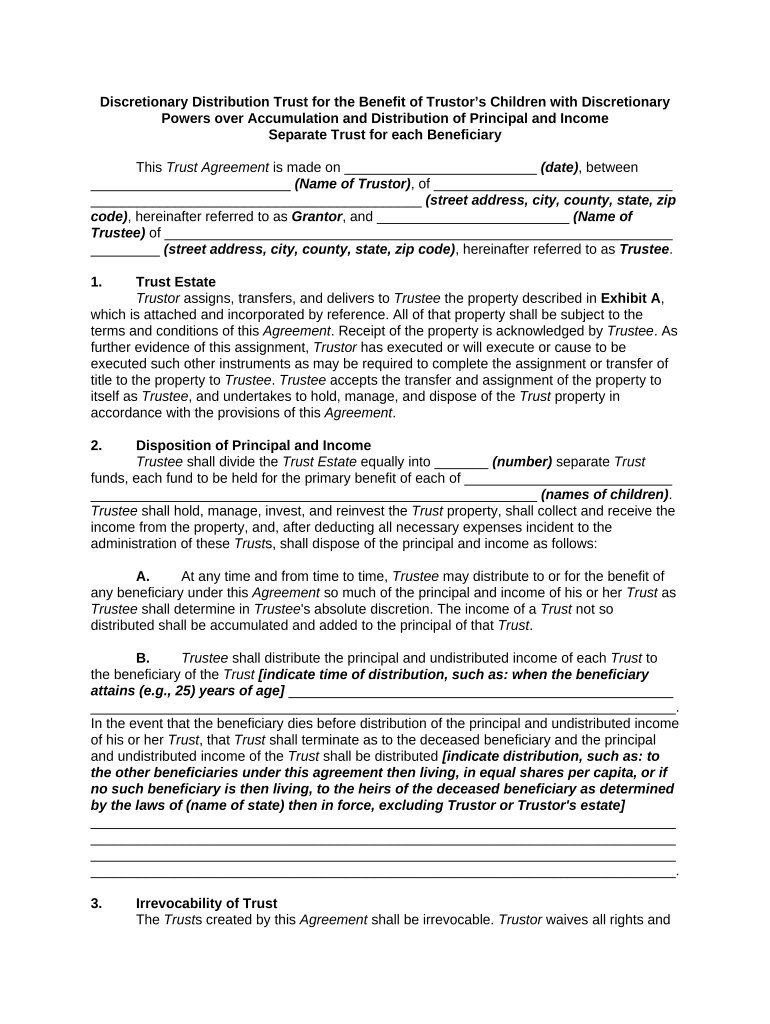
A Discretionary Distribution Trust Agreement for Children is a private estate planning instrument that gives a trustee flexible authority to distribute trust assets to child beneficiaries according to standards set by the settlor (typically a parent or guardian). Unlike fixed-entitlement trusts, distributions are made at the trustee's discretion for health, education, maintenance, or support to meet beneficiaries' needs while protecting assets from creditors and imprudent spending. The document names parties, sets distribution standards, defines trustee powers, and describes successor arrangements and termination conditions.

Why a Discretionary Distribution Trust for Children Matters

This trust balances asset protection, flexibility, and targeted support: it safeguards assets for minors while allowing a trusted fiduciary to respond to changing needs, minimize probate exposure, and enforce spendthrift protections without requiring court supervision.

Why a Discretionary Distribution Trust for Children Matters

Who Typically Prepares or Signs This Agreement

Typical users include family members and professionals involved in child-focused estate planning.

  • Parents and settlors planning for minor children or descendants, seeking flexible post-death support arrangements.
  • Individual or corporate trustees who administer distributions and fiduciary duties on behalf of beneficiaries.
  • Estate planning attorneys and financial advisors who draft provisions and coordinate funding and tax consequences.

Each participant has distinct responsibilities: settlors draft intent, trustees carry out distributions, and advisors ensure legal and tax compliance.

Representative Roles and Responsibilities

Settlor (Parent)

The settlor funds the trust and sets discretionary standards and successor trustee instructions; clear drafting minimizes later disputes and guides trustee discretion.

Trustee (Professional)

A trustee exercises discretion, documents decisions, preserves an audit trail, and must act in beneficiaries' best interests to avoid fiduciary breach claims.

Essential Data Elements to Include

Beneficiary Names: Full legal names
Trustee Powers: Scope and limits
Funding Details: Assets and accounts
Distribution Standard: Health, education, maintenance
Successor Trustees: Order and conditions
Governing Law: State selected

Key Risks and Legal Consequences

Invalid Trust: Improper execution risks invalidity
Tax Exposure: Unfunded or misreported assets trigger taxes
Fiduciary Breach: Poor recordkeeping invites litigation
Creditor Claims: Insufficient spendthrift protection
Probate Risk: Assets not retitled may probate
Clerical Errors: Name/TIN mismatches create delays

Common Preparation Challenges

  • Vague distribution standards that leave too much or too little latitude for trustees and invite disputes.
  • Failing to retitle assets into the trust before the settlor’s death, which causes unintended probate.
  • Overlooking tax identification details for trust income reporting and beneficiary tax consequences.
  • Not specifying successor trustees and resignation procedures, creating temporary administration gaps.

Step-by-Step: Completing the Agreement

Follow these steps to prepare a clear, enforceable discretionary trust tailored for child beneficiaries.

  • 01
    Draft Terms: Define purpose, standards, and powers in clear language.
  • 02
    Name Parties: Enter full legal names and contact details.
  • 03
    Specify Funding: List assets and intended transfer methods.
  • 04
    Execute Properly: Sign, notarize, and obtain witness statements if required.

How Electronic Completion Works for This Trust

When using a compliant eSignature workflow, follow secure steps so signatures and records meet legal tests for enforceability.

  • Upload Document: Use PDF or DOCX file formats.
  • Place Fields: Add signature, date, and initial fields for each signer.
  • Authenticate Signers: Choose email, SMS, or stronger methods.
  • Store Audit Trail: Preserve timestamps and IP addresses for records.

Core Provisions to Include in a Professional Agreement

A well-drafted discretionary distribution trust for children contains several interlocking provisions that clarify intent, limit risk, and guide trustees.

Discretionary Standard

Specify precise criteria (e.g., health, education, maintenance) to guide trustee decisions and reduce ambiguity and litigation risk.
Trustee Authority

Grant investment, distribution, and administrative powers, including ability to make interim advances and allocate income or principal.

Spendthrift Clause

Protect trust assets from beneficiary creditors by restricting assignment and direct creditor access to trust property.

Age-Based Vesting

Define milestones (age 25, 30, etc.) for partial or full distribution to transition control responsibly.

Successor Provisions

Name successors and procedures for trustee resignation, removal, or incapacity to maintain continuity.

Reporting Requirements

Require periodic accounting to beneficiaries or trust protector to enhance transparency and compliance.

Supporting Materials and Export Options

Include exhibits and use flexible file formats so advisors can review, fund, and record trust documents efficiently.

Download Formats

Provide signed copies as PDF/A for long-term archiving and as DOCX for editable drafts with clear versioning history.

Exhibits and Schedules

Attach asset schedules, beneficiary designation forms, and funding checklists as numbered exhibits to ensure completeness.

Tax Schedules

Include trustee tax ID (EIN) details and instructions for income reporting to avoid filing delays.

Funding Instructions

Document steps for retitling accounts, transferring deeds, and beneficiary designations to properly fund the trust.

Practical Tips for Accurate and Efficient Completion

Follow these drafting and execution practices to reduce post-signature disputes and administrative friction.

Verify Beneficiary Data
Confirm legal names, dates of birth, and TINs with government ID and records to prevent ambiguity and tax problems.
Use Clear Standards
Avoid vague phrases; define terms like 'education' and 'reasonable support' to limit trustee interpretation disputes.
Document Trustee Decisions
Require written justifications for major distributions to create a defensible record against fiduciary claims.
Coordinate Entire Plan
Align the trust with wills, beneficiary forms, and powers of attorney so assets follow intended paths without probate.

Key Milestones from Drafting to Funding

Track these stages to ensure the trust is valid, properly funded, and ready for administration when needed.

01

Execution

Signatures are collected and notarized to establish validity and enforceability.

02

Funding Complete

Retitle assets into the trust so assets pass under trust terms, avoiding probate.

03

Trustee Acceptance

Trustee formally accepts duties in writing before acting on distributions.

04

Periodic Review

Review language and funding every 3–5 years or after major life events.

Timing Considerations and Routine Deadlines

Some dates affect tax reporting and administration; others are scheduling best practices rather than fixed statutory deadlines.

Effective Date:

Enter MM/DD/YYYY; governs when trustee powers begin.

Funding Deadline:

Retitle or transfer assets promptly; timing affects avoidance of probate.

Tax Filings:

Trust returns follow IRS rules; EIN needed before filing Form 1041.

Notarization Timing:

Sign and notarize in the same session to satisfy state acknowledgement rules.

Review Schedule:

Plan reviews every 3–5 years or after major family events.

Configuring an Online Workflow for This Trust

When using a digital signing platform, configure authentication, conditional fields, and retention settings to match legal and administrative needs.

Field Configuration
Authentication Email with optional SMS code or stronger 2FA for trustees
Conditional Fields Show contingent beneficiary fields only if primary is deceased
Notary/RON Enable audio-video recording for remote notarization where allowed
Retention Preserve audit trail and signed PDF/A for long-term storage

Delivery and Platform Capabilities to Consider

Choose a platform that supports required file formats, secure authentication, and integration with your document management systems.

  • File Formats: PDF, DOCX, HTML supported
  • Integrations: Salesforce, NetSuite, Google Workspace
  • Authentication: Email, SMS code, or KBA options

Ensuring these capabilities helps create admissible records, supports trustee workflows, and simplifies long-term retention and audits.

Comparing eSignature Pricing and Key Features

Below is a high-level pricing and capability comparison for common eSignature vendors; signNow is listed first per format rules.

signNow DocuSign Adobe Sign PandaDoc HelloSign
Starting Price $8/user/mo $15/user/mo $14/user/mo $19/user/mo $15/user/mo
Free Trial 7-day free trial Varies by plan Varies by plan Varies by plan Varies by plan
Bulk Send Yes (Business Premium) Varies by plan Varies by plan Varies by plan Varies by plan
Audit Trail Yes Yes Yes Yes Yes
HIPAA Compliant Yes Yes Yes No No

Real-World Examples of Digital Document Workflows

These customer examples show how eSignature workflows can simplify document execution and administration.

Optica Ventures LLC — Brian Fitzgibbons

Optica streamlined document distribution for investor onboarding with reusable templates.

  • The interface remained simple for external signers.
  • The interface is simple and easy-to-use for our team; more importantly, it is just as easy for our customers.

Xerox — Kodi-Marie Evans

Xerox integrated signing into its NetSuite operations to reduce processing steps and centralize records.

  • Integration reduced duplicate data entry.
  • airSlate SignNow provides us with the flexibility needed to get the right signatures on the right documents, in the right formats, based on our integration with NetSuite.

Frequently Asked Questions and Practical Answers

Answers address legal validity, execution mechanics, notarization, revocation, and common eSignature concerns for this trust type.


Need help? Contact support

be ready to get more
Join over 28 million airSlate SignNow users