Establishing secure connection…Loading editor…Preparing document…

Donation Receipt

This template is fully customizable. Edit the text, fill out the fields, and send it for signature. Give it a try!
Donation Receipt

What a Donation Receipt Is and when it matters

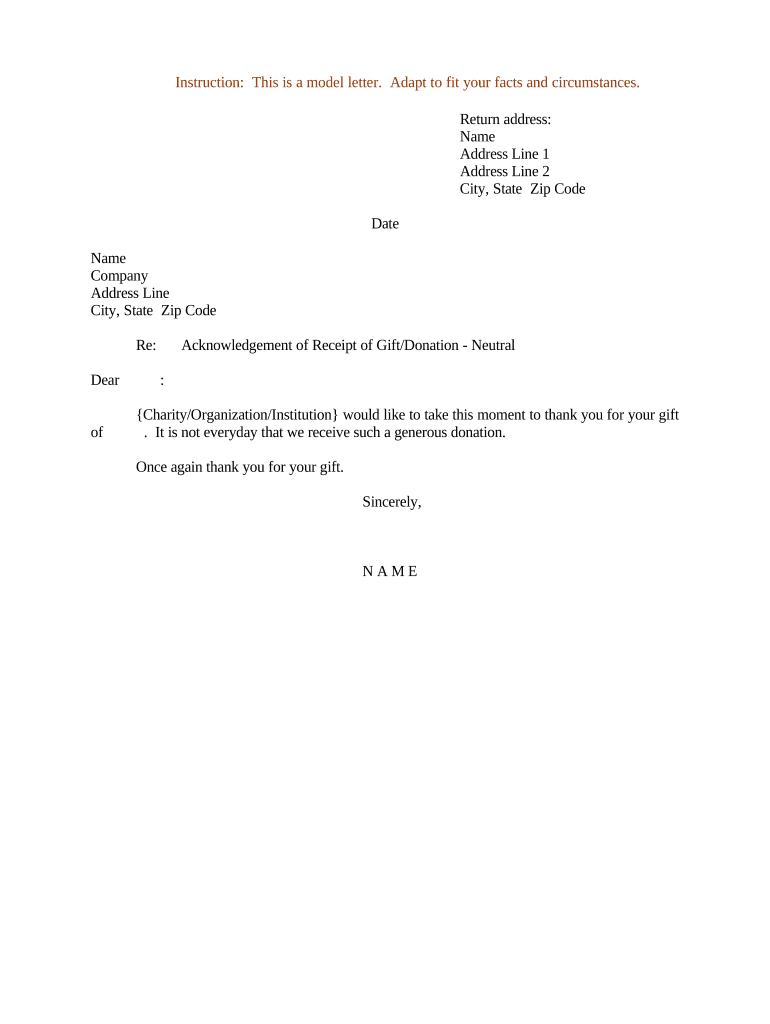
A Donation Receipt documents a charitable gift from a donor to a qualified organization and provides proof for the donor's tax records. Typical receipts note the donor name, organization name, date, description of the donation (cash or noncash), and an acknowledgment of any goods or services provided in return. For U.S. taxpayers, a properly completed receipt supports deductions claimed on federal returns and helps organizations maintain accurate contribution records for audits and donor stewardship.

Why a clear Donation Receipt benefits donors and charities

A well‑crafted Donation Receipt ensures donors can substantiate tax deductions and allows charities to track income and comply with IRS recordkeeping. It also reduces disputes by documenting value and any goods provided, and it supports internal controls and audit trails required by federal tax rules and nonprofit best practices.

Why a clear Donation Receipt benefits donors and charities

Who completes and relies on Donation Receipts

Donation Receipts are prepared by nonprofit staff and given to donors; both parties rely on the document for tax substantiation and internal records.

  • Nonprofit administrators preparing year‑end contribution records and acknowledgments
  • Individual and corporate donors claiming charitable deductions on federal tax returns
  • Accountants and auditors verifying contribution documentation during financial reviews

Core elements to include on a Donation Receipt

A professional Donation Receipt balances donor-facing clarity with the information required for IRS substantiation. Include the organization identity, donor details, transaction specifics, and a statement about goods or services, when applicable.

Organization ID

Full legal name, mailing address, and EIN so the donor can reference the charity on their return and the IRS can verify tax‑exempt status.
Donor Details

Donor name and mailing address as provided; for corporate gifts include entity name and taxpayer identification if requested.

Donation Description

Date, value (cash amount or fair market value for property), and a clear description of noncash items to support valuation.

Acknowledgment Statement

A declaration that no goods or services were provided, or a description and good‑faith estimate of any goods/services received in return.

Signature/Contact

Printed name and title of an authorized representative and a contact phone or email for follow‑up verification.

Record/Receipt ID

Unique receipt or internal reference number and the delivery method (mail, email, electronic file) for audit trails.

Required fields and brief rationale

Charity Name: Legal name of the organization
EIN: Employer Identification Number
Donor Name: As shown on donor records
Donation Date: Date gift was received
Amount/Description: Cash amount or noncash item description
Acknowledgment: Statement re: goods or services provided

Stepwise process to prepare and issue a Donation Receipt

Follow these sequential steps to create an auditable, donor‑friendly receipt that supports tax deductions and internal controls.

  • 01
    Record the gift: Log donor name, date, type, and value in the organization ledger.
  • 02
    Determine value: For noncash gifts, obtain valuation or appraisal if required.
  • 03
    Generate receipt: Complete receipt fields and assign unique receipt ID.
  • 04
    Deliver to donor: Send via mail or electronically and retain proof of delivery.

Where to send and store completed Donation Receipts

Donation Receipts should be delivered to donors and retained in organizational records following applicable retention rules and audit needs.

  • To the Donor: Email PDF copy or printed mail per donor preference
  • Accounting File: Store a signed copy in the organization's contribution ledger
  • Backup Archive: Keep an offsite or cloud backup with access controls
  • Audit Folder: Collect supporting appraisals, acknowledgments, and delivery proof

Set up an online Donation Receipt workflow

Configure a repeatable digital workflow to generate, sign, and deliver Donation Receipts while preserving an audit trail.

Field Configuration
Template Prepopulate charity name, EIN, signature block
Signer Roles Assign preparer and authorized approver
Delivery Auto‑email PDF and save to cloud storage
Audit Enable full audit trail with timestamps

Digital signing and distribution considerations

Choose platforms that support secure eDelivery, retention, and audit trails when issuing Donation Receipts electronically.

  • File Formats: PDF and DOCX accepted; signed PDF preferred
  • Integrations: Connectors for Google Workspace, Microsoft 365, Salesforce
  • Authentication: Email, SMS, or stronger verification for high‑value donations

Timelines and key dates to consider

Donation Receipts are dated at the time the charity receives the gift; timing affects the donor's tax year and any reporting obligations for the organization.

Donation Date:

Date received determines tax year eligibility

Year‑End Acknowledgment:

Issue receipts promptly for year‑end gifts to aid donor filings

Substantiation for $250+:

Written acknowledgment required under IRS rules

Noncash over $5,000:

Attach qualified appraisal per IRS guidance

Donor Request Timing:

Provide receipt upon request to support filing or audit

Risks and penalties from incorrect Donation Receipts

Tax Return Risk: Donor deductions denied
IRS Penalties: Penalties for incorrect reporting (IRC §6721)
Reputational Damage: Donor disputes and loss of trust
Audit Exposure: Increased scrutiny during IRS or state audits
Valuation Errors: Noncash valuation issues for high‑value gifts
Privacy Violations: HIPAA or state privacy breaches if medical information included

Common mistakes to avoid

  • Omitting the charity EIN or using an incorrect EIN
  • Failing to state whether goods or services were provided in return
  • Using vague descriptions for noncash donations without valuation support
  • Delaying delivery of receipts past the donor's filing needs

Practical tips for accurate and efficient receipts

Adopt consistent templates and centralized processes to reduce errors and speed delivery of Donation Receipts.

Standardize templates
Use a consistent, approved receipt template that includes all required fields and a unique receipt ID.
Automate delivery
Send receipts electronically to reduce mailing delays and maintain an audit trail.
Train staff
Ensure fundraising and accounting staff know thresholds that trigger extra documentation (e.g., $250 acknowledgments).
Retain supporting docs
Keep appraisals, photos, and valuation worksheets with the receipt for noncash gifts.

Formats and supporting documents to attach

Deliver Donation Receipts in durable formats and include any supporting files that substantiate the gift's value or condition.

Preferred Formats

Provide signed PDFs for donors and keep editable DOCX copies for the organization.

Noncash Support

Attach photos, appraisals, or written valuations for donated property when applicable.

Proof of Delivery

Retain email delivery receipts or postal tracking numbers as proof of receipt.

Internal Notes

Include internal memos on valuation methods and any donor restrictions or conditions.

Real organization examples that illustrate digital receipts

These snapshots show how organizations use digital tools to issue receipts and preserve audit trails while serving donors.

Optica Ventures LLC

Brian Fitzgibbons, COO

  • The interface is simple and easy‑to‑use for our team; more importantly, it is just as easy for our customers.
  • The simplicity reduced manual processing time and improved our ability to deliver timely acknowledgments to donors.

Tech Data

Bob Dutkowsky, CEO

  • Tech Data uses airSlate SignNow to improve our internal and external customer service while increasing our speed to revenue.
  • Consistent digital receipts helped centralize contribution records and supported faster donor confirmations.

Who should sign or authorize Donation Receipts

Charity Treasurer

The treasurer or other authorized finance officer validates amounts, signs the receipt, and ensures entries post to accounting systems. Their signature attests to receipt accuracy and supports internal controls.

Donor Representative

For corporate or agent gifts, an authorized representative of the donor may sign an acknowledgment of receipt; organizations should record the representative's name and title for verification.

Comparing eSignature options for issuing Donation Receipts

Basic pricing and feature differences that affect issuing and distributing Donation Receipts electronically; signNow is listed first for comparison.

signNow DocuSign Adobe Sign PandaDoc HelloSign
Starting Price $8/user/mo $15/user/mo $14/user/mo $19/user/mo $15/user/mo
Free Trial Yes, 7‑day free trial No No No No
Bulk Send Yes Yes Yes Yes No
Audit Trail Yes Yes Yes Yes Yes
HIPAA Compliant Yes Yes Yes No No

Frequently asked questions about Donation Receipts

Answers to common questions on substantiation, valuation, electronic delivery, and retention to help nonprofits and donors comply with U.S. law.


Need help? Contact support

be ready to get more
Join over 28 million airSlate SignNow users