Establishing secure connection…Loading editor…Preparing document…

Financial Support Agreement

This template is fully customizable. Edit the text, fill out the fields, and send it for signature. Give it a try!
Financial Support Agreement

What a Financial Support Agreement Is and When It Applies

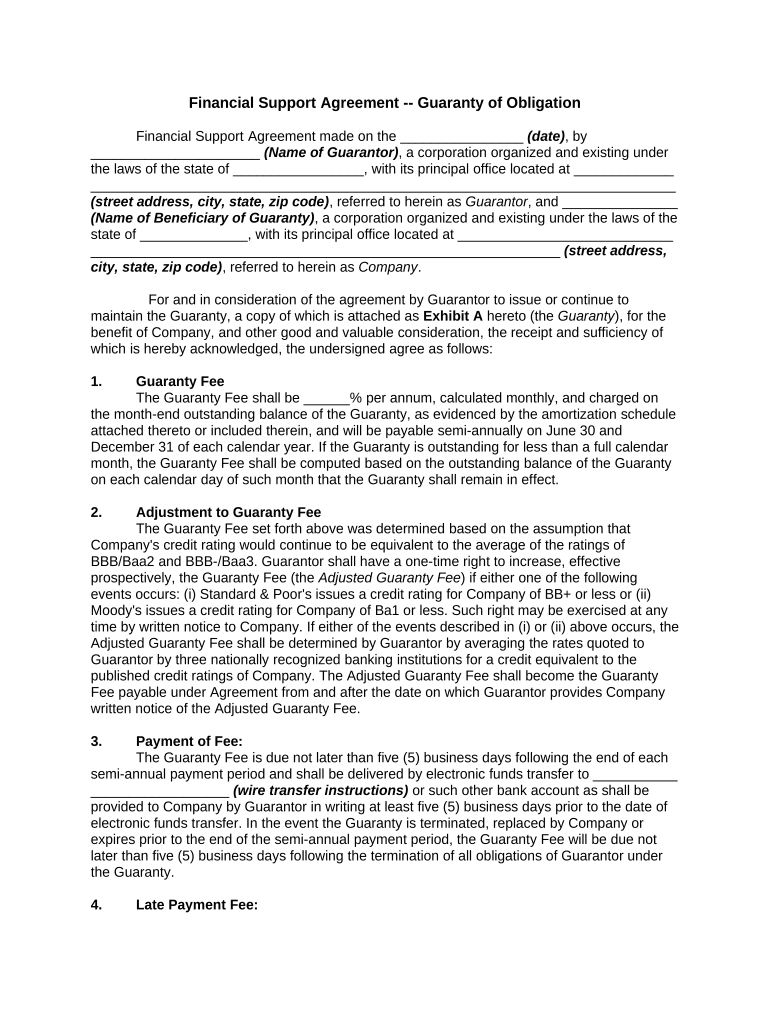
A Financial Support Agreement is a written contract in which one party (the guarantor or sponsor) promises to provide specified financial assistance to another party (the beneficiary) for a defined purpose and period. Typical uses include family support, sponsorship for immigration, student or tenant support, and conditional employer or organizational guarantees. The document sets the amount or scope of support, timing and payment mechanics, conditions or contingencies, and remedies for nonpayment. Properly executed, it creates enforceable obligations under contract law and can be used as evidence in disputes or third-party reviews.

Why a Clear Financial Support Agreement Matters

A precise agreement reduces ambiguity about obligations, protects both parties by documenting scope and timelines, and supports enforceability in court or administrative reviews. It benefits payers and recipients by establishing expectations, specifying remedies, and clarifying tax or reporting responsibilities where applicable.

Why a Clear Financial Support Agreement Matters

Who Commonly Prepares or Signs This Agreement

Typical parties include individual guarantors, family members sponsoring relatives, employers providing temporary financial assistance, educational institutions, and landlords or property managers requiring a guarantor for lease obligations.

  • Individual guarantors: Private persons agreeing to pay rent, tuition, or living expenses when the primary party cannot meet obligations.
  • Organizations: Schools, employers, or nonprofits that pledge funds for a named beneficiary under defined terms.
  • Landlords and lenders: Entities that use a signed agreement to secure payment obligations and pursue remedies if the guarantor defaults.

Identifying the correct signer authority and role up front — guarantor, sponsor, co-signer, or institutional representative — helps ensure valid execution and avoids later disputes.

Step-by-Step: Completing the Agreement

Follow these sequential steps to prepare a usable and enforceable Financial Support Agreement.

  • 01
    1. Identify parties: List full legal names, addresses, and roles for all signers.
  • 02
    2. Define support: Specify exact amounts, schedule, and duration of support.
  • 03
    3. Add conditions: Include triggering events, contingencies, and termination clauses.
  • 04
    4. Sign and date: All parties sign, date, and initial pages as required.

Setting Up an Electronic Signing Workflow

Configure the online workflow to match signer order, authentication, and retention needs.

Field Configuration
Signer Order Specify sequential or parallel signing to control execution order.
Authentication Choose email, SMS code, or stronger methods (KBA) based on risk.
Required Fields Mark name, signature, date, and payment terms as mandatory.
Record Retention Enable audit trail, timestamps, and downloadable signed PDF.

Typical eSigning Flow for Financial Support Agreements

A standard eSigning sequence ensures intent, attribution, and record capture required for legal validity.

  • Upload document: Sender uploads the agreement PDF or DOCX to the eSignature platform.
  • Place fields: Add signature, date, and data fields; apply conditional rules if needed.
  • Send to signers: Distribute by email or secure link in specified signer order.
  • Capture audit trail: Platform records IP, timestamps, and signer actions for evidence.

Essential Clauses to Include

A professionally drafted agreement includes clauses that define obligations, protections, and administrative details to reduce later disputes.

Support scope

Clear description of what funds cover (rent, tuition, living expenses), including limits and exclusions.
Term and termination

Start date, scheduled end date, and conditions that allow early termination or extension.

Payment mechanics

Method of payment, due dates, account details, and procedures for missed payments and remedies.

Default and remedies

Define what constitutes default and available recovery actions, including collection costs.

Representations

Statements by parties about capacity, authority, and accuracy of disclosed financial information.

Governing law

Choice of state law and venue for dispute resolution, and whether arbitration is required.

Practical Tips for a Robust Agreement

These drafting practices reduce ambiguity and support enforceability across jurisdictions.

Use plain language
Avoid legalese; state monetary obligations in dollars and include exact dates to prevent differing interpretations.
Attach exhibits
Include payment schedules, proof of funds, and identification pages as exhibits to the agreement.
Confirm authority
If an entity signs, include the signer's title and evidence of corporate authorization.
Retain originals
Keep an accessible signed copy and an audit trail to support any later enforcement action.

Timing and Important Dates to Track

Record these dates clearly to avoid missed obligations or penalties.

Effective date:

The date the agreement takes effect; enter as MM/DD/YYYY to avoid ambiguity.

Payment due dates:

Specify monthly or milestone deadlines and calendar conventions for late fees.

Renewal windows:

Set notice periods for renewal or nonrenewal, typically 30–90 days.

Default cure period:

State how many days a party has to cure a missed payment before remedies apply.

Retention deadlines:

Note document retention obligations tied to tax or regulatory requirements.

Risks and Legal Consequences of Errors

Contract unenforceability: Ambiguous or unsigned agreements may be unenforceable in court.
Tax exposure: Incorrect reporting of financial support can trigger IRS review or information return penalties (IRC §6721).
I-864/immigration issues: Sponsorship errors can affect immigration petitions that rely on financial guarantees.
Breach liability: Guarantors may face collection, interest, and attorney fee exposure for defaults.
Notary defects: Missing or improper notarization can delay enforcement or filing; some filings require notarized signatures.
Data privacy: Improper handling of personal or health data may implicate HIPAA or state privacy laws.

Typical Information Collected and Why It Matters

Guarantor ID: Full legal name, DOB, and government ID for identity verification.
Contact details: Address, phone, and email for notices and service of process.
Payment instructions: Bank or ACH details to enable timely transfers.
Support calculation: Clear formula or fixed amount used for accounting and tax reporting.
Term definitions: Start/end dates and renewal triggers for enforcement clarity.
Witness/notary info: Names and notarization data where required to validate execution.

Comparing eSignature Options for Executing Financial Support Agreements

Select an eSignature provider that supports required authentication, retention, and compliance features. The table summarizes common plan-level differences; signNow is listed first for comparison purposes.

signNow DocuSign Adobe Sign PandaDoc HelloSign
Starting Price $8/user/mo $15/user/mo $14/user/mo $19/user/mo $15/user/mo
Free Trial 7-day free trial Varies by plan Varies by plan Varies by plan Varies by plan
Bulk Send Yes Yes Yes Yes No
Audit Trail Yes Yes Yes Yes Yes
HIPAA Compliant Yes Yes Yes No No

Real-World Examples of Use

These brief examples show how organizations and individuals apply Financial Support Agreements in practice.

Optica Ventures (COO)

Optica used a guarantor agreement for tenant support during a lease transition

  • The document specified monthly payments and a three-month bridge period
  • The clear schedule and audit-ready signed PDF simplified accounting and reduced dispute time with the tenant and property manager.

Tech Data (CEO)

Tech Data implemented standardized sponsor agreements for employee relocation assistance

  • Each template included repayment terms and tax reporting language
  • Centralized execution and retention allowed internal teams to reconcile costs and comply with corporate recordkeeping policies.

Typical Signer Roles and Authority

Individual Guarantor

A private person who promises to pay specified amounts if the beneficiary fails to do so. Confirm capacity and identity; include contact information and evidence of funds when requested.

Authorized Representative

An officer or agent signing on behalf of a company must have corporate authority. Attach a resolution or power of attorney when entity authorization could be questioned.

Common Preparation Mistakes to Avoid

  • Leaving payment mechanics vague, such as omitting method or due date, which leads to enforcement disputes.
  • Failing to designate governing law or venue, causing jurisdictional uncertainty during litigation.
  • Using one-sided language that creates ambiguity about conditional or contingent obligations.
  • Not verifying the signer's authority when an entity signs, risking later challenges to validity.

Frequently Asked Questions

Answers to common concerns about execution, enforceability, eSignatures, and amendment of Financial Support Agreements.


Need help? Contact support

be ready to get more
Join over 28 million airSlate SignNow users