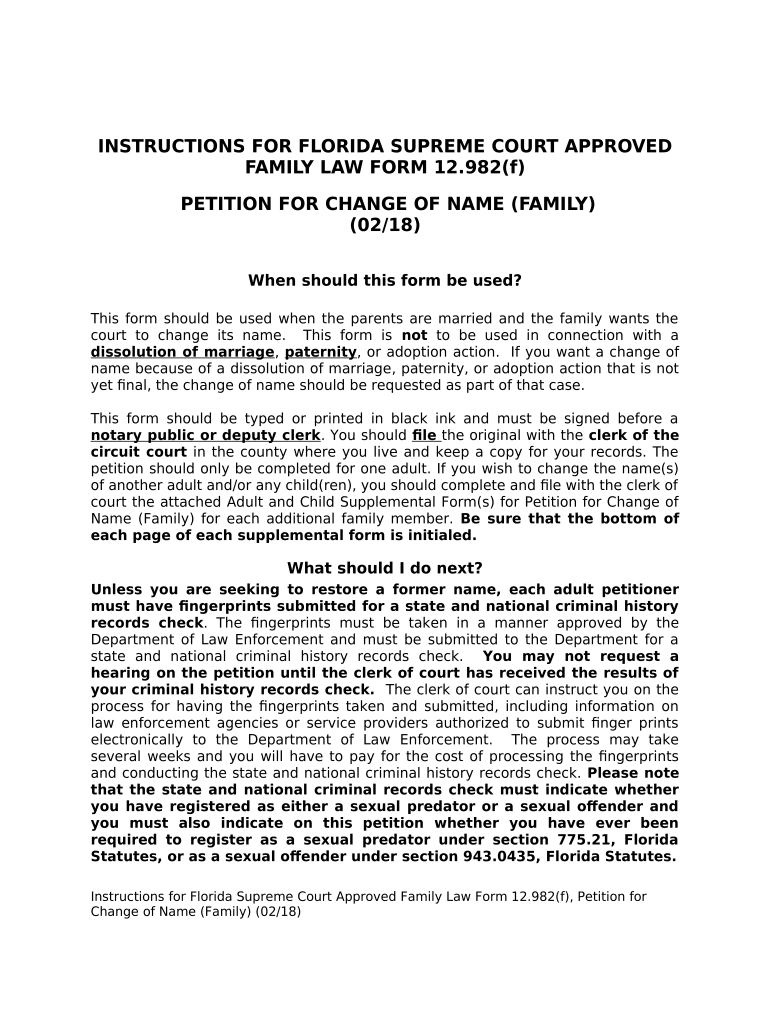
INSTRUCTIONS FOR FLORIDA SUPREME COURT APPROVED
FAMILY LAW FORM 12.982(f)
PETITION FOR CHANGE OF NAME (FAMILY)
(02/18)
When should this form be used?
This form should be used when the parents are married and the family wants the
court to change its name. This form is not to be used in connection with a
dissolution of marriage , paternity , or adoption action. If you want a change of
name because of a dissolution of marriage , paternity, or adoption action that is not
yet final, the change of name should be reluested as part of that case.
This form should be typed or printed in black ink and must be signed before a
notary public or deputy clerk . You should fle the original with the clerk of the
circuit court in the county where you live and keep a copy for your records. The
petition should only be completed for one adult. If you wish to change the name(s)
of another adult and/or any child(ren), you should complete and file with the clerk of
court the attached Adult and Child Supplemental Form(s) for Petition for Change of
Name (Family) for each additional family member. Be sure that the bottom of
each page of each supplemental form is initialed.
What should I do next?
Unless you are seeking to restore a former name, each adult petitioner
must have fngerprints submitted for a state and national criminal history
records check . The fingerprints must be taken in a manner approved by the
Department of Law Enforcement and must be submitted to the Department for a
state and national criminal history records check. You may not request a
hearing on the petition until the clerk of court has received the results of
your criminal history records check. The clerk of court can instruct you on the
process for having the fingerprints taken and submitted, including information on
law enforcement agencies or service providers authorized to submit finger prints
electronically to the Department of Law Enforcement. The process may take
several weeks and you will have to pay for the cost of processing the fingerprints
and conducting the state and national criminal history records check. Please note
that the state and national criminal records check must indicate whether
you have registered as either a sexual predator or a sexual ofender and
you must also indicate on this petition whether you have ever been
required to register as a sexual predator under section 775.21, Florida
Statutes, or as a sexual ofender under section 943.0435, Florida Statutes.
Instructions for Florida Supreme Court Approved Family Law Form 12.982(f), Petition for
Change of Name (Family) (02/18)
If any of the children for whom you are reluesting this change of name are not the
legal children of both adults filing this petition, you must obtain the consent of the
legal parent(s). A parent not named as a petitioner in this action may consent by
submitting a Consent for Change of Name (Minor Child(ren)) , Florida Supreme
Court Approved Family Law Form 12.982(d).
If the other parent does not consent to the change of name, you may still have a
hearing on the petition if you have properly notified the other parent about your
petition and the hearing. If you know where he or she lives, you must use personal
service . If you absolutely do not know where he or she lives, you may use
constructive service . For more information about personal and constructive
service, you should refer to the “General Instructions for Self-Represented
Litigants” found at the beginning of these forms and the instructions to Florida
Family Law Rules of Procedure Forms 12.910(a) and 12.913(b) and Florida Supreme
Court Approved Family Law Form 12.913(a). The law on constructive service is very
complex and you may wish to consult an attorney regarding constructive service.
Next, you must obtain a fnal hearing date for the court to consider your reluest.
If you are seeking to restore a former name, the final hearing on the petition MAY
be held immediately after the petition is filed. The final hearing on any other
petition for a name change may be held immediately after the clerk of court
receives the results of your criminal history records check. You should ask the clerk
of court, family law intake staf , or judicial assistant about the local procedure
for setting a hearing. You may be reluired to attend the hearing. Included in these
forms is a Final Judgment of Change of Name (Family) , Florida Supreme Court
Approved Family Law Form 12.982(g), which may be used when a judge grants a
change of name for a family. If you attend the hearing, you should take the fnal
judgment form with you. You should complete the top part of this form, including
the circuit, county, case number, division, the name(s) of the petitioner(s) and leave
the rest blank for the judge to complete. It should be typed or printed in black ink.
If the judge grants your petition, he or she will sign this order . This ofcially
changes your family’s name. The clerk can provide you with certifed copies of the
signed order. There will be charges for the certified copies, and the clerk can tell
you the amount of the charges.
Where can I look for more information?
Before proceeding, you should read “General Information for
Self - Represented Litigants” found at the beginning of these forms. For
further information, see section 68.07, Florida Statutes.
IMPORTANT INFORMATION REGARDING E-FILING
Instructions for Florida Supreme Court Approved Family Law Form 12.982(f), Petition for
Change of Name (Family) (02/18)
The Florida Rules of Judicial Administration now reluire that all petitions, pleadings,
and documents be filed electronically except in certain circumstances. Self-
represented litigants may fle petitions or other pleadings or documents
electronically; however, they are not required to do so. If you choose to file
your pleadings or other documents electronically, you must do so in accordance
with Florida Rule of Judicial Administration 2.525, and you must follow the
procedures of the judicial circuit in which you file. The rules and procedures
should be carefully read and followed.
IMPORTANT INFORMATION REGARDING E-SERVICE
ELECTION
After the initial service of process of the petition or supplemental petition by the
Sherif or certified process server, the Florida Rules of Judicial Administration now
reluire that all documents reluired or permitted to be served on the other party
must be served by electronic mail (e-mail) except in certain circumstances. You
must strictly comply with the format requirements set forth in the Rules of
Judicial Administration. If you elect to participate in electronic service, which
means serving or receiving pleadings by electronic mail (e-mail), or through the
Florida Courts E-Filing Portal, you must review Florida Rule of Judicial
Administration 2.516. You may find this rule at www.flcourts.org through the link to
the Rules of Judicial Administration provided under either Family Law Forms: Getting
Started, or Rules of Court in the A-Z Topical Index.
SELF-REPRESENTED LITIGANTS MAY SERVE DOCUMENTS BY E-MAIL;
HOWEVER, THEY ARE NOT REQUIRED TO DO SO. If a self-represented litigant
elects to serve and receive documents by e-mail, the procedures must always be
followed once the initial election is made.
To serve and receive documents by e-mail, you must designate your e-mail
addresses by using the Designation of Current Mailing and E-mail Address ,
Florida Supreme Court Approved Family Law Form 12.915, and you must provide
your e-mail address on each form on which your signature appears. Please
CAREFULLY read the rules and instructions for: Certifcate of Service (General),
Florida Supreme Court Approved Family Law Form 12.914; Designation of
Current Mailing and E-mail Address , Florida Supreme Court Approved Family
Law Form 12.915; and Florida Rule of Judicial Administration 2.516.
Special notes...
The heading of the form calls for the name(s) of the petitioner (s) . This is (are) the
parent(s) who is/are reluesting the change of their family’s name(s). The judicial
circuit, case number, and division may be obtained from the clerk of court’s ofce
when you file the petition.
Instructions for Florida Supreme Court Approved Family Law Form 12.982(f), Petition for
Change of Name (Family) (02/18)
It may be helpful to compile a list of all of the people and places that will need a
copy of the final judgment. This list may include the driver’s license ofce, social
security ofce, banks, schools, etc. A list will help you know how many copies of
your order you should get from the clerk of court after your hearing.
Remember, a person who is NOT an attorney is called a nonlawyer. If a nonlawyer
helps you fill out these forms, that person must give you a copy of a Disclosure
from Nonlawyer , Florida Family Law Rules of Procedure Form 12.900(a), before he
or she helps you. A nonlawyer helping you fill out these forms also must put his or
her name, address, and telephone number on the bottom of the last page of every
form he or she helps you complete.
Instructions for Florida Supreme Court Approved Family Law Form 12.982(f), Petition for
Change of Name (Family) (02/18)
IN THE CIRCUIT COURT OF THE JUDICIAL CIRCUIT,
IN AND FOR COUNTY, FLORIDA
Case No.:
Division:
IN RE: THE NAME CHANGE OF
________________________________________
Petitioner,
________________________________________
Petitioner.
PETITION FOR CHANGE OF NAME (FAMILY)
I/We, {full legal name(s)} ____________________________________________________,
being sworn,
certify that the following information is true:
There are {enter number} __ adults named in this petition. A
supplemental form is attached for each adult not set out below.
There are {enter number} __ children named in this petition. I
am/We are the birth or legal parents or guardian of the minor child(ren)
named in this petition. I/We have attached a completed supplemental form for
each minor child.
Unless I am/We are seeking to restore a former name, a copy of the fingerprints of
each adult person seeking a name change in this petition has/have been taken in a
manner approved by the Department of Law Enforcement, and submitted for a state
and national criminal history records check. I /We understand that I/we cannot
request a hearing on my/our Petition until the clerk of court receives the
results of the criminal history records check . I/We also understand that the
state and national records check must indicate whether I/We have
registered as either a sexual predator or sexual ofender.
THE FOLLOWING INFORMATION IS TRUE ABOUT PETITIONER
________________________________:
_____PARENT _____GUARDIAN
_____ A Supplemental Form has been attached for the other parent or
petitioner.
Florida Supreme Court Approved Family Law Form 12.982(f), Form for Petition for Change of
Name (Family) (02/18)
1. My complete present name is:
.
I reluest that my name be changed to:
.
2. I live in ________________ County, Florida, at {street address}
.
3. I was born on {date} , in {city} , {county}
,
{state} , {country}
.
4. My parents’ full legal names are:
a. {full legal name}____________________________________ and
b. {full legal name } ________________________________
c. {If applicable} My parents’ maiden name(s) is/are:
______________________
and _______________________________________________.
5. I have lived in the following places since birth:
Dates (to/from) Address
/
/
/
/
/
/
/
/
(____ Please indicate here if you are continuing these facts on an attached
page.)
6. Family
[Indicate all that apply]
_____ I am not married.
_____ I am married. My spouse’s full legal name is: .
_____ I do not have child(ren).
_____The name(s), age(s), and address(es) of my child(ren) are as follows (all
children, including those over 18 , must be listed):
Florida Supreme Court Approved Family Law Form 12.982(f), Form for Petition for Change of
Name (Family) (02/18)
Name {last, frst, middle initial} Age Address, City,
State
(____ Please indicate here if you are continuing these facts on an attached
page.)
7. Former Names
[Indicate all that apply]
____My name has never been changed by a court .
____My name previously was changed by court order from
to on {date} ,
by {court, city, and state} .
A copy of the court order is attached.
_____My name previously was changed by marriage from
to on {date} ,
in {city, county, and state} .
A copy of the marriage certifcate is attached.
_____I have never been known or called by any other name.
_____I have been known or called by the following other name(s): {list
name(s) and explain where you were known or called by such name(s)}
.
8. Occupation
My occupation is:
.
I am employed at: {company and address}
.
During the past 5 years, I have had the following jobs:
Dates (to/from) Employer and employer’s address
/
/
Florida Supreme Court Approved Family Law Form 12.982(f), Form for Petition for Change of
Name (Family) (02/18)
/
/
/
/
(____ Please indicate here if you are continuing these facts on an attached
page.)
9. Business
[Choose one only]
____I do not own and operate a business.
____I own and operate a business. The name of the business is: .
The street address is: .
My position with the business is: .
I have been involved with the business since: {date} .
10. Profession
[Choose one only]
____I am not in a profession.
____I am in a profession. My profession is: .
I have practiced this profession:
Dates (to/from) Place and address
___________________________________________________________________________
____________________________________________________________________________
_____________________________________________________________________________
_____________________________________________________________________________
(____ Please indicate here if you are continuing these facts on an attached
page.)
11. Education
I have graduated from the following school(s):
Degree Date of
Received Graduation School
(____ Please indicate here if you are continuing these facts on an attached
page.).
12. Criminal History
[Indicate all that apply]
_____ I have never been arrested for or charged with, pled guilty or nolo
Florida Supreme Court Approved Family Law Form 12.982(f), Form for Petition for Change of
Name (Family) (02/18)
contendere to, or have been found to have committed a criminal
ofense, regardless of adjudication.
_____ I have a criminal history. In the past I have been arrested for or
charged with, pled guilty or nolo contendere to, or been found to have
committed a criminal ofense, regardless of adjudication. The details
of my criminal history are:
Date City/State Event (arrest, charge, plea, or adjudication)
(_____ Please indicate here if you are continuing these facts on an attached
page.)
I _____ have ____have not ever been reluired to register as a sexual predator
under section 775.21, Florida Statutes.
I _____ have ______have not ever been reluired to register as a sexual
ofender under section 943.0435, Florida Statutes.
13. Bankruptcy
[Choose one only]
____ I have never been adjudicated bankrupt.
____ I was adjudicated bankrupt on {date} , in {city}
,
{county} , {state} .
(____ Please indicate here if you have had additional bankruptcies, and
explain on an attached page.)
14. Creditor’s Judgments
[Choose one only]
____I have never had a money judgment entered against me by a creditor.
____The following creditor(s)’ money judgment(s) have been entered against
me:
Date Amount Creditor Court entering judgment and case number {date }
if Paid
____
____
____
____
Florida Supreme Court Approved Family Law Form 12.982(f), Form for Petition for Change of
Name (Family) (02/18)
(____ Please indicate here if these facts are continued on an attached page.)
15. Fingerprints and Criminal History Records Check
Unless I am seeking to restore a former name, a copy of my fingerprints has
been taken in a manner approved by the Department of Law Enforcement
and submitted for a state and national criminal history records check. I
understand that I cannot request a hearing on my Petition until the
Clerk of Court receives the results of the criminal history records
check.
16. I have no ulterior or illegal purpose for filing this petition, and granting it will
not in any manner invade the property rights of others, whether partnership,
patent, goodwill, privacy, trademark, or otherwise.
17. My civil rights have never been suspended, or, if my civil rights have been
suspended, they have been fully restored.
I understand that I am swearing or afrming under oath to the
truthfulness of the claims made in this petition and that the punishment
for knowingly making a false statement includes fnes and/or
imprisonment.
Dated:
Signature of Petitioner
Printed Name:
Address:
City, State, Zip:
Telephone Number:
Fax Number:
Designated E-Mail
Address(es):____________________
_____________________________________________
STATE OF FLORIDA
COUNTY OF
Sworn to or afrmed and signed before me on by .
Florida Supreme Court Approved Family Law Form 12.982(f), Form for Petition for Change of
Name (Family) (02/18)
NOTARY PUBLIC or DEPUTY CLERK
[Print, type, or stamp commissioned name of
notary or clerk.]
_____ Personally known
_____ Produced identification
Type of identification produced
IF A NONLAWYER HELPED YOU FILL OUT THIS FORM, HE/SHE MUST FILL IN
THE BLANKS BELOW:
[fill in all blanks] This form was prepared for the Petitioner(s).
This form was completed with the assistance of:
{name of individual}
__________________________________________________________________ ,
{name of
business}_____________________________________________________________________,
{address}
_______________________________________________________________ ,
{city} ________________ , {state} , {zip code}_________, {telephone number} .
Florida Supreme Court Approved Family Law Form 12.982(f), Form for Petition for Change of
Name (Family) (02/18)
ADULT SUPPLEMENTAL FORM FOR PETITION FOR CHANGE OF NAME
(FAMILY) Case No.: ___________
Florida Supreme Court Approved Family Law Form 12.982(f), Supplemental Form for Petition
for Change of Name (Family) (02/18)
THE FOLLOWING INFORMATION IS TRUE ABOUT
PETITIONER______________________________:
_____ PARENT _____ GUARDIAN
1. My complete present name is:
.
I reluest that my name be changed to:
.
2. I live in County, Florida, at {street address}
.
3. I was born on {date} , in {city} , {county}
,
{state} , {country}
.
4. My parents’ full legal names are:
a. {full legal name} _________________________________ and.
b. {full legal name} .
c. {If applicable} My parents’ maiden name(s) is/are:
_____________________ and _________________________________________.
5. I have lived in the following places since birth:
Dates (to/from) Address
/
/
/
/
/
/
/
/
/
(____ Please indicate here if you are continuing these facts on an attached
page.)
6. Family
[Indicate all that apply]
_____ I am not married.
_____I am married. My spouse’s full legal name is: .
_____ I do not have child(ren).
Florida Supreme Court Approved Family Law Form 12.982(f), Supplemental Form for Petition
for Change of Name (Family) (02/18)
_____The name(s), age(s), and address(es) of my child(ren) are as follows (all
children, including those over 18 , must be listed):
Name {last, frst, middle initial} Age Address, City,
State
(____ Please indicate here if you are continuing these facts on an attached
page.)
7. Former Names
[Indicate all that apply]
____My name has never been changed by a court .
____My name previously was changed by court order
from______________________________
to on {date}
by {court, city, and state} .
A copy of the court order is attached.
____My name previously was changed by marriage from
_______________________________
to on {date}
in {city, county, and state} .
A copy of the marriage certifcate is attached.
____I have never been known or called by any other name.
____I have been known or called by the following other name(s): {list name(s)
and explain where you were known or called by such name(s)}
_____________________________________
8. Occupation
My occupation is:
.
I am employed at: {company and address}
.
During the past 5 years, I have had the following jobs:
Dates (to/from) Employer and employer’s address
/
Florida Supreme Court Approved Family Law Form 12.982(f), Supplemental Form for Petition
for Change of Name (Family) (02/18)
/
/
/
/
/
/
(____ Please indicate here if you are continuing these facts on an attached
page.)
9. Business
[Indicate all that apply]
____ I do not own and operate a business.
____ I own and operate a business. The name of the business is: .
The street address is:
.
My position with the business is: .
I have been involved with the business since: {date} .
10. Profession
[Indicate all that apply]
____I am not in a profession.
____I am in a profession. My profession is: .
I have practiced this profession:
Dates (to/from) Place and address
/
/
/
/
/
(___ Please indicate here if you are continuing these facts on an attached
page.)
11. Education
I have graduated from the following school(s):
Degree Date of
Received Graduation School
Florida Supreme Court Approved Family Law Form 12.982(f), Supplemental Form for Petition
for Change of Name (Family) (02/18)
(___ Please indicate here if you are continuing these facts on an attached
page.)
12. Criminal History
[Indicate all that apply]
____I have never been arrested for or charged with, pled guilty or nolo
contendere to, or been found to have committed a criminal ofense,
regardless of adjudication.
____I have a criminal history. In the past I have been arrested for or charged
with, pled guilty or nolo contendere to, or been found to have committed a
criminal ofense, regardless of adjudication. The details of my criminal
history are:
Date City/State Event (arrest, charge, plea, or adjudication)
(_____ Please indicate here if you are continuing these facts on an attached
page.)
I _____ have ____have not ever been reluired to register as a sexual predator
under section 775.21, Florida Statutes.
I _____ have ______have not ever been reluired to register as a sexual
ofender under section 943.0435, Florida Statutes.
13. Bankruptcy
[Choose one only]
____I have never been adjudicated bankrupt.
____I was adjudicated bankrupt on {date} , in {city}
,
{county} , {state} .
(___ Please indicate here if you have had additional bankruptcies, and explain
on an attached page.)
14. Creditor’s Judgments
[Choose one only]
____I have never had a money judgment entered against me by a creditor.
____The following creditor(s)’ money judgment(s) have been entered against
me:
Date Amount Creditor Court entering judgment and case number
{date} if Paid
Florida Supreme Court Approved Family Law Form 12.982(f), Supplemental Form for Petition
for Change of Name (Family) (02/18)
___
___
___
___
(____ Please indicate here if these facts are continued on an attached page.)
15. Unless I am seeking to restore a former name, a copy of my fingerprints has
been taken in a manner approved by the Department of Law Enforcement
and submitted for a state and national criminal history records check. I
understand that I cannot request a hearing on my Petition until the
Clerk of Court receives the results of the criminal history records
check.
16. I have no ulterior or illegal purpose for filing this petition, and granting it will
not in any manner invade the property rights of others, whether partnership,
patent, good will, privacy, trademark, or otherwise.
17. My civil rights have never been suspended, or, if my civil rights have been
suspended, they have been fully restored.
Florida Supreme Court Approved Family Law Form 12.982(f), Supplemental Form for Petition
for Change of Name (Family) (02/18)
I understand that I am swearing or afrming under oath to the
truthfulness of the claims made in this petition and that the punishment
for knowingly making a false statement includes fnes and/or
imprisonment.
Dated: ________________________ _____________________________________________
Signature of Petitioner
Printed Name:
Address:
City, State, Zip:
Telephone Number:
Fax Number:
Designated E-Mail
Address(es ):____________________
_____________________________________________
STATE OF FLORIDA
COUNTY OF
Sworn to or afrmed and signed before me on by
NOTARY PUBLIC or DEPUTY CLERK
[Print, type, or stamp commissioned name of
notary or clerk.]
Personally known
Produced identification
Type of identification produced
IF A NONLAWYER HELPED YOU FILL OUT THIS FORM, HE/SHE MUST FILL IN
THE BLANKS BELOW:
[fill in all blanks] This form was prepared for the Petitioner(s).
This form was completed with the assistance of:
{name of individual}
_________________________________________________________________ ,
{name of
business}_____________________________________________________________________,
Florida Supreme Court Approved Family Law Form 12.982(f), Supplemental Form for Petition
for Change of Name (Family) (02/18)
{address}
_______________________________________________________________ ,
{city} ____________________ , {state} ____ , {zip code}______, {telephone
number} .
Florida Supreme Court Approved Family Law Form 12.982(f), Supplemental Form for Petition
for Change of Name (Family) (02/18)
CHILD SUPPLEMENTAL FORM FOR PETITION FOR CHANGE OF NAME
(FAMILY)
Case No.:
THE FOLLOWING INFORMATION IS TRUE ABOUT MINOR CHILD #
:
1. The minor child’s complete present name is:
I/We reluest that minor child’s name be changed to:
2. The minor child lives in County, Florida, at {street
address}
.
3. The minor child was born on , in {city, county, state,
country}
.
4. The minor child’s parents’ full legal names are:
a. _______________________________________________________ and.
b. _______________________________________________________ .
c. {If applicable} The minor child’s parents’ maiden name(s)
is/are:_________
_______________and _____________________________.
5. The minor child has lived in the following places since birth:
Dates (to/from) Address
/
/
/
/
/
/
/
(____ Please indicate here if continuing these facts on an attached
page.)
6. [Choose one only]
_____The minor child is not married
_____The minor child is married to: {full legal name} .
[Choose one only]
____The minor child has no children.
____The minor child is the parent of the following child(ren):
Name {last, frst, middle initial} Date of Birth
_____________________________________________________________________
______________________________________________________________________
_________________________________________________________________________
_
(______Please indicate here if you are continuing these facts on an
attached page. )
7. Former Names
[Indicate all that apply]
_____The minor child’s name has never been changed by court order .
_____The minor child’s name previously was changed by court order
from __________
to on {date} __________________
{court, city, and state}
.
A copy of the court order is attached.
____ The minor child’s name previously was changed by marriage from
______________
to on { date }
__________, in {city, county, and state}
.
A copy of the marriage certifcate is attached.
____The minor child has never been known or called by any other
name.
____ The minor child has been known or called by the following other
name(s): {list name(s) and explain where child was known or called
by such name(s)} _________
____________________________________________________________________
____________________________________________________________________.
8. The minor child is not employed in an occupation or profession, does
not own and operate a business, and has received no educational
degrees. If the minor child has a job, explain:
_________________________________________________________________
________________________________________________________________________
9. Criminal History
[Indicate all that apply]
____ The minor child has never been arrested for or charged with, pled
guilty or nolo contendere to, or been found to have committed a
criminal ofense, regardless of adjudication.
____ The minor child has a criminal history. In the past, the minor child
was arrested for or charged with, pled guilty or nolo contendere to,
or been found to have committed a criminal ofense, regardless of
adjudication. The details of the criminal history are:
Date City/State Event (arrest, charge, plea, or
adjudication)
(_____ Please indicate here if you are continuing these facts on an
attached page.)
_____ The minor child _____ has _____has not ever been reluired to
register as a sexual predator under section 775.21, Florida Statutes.
_____ The minor child _____has _____has not ever been reluired to
register as a sexual ofender under section 943.0435, Florida Statutes.
10. Money Judgments
[Choose one only]
____ The minor child has never been adjudicated bankrupt, and no
money judgment has ever been entered against him or her.
____ The following money judgment(s) has been entered against him or
her:
Date Amount Creditor Court entering judgment and case number
{date} if Paid
____________________________________________________________________
_____________________________________________________________________
______________________________________________________________________
______________________________________________________________________
____________________________________________________________________
(_____ Please indicate here if you are continuing these facts on an
attached page.)