Establishing secure connection…Loading editor…Preparing document…

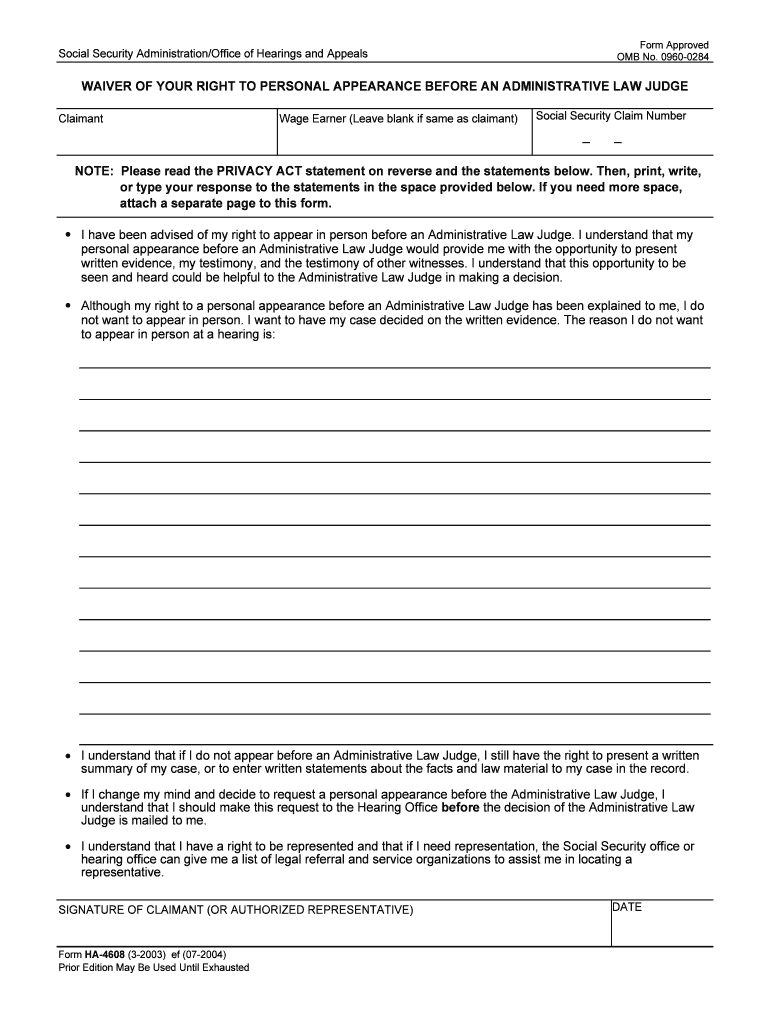
Request for Hearing by Administrative Law Judge

This template is fully customizable. Edit the text, fill out the fields, and send it for signature. Give it a try!
Request for Hearing by Administrative Law Judge

What a Request for Hearing by Administrative Law Judge Is

A Request for Hearing by Administrative Law Judge is a formal written application asking an administrative agency to schedule an adversarial hearing before an administrative law judge (ALJ). It typically follows an initial adverse decision from an agency program (for example, unemployment benefits, disability determinations, licensing sanctions, or benefits denials) and preserves the requester’s right to present evidence, examine witnesses, and seek a binding administrative decision. The request triggers the agency’s appeal or adjudication process and must meet the agency’s procedural requirements and filing deadlines to remain effective.

Why Filing a Proper Request Matters

Submitting a correctly completed Request for Hearing secures your right to a hearing, creates an official record, and starts the agency’s adjudicative timeline. A timely, complete request preserves evidence, allows legal argument, and may permit representation by counsel or an advocate.

Why Filing a Proper Request Matters

Who Typically Files This Request

Individuals, representatives, employers, licensees, and regulated entities commonly file Requests for Hearing when they seek review of an agency decision.

  • Appeal applicants: Individuals denied benefits who want an evidentiary hearing and decision.
  • Employers or providers: Parties responding to agency sanctions or penalty notices seeking administrative review.
  • Authorized representatives: Attorneys, accredited representatives, or designated advocates acting on a claimant’s behalf.

Each agency sets eligibility and representation rules; review the specific agency form instructions to confirm who may sign and submit a request.

Essential Parts of a Professional Request

A well-prepared Request for Hearing is clear, complete, and organized. It identifies the parties, states the contested decision, states the relief sought, and attaches supporting documentation or a concise statement of facts.

Case Caption

Identify the agency, program name, claim or case number, and the names of the petitioner and respondent for precise case matching.
Contact Details

Provide full mailing address, telephone, and email so the agency can serve notices and schedule the hearing without delay.

Decision Being Appealed

Provide the decision date, reference number, and a short description of the adverse action you want reviewed.

Statement of Reasons

Briefly explain why the decision is incorrect and what legal or factual errors you assert the agency made.

Relief Requested

State the precise outcome you seek (reinstatement, benefit payment, license reinstatement, reduced penalty, etc.).

Attachments

List and attach key supporting documents such as notices, medical records, receipts, correspondence, or affidavits.

Required Information and Common Data Fields

Name: Full legal name
Case Number: Agency reference number
Contact: Phone and email
Mailing Address: Street, city, state, ZIP
Decision Date: Date of adverse action
Signature: Signed and dated

Step-by-Step: Preparing and Submitting the Request

Follow these steps to prepare a clear Request for Hearing and reduce the chance of processing delays.

  • 01
    Locate Notice: Find the agency decision and note case number and deadline.
  • 02
    Complete Form: Fill required fields accurately and attach supporting evidence.
  • 03
    Sign and Date: Sign as the claimant or authorized representative and include date.
  • 04
    File per Rules: Submit per agency instructions: mail, in-person, or eSubmit.

How to Configure an Online Submission Workflow

Set up an eSubmission workflow to collect signatures, attach exhibits, and preserve an audit trail before filing with the agency.

Field Configuration
Authentication Method Email link or SMS code for signer verification
Document Attachments Allow PDFs and Word files; require mandatory exhibits
Signature Type Capture typed or drawn signature with timestamp
Audit Trail Enable IP, timestamp, and action logging

Where to File and How the Agency Receives It

Different agencies accept requests by different methods; follow the agency’s instructions to ensure timely receipt and docketing.

  • Mail Filing: Send a printed and signed request to the agency’s appeal address.
  • In-Person Delivery: Hand-deliver to the agency office and obtain a stamped receipt.
  • Electronic Submission: Use the agency’s portal or accepted eSubmission method if available.
  • Fax Filing: Some agencies accept facsimile; confirm receipt with the office.

Digital Submission and Platform Considerations

If you submit electronically, confirm platform requirements such as file types, maximum file sizes, authentication methods, and whether an electronic signature is accepted.

  • Accepted Formats: PDF and DOCX are commonly accepted
  • Authentication: Email, SMS, or stronger methods like KBA
  • Audit Trail: Timestamp, IP, and signer identity

Ensure the chosen service supports record retention and reproduces a signed record; platforms that comply with ESIGN and UETA enable admissible electronic records when requirements are met.

Typical Deadlines and Timing Expectations

Appeal deadlines vary; confirm the specific deadline stated on the agency’s decision notice to avoid forfeiting hearing rights.

Immediate Deadline:

Some agencies require filing within 10–30 days of decision

Receipt vs Postmark:

Agencies differ on whether date of receipt or postmark controls

Extension Requests:

Some agencies permit extension requests for good cause

Scheduling Window:

ALJ scheduling may take weeks to months after filing

Final Decision Time:

ALJ decisions may follow hearing by weeks to several months

Common Mistakes to Avoid

  • Missing the agency’s stated filing deadline and losing the right to an administrative hearing.
  • Submitting an incomplete form with missing case numbers or contact details that prevents docketing.
  • Failing to attach or list key supporting documents, creating evidentiary disputes at the hearing.
  • Using an improper signature method when the agency requires notarization or a witnessed signature.

Consequences of an Incorrect or Late Request

Loss of Rights: Missed deadline may forfeit appeal rights
Dismissal: Agency may dismiss improperly filed requests
Evidence Exclusion: Late or missing exhibits may be excluded
Delay: Processing errors prolong resolution
Additional Costs: May require counsel or re-filing fees
Reputational Risk: Repeated procedural errors can harm credibility

eSignature Pricing and Feature Snapshot

Compare common pricing and feature criteria for eSignature providers when you will capture signed Requests for Hearing and supporting exhibits electronically.

signNow DocuSign Adobe Sign PandaDoc HelloSign
Starting Price $8/user/mo $15/user/mo $14/user/mo $19/user/mo $15/user/mo
Free Trial 7-day trial Varies by vendor Varies by vendor Varies by vendor Varies by vendor
Bulk Send Yes Yes Yes Yes No
Audit Trail Yes Yes Yes Yes Yes
HIPAA Compliant Yes Yes Yes No No
Envelope Cap No cap 100 envelopes/user/year No cap No cap No cap

Frequently Asked Questions About Requests for Hearing

Answers to common questions about filing, deadlines, electronic signatures, and supporting evidence when requesting an ALJ hearing.


Need help? Contact support

be ready to get more
Join over 28 million airSlate SignNow users