Establishing secure connection… Loading editor… Preparing document…
Navigation

Fill and Sign the Generic Bylaws Form
Fill and Sign the Generic Bylaws Form

How it works

Open the document and fill out all its fields.
Apply your legally-binding eSignature.
Save and invite other recipients to sign it.

Rate template

4.7
61 votes
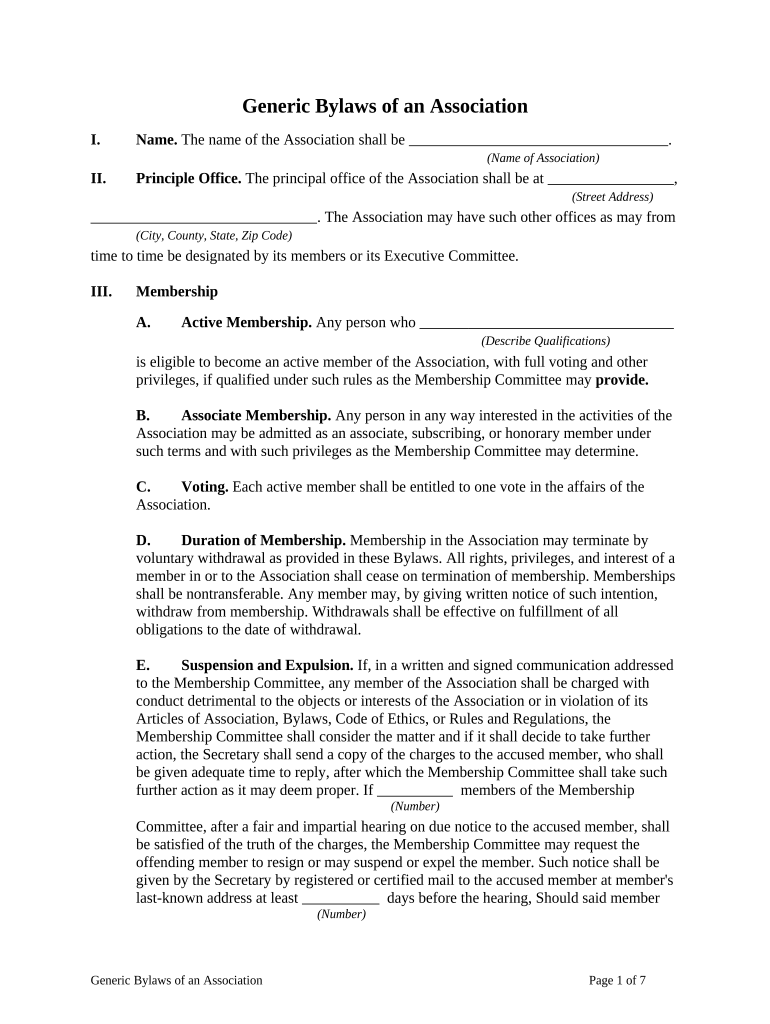
Generic Bylaws of an Association I. Name. The name of the Association shall be       . (Name of Association) II. Principle Office. The principal office of the Association shall be at       , (Street Address)       . The Association may have such other offices as may from (City, County, State, Zip Code) time to time be designated by its members or its Executive Committee. III. Membership A. Active Membership. Any person who       (Describe Qualifications) is eligible to become an active member of the Association, with full voting and other privileges, if qualified under such rules as the Membership Committee may provide. B. Associate Membership. Any person in any way interested in the activities of the Association may be admitted as an associate, subscribing, or honorary member under such terms and with such privileges as the Membership Committee may determine. C. Voting. Each active member shall be entitled to one vote in the affairs of the Association. D. Duration of Membership. Membership in the Association may terminate by voluntary withdrawal as provided in these Bylaws. All rights, privileges, and interest of a member in or to the Association shall cease on termination of membership. Memberships shall be nontransferable. Any member may, by giving written notice of such intention, withdraw from membership. Withdrawals shall be effective on fulfillment of all obligations to the date of withdrawal. E. Suspension and Expulsion. If, in a written and signed communication addressed to the Membership Committee, any member of the Association shall be charged with conduct detrimental to the objects or interests of the Association or in violation of its Articles of Association, Bylaws, Code of Ethics, or Rules and Regulations, the Membership Committee shall consider the matter and if it shall decide to take further action, the Secretary shall send a copy of the charges to the accused member, who shall be given adequate time to reply, after which the Membership Committee shall take such further action as it may deem proper. If       members of the Membership (Number) Committee, after a fair and impartial hearing on due notice to the accused member, shall be satisfied of the truth of the charges, the Membership Committee may request the offending member to resign or may suspend or expel the member. Such notice shall be given by the Secretary by registered or certified mail to the accused member at member's last-known address at least       days before the hearing, Should said member (Number) Generic Bylaws of an Association Page 1 of 7 elect not to resign on such request, his or her name shall be stricken from the rolls by the Membership Committee. IV. Entrance Fee and Dues. A. Entrance Fee. The entrance fee for membership in the Association shall be $       . B. Amount of Dues. The annual dues required for membership in the Association shall be determined by the vote of the active members, on recommendation of the Membership Committee. Dues may be varied from year to year, but shall be the same for all active members. Dues for associate members shall also be determined by a vote of the active membership, on recommendations of, and in classifications suggested by, the Membership Committee. V. Meetings. A. Annual Meeting. There shall be an annual meeting of the Association during the month of       , each year, unless otherwise ordered by the (Name) Executive Committee, for election of officers, receiving reports, and the transaction of other business. Meetings shall be open to active and associate members. Notice of such meetings, issued by the Secretary, shall be mailed to the last recorded address of each member at least       days before the time appointed for the meeting. (Number) B. Quorum. A majority of the active members of the Association, when present at any meeting, shall constitute a quorum, and in case there is less than this number, the presiding officer may adjourn from time to time until a quorum is present. C. Order of Business. The order of business at the annual meetings shall be as follows: 1. Call to order. 2. Reading of minutes of previous meeting. 3. Receiving communications. 4. Reports of officers. 5. Reports of Committee heads and Committee members. 6. Unfinished business. 7. New business. 8. Election of officers. 9. Adjournment. Generic Bylaws of an Association Page 2 of 7 The order of business may be altered or suspended at any meeting by a majority vote of the members present. The usual parliamentary rules as laid down in the latest edition of Robert's Rules of Order shall govern, when not in conflict with these Bylaws. D. Special Meetings. Special meetings of the Association may be called at any time by the President, and must be called at any time by the President or in the President's absence by the Vice President or Secretary, on the written request of a majority of the Executive Committee, or on the written request of not less than       members of (Number) the Association.       days' notice of any special meeting must be given ( Text Number) to the members of the Association, and the notice must state the object of the meeting. VI. Officers. A. Elective Officers. The elective officers of the Association shall be a President, a Vice President, a Secretary, and a Treasurer. Other offices and officers may be established and appointed by the active members of the Association at the regular annual meeting. B. Terms. The President, the Secretary, and the Treasurer shall take office immediately upon their election, and shall serve for a term of one year and until successors are duly elected. Officers are eligible for reelection. Vacancies in any office may be filled for the balance of the term of such office by the Executive Committee. C. President. The President shall be the chief officer of the organization, and shall be present at meetings of the Association and of the Executive Committee. The President shall be a member ex officio of all Committees. The President shall communicate to the Association such matters and make such suggestions as may in the President's opinion tend to promote the welfare and increase the usefulness of the Association, and shall perform such other duties as are necessarily incident to the office. D. Vice President. The Vice President shall perform all duties of the President during the absence of the President. The Vice President shall be a member ex officio of all Committees. E. Treasurer. The Treasurer shall keep an account of all moneys received and expended for use of the Association, and shall make disbursements authorized by the Executive Committee or such other persons as the active Association members may prescribe. All sums received shall be deposited by the Treasurer in the bank or banks approved by the Executive Committee, and the Treasurer shall make a report at the annual meeting or when called upon by the President. Funds may be drawn only on the signature of the Treasurer. The duties of the Treasurer, under the approval of the membership, may be delegated to an Assistant Treasurer. The funds, books, and vouchers in the hands of the Treasurer shall, with the exception of confidential reports submitted by members, at all times be subject to verification and inspection of the elective officers Generic Bylaws of an Association Page 3 of 7 of the Association. At the expiration of the Treasurer's term of office, he or she shall deliver to his or her successor all books, money, and any other property of the Association currently in the Treasurer's possession. F. Secretary. The administration and management of the Association shall be vested in the Secretary. The Secretary shall direct the activities of the Association and perform such other duties as may be defined by the Executive Committee. It shall be the duty of the Secretary: 1. To give notice of and attend all meetings of the Association and all Committees and to make provision for the keeping of a record of proceedings. 2. To conduct correspondence and to carry into execution all orders, votes, and resolutions not otherwise committed. 3. To keep a list of the members of the Association. 4. To establish machinery for the collection of dues and their payment to the Treasurer. 5. To keep records of any agents retained by the Association, and to take charge of and supervise the performance by such agents of their duties. 6. To prepare, with the concurrence of the Treasurer, an annual report of the transactions and condition of the Association, and generally to act in the best interests of the Association. XI. Elections. A. Officers. The election of Association officers shall take place annually at the time and place of the regular annual meeting. O nly active members shall be entitled to vote and eligible for office. Candidates who receive a majority of votes so cast shall be elected. B. Members of Executive Committee. At the annual meeting next held after the adoption of these Bylaws, there shall be elected by vote three members of the Executive Committee, one of whom shall be elected for a term of one year, one of whom shall be elected for a term of two years, and one of whom shall be elected for a term of three years. At each subsequent annual meeting, a number of Executive Committee members equal to that of those whose terms have expired or are about to expire shall be elected for a term of three years. Any member shall be eligible for reelection. The members of the Executive Committee shall, on election, immediately enter on the performance of their duties and shall continue in office until their successors are duly elected. Generic Bylaws of an Association Page 4 of 7 VIII. Committees. A. Standing Committees. The Association shall have at least two standing Committees: an Executive Committee of three persons, and a Membership Committee of       persons. Additional standing Committees may be established by a vote of (Number) the active membership. Members of these Committees shall be elected at the annual Association meeting. Each standing Committee shall have a chairperson, who shall be responsible for directing and coordinating the affairs of the Committee. Vacancies that occur on any Committee by reason of death, resignation, or otherwise, may be filled by the remaining members for the unexpired term. B. Executive Committee. The Executive Committee shall have supervision, control, and direction of the affairs of the Association, shall execute the policies and decisions of the membership, shall actively prosecute the Association's objects, and shall have discretion in the disbursement of funds. It may adopt such rules for the conduct of its business as shall be deemed advisable, and may, in the execution of powers granted, appoint subcommittees or agents to work on specific problems or reports. The Executive Committee shall have a regular meeting at the time and place of the annual meeting, and shall report to the membership on its activities. It shall meet on the call of the President or Secretary. It shall also meet on demand of a majority of the active members of the Association. C. Membership Committee. The Membership Committee shall determine those qualifications required for active membership in the Association. It shall also determine those qualifications required for associate, subscribing, or honorary membership, and the terms and privileges of membership. It shall make recommendations as to the imposition and amount of dues to be paid by active and associate members, and the time for payment. The Membership Committee shall report on matters of interest at annual meetings of the Association. IX. Mail Vote. When, in the judgment of the Executive Committee, any question shall arise that should be put to a vote of the active membership, and when it deems it inexpedient to call a special meeting for that purpose, it may, unless otherwise required by these Bylaws, submit the matter to the membership in writing by mail for decision, and the question thus presented shall be determined according to a majority of the votes received by mail within       (Number of Weeks) weeks after such submission to the membership, provided that, in each case, votes of at least       of the members shall be received. Action taken in this manner shall be as (Fraction of Members) effective as action taken at a duly called meeting. X. Amendments. These Bylaws may be amended, repealed, or altered, in whole or in part, by a       vote at any duly organized meeting of the Association. (e.g., (two-thirds majority) Generic Bylaws of an Association Page 5 of 7 XI. Liabilities. Nothing in these Bylaws shall constitute members of the Association as partners for any purpose. No member, officer, agent, or employee shall be liable for the acts or failure to act of any other member, officer, agent, or employee of the Association. Nor shall any member, officer, agent, or employee be liable for his or her acts or failure to act under these Bylaws, excepting only acts or omissions arising out of his or her willful misfeasance. XII. Funds. A. Finances. This Association is not intended as a profit-making organization, nor is it founded with the expectation of making a profit. The Association shall use its funds only for objects and purposes specified in these Bylaws. B. Bonding. Persons entrusted with the handling of Association funds may be required, at the discretion of the Executive Committee, to furnish, at Association expense, a suitable fidelity bond. XIII. Insignia. The Executive Committee may adopt insignia, colors, badges, and flags for the Association as it deems desirable. XIV. Dissolution. The Association may be dissolved by the vote of a       (e.g., (two-thirds majority) ma jority of its members. In the event of dissolution, the property of the Association shall be distributed as follows:       . (Describe Distribution) * * * * * Certificate of Adoption of Bylaws The undersigned certifies that: 1. He is the duly elected and acting Secretary of       , (Name of Association) a unincorporated association, duly organized and existing under the laws of       . (Name of State) 2. The Bylaws set forth above, comprising       pages, constitute the original (Number) Bylaws of the Association as duly adopted at the first meeting of the members duly held on       . (Date of Meeting) Generic Bylaws of an Association Page 6 of 7 The undersigned has subscribed his name and affixed the seal of the Association on       . (Date) By: (Signature of Secretary)       (Printed Name of Secretary) SEAL Generic Bylaws of an Association Page 7 of 7

Convenient tips for completing your ‘Generic Bylaws’ online

Are you fed up with the burdens of handling paperwork? Look no further than airSlate SignNow, the premier electronic signature solution for individuals and enterprises. Bid farewell to the monotonous task of printing and scanning documents. With airSlate SignNow, you can effortlessly finish and sign paperwork digitally. Take advantage of the robust tools included in this user-friendly and budget-friendly platform and transform your method of paperwork administration. Whether you need to approve forms or collect signatures, airSlate SignNow manages it all with ease, requiring only a few clicks.

Follow this comprehensive guide:

  1. Sign in to your account or register for a complimentary trial with our service.
  2. Click +Create to upload a file from your device, cloud storage, or our template collection.
  3. Open your ‘Generic Bylaws’ in the editor.
  4. Click Me (Fill Out Now) to set up the document on your end.
  5. Add and assign fillable fields for others (if necessary).
  6. Proceed with the Send Invite settings to request eSignatures from additional parties.
  7. Download, print your copy, or convert it into a reusable template.

No need to worry if you need to collaborate with others on your Generic Bylaws or send it for notarization—our platform provides everything you need to achieve such tasks. Sign up with airSlate SignNow today and enhance your document management to a new standard!

Here is a list of the most common customer questions. If you can’t find an answer to your question, please don’t hesitate to reach out to us.

Need help? Contact Support
Generic bylaws template
Generic bylaws examples
Generic bylaws template word
Generic bylaws template pdf
Generic bylaws pdf
Generic bylaws template free
Corporate bylaws template free
Generic bylaws free
Generic bylaws template
Generic bylaws examples
Generic bylaws template word
Generic bylaws template free

The best way to complete and sign your generic bylaws form

Save time on document management with airSlate SignNow and get your generic bylaws form eSigned quickly from anywhere with our fully compliant eSignature tool.

How to Sign a PDF Online How to Sign a PDF Online

How to fill out and sign paperwork online

Previously, working with paperwork took lots of time and effort. But with airSlate SignNow, document management is fast and easy. Our powerful and easy-to-use eSignature solution enables you to effortlessly complete and eSign your generic bylaws form online from any internet-connected device.

Follow the step-by-step guide to eSign your generic bylaws form template online:

  • 1.Sign up for a free trial with airSlate SignNow or log in to your account with password credentials or SSO authorization option.
  • 2.Click Upload or Create and import a form for eSigning from your device, the cloud, or our form collection.
  • 3.Click on the file name to open it in the editor and utilize the left-side toolbar to complete all the empty areas properly.
  • 4.Drop the My Signature field where you need to approve your sample. Type your name, draw, or upload a picture of your handwritten signature.
  • 5.Click Save and Close to finish modifying your completed form.

Once your generic bylaws form template is ready, download it to your device, save it to the cloud, or invite other individuals to eSign it. With airSlate SignNow, the eSigning process only takes a couple of clicks. Use our robust eSignature solution wherever you are to manage your paperwork efficiently!


How to Sign a PDF Using Google Chrome How to Sign a PDF Using Google Chrome

How to fill out and sign forms in Google Chrome

Completing and signing documents is easy with the airSlate SignNow extension for Google Chrome. Adding it to your browser is a fast and efficient way to manage your forms online. Sign your generic bylaws form sample with a legally-binding electronic signature in just a couple of clicks without switching between programs and tabs.

Follow the step-by-step guidelines to eSign your generic bylaws form in Google Chrome:

  • 1.Go to the Chrome Web Store, find the airSlate SignNow extension for Chrome, and add it to your browser.
  • 2.Right-click on the link to a document you need to sign and select Open in airSlate SignNow.
  • 3.Log in to your account using your credentials or Google/Facebook sign-in buttons. If you don’t have one, sign up for a free trial.
  • 4.Use the Edit & Sign toolbar on the left to complete your sample, then drag and drop the My Signature field.
  • 5.Add a photo of your handwritten signature, draw it, or simply enter your full name to eSign.
  • 6.Verify all the details are correct and click Save and Close to finish modifying your paperwork.

Now, you can save your generic bylaws form sample to your device or cloud storage, email the copy to other people, or invite them to eSign your form with an email request or a protected Signing Link. The airSlate SignNow extension for Google Chrome enhances your document processes with minimum effort and time. Try airSlate SignNow today!


How to Sign a PDF in Gmail How to Sign a PDF in Gmail How to Sign a PDF in Gmail

How to fill out and sign forms in Gmail

When you get an email with the generic bylaws form for signing, there’s no need to print and scan a document or save and re-upload it to another program. There’s a much better solution if you use Gmail. Try the airSlate SignNow add-on to rapidly eSign any documents right from your inbox.

Follow the step-by-step guidelines to eSign your generic bylaws form in Gmail:

  • 1.Go to the Google Workplace Marketplace and find a airSlate SignNow add-on for Gmail.
  • 2.Install the tool with a corresponding button and grant the tool access to your Google account.
  • 3.Open an email with an attached file that needs approval and use the S sign on the right panel to launch the add-on.
  • 4.Log in to your airSlate SignNow account. Select Send to Sign to forward the document to other people for approval or click Upload to open it in the editor.
  • 5.Place the My Signature option where you need to eSign: type, draw, or import your signature.

This eSigning process saves time and only takes a couple of clicks. Take advantage of the airSlate SignNow add-on for Gmail to adjust your generic bylaws form with fillable fields, sign documents legally, and invite other individuals to eSign them al without leaving your inbox. Enhance your signature workflows now!


How to Sign a PDF on a Mobile Device How to Sign a PDF on a Mobile Device How to Sign a PDF on a Mobile Device

How to complete and sign paperwork in a mobile browser

Need to rapidly submit and sign your generic bylaws form on a mobile phone while doing your work on the go? airSlate SignNow can help without needing to install additional software applications. Open our airSlate SignNow tool from any browser on your mobile device and create legally-binding eSignatures on the go, 24/7.

Follow the step-by-step guide to eSign your generic bylaws form in a browser:

  • 1.Open any browser on your device and follow the link www.signnow.com
  • 2.Create an account with a free trial or log in with your password credentials or SSO authentication.
  • 3.Click Upload or Create and pick a file that needs to be completed from a cloud, your device, or our form collection with ready-to go templates.
  • 4.Open the form and fill out the empty fields with tools from Edit & Sign menu on the left.
  • 5.Place the My Signature field to the sample, then type in your name, draw, or add your signature.

In a few simple clicks, your generic bylaws form is completed from wherever you are. When you're done with editing, you can save the document on your device, build a reusable template for it, email it to other individuals, or ask them to eSign it. Make your documents on the go quick and efficient with airSlate SignNow!


How to Sign a PDF on iPhone How to Sign a PDF on iPhone

How to complete and sign forms on iOS

In today’s corporate environment, tasks must be completed rapidly even when you’re away from your computer. With the airSlate SignNow application, you can organize your paperwork and approve your generic bylaws form with a legally-binding eSignature right on your iPhone or iPad. Set it up on your device to conclude contracts and manage documents from anyplace 24/7.

Follow the step-by-step guide to eSign your generic bylaws form on iOS devices:

  • 1.Open the App Store, search for the airSlate SignNow app by airSlate, and install it on your device.
  • 2.Open the application, tap Create to add a template, and choose Myself.
  • 3.Opt for Signature at the bottom toolbar and simply draw your signature with a finger or stylus to eSign the sample.
  • 4.Tap Done -> Save after signing the sample.
  • 5.Tap Save or take advantage of the Make Template option to re-use this document later on.

This method is so simple your generic bylaws form is completed and signed in a couple of taps. The airSlate SignNow app works in the cloud so all the forms on your mobile device are kept in your account and are available whenever you need them. Use airSlate SignNow for iOS to enhance your document management and eSignature workflows!


How to Sign a PDF on Android How to Sign a PDF on Android

How to complete and sign documents on Android

With airSlate SignNow, it’s easy to sign your generic bylaws form on the go. Set up its mobile app for Android OS on your device and start boosting eSignature workflows right on your smartphone or tablet.

Follow the step-by-step guidelines to eSign your generic bylaws form on Android:

  • 1.Open Google Play, find the airSlate SignNow application from airSlate, and install it on your device.
  • 2.Log in to your account or create it with a free trial, then upload a file with a ➕ key on the bottom of you screen.
  • 3.Tap on the imported document and choose Open in Editor from the dropdown menu.
  • 4.Tap on Tools tab -> Signature, then draw or type your name to eSign the sample. Complete blank fields with other tools on the bottom if needed.
  • 5.Utilize the ✔ button, then tap on the Save option to end up with editing.

With an intuitive interface and full compliance with primary eSignature standards, the airSlate SignNow app is the perfect tool for signing your generic bylaws form. It even operates offline and updates all record adjustments when your internet connection is restored and the tool is synced. Complete and eSign forms, send them for eSigning, and generate multi-usable templates whenever you need and from anyplace with airSlate SignNow.

Sign up and try Generic bylaws form
  • Close deals faster
  • Improve productivity
  • Delight customers
  • Increase revenue
  • Save time & money
  • Reduce payment cycles


