Establishing secure connection…Loading editor…Preparing document…

Injury Workers Compensation

This template is fully customizable. Edit the text, fill out the fields, and send it for signature. Give it a try!
Injury Workers Compensation

What the Injury Workers Compensation form is and when it applies

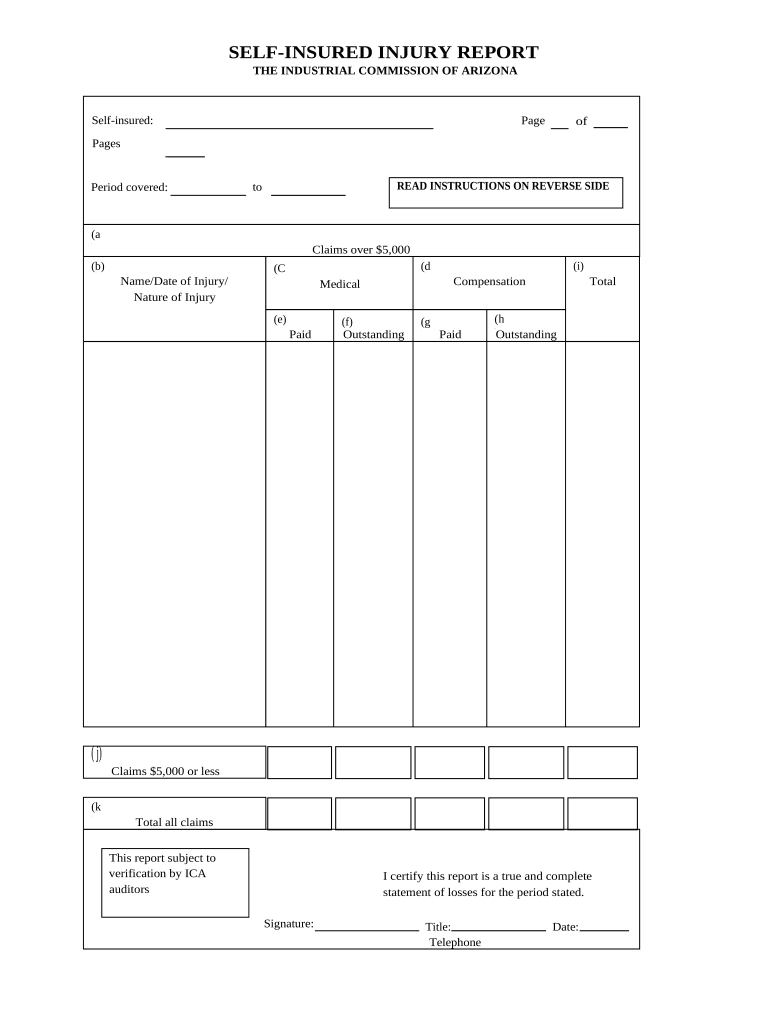
The Injury Workers Compensation document records an employee workplace injury and initiates a workers' compensation claim with the employer and insurer. It typically includes incident details, injury description, treating provider information, and return-to-work status. Employers use the form to report claims to their carrier and to trigger medical benefits, wage replacement, and case management. Electronic filing and eSignature are generally acceptable under U.S. law (ESIGN, UETA) unless a specific state or court rule requires a different method. Accurate completion preserves benefits and supports compliance with reporting requirements.

Why a complete Injury Workers Compensation form matters

A fully completed form establishes the factual basis for benefits, speeds claim processing, and protects employer and employee rights under state workers' compensation systems.

Why a complete Injury Workers Compensation form matters

Who completes and reviews this form

Employers, HR representatives, injured employees, treating clinicians, and insurer claims adjusters are the primary users of an Injury Workers Compensation form.

  • HR or safety officer completes employer sections and initiates carrier notification.
  • Injured employee provides incident description, signature, and consent to release medical information.
  • Treating provider supplies diagnosis, treatment plan, and work restrictions for claims adjudication.

Key signers and approvers

Employee

The injured worker must sign to confirm incident details and consent to medical information release. Their signature establishes notice to the employer and supports eligibility for benefits when timely provided.

Employer Representative

An HR or safety official completes employer fields, documents the employer's knowledge date, and submits the form to the insurer. This signer certifies employer reporting and helps meet state filing deadlines.

Essential parts of a professional Injury Workers Compensation form

A well-structured form gathers incident facts, medical details, administrative data, and signatures while enabling auditability and attachments for supporting records.

Incident details

Date, time, location, and a concise description of how the injury occurred to create a clear factual record for adjudication and investigation.
Injury description

Specific body part(s), visible injuries, symptoms onset and severity so medical reviewers can triage care and link treatment to the workplace event.

Treating provider

Provider name, facility, contact and initial diagnosis to establish medical care and enable direct billing to the workers' comp carrier if applicable.

Wage and employment data

Job title, hire date, average weekly wage and hours to calculate temporary total or partial disability benefits and indemnity estimates.

Employer report

Employer's account of events, witness names, safety measures, and reporting date required for carrier intake and loss control reviews.

Signatures and dates

Employee, employer representative, and clinician signatures with dates to demonstrate intent, attribution, and the timeline for benefits and appeals.

Step-by-step completion process

Complete the form in the following order to ensure accuracy and reduce rework: employee details, incident description, employer report, medical information, and signatures.

  • 01
    Collect facts: Gather witness statements and time/location details before entering data.
  • 02
    Record medical info: Obtain treating provider details and preliminary diagnosis for the form.
  • 03
    Employer section: HR documents job, wages, and safety context for carrier intake.
  • 04
    Sign and submit: Obtain signatures and send to insurer and your designated internal recipient.

Configuring an online workflow for this form

Design a simple, auditable sequence: employee entry, employer review, clinician attachment, then insurer submission to capture all required data and evidence.

Field Configuration
Sequence Employee → Employer → Clinician → Insurer
Authentication Email link or SMS code for signer verification
Attachments Allow PDFs, images, medical reports
Audit Trail Capture timestamps, IP addresses, and actions

Typical submission path and recipients

Follow this routing model to ensure prompt carrier intake and internal case management: employee reports, employer reviews, clinician supplies records, insurer receives the claim.

  • Employee report: Initiated by employee or supervisor with initial incident facts.
  • Employer review: HR verifies job and wage data and attaches witness statements.
  • Clinician upload: Treating provider uploads medical reports and work restrictions.
  • Carrier submission: Employer or third-party administrator files the claim with the insurer.

Digital signing and eSubmission considerations

Ensure your eSignature platform supports audit trails, attachment uploads, and compliant authentication methods for sensitive medical and payroll data.

  • Audit Trail: Detailed event log with timestamps and IP addresses
  • Attachment Support: Accepts PDF, DOCX, JPG, and scanned medical documents
  • Compliance: Supports HIPAA BAA and ESIGN/UETA requirements

Typical deadlines and processing expectations

Reporting and filing windows vary by state; prioritize immediate internal reporting and prompt carrier notification to preserve benefits and avoid penalties.

Employee notice:

Report to employer as soon as possible; some states require within days

Employer reporting:

Notify insurer per policy terms—many carriers request within 24–72 hours of learn

Medical treatment:

Seek initial care immediately; delayed treatment can complicate claim approval

Claim filing:

File formal claim per state rules; deadlines vary by jurisdiction

Record retention:

Retain claim records per applicable retention timelines

Key milestones from injury to closure

Track these sequential milestones to monitor claim status and compliance from first notice through resolution and return to work.

01

Notice of Injury

Employee reports incident to employer and documents initial facts and witness names.

02

Employer Acknowledgement

Employer records the report, assigns case number, and notifies insurer or TPA.

03

Medical Evaluation

Treating provider documents diagnosis, treatment plan, and work restrictions.

04

Claims Decision

Insurer adjudicates compensability and issues benefits or denial with rationale.

Common mistakes to avoid

  • Incomplete incident descriptions that omit witness names or exact location, which delay investigation and liability assessment.
  • Missing or inconsistent dates between employer and employee entries, leading to disputed timelines or denied benefits.
  • Failing to attach initial medical reports and bills, which slows benefit payment and case evaluation.
  • Using informal abbreviations for job titles or employer names that complicate wage verification and carrier processing.

Consequences of incorrect or late filing

Benefit delays: Lost wages pending adjudication
Claim denial: Coverage dispute or denial
Fines: State penalties possible
Audit exposure: Increased insurer scrutiny
Workers' comp liens: Medical liens against settlements
Litigation risk: Potential lawsuits or appeals

Required secure handling and supporting documents

Medical records: Store as protected PHI
Payroll details: Keep confidential wage data
Witness statements: Retain signed or dated notes
Employer report: Preserve original submission
Audit log: Maintain complete signing trail
ID verification: Document signer identity checks

Real scenarios showing typical form use

These short case outlines show how different organizations use the form to document and resolve workplace injuries.

Optica Ventures — COO

Small firm documents a warehouse slip.

  • Employee uploaded photo and witness contact.
  • Carrier approved medical payment within days, demonstrating how clear incident detail and prompt submission reduce adjudication time.

Fertility Centers — Founder

Health clinic reports an on-site staff injury.

  • Clinician attached exam notes.
  • HIPAA-aware eSubmission under a BAA preserved PHI protections while enabling quick benefits coordination for the worker.

Recommended practices to reduce errors and speed claims

Adopt consistent internal procedures and use digital templates to ensure all required information is captured and auditable.

Standardize templates
Use a single validated form version with mandatory fields and conditional logic to prevent incomplete submissions.
Validate identities
Require signer verification (email or SMS code) and store evidence to support attribution under ESIGN/UETA.
Attach evidence
Include photos, medical notes, and witness statements at the time of filing to reduce follow-up requests.
Maintain audit trails
Keep unalterable logs showing each action, signer, timestamp, and any changes for compliance and dispute resolution.

Frequently asked questions about Injury Workers Compensation forms

Answers to common procedural and legal questions about completing, signing, and submitting workers' compensation injury forms.


Need help? Contact support

be ready to get more
Join over 28 million airSlate SignNow users