Establishing secure connection… Loading editor… Preparing document…
Navigation

Fill and Sign the Instructions for Appointment of a Conservator Minor Colorado Form
Fill and Sign the Instructions for Appointment of a Conservator Minor Colorado Form

How it works

Open the document and fill out all its fields.
Apply your legally-binding eSignature.
Save and invite other recipients to sign it.

Rate template

4.5
38 votes
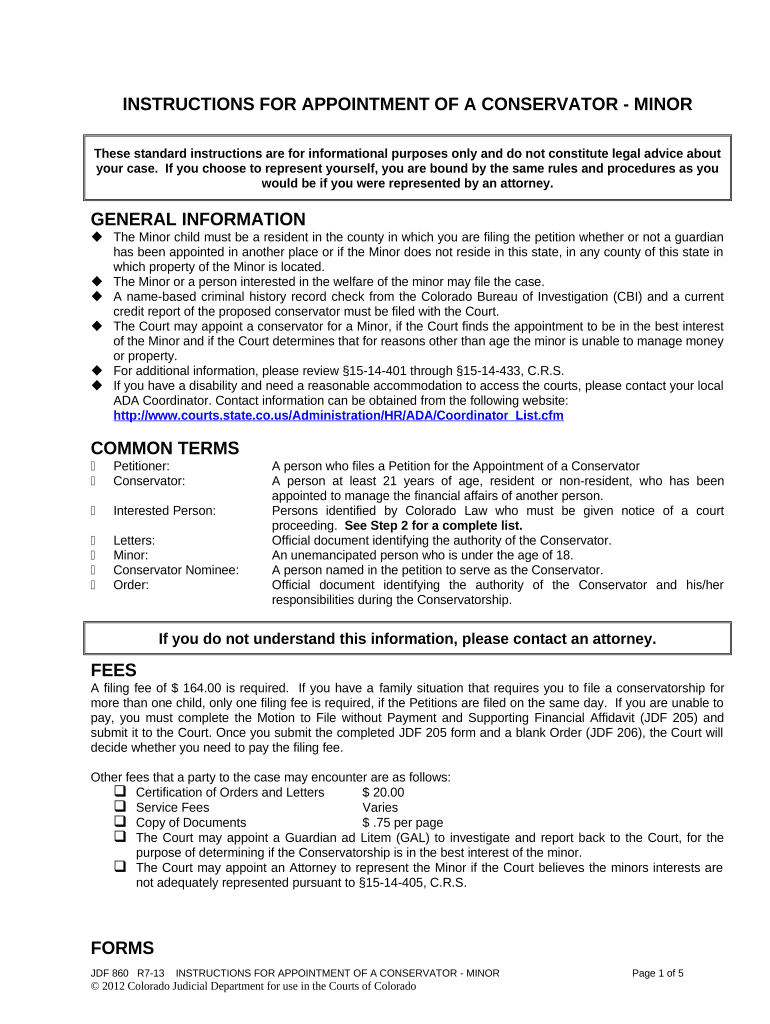
INSTRUCTIONS FOR APPOINTMENT OF A CONSERVATOR - MINOR These standard instructions are for informational purposes only and do not constitute legal advice about your case. If you choose to represent yourself, you are bound by the same rules and procedures as you would be if you were represented by an attorney. GENERAL INFORMATION  The Minor child must be a resident in the county in which you are filing the petition whether or not a guardian has been appointed in another place or if the Minor does not reside in this state, in any county of this state in which property of the Minor is located.  The Minor or a person interested in the welfare of the minor may file the case.  A name-based criminal history record check from the Colorado Bureau of Investigation (CBI) and a current credit report of the proposed conservator must be filed with the Court.  The Court may appoint a conservator for a Minor, if the Court finds the appointment to be in the best interest of the Minor and if the Court determines that for reasons other than age the minor is unable to manage money or property.  For additional information, please review §15-14-401 through §15-14-433, C.R.S.  If you have a disability and need a reasonable accommodation to access the courts, please contact your local ADA Coordinator. Contact information can be obtained from the following website: http://www.courts.state.co.us/Administration/HR/ADA/Coordinator_List.cfm COMMON TERMS  Petitioner: A person who files a Petition for the Appointment of a Conservator  Conservator: A person at least 21 years of age, resident or non-resident, who has been appointed to manage the financial affairs of another person.  Interested Person: Persons identified by Colorado Law who must be given notice of a court proceeding. See Step 2 for a complete list.  Letters: Official document identifying the authority of the Conservator.  Minor: An unemancipated person who is under the age of 18.  Conservator Nominee: A person named in the petition to serve as the Conservator.  Order: Official document identifying the authority of the Conservator and his/her responsibilities during the Conservatorship. If you do not understand this information, please contact an attorney. FEES A filing fee of $ 164.00 is required. If you have a family situation that requires you to f ile a conservatorship for more than one child, only one filing fee is required, if the Petitions are filed on the same day. If you are unable to pay, you must complete the Motion to File without Payment and Supporting Financial Affidavit (JDF 205) and submit it to the Court. Once you submit the completed JDF 205 form and a blank Order (JDF 206), the Court will decide whether you need to pay the filing fee. Other fees that a party to the case may encounter are as follows:  Certification of Orders and Letters $ 20.00  Service Fees Varies  Copy of Documents $ .75 per page  The Court may appoint a Guardian ad Litem (GAL) to investigate and report back to the Court, for the purpose of determining if the Conservatorship is in the best interest of the minor.  The Court may appoint an Attorney to represent the Minor if the Court believes the minors interests are not adequately represented pursuant to §15-14-405, C.R.S. FORMS JDF 860 R7-13 INSTRUCTIONS FOR APPOINTMENT OF A CONSERVATOR - MINOR Page 1 of 5 © 2012 Colorado Judicial Department for use in the Courts of Colorado To access a form online go to www.courts.state.co.us and click on the “Forms” tab. The packet/forms are available in PDF or WORD by selecting Probate - Protective Proceeding - New Case - Conservatorship - Minor. You may complete a form online and print it or you may print it and type or print legibly in black ink. Read these instructions carefully to determine what forms you may need, as you may need all or some of the listed forms. Check with the Court where you plan to file your case to determine if they have any special requirements.  JDF 714 Affidavit Regarding Due Diligence and Proof of Publication  JDF 716 Notice of Hearing by Publication  JDF 719 Waiver of Notice  JDF 721 Irrevocable Power of Attorney  JDF 800 Acknowledgment of Responsibilities  JDF 805 Acceptance of Office  JDF 806 Notice of Hearing to Interested Persons  JDF 807 Notice of Hearing to Respondent (Adult or Minor)  JDF 812 Notice of Appointment of Guardian and/or Conservator  JDF 826 Consent or Nomination of Minor  JDF 861 Petition for Appointment of Conservator for Minor  JDF 863 Letters of Conservatorship - Minor  JDF 882 Conservator’s Inventory with Financial Plan and Motion for Approval  JDF 883 Order Regarding Conservator’s Financial Plan  JDF 885 Conservator’s Report You will also need to file one of the following proposed orders depending on what type of conservatorship you are requesting.  JDF 862 Order Appointing Conservator for Minor  JDF 877 Order Appointing Special Conservator – Adult or Minor STEPS TO FILING YOUR CASE Step 1: Complete Forms. Selecting these instructions indicates that you plan to file a Conservatorship for a Minor. . If you have a family situation that requires you to file a conservatorship for more than one child you will be required to prepare the appropriate forms for each child. Each child will have his or her own case for confidentiality purposes. The $ 164.00 filing fee is per Petitioner(s) seeking the conservatorship(s) and not per case. The Petitions must be filed on the same day. The caption below needs to be completed on all forms filed. Make sure that you make a copy of all the forms you file with the Court for your own records. District Court Denver Probate Court __________________________________ County, Colorado Court Address: ▲ COURT USE ONLY ▲In the Interest of: Minor Attorney or Party Without Attorney (Name and Address): Phone Number: Email: FAX Number: Atty. Reg. #: Case Number: Division: Courtroom: NAME OF FORM  Petition for Appointment of Conservator for Minor (JDF 861).  The Petitioner must complete all applicable sections on the form. JDF 860 R7-13 INSTRUCTIONS FOR APPOINTMENT OF A CONSERVATOR - MINOR Page 2 of 5 © 2012 Colorado Judicial Department for use in the Courts of Colorado  If the child's father is not known (no name appears on the birth certificate), then a copy of the birth certificate of the child should be attached to the Petition. If the parental rights have been terminated or the parents are deceased, copies of the termination papers or the death certificates should be attached to the Petition.  The Petitioner must sign this form in the presence of a Court Clerk or Notary Public.  Acceptance of Office (JDF 805).  Complete all applicable sections on the form and attach the name-based criminal history check and current report for the proposed conservator.  Attach a legible copy of the proposed conservator’s driver’s license, passport or other government- issued identification.  Obtain and attach a name-based criminal history record check for the proposed conservator from Colorado Bureau of Investigation (CBI). T o obtain a name - based criminal history check, contact CBI at 690 Kipling Street Denver, CO 80215, (303) 239 - 4300, or at www.cbi.state.co.us and click on CBI Records Check.  Obtain and attach a current credit report of the proposed conservator. Below are a few credit reporting agencies:  Equifax, Inc., P.O. Box 740241, Atlanta, GA 30374, 1 - 800 - 685 - 1111, or at www.equifax.com  Experian, P.O. Box 2002, Allen, TX 75013, 1 - 888 - 397 - 3742, or at www.experian.com  TransUnion, P.O. Box 2000, Chester, PA 19022, 1 - 800 - 916 - 8800, or at www.transunion.com  Redact (strikeout) all social security numbers identified on the credit report and all but the last four digits of account numbers.  The costs for all criminal history checks and credit reports must be paid by the proposed conservator.  The proposed conservator must sign the Acceptance of Office in the presence of a Court Clerk or Notary Public.  Waiver of Notice (JDF 719).  This form can be completed by any interested person (except the Minor) who wishes to waive notice of any hearings or matters before the Court.  This form cannot be completed by the Minor. See Notice requirements in Step 4.  If this form is used, it must be signed in the presence of a Court Clerk or Notary Public.  Irrevocable Power of Attorney (JDF 721).  This form is required only if the proposed conservator lives out-of-state.  The proposed out-of-state conservator must complete this form and sign it before a Court Clerk of Notary Public.  Consent or Nomination of Minor (JDF 826).  The Minor who is the subject of the appointment, if 12 years of age or older, has the right to nominate a conservator. JDF 826 can be completed by the Minor to identify his/her nominee.  If the Minor signs this form, it must be done in the presence of a Court Clerk or Notary Public Note: This is not a substitute for personal service. Step 4 - Notice of Hearing to Minor must still be completed.  Letters of Conservatorship - Minor (JDF 863).  Complete only the caption on the form.  The Court will complete the remainder of the form and sign it following the appointment of the Conservator.  Proposed Order (JDF 862 or JDF 877).  Select the appropriate Order based on the type of conservatorship you are requesting. The proposed order should match your selection from number 1 on the Petition – JDF 861.  Complete only the caption on the form. Step 2: You are ready to file your Papers with the Court. Provide the Court with the documents completed as described in Step 1 above, and pay the $ 164.00 filing fee. You will need to make copies of the documents for each of the following persons: JDF 860 R7-13 INSTRUCTIONS FOR APPOINTMENT OF A CONSERVATOR - MINOR Page 3 of 5 © 2012 Colorado Judicial Department for use in the Courts of Colorado 1. Any person alleged to have had the primary care and custody of the Minor 60 days before the filing of the Petition. 2. Each living parent of the Minor or, if there is none, the adult nearest in kinship that can be found. 3. Any person nominated as Conservator by the Minor if the Minor has attained 12 years of age. 4. Any appointee of a parent whose appointment has not been prevented or terminated. 5. Any Guardian or Conservator currently acting for the Minor in this state or elsewhere. You may receive a hearing date from the clerk at the time of filing your paperwork or you may need to contact the clerk later to obtain the hearing date. The date and time of this hearing is important because you will need it to complete the Notice of Hearing or publication forms described in Step 3 and Step 4. Step 3: Notice to Parents and Other Interested Persons, if any. (By Mail or Publication) All person listed in Step 2 must be given notice of the upcoming hearing. Unless they are the Petitioners, both parents must be given notice of the hearing.)  Service by Mail.  If you know the address of the person to whom you are giving notice, complete the Notice of Hearing to Interested Persons (JDF 806).  Mail copies of all documents filed with the Court (including the Petition for Conservatorship) and the completed Notice of Hearing to Interested Persons (JDF 806), at least 14 days before the hearing.  Complete the Certificate of Service portion on the form, listing the names and addresses of all persons to whom you sent the notice and the date you sent it and file the form with the Court at or before your hearing.  If the address of either parent or any interested person is unknown, you must publish the notice of the hearing in the newspaper. See Service by Publication instructions below.  Service by Publication. If you do not have a current address for the parents or other interested persons, or if their identity is not known and cannot be ascertained with reasonable diligence, you must publish the notice of hearing in the newspaper. Before doing this you may wish to search the Internet, contact prior employers, friends, etc. to locate a current address.  Notice of Hearing by Publication (JDF 716).  Complete this form and have it published in a newspaper of general circulation in the county where the hearing is to be held.  The notice must be published once a week for three consecutive weeks, with the last date of publication being at least 14 days before the hearing date.  The Petitioner must request a publisher’s affidavit from the newspaper after publication is completed. This publisher’s affidavit, prepared by the newspaper, will serve as proof that the Notice of Hearing by Publication (JDF 716) was published. This publisher’s affidavit must be attached to the Affidavit Regarding Due Diligence and Proof of Publication (JDF 714). See form identified below.  Affidavit Regarding Due Diligence and Proof of Publication (JDF 714).  Complete all sections on this form. The purpose of this form is to describe to the Court your efforts to locate the individuals listed in the Notice of Hearing by Publication (JDF 716).  The Petitioner must sign this form in the presence of a Court Clerk or Notary Public. Step 4: Notice of Hearing to Minor with Personal Service Affidavit. This step only applies when the Minor is 12 or older. You must personally serve the Minor at least 14 days prior to the hearing. Helpful Hints to complete personal service:  Select the Sheriff’s Department, a private process server, or someone you know who is 18 years or older, who is not involved in the case, and who knows the rules of service.  Request the sheriff, private process server, or other person serving the documents to deliver personally to the Minor the Notice of Hearing (JDF 807) and copies of all documents filed with the Court. JDF 860 R7-13 INSTRUCTIONS FOR APPOINTMENT OF A CONSERVATOR - MINOR Page 4 of 5 © 2012 Colorado Judicial Department for use in the Courts of Colorado  Request that the sheriff, private process server, or other person serving the documents complete the Personal Service Affidavit on the second page of the Notice of Hearing (JDF 807) and return it to the Petitioner.  The Petitioner should then file with the Court, the Notice of Hearing to Respondent (Adult or Minor) (JDF 807) with the completed Personal Service Affidavit. Step 5: Hearing The Petitioner must appear at the hearing and should be prepared to present evidence showing why the conservatorship is in the child's best interest.  Be prepared to present evidence to showing that the parents are aware of the proceedings and that they consent to the conservatorship. If the Petitioner cannot prove that the parents consent to the conservatorship then he/she must be prepared to present evidence showing that the parents are either unwilling or unable to manage the child’s financial affairs.  If the Minor is 12 years of age or older he/she should appear at the hearing.  If the Minor cannot attend the hearing for medical or other reasons, the Petitioner must file a Motion to Excuse the Minor and attach appropriate documentation to support the motion, such as a physician’s letter.  If the Court appoints a conservator, the Court will issue Letters (JDF 863) as a formal notice of the appointment and provide you with a copy of the Order Appointing Conservator.  You may need certified copies of the Letters and Order. The number needed will vary, depending on your circumstances.  Copies of the Order must be provided to all interested persons identified in the Order. Step 6: Requirements After the Court Appoints a Conservator. Refer to the Order Appointing Conservator for a Minor to determine if/when the Conservator’s Inventory with Financial Plan and Motion for Approval and Conservator’s Report are due. If ordered to complete, both forms must be provided to the persons listed in the Order of Appointment. The Conservator is required to maintain supporting documentation for all receipts and all disbursements during the duration of the appointment.  Complete and sign the Acknowledgment of Responsibilities (JDF 800). Letters of Appointment will not be issued until this form is submitted.  Complete a Conservator’s Inventory with Financial Plan and Motion for Approval (JDF 882), if required.  The Conservator’s Inventory with Financial plan and Motion for Approval (JDF 882) is normally required 60 days following the appointment.  Complete only the caption on the Order Regarding Conservator’s Financial Plan (JDF 883).  The Court will complete the remainder of the form following review of JDF 882.  Refer to the Order Appointing Conservator - Minor (JDF 862) to determine if the Conservator is required to submit an annual Conservator’s Report (JDF 885). The purpose of this report is to give details to the Court and interested person regarding management of the Minor’s financial affairs.  Refer to the Order Appointing Conservator for Minor regarding completing the Notice of Appointment of Guardian and/or Conservator (JDF 812). The purpose of this form is to notify the Minor, if 12 years or older, and persons given notice of the Petition that they have the right to request termination or modification of the Conservatorship. Note: A Conservator’s Manual is available to assist the newly appointed Conservator. This manual identifies general responsibilities and important Conservatorship issues, along with completed sample forms to assist the preparer. The responsibilities of the conservator continue until the Court terminates the conservatorship. Resignation of a conservator does not terminate the conservatorship until approved by the Court. JDF 860 R7-13 INSTRUCTIONS FOR APPOINTMENT OF A CONSERVATOR - MINOR Page 5 of 5 © 2012 Colorado Judicial Department for use in the Courts of Colorado

Valuable advice on finalizing your ‘Instructions For Appointment Of A Conservator Minor Colorado’ digitally

Are you fed up with the inconvenience of handling paperwork? Look no further than airSlate SignNow, the premier eSignature solution for individuals and small to medium-sized businesses. Bid farewell to the monotonous process of printing and scanning documents. With airSlate SignNow, you can effortlessly finalize and sign documents online. Utilize the extensive features packed into this user-friendly and affordable platform and transform your document management approach. Whether you need to approve documents or gather eSignatures, airSlate SignNow manages it all fluidly, needing just a few clicks.

Follow this comprehensive guide:

  1. Sign into your account or register for a complimentary trial with our service.
  2. Click +Create to upload a file from your device, cloud storage, or our form repository.
  3. Edit your ‘Instructions For Appointment Of A Conservator Minor Colorado’ in the workspace.
  4. Click Me (Fill Out Now) to finalize the document on your end.
  5. Add and designate fillable fields for others (if needed).
  6. Proceed with the Send Invite options to solicit eSignatures from others.
  7. Save, print your copy, or convert it into a reusable template.

Don’t fret if you need to collaborate with your colleagues on your Instructions For Appointment Of A Conservator Minor Colorado or send it for notarization—our platform provides everything you require to achieve such objectives. Sign up with airSlate SignNow today and elevate your document management to new levels!

Here is a list of the most common customer questions. If you can’t find an answer to your question, please don’t hesitate to reach out to us.

Need help? Contact Support

The best way to complete and sign your instructions for appointment of a conservator minor colorado form


Save time on document management with airSlate SignNow and get your instructions for appointment of a conservator minor colorado form eSigned quickly from anywhere with our fully compliant eSignature tool.

How to Sign a PDF Online How to Sign a PDF Online

How to fill out and sign documents online

Previously, dealing with paperwork took pretty much time and effort. But with airSlate SignNow, document management is quick and easy. Our robust and easy-to-use eSignature solution enables you to effortlessly complete and electronically sign your instructions for appointment of a conservator minor colorado form online from any internet-connected device.

Follow the step-by-step guidelines to eSign your instructions for appointment of a conservator minor colorado form template online:

  • 1.Register for a free trial with airSlate SignNow or log in to your account with password credentials or SSO authorization option.
  • 2.Click Upload or Create and import a file for eSigning from your device, the cloud, or our form collection.
  • 3.Click on the file name to open it in the editor and use the left-side toolbar to fill out all the blank fields accordingly.
  • 4.Drop the My Signature field where you need to approve your form. Type your name, draw, or upload an image of your handwritten signature.
  • 5.Click Save and Close to finish editing your completed form.

As soon as your instructions for appointment of a conservator minor colorado form template is ready, download it to your device, export it to the cloud, or invite other people to electronically sign it. With airSlate SignNow, the eSigning process only requires a couple of clicks. Use our powerful eSignature solution wherever you are to deal with your paperwork productively!


How to Sign a PDF Using Google Chrome How to Sign a PDF Using Google Chrome

How to complete and sign forms in Google Chrome

Completing and signing documents is easy with the airSlate SignNow extension for Google Chrome. Adding it to your browser is a fast and productive way to deal with your forms online. Sign your instructions for appointment of a conservator minor colorado form template with a legally-binding eSignature in just a couple of clicks without switching between programs and tabs.

Follow the step-by-step guidelines to eSign your instructions for appointment of a conservator minor colorado form template in Google Chrome:

  • 1.Go to the Chrome Web Store, find the airSlate SignNow extension for Chrome, and install it to your browser.
  • 2.Right-click on the link to a document you need to sign and choose Open in airSlate SignNow.
  • 3.Log in to your account with your credentials or Google/Facebook sign-in buttons. If you don’t have one, you can start a free trial.
  • 4.Use the Edit & Sign toolbar on the left to complete your template, then drag and drop the My Signature field.
  • 5.Add a photo of your handwritten signature, draw it, or simply enter your full name to eSign.
  • 6.Make sure all information is correct and click Save and Close to finish editing your paperwork.

Now, you can save your instructions for appointment of a conservator minor colorado form sample to your device or cloud storage, email the copy to other individuals, or invite them to eSign your document with an email request or a protected Signing Link. The airSlate SignNow extension for Google Chrome improves your document workflows with minimum time and effort. Start using airSlate SignNow today!


How to Sign a PDF in Gmail How to Sign a PDF in Gmail How to Sign a PDF in Gmail

How to fill out and sign forms in Gmail

Every time you receive an email with the instructions for appointment of a conservator minor colorado form for signing, there’s no need to print and scan a file or download and re-upload it to another program. There’s a much better solution if you use Gmail. Try the airSlate SignNow add-on to quickly eSign any documents right from your inbox.

Follow the step-by-step guide to eSign your instructions for appointment of a conservator minor colorado form in Gmail:

  • 1.Navigate to the Google Workplace Marketplace and locate a airSlate SignNow add-on for Gmail.
  • 2.Set up the program with a corresponding button and grant the tool access to your Google account.
  • 3.Open an email with an attachment that needs signing and use the S key on the right panel to launch the add-on.
  • 4.Log in to your airSlate SignNow account. Select Send to Sign to forward the file to other people for approval or click Upload to open it in the editor.
  • 5.Place the My Signature option where you need to eSign: type, draw, or import your signature.

This eSigning process saves efforts and only takes a few clicks. Take advantage of the airSlate SignNow add-on for Gmail to update your instructions for appointment of a conservator minor colorado form with fillable fields, sign forms legally, and invite other people to eSign them al without leaving your mailbox. Boost your signature workflows now!


How to Sign a PDF on a Mobile Device How to Sign a PDF on a Mobile Device How to Sign a PDF on a Mobile Device

How to complete and sign paperwork in a mobile browser

Need to quickly fill out and sign your instructions for appointment of a conservator minor colorado form on a mobile phone while doing your work on the go? airSlate SignNow can help without needing to install extra software applications. Open our airSlate SignNow tool from any browser on your mobile device and add legally-binding electronic signatures on the go, 24/7.

Follow the step-by-step guide to eSign your instructions for appointment of a conservator minor colorado form in a browser:

  • 1.Open any browser on your device and go to the www.signnow.com
  • 2.Sign up for an account with a free trial or log in with your password credentials or SSO option.
  • 3.Click Upload or Create and add a file that needs to be completed from a cloud, your device, or our form collection with ready-to go templates.
  • 4.Open the form and fill out the empty fields with tools from Edit & Sign menu on the left.
  • 5.Put the My Signature field to the sample, then enter your name, draw, or add your signature.

In a few simple clicks, your instructions for appointment of a conservator minor colorado form is completed from wherever you are. When you're finished editing, you can save the document on your device, generate a reusable template for it, email it to other individuals, or ask them to eSign it. Make your paperwork on the go quick and productive with airSlate SignNow!


How to Sign a PDF on iPhone How to Sign a PDF on iPhone

How to fill out and sign paperwork on iOS

In today’s business world, tasks must be accomplished quickly even when you’re away from your computer. Using the airSlate SignNow application, you can organize your paperwork and sign your instructions for appointment of a conservator minor colorado form with a legally-binding eSignature right on your iPhone or iPad. Set it up on your device to conclude contracts and manage documents from just about anywhere 24/7.

Follow the step-by-step guide to eSign your instructions for appointment of a conservator minor colorado form on iOS devices:

  • 1.Go to the App Store, find the airSlate SignNow app by airSlate, and set it up on your device.
  • 2.Open the application, tap Create to upload a form, and choose Myself.
  • 3.Opt for Signature at the bottom toolbar and simply draw your signature with a finger or stylus to eSign the form.
  • 4.Tap Done -> Save after signing the sample.
  • 5.Tap Save or use the Make Template option to re-use this paperwork later on.

This method is so easy your instructions for appointment of a conservator minor colorado form is completed and signed within a couple of taps. The airSlate SignNow app works in the cloud so all the forms on your mobile device remain in your account and are available any time you need them. Use airSlate SignNow for iOS to enhance your document management and eSignature workflows!


How to Sign a PDF on Android How to Sign a PDF on Android

How to fill out and sign documents on Android

With airSlate SignNow, it’s simple to sign your instructions for appointment of a conservator minor colorado form on the go. Install its mobile application for Android OS on your device and start improving eSignature workflows right on your smartphone or tablet.

Follow the step-by-step guide to eSign your instructions for appointment of a conservator minor colorado form on Android:

  • 1.Go to Google Play, find the airSlate SignNow app from airSlate, and install it on your device.
  • 2.Sign in to your account or register it with a free trial, then import a file with a ➕ option on the bottom of you screen.
  • 3.Tap on the uploaded file and select Open in Editor from the dropdown menu.
  • 4.Tap on Tools tab -> Signature, then draw or type your name to eSign the template. Complete empty fields with other tools on the bottom if necessary.
  • 5.Use the ✔ button, then tap on the Save option to end up with editing.

With an easy-to-use interface and total compliance with main eSignature requirements, the airSlate SignNow app is the perfect tool for signing your instructions for appointment of a conservator minor colorado form. It even operates offline and updates all form adjustments once your internet connection is restored and the tool is synced. Complete and eSign documents, send them for eSigning, and generate multi-usable templates whenever you need and from anywhere with airSlate SignNow.

Sign up and try Instructions for appointment of a conservator minor colorado form
  • Close deals faster
  • Improve productivity
  • Delight customers
  • Increase revenue
  • Save time & money
  • Reduce payment cycles

