Establishing secure connection…Loading editor…Preparing document…

Investment Agreement Form

This template is fully customizable. Edit the text, fill out the fields, and send it for signature. Give it a try!
Investment Agreement Form

What the Investment Agreement Form Is and when it’s used

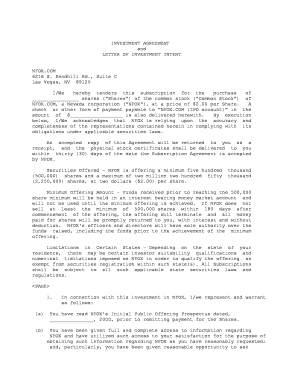
An Investment Agreement Form is a binding contract that records the commercial and legal terms under which capital is provided to an issuer in exchange for equity, debt, or other financial rights. It typically sets out the investment amount, instrument type, valuation or price, capitalization table references, closing conditions, representations and warranties, covenants, transfer restrictions, governance rights, and exit mechanics. The form creates a clear roadmap for funding, allocation of economic rights, and enforcement of remedies if obligations are not met; attachments often include schedules, exhibits, and closing checklists.

Why a clear, complete Investment Agreement Form matters

A well-drafted Investment Agreement Form reduces ambiguity, allocates risk, and creates enforceable obligations. Electronic execution is generally enforceable under the federal ESIGN Act (15 U.S.C. ch. 96) and under UETA where adopted, though statutory exceptions such as wills or certain court filings may still require different treatment.

Why a clear, complete Investment Agreement Form matters

Who commonly prepares and signs Investment Agreement Forms

Typical users include founders, investors, corporate counsel, and finance teams responsible for fundraising, compliance, and recordkeeping.

  • Startups and founders handling seed, angel, and venture rounds requiring precise capital and dilution terms.
  • Venture capital, private equity, and angel investors conducting term negotiations, documentation, and due diligence.
  • Corporate legal and finance teams documenting convertible notes, SAFEs, equity purchases, and post-closing compliance.

Typical signers and their responsibilities

Lead Investor

A lead investor negotiates principal economic and governance terms, often coordinates syndicate documents, and may sign investment schedules. Confirm their authority and representation scope in writing to avoid disputes about signing authority or allocation of subscription commitments.

Company Representative

An authorized officer or designee signs for the issuer; provide board resolutions, secretary certificates, or equivalent corporate authorizations to confirm signing authority and to satisfy escrow agents, banks, and counsel.

Required information and common data fields

Parties' Names: Full legal entity names including DBA where applicable
Investment Amount: Exact currency and numeric amount
Security Type: Equity, debt, convertible note, or SAFE
Price and Valuation: Price per share or company valuation metric
Closing Conditions: Conditions precedent to funding
Signatures and Dates: Dated signatures of authorized signatories

Key risks if the form is incorrect or incomplete

Securities Violations: Unregistered offers risk SEC enforcement
Tax Consequences: Misstated ownership triggers IRS issues
Authority Gaps: Unauthorized signer can void agreement
Ambiguous Terms: Vague clauses invite disputes
Missing Consents: Third-party consents can delay closing
Retention Failures: Loss of records impairs enforcement

Common mistakes to avoid when preparing an Investment Agreement Form

  • Failing to identify the exact security type and conversion mechanics leads to disputes over ownership and calculation of dilution at later rounds.
  • Omitting or poorly drafting representations and warranties increases post-closing litigation risk and investor reluctance.
  • Using inconsistent dates, amounts, or party names across schedules can invalidate provisions or necessitate costly amendments.
  • Neglecting required regulatory disclosures or securities filings can trigger statutory penalties and halt funding flows.

Core sections to include in a professional Investment Agreement Form

A complete form integrates commercial terms with protective legal language so parties understand capital structure, governance, and exit mechanics before funding.

Investment Terms

Clearly state amount, payment schedule, instrument type, equity percentage or repayment terms, and any escrow or tranche arrangements to avoid ambiguity at closing.
Governance Rights

Specify board seats, voting rights, information rights, vetoes, and observer rights, and include processes for appointment, removal, and quorum requirements.

Transfer Restrictions

Detail lock-up periods, right of first refusal, tag-along and drag-along clauses, and conditions for permitted transfers to prevent unwanted ownership changes.

Representations

Provide issuer and investor representations about authority, capitalization, compliance, and absence of undisclosed liabilities to support reliance and indemnity claims.

Covenants

Include affirmative and negative covenants governing operations, use of proceeds, and restrictions on incurrence of debt or changes in business strategy.

Exit Provisions

Define IPO, sale, buyback, and liquidation preferences, including waterfall mechanics, pay-to-play, and conversion triggers for transparent outcomes.

Step-by-step: completing and executing an Investment Agreement Form

Follow these sequential steps to complete and execute an Investment Agreement Form without common errors or delays.

  • 01
    Prepare Draft: Assemble terms, exhibits, and capitalization schedules.
  • 02
    Review Legal: Have counsel verify securities and tax implications.
  • 03
    Authorize Signers: Obtain board resolutions or executed corporate certificates.
  • 04
    Execute & Record: Sign, date, notarize if required, and distribute executed copies.

How to set up an online signing workflow for the form

Configure an online workflow to route, authenticate, and archive the Investment Agreement Form for efficient signing and compliance.

Field Configuration
Upload Document PDF or DOCX with editable fields
Assign Roles Investor, Issuer, Notary, Witness
Authentication Email, SMS code, or KBA
Conditional Fields Show investor-only sections when applicable

Where to send executed copies and how to file them

After execution, route signed copies to relevant parties and file records with corporate and regulatory bodies as required.

  • Investor Copies: Distribute executed copies to all investors
  • Company Records: File in corporate records and minute book
  • Regulatory Filings: Submit required securities or state filings
  • Escrow Agent: Deliver funds and agreement to escrow agent

Technology considerations for e-signature and eSubmission

Choose an eSignature platform supporting the authentication strength, audit trails, and export formats required for legal evidence.

  • File Formats: PDF/A and DOCX supported
  • Integrations: Connects with CRM and cloud storage
  • Authentication: SMS, email, KBA, or SSO options

Key timelines and deadlines to track

Key dates govern obligations: negotiation, signing, funding, closing conditions, and any tax or regulatory reporting; track each to prevent defaults or penalties.

Negotiation Window:

Period parties agreed to finalize terms

Signing Deadline:

Date by which all parties must execute

Funding/Closing Date:

Date funds transfer and instruments exchange

SEC/State Notices:

File any required securities notices promptly

Tax Reporting:

Report ownership changes per IRS rules

How Investment Agreement Forms compare with related instruments

Compare typical features of an Investment Agreement with common alternative instruments to choose the right document for your transaction.

Feature Investment Agreement Convertible Note SAFE Stock Purchase
Purpose long-term equity bridge financing contractual conversion immediate equity
Typical Use series rounds short-term financing early-stage fundraising direct equity sale
Conversion defined formula interest + cap simple conversion terms n/a
Investor Rights full negotiated rights limited rights few standard rights buyer rights per shares

eSignature vendor comparison for signing and distributing Investment Agreement Forms

Select an eSignature provider that meets authentication, audit trail, integration, and compliance needs; vendor pricing and feature sets vary by plan and billing model.

signNow DocuSign Adobe Sign PandaDoc HelloSign
Starting Price $8/user/mo $15/user/mo $14/user/mo $19/user/mo $15/user/mo
Free Trial 7-day free trial Varies Varies Varies Varies
Bulk Send Yes Yes Yes Yes No
Audit Trail Yes Yes Yes Yes Yes
HIPAA Compliant Yes Yes Yes No No

Real-world examples of electronic execution in funding transactions

Two organizations describe how electronic workflows helped them handle investor documents and signings.

Optica Ventures

Optica used electronic workflows to manage investor paperwork and close financings remotely, reducing administrative friction during rounds.

  • The interface is simple and easy-to-use.
  • Their team reported faster turnaround and fewer errors when sending cap tables and executed agreements; documentation remained auditable and accessible for compliance and investor relations.

Martin Properties

A real estate investor processed and executed funding and purchase documents online to avoid in-person delays.

  • I can process and execute all of these documents online with 100% compliance and built-in security.
  • Using an auditable digital workflow enabled faster closings, reliable recordkeeping, and consistent signatures across agents and investors.

Practical tips for accurate, efficient completion and execution

Adopt consistent practices that limit negotiation friction, reduce errors, and preserve enforceable records.

Adopt a reviewed standard agreement template
Maintain a single approved Investment Agreement template reviewed by counsel to ensure consistency across rounds. Updating one master template reduces negotiation time, prevents conflicting clauses in schedules, and simplifies document comparison during due diligence and audits.
Confirm signing authority with supporting corporate resolutions
Before execution, collect board resolutions, secretary certificates, or powers of attorney proving signatory authority. Attach these to the executed agreement to preempt later challenges and to satisfy escrow agents, banks, or regulatory reviewers.
Lock exhibit versions and maintain change log
Number and date each exhibit and appendix; maintain a change log and avoid inline edits after signing. Use appendices for schedules like capitalization tables so updates can be managed without re-executing the primary agreement.
Preserve the complete audit trail and originals
Store signed originals and electronic audit records that include timestamps, IP addresses, and signer authentication. This evidence supports enforceability under ESIGN (15 U.S.C. ch. 96) and UETA when disputes arise and for regulatory review.

Frequently asked questions about executing and validating Investment Agreement Forms

Answers to common questions about executing, validating, and storing Investment Agreement Forms, including e-signature and notarization concerns.


Need help? Contact support

be ready to get more
Join over 28 million airSlate SignNow users