Establishing secure connection…Loading editor…Preparing document…

Investment Advisory Agreement

This template is fully customizable. Edit the text, fill out the fields, and send it for signature. Give it a try!
Investment Advisory Agreement

What an Investment Advisory Agreement Is

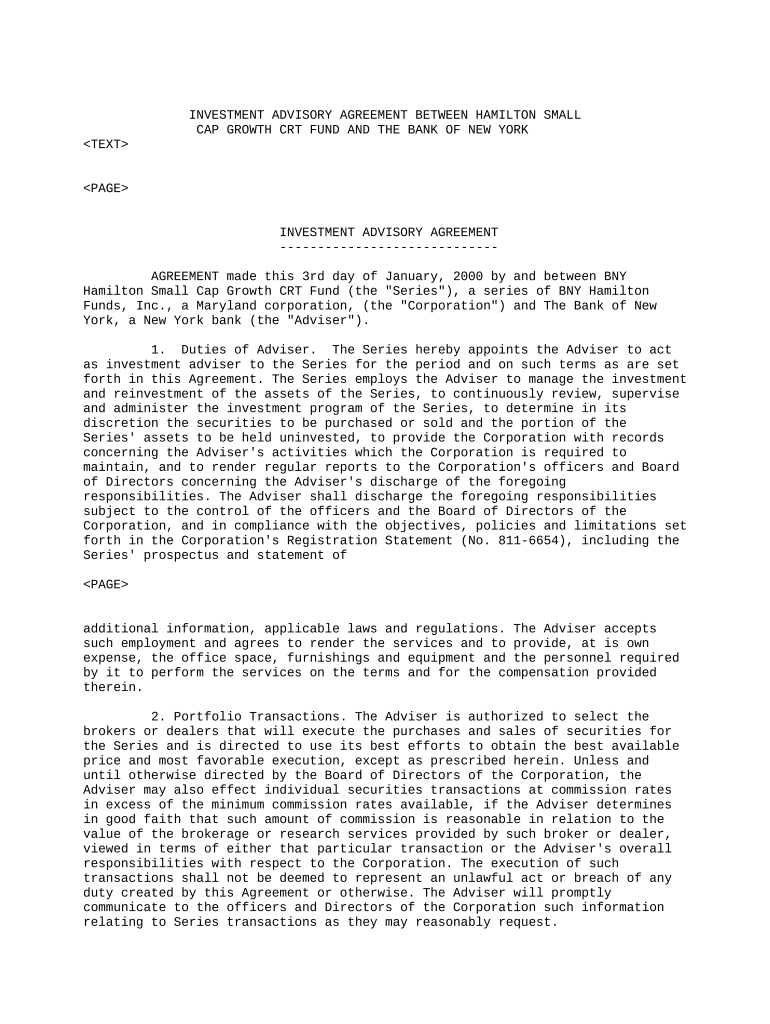
An Investment Advisory Agreement is a written contract between an investment advisor and a client that establishes the advisory relationship, scope of services, fee structure, fiduciary duties, and termination terms. It sets expectations for portfolio management, reporting frequency, custodial arrangements, and discretionary authority, and it documents the advisor’s duties and client consent. For regulated advisers, the agreement supports compliance with recordkeeping and disclosure obligations. Parties often include exhibits for fee schedules, investment objectives, and conflict-of-interest disclosures to ensure clarity and enforceability.

Why a Clear Agreement Matters

Use an Investment Advisory Agreement to clarify fees, duties, and performance expectations, reduce disputes, and document client consent to investment authority. A clear written agreement supports regulatory compliance and provides evidence of the contractual relationship in audits, client inquiries, or regulatory examinations.

Why a Clear Agreement Matters

Typical Parties and Users

Typical users who prepare or sign this agreement include investment advisers, wealth managers, institutional clients, and individual investors.

  • Registered investment advisers and RIA firms — set standard client engagement terms and compliance controls.
  • Broker-dealers and hybrid firms — use agreements where advisory services are delivered alongside brokerage.
  • High-net-worth individuals and institutional clients — require custom fee schedules and reporting frequency.

Core Clauses to Include

Core Investment Advisory Agreement clauses define services, fees, authority, reporting, conflicts, and termination to create a complete legal framework for the advisor‑client relationship.

Scope of Services

Describe investment objectives, permitted strategies, discretionary limits, and specific exclusions. Include performance benchmarks, rebalancing rules, reporting cadence, and any non-advisory services to avoid ambiguity.
Fees and Compensation

State management fees, performance fees, billing frequency, expense reimbursement, and termination fee handling. Specify calculation methods, offsets, fee caps, and conditions for fee changes to prevent disputes.

Authority and Discretion

Clarify whether the advisor has discretionary trading authority, trading limits, and delegated decision-making. Describe pre-approval requirements, prohibited investments, and reporting requirements.

Compliance and Disclosures

Include fiduciary duty language, material conflicts of interest, related-party transactions, compliance with applicable securities laws, and a description of required disclosures, including Form ADV where applicable.

Reporting and Records

Specify reporting frequency, account statements, performance reports, and delivery method. Identify record retention responsibilities and how clients may request historical records or transaction detail electronically.

Termination and Amendments

State termination rights, notice periods, effect on outstanding trades, post-termination custody arrangements, and amendment procedures. Include any short‑notice fee or wind‑down costs and settlement processes.

Step-by-Step: Preparing and Executing the Agreement

Follow these steps to prepare, sign, and retain an Investment Advisory Agreement using an electronic workflow for efficiency and legal compliance.

  • 01
    Prepare: Gather client data, objectives, and fee schedule before drafting.
  • 02
    Draft: Include scope, authority, fees, disclosures, and termination terms.
  • 03
    Review: Have legal and compliance review; confirm client understanding.
  • 04
    Execute: Sign with authorized representatives and record the executed copy.

Typical Electronic Routing Flow

Typical routing for the Investment Advisory Agreement in an eSignature workflow from draft to signed record and archival.

  • Upload: Add final agreement PDF and supporting exhibits.
  • Place Fields: Add signature, initial, date, and checkbox fields.
  • Authenticate: Use email link, SMS code, or advanced ID verification.
  • Complete: System delivers executed copies and records audit trail.

Configure Your eSignature Workflow

Configure an online signing workflow that enforces authentication, field validation, and document routing for advisor and client signatures.

Field Configuration
Authentication Level Email plus SMS code; optional KBA for high-value accounts.
Signer Order Advisor signs first then client via routed workflow.
Field Validation Required fields, date format MM/DD/YYYY, TIN mask.
Storage Store executed PDFs and audit trail securely.

Security and Compliance Snapshot

Encryption: TLS 1.2/1.3 transit; AES-256 rest
Certifications: SOC 2 Type II, ISO 27001, PCI DSS
HIPAA: BAA available for protected health information
ESIGN/UETA: Complies with ESIGN and UETA standards
Audit Trail: Full event logs, timestamps, IP addresses
Access Controls: SSO, role-based permissions, 2FA option

eSignature Pricing and Feature Comparison

This table compares common plan pricing and feature availability for eSignature vendors; signNow is listed first in the column order.

signNow DocuSign Adobe Sign PandaDoc HelloSign
Starting Price $8/user/mo $15/user/mo $14/user/mo $19/user/mo $15/user/mo
Free Trial 7-day free trial Varies by plan Varies by plan Varies by plan Varies by plan
Bulk Send Yes (Business Premium) Yes Yes Yes No
Audit Trail Yes Yes Yes Yes Yes
HIPAA Compliant Yes Yes Yes No No
Envelope Cap No cap 100 envelopes/user/year Varies Varies Varies

Timing and Notice Highlights

Key timing considerations include effective date, fee billing cycles, notice periods for termination, audit windows, and record retention triggers.

Effective Date and Term:

Set as MM/DD/YYYY; governs when obligations begin.

Billing Cycle and Invoices:

State monthly, quarterly, or annual billing and invoice timing.

Termination Notice Period:

Commonly 30–90 days; include cure provisions if applicable.

Audit and Examination Window:

Maintain records accessible for regulator review per retention rules.

Amendment Effective Dates:

Specify how amendments take effect and notice delivery method.

Common Pitfalls to Avoid

  • Failing to define discretionary authority clearly leads to trading disputes and regulatory scrutiny when advisors execute trades without explicit client consent or documented limits.
  • Vague fee descriptions, such as undefined performance fees or insufficient billing formulas, cause billing disagreements and may trigger required refunds or dispute resolution proceedings.
  • Omitting conflict-of-interest disclosures or failing to disclose related‑party transactions can violate fiduciary obligations and undermine client trust during compliance examinations.
  • Using inconsistent names, incorrect tax identification numbers, or mismatched signatory authority delays processing and can invalidate signature attribution for electronic execution.

Short Summary of Risks and Consequences

Regulatory Fines: Enforcement penalties for disclosure failures.
Contract Invalidity: Improper execution may render agreement unenforceable.
Fiduciary Liability: Damages and restitution actions by clients.
Tax Consequences: Incorrect TINs may trigger backup withholding.
Operational Delays: Missing signatures delay account funding.
Arbitration Costs: Dispute resolution clauses can increase expenses.

Real-World Examples

Real-world examples show how advisory firms use eSigned agreements to accelerate onboarding, reduce versioning errors, and improve audit readiness.

Optica Ventures

Optica Ventures replaced paper agreements with an online Investment Advisory Agreement workflow to eliminate manual routing and version confusion during client onboarding.

  • Signatures returned within 24 hours.
  • The company found the interface simple for both staff and clients, which reduced turnaround time, improved client satisfaction, and simplified audit trails for regulatory reviews and reduced legal review overhead.

Martin Properties

Martin Properties integrated eSigned advisory agreements to process investor subscriptions remotely and to maintain consistent fee schedule exhibits across transactions.

  • Mobile signing improved closing rates.
  • The firm reported fully compliant processing with mobile and offline signing support, enabling secure returns of executed agreements, reducing in-person meetings, and shortening deal cycles for on-the-go investors and lowering administrative costs.

Frequently Asked Questions

Answers to common questions about drafting, executing, and enforcing Investment Advisory Agreements in electronic workflows.


Need help? Contact support

be ready to get more
Join over 28 million airSlate SignNow users