Establishing secure connection…Loading editor…Preparing document…

Appointment Testing Letter

This template is fully customizable. Edit the text, fill out the fields, and send it for signature. Give it a try!
Appointment Testing Letter

What an Appointment Testing Letter Is and When it’s Used

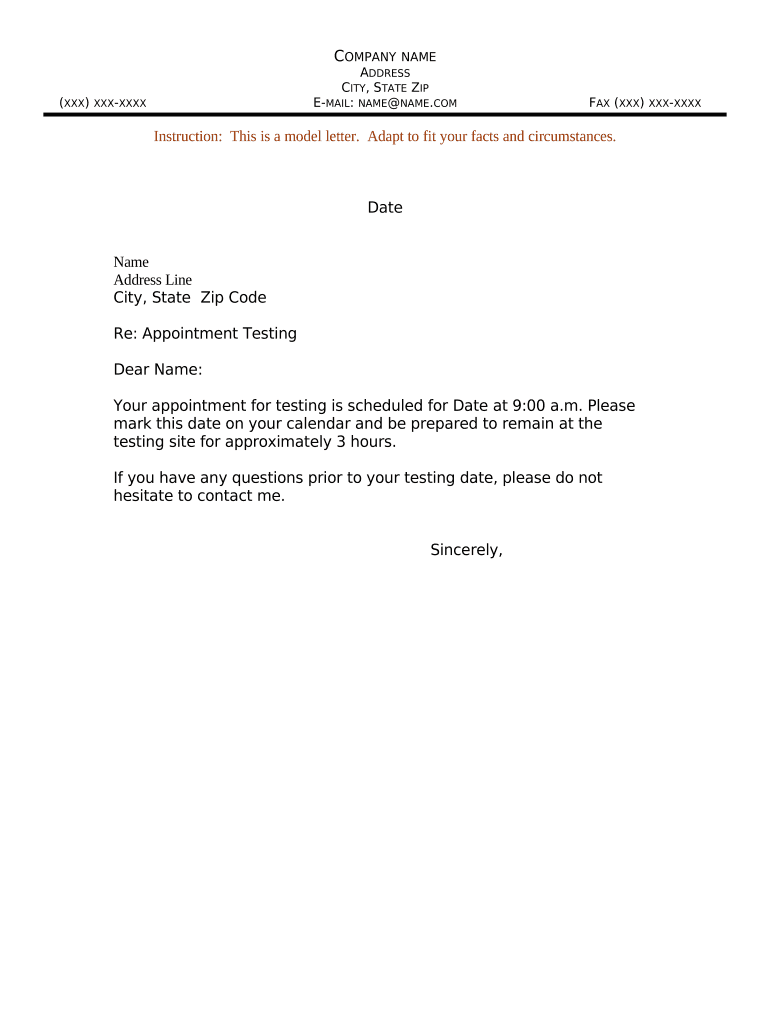
An Appointment Testing Letter is a formal written notice used to confirm, schedule, or document an arranged appointment for a testing event. Typical uses include scheduling medical or diagnostic tests, environmental or safety inspections, equipment calibration tests, site access for construction or utilities, and vendor or regulator testing visits. The letter states the appointment date, time window, location, purpose of the test, required preparations, and point of contact. It can serve as evidence of notice and consent when retained with supporting records and is often combined with instructions for required forms, access credentials, or safety clearances.

Why a Clear Appointment Testing Letter Matters

A well‑structured Appointment Testing Letter reduces scheduling errors, documents required preparations, and creates an auditable record of notice for both parties. Clear letters reduce no‑shows, limit liability by communicating safety or sample requirements, and record consent where testing affects legal or regulatory status.

Why a Clear Appointment Testing Letter Matters

Who Typically Prepares and Receives This Letter

The sender should be an authorized representative with authority to schedule tests and communicate preparatory or access requirements.

  • Laboratories and clinics scheduling diagnostic or monitoring tests for patients or research participants, noting prep instructions and consent requirements.
  • Facilities and property managers arranging environmental, safety, or structural testing and coordinating access and onsite protocols.
  • Regulatory or compliance teams notifying inspected parties of scheduled inspections or testing with chain‑of‑custody details.

Step‑by‑Step: How to Complete the Letter

Follow these steps to produce a complete, actionable Appointment Testing Letter that minimizes confusion and documents consent.

  • 01
    Prepare Details: Collect date, time window, address, contact, and test purpose before drafting.
  • 02
    Confirm Requirements: List prep steps, identification, required forms, and PPE or permits.
  • 03
    Draft Notice: Write concise instructions, include point of contact, and state consequences of missed appointments.
  • 04
    Send and Record: Distribute via chosen method and retain a dated copy for records and audit trails.

Where the Letter Fits in the Testing Workflow

The Appointment Testing Letter is the formal scheduling step that connects planning to execution and post‑test documentation.

  • Initiation: Request or schedule a test internally; identify responsible team and resources.
  • Notification: Issue the Appointment Testing Letter to recipients and stakeholders.
  • Execution: Conduct the test, verify identity and preparations per letter instructions.
  • Documentation: Attach signed letter and test results to the case or file for retention.

Configuring an Online Letter Workflow

When you create the letter in an eSignature platform, set these fields to automate routing and capture required approvals.

Field Configuration
Signer Order Sequential or parallel routing to ensure approvals before test date
Authentication Email link, SMS code, or stronger ID verification based on sensitivity
Reminders Automatic reminders at configurable intervals before appointment
Attachments Include prep checklists, maps, and safety forms for signer download

Digital Signing and Delivery Options

Retain a signed copy with an audit trail showing signer identity, timestamps, and delivery method for compliance and dispute resolution.

  • Email Delivery: Simple and widely accepted for low‑sensitivity notices
  • SMS or Authenticated Link: Stronger verification and higher completion rates
  • In‑person or Kiosk: Use for onsite identity verification and immediate signoff

Essential Content Elements to Include

These six content elements make an Appointment Testing Letter clear, actionable, and defensible if questions arise later.

Appointment Details

Full date, start and end times, time zone, and any contingency windows so recipients know exactly when to present.
Purpose of Test

A short description of the test objective and what will be measured or inspected to set expectations.

Preparation Steps

Clear, itemized instructions (fasting, equipment, clothing, permits) that reduce invalid tests and reschedules.

Location & Access

Precise address, entry instructions, parking, security check‑in, and a contact for arrival support.

Consent & Authorization

Language confirming consent to perform the test, plus signature lines or electronic consent instructions where required.

Follow‑Up Instructions

Indicate how results will be communicated, expected turnaround, and any post‑test obligations or restrictions.

Required Information to Capture

Recipient ID: Full legal name
Appointment Date: MM/DD/YYYY
Time Window: Start–end time
Location: Address and entry details
Contact Info: Phone and email
Consent Type: Written or eSignature

Common Preparation Mistakes to Avoid

  • Failing to include a precise time window or time zone, which causes missed appointments and rescheduling delays, especially for multi‑site operations.
  • Omitting preparation instructions (fasting, PPE), which can invalidate tests and increase costs by requiring re‑testing or additional visits.
  • Using vague location or access directions that leave onsite personnel uncertain about where to meet, increasing wait times and safety risks.
  • Not capturing or verifying identity information, which can block access for sensitive tests and may lead to noncompliance with chain‑of‑custody rules.

Consequences of Incorrect or Missing Information

Missed Tests: Rescheduling costs
Invalid Results: Re‑testing required
Access Denial: Security or safety blocks
Regulatory Notice: Inspection or fines
Liability Exposure: Civil claims risk
Data Breach: Privacy violation risk

Two Practical Examples

These examples show how an Appointment Testing Letter is adapted for different settings while preserving the same core elements.

Clinical Lab Visit

A patient receives a letter outlining a blood draw appointment, fasting instructions, and arrival procedures.

  • The letter lists ID requirements and lab location.
  • The retained signed letter and timestamped e‑consent provide proof of notification and consent, reducing administrative disputes and supporting clinical records retention.

Construction Site Inspection

A contractor gets a letter scheduling structural testing and site access conditions, including PPE and insurance certificates required.

  • The notice requires on‑site representative and permit copies.
  • Keeping the signed letter with the inspection report documents compliance with contract terms and supports claims handling for any defects found during testing.

Timing, Deadlines, and Processing Expectations

Establish clear deadlines for confirmation, cancellation, and arrival so that resources can be allocated and regulatory timeframes met.

Confirmation Deadline:

Request confirmation at least 48–72 hours before the appointment.

Cancellation Window:

State a cancellation window (e.g., 24–48 hours) and any associated fees.

Late Arrival Policy:

Define a maximum lateness allowance and whether the appointment will be rescheduled.

Result Turnaround:

Provide expected result delivery time or report issuance period.

Record Retention:

State how long the letter and results will be retained for compliance purposes.

eSignature Provider Comparison for Signing and Managing Appointment Letters

Compare basic pricing and capabilities from signNow and common competitors for a typical Appointment Testing Letter workflow; consult vendor sites for plan details.

signNow DocuSign Adobe Sign PandaDoc HelloSign
Starting Price $8/user/mo $15/user/mo $14/user/mo $19/user/mo $15/user/mo
Free Trial 7-day free trial Varies Varies Varies Varies
Bulk Send Yes Yes Yes Yes Yes
Audit Trail Yes Yes Yes Yes Yes
HIPAA Compliant Yes Yes Yes No No

Frequently Asked Questions and Troubleshooting

Answers to common questions about preparing, delivering, and validating an Appointment Testing Letter, including eSignature and retention concerns.


Need help? Contact support

be ready to get more
Join over 28 million airSlate SignNow users