Establishing secure connection…Loading editor…Preparing document…

Letter of Condolence to a Friend

This template is fully customizable. Edit the text, fill out the fields, and send it for signature. Give it a try!
Letter of Condolence to a Friend

What a Letter of Condolence to a Friend Is

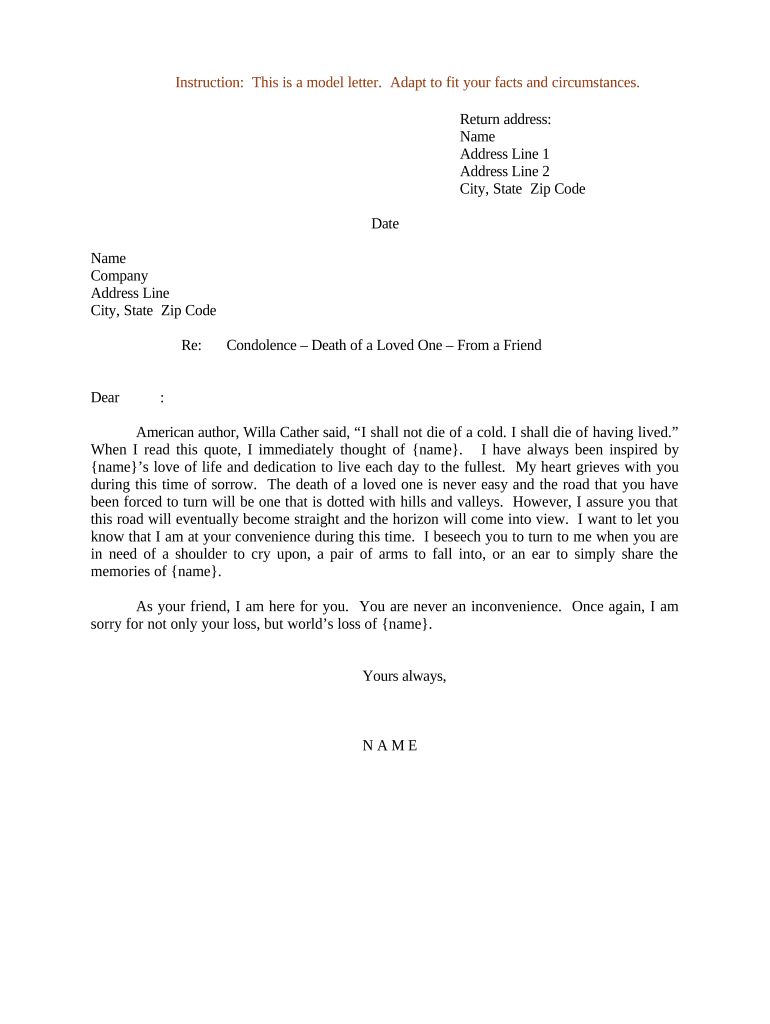
A Letter of Condolence to a Friend is a brief, personal written message expressing sympathy and support after a death or serious loss. It records your acknowledgment of the bereavement, offers comfort or practical help, and preserves a respectful tone; it is not a legal instrument and typically does not create obligations. Writers tailor language to the relationship and cultural expectations. When sent electronically, the letter remains a personal communication but may be captured and retained for recordkeeping or privacy compliance depending on the context.

Why a Thoughtful Condolence Letter Matters

A well-composed condolence letter provides emotional support, helps maintain relationships after loss, and documents a sincere expression of sympathy. It can also serve as a written record when coordinating memorial details or offering practical assistance.

Why a Thoughtful Condolence Letter Matters

Who Typically Sends a Condolence Letter

Friends, colleagues, neighbors, and community members commonly send condolence letters after a significant loss.

  • Close friends offering personal memories and ongoing support in the weeks following a death.
  • Colleagues or employers expressing workplace sympathy while noting available support resources.
  • Neighbors or community members conveying condolences and practical offers such as meals or childcare.

Who May Sign or Send This Letter

Individual Friend

A single sender writes in the first person, signs with full name, and may add a phone number or offer to help; the tone is personal and non-legal, focusing on empathy and specific support offers.

Organization Representative

A company or group may send a condolence letter on behalf of colleagues; include the sender's name and role, and avoid commitments of payment or legal promises unless vetted by counsel.

Essential Parts of a Professional Condolence Letter

A concise condolence letter combines sincere sentiment with clear identification and a respectful closing. Keep the structure simple and personal.

Salutation

Use the recipient's preferred name and a respectful opening line acknowledging the loss; avoid overly formal salutations unless appropriate for the relationship.
Expression of Sympathy

Clearly state your condolences and identify the deceased by name; a short, heartfelt sentence is more effective than lengthy prose.

Personal Memory

Include one brief memory or quality you admired about the deceased to make the note personal and meaningful without overshadowing the recipient's grief.

Offer of Practical Help

If you can assist, specify what you will do or offer a reachable means of support—meals, childcare, errands—with a clear timeframe if appropriate.

Privacy Sensitivity

Avoid sharing sensitive medical details or speculation about cause of death; respect the recipient's privacy and consent when recounting events.

Closing and Signature

End with a short closing (Sincerely, Warmly) and include your full name and contact information if you wish the recipient to reply or request help.

Step-by-Step: Write and Send a Condolence Letter

Follow these steps to prepare a considerate, readable letter and deliver it by the appropriate channel.

  • 01
    Draft: Write a short, sincere message without legal or medical speculation.
  • 02
    Proofread: Check names, dates, and tone to avoid mistakes that could upset the recipient.
  • 03
    Choose Delivery: Decide between handwritten card, email, or printed letter depending on closeness and context.
  • 04
    Send: Deliver within a few weeks; if delayed, acknowledge timing and keep the message genuine.

How Electronic Delivery Works for Personal Letters

Electronic delivery is suitable for many condolence letters; keep privacy and recipient preferences in mind when choosing eDelivery.

  • Compose: Write in a document or email client; save a copy for records if desired.
  • Attach or Paste: Place the letter as an email body or PDF attachment for a more formal appearance.
  • Send: Send via the recipient's preferred channel — email, secure message, or e-card platform.
  • Confirm: If appropriate, follow up gently to ensure the message was received and welcome any reply.

Setting Up a Simple Online Condolence Letter Workflow

Use these configuration items to prepare and share a condolence letter electronically while maintaining privacy and clarity.

Field Configuration
Recipient Name Field Required, free-text entry for exact name
Message Body Field Multi-line text area for the personal message
Attachment Option PDF upload if sending a formatted card
Delivery Method Email by default; optional secure message

Sharing Options and Platform Needs

For sensitive situations, prefer encrypted email or a secure message tool; platforms that integrate with storage services can retain a copy for your records.

  • Email: Easy and immediate delivery
  • PDF Attachment: Preserves formatting and layout
  • Secure Delivery: Encrypts content where privacy is essential

Typical eSignature Pricing Options for Document Delivery

Compare basic pricing and core capabilities when choosing an eSignature provider to deliver or store a letter electronically; signNow is listed first per platform comparison standards.

signNow DocuSign Adobe Sign PandaDoc HelloSign
Starting Price $8/user/mo $15/user/mo $14/user/mo $19/user/mo $15/user/mo
Free Trial 7-day free trial Varies by plan Varies by plan Varies by plan Varies by plan
Bulk Send Yes Yes Yes Yes No
Audit Trail Yes Yes Yes Yes Yes
HIPAA Compliant Yes Yes Yes No No
Envelope Cap No envelope cap 100 envelopes/user/year Varies by plan Varies by plan Varies by plan

Privacy and Security Considerations

Encryption: TLS 1.2/1.3 in transit; AES-256 at rest
Access Controls: Restrict view to intended recipients
HIPAA BAA: Execute BAA when PHI is stored or transmitted
Audit Trail: Record timestamps and access logs
Authentication: Use MFA or verification for sensitive delivery
Retention Policy: Apply documented deletion schedules

Risks and Consequences to Watch For

Privacy Breach: Unintended PHI disclosure risks liability
Tone Misreading: Insensitive phrasing may harm relationships
Record Misuse: Letter used in legal disputes unexpectedly
Incorrect Names: Misspelling can cause offense
Unclear Offers: Vague commitments create confusion
Archival Errors: Poor retention may fail compliance

Common Preparation Pitfalls to Avoid

  • Overly long letters that focus on the writer rather than the recipient reduce comfort and may feel self-centered to a grieving friend.
  • Including medical or cause-of-death details without consent can violate privacy expectations and cause distress if the recipient prefers discretion.
  • Using templated, impersonal phrasing without a personal memory or specific offer makes a note feel generic and less supportive.
  • Delaying a message for months without acknowledging the timing can unintentionally minimize the sentiment; a timely note is usually more meaningful.

Real-World Examples of Condolence Letters

These concise example scenarios show how tone and content vary by relationship and purpose.

Friend Writing After Sudden Loss

I was heartbroken to hear about Jamie's passing; we met in college and shared many laughs at campus events.

  • I remember Jamie's warmth and generosity.
  • This short, personal memory reassures the recipient that the deceased was valued and invites further conversation or support without imposing.

Colleague Offering Practical Support

Our team is deeply sorry to learn of your loss; please accept our sincere condolences.

  • We can coordinate meals or help with errands this week.
  • A clear offer and team sign-off balances professionalism with empathy and gives the recipient specific, actionable assistance.

Timing Guidance: When to Send Your Letter

There are no legal deadlines for condolence letters, but timing affects perceived sincerity and usefulness; choose an appropriate window for the relationship.

Immediate Window:

Within a few days to two weeks after notice; suitable for short, immediate sympathy

Memorial Timing:

Before or shortly after memorial services to coordinate attendance or support

Late Notes:

Acceptable months later if you acknowledge the delay and offer genuine sentiment

Follow-Up:

Two to six weeks later to check on ongoing needs and emotional support

Recordkeeping:

Retain copies if counseling, workplace support, or benefit coordination follows

Frequently Asked Questions About Condolence Letters

Answers to common questions about content, privacy, and electronic delivery for Letters of Condolence to a Friend.


Need help? Contact support

be ready to get more
Join over 28 million airSlate SignNow users