Establishing secure connection…Loading editor…Preparing document…

Follow-Up Letter Regarding Service Feedback

This template is fully customizable. Edit the text, fill out the fields, and send it for signature. Give it a try!
Follow-Up Letter Regarding Service Feedback

What a Follow-Up Letter Regarding Service Feedback Is

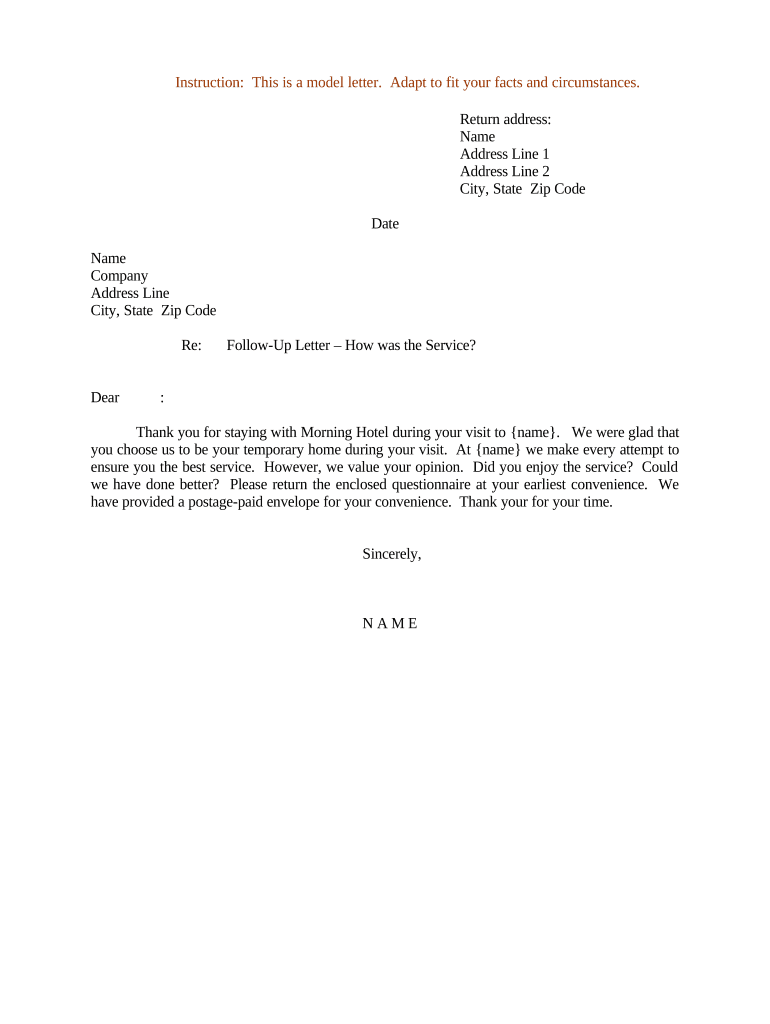
A Follow-Up Letter Regarding Service Feedback is a concise written communication sent after a customer interaction or service delivery to request evaluative comments, confirm resolution steps, and document the customer’s ongoing satisfaction. It typically summarizes the service provided, notes any actions taken or outstanding, and asks specific questions or offers response options to guide the recipient. Organizations use these letters to close the loop on support cases, collect structured feedback for quality assurance, and create a record of follow-up efforts for compliance or dispute resolution purposes.

Why a Structured Follow-Up Letter Helps Your Service Workflow

A clear follow-up letter improves documentation, reduces repeat contacts, and creates a consistent record of post-service outreach that can support quality reviews and regulatory needs.

Why a Structured Follow-Up Letter Helps Your Service Workflow

Who Typically Sends and Receives These Letters

Common senders include customer service teams, account managers, and compliance officers who need a written record of outreach.

  • Customer service teams seeking confirmation that an issue was resolved and collecting structured feedback for process improvement.
  • Account managers following up after a delivery or meeting to confirm satisfaction and to document next steps.
  • Compliance or quality assurance staff who require written acknowledgement for audit trails and dispute prevention.

Recipients are customers, internal stakeholders, or third-party contacts; content and required data fields vary by audience and industry.

Essential Parts of a Professional Follow-Up Letter

A well-formed follow-up letter balances clarity and brevity while supplying recordkeeping details useful for service teams and auditors.

Header

Sender name, department, and contact information plus date and reference number. Helps route replies and links the letter to a service ticket or account.
Recipient Details

Full legal name, account number or customer ID, and preferred contact method. Accurate recipient data prevents misdirected communications and supports legal attribution.

Service Summary

Brief description of the service provided, date/time, and actions taken. Establishes context for the feedback request and documents the service event.

Feedback Request

Clear, specific questions or rating scales plus optional open comment fields. Specific prompts produce more actionable feedback and simplify analysis.

Response Timeline

A stated deadline or suggested window for reply and instructions for escalation. Sets expectations and helps measure response rates.

Signature Block

Typed name, role, and signature line plus space for date. If electronic signing is used, include the method and audit-trail reference.

Key Data Elements to Include and Protect

Customer Name: Full legal name
Account ID: Unique numeric or alphanumeric ID
Service Date: MM/DD/YYYY format
Issue Reference: Ticket or case number
Contact Info: Email or phone only
Signature: Signed name and date

Step-by-Step: Completing the Follow-Up Letter

Follow this sequence to prepare, review, and send a compliant, usable follow-up letter that captures feedback and maintains an audit trail.

  • 01
    Identify Case: Locate ticket and verify service details before drafting.
  • 02
    Draft Summary: Write a short, factual recap of what occurred and actions taken.
  • 03
    Add Feedback Prompts: Include specific questions or a rating scale for measurable responses.
  • 04
    Record Delivery: Send by chosen channel and log time, method, and recipient.

Typical Sending and Response Workflow

A standard workflow ensures the letter is tied to case records and that responses are routed for timely action.

  • Prepare Document: Populate template fields with ticket and customer data.
  • Choose Delivery: Select email, secure portal, or postal mail based on consent.
  • Send and Log: Dispatch the letter and capture the sending event in the system.
  • Handle Replies: Route responses to owner and update case status.

Configuring an Online Follow-Up Workflow

Set up fields, routing, and authentication to match your privacy and audit requirements when digitizing follow-up letters.

Field Configuration
Customer ID Field Auto-fill from CRM integration
Service Summary Field Read-only populated from ticket
Feedback Field Rating scale plus optional comments
Response Deadline Configured as MM/DD/YYYY with reminder rules

Delivery Options and Technical Considerations

Choose the delivery channel and authentication level that fit the sensitivity of the feedback and any regulatory obligations.

  • Email Delivery: Low friction; ensure secure links if PHI present
  • Secure Portal: Stronger access control; preserves audit trail
  • Paper Mail: Used when electronic consent is not provided

For regulated data (healthcare, financial), select options that permit encryption, audit logs, and access controls; record consent for any electronic delivery method.

Typical Timelines and Deadlines

Common timing rules help set recipient expectations and create measurable follow-up windows for internal reporting.

Issue Acknowledgement:

Send within 48–72 hours after service delivery or case closure.

Response Window:

Request reply within 7–14 calendar days depending on policy.

Internal Review:

Owner reviews feedback within 5 business days of receipt.

Escalation:

Escalate unresolved negative feedback within 10 business days.

Record Closure:

Close follow-up task after confirmation or final resolution.

Common Mistakes to Avoid When Preparing Follow-Up Letters

  • Using vague prompts that produce unstructured responses and limit actionable insights; prefer specific questions or numeric scales.
  • Failing to link the letter to the service ticket or account ID, which complicates reconciliation and auditing of follow-up actions.
  • Requesting sensitive personal health or financial details without confirming consent and secure delivery methods, which risks regulatory exposure.
  • Omitting a clear response deadline or instructions for escalation, leading to delayed handling and customer frustration.

Potential Risks and Regulatory Consequences

Reputational Harm: Negative public feedback escalations
Customer Dispute: Incomplete records complicate resolution
HIPAA Exposure: HIPAA violations — 45 CFR §160–164
FERPA Risk: Improper student data disclosure
Regulatory Audit: Missing audit trail raises compliance issues
Legal Discovery: Poor retention increases litigation risk

eSignature Vendor Comparison for Follow-Up Letter Workflows

Basic pricing and feature availability across common eSignature vendors to inform platform selection for follow-up letter automation.

signNow DocuSign Adobe Sign PandaDoc HelloSign
Starting Price $8/user/mo $15/user/mo $14/user/mo $19/user/mo $15/user/mo
Bulk Send Yes Yes Yes Yes No
Audit Trail Yes Yes Yes Yes Yes
HIPAA Compliant Yes Yes Yes No No
Envelope Cap No cap 100 env/user/yr Varies Varies Varies

Frequently Asked Questions About Follow-Up Letters and eSubmission

Answers to common questions about formatting, signatures, secure delivery, and legal defensibility of follow-up letters.


Need help? Contact support

be ready to get more
Join over 28 million airSlate SignNow users