Establishing secure connection…Loading editor…Preparing document…

Letter Adjusting Amount of Hours Worked

This template is fully customizable. Edit the text, fill out the fields, and send it for signature. Give it a try!
Letter Adjusting Amount of Hours Worked

What the Letter Adjusting Amount of Hours Worked Is

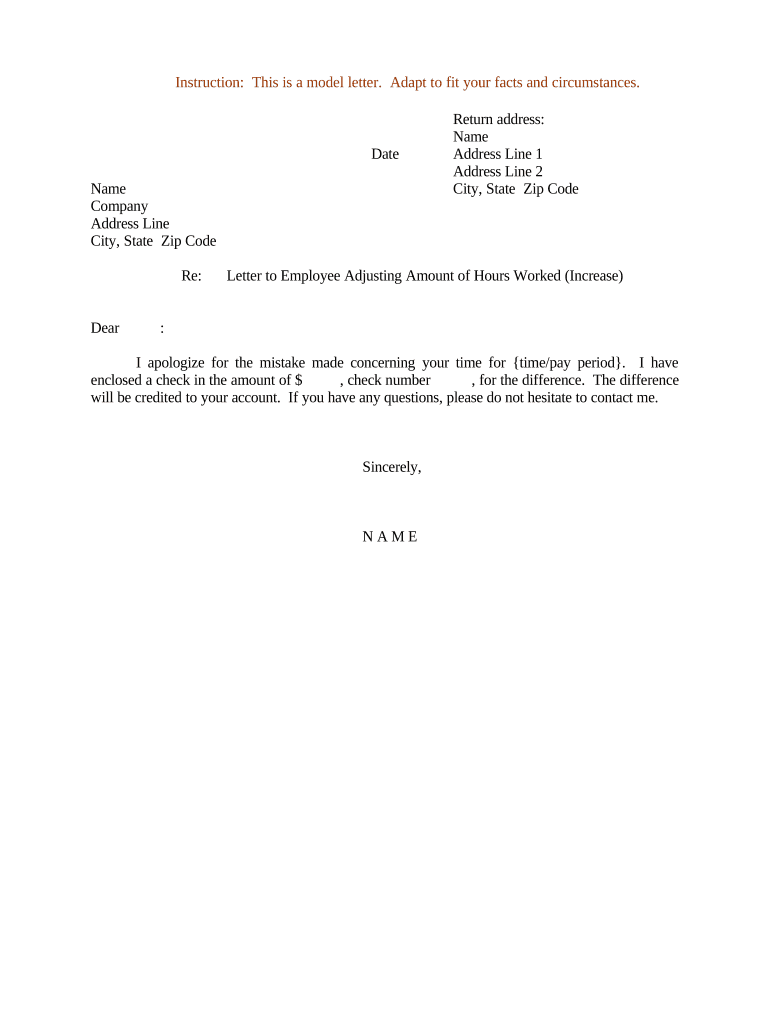
A Letter Adjusting Amount of Hours Worked is a written notice from an employer to an employee that documents a change to scheduled work hours or employment status. Typical uses include permanent or temporary increases or decreases in weekly hours, shift changes, conversion between full-time and part-time status, or a move to a flexible schedule. The letter identifies the employee, the prior schedule, the revised hours, the effective date, any impact on pay or benefits, and requires the employee’s acknowledgement. Electronic execution is generally valid under ESIGN and UETA when intent, consent, attribution, and retention are satisfied.

Why a Clear Hours-Adjustment Letter Matters

A concise, documented adjustment reduces misunderstandings, creates an audit trail, and protects both parties by setting the effective date and pay implications in writing. Properly framed letters make it easier to track compliance with wage-and-hour rules and bargaining agreements.

Why a Clear Hours-Adjustment Letter Matters

Who Prepares and Receives This Letter

Employers, HR professionals, and supervisors draft the letter; employees and payroll administrators receive and acknowledge it.

  • Human resources teams managing schedules and compliance
  • Direct supervisors coordinating operational needs and shifts
  • Payroll or benefits administrators updating records

Maintain a signed copy in the employee’s personnel file and update payroll, timekeeping, and benefits systems promptly after acknowledgement.

Key Roles and Who Signs

HR Manager

An HR Manager typically prepares and approves the letter, ensures compliance with wage-and-hour law, verifies benefits impact, and retains the document in the personnel file for recordkeeping and audit purposes.

Employee

The employee acknowledges receipt and either agrees by signing or returns a written objection; an employee signature or clear electronic consent documents mutual notice of the new schedule.

Essential Information to Include

Employee Name: Full legal name
Employee ID: Company ID or SSN suffix
Effective Date: MM/DD/YYYY format
Previous Hours: Weekly or shift details
New Hours: Detailed weekly or shift schedule
Compensation Change: Pay rate or salary impact

Primary Legal Risks and Consequences

Wage-and-Hour Violation: Overtime miscalculation risk (29 CFR §516.5)
Breach Claims: Breach of written employment terms
Collective Bargaining: Contract violation with unionized staff
Discrimination Risk: Unequal treatment claims under Title VII
Recordkeeping Fines: Failure to retain payroll records
Incorrect Notice: Local ordinance or state penalties

Common Preparation Mistakes to Avoid

  • Using vague effective dates or phrases such as 'as soon as possible' that create ambiguity and disputes
  • Failing to state compensation or benefits changes explicitly, which can trigger wage claims or benefits disputes
  • Neglecting collective bargaining terms or local predictive-scheduling rules before issuing schedule changes
  • Not retaining a signed copy in the personnel file or failing to update payroll/timekeeping systems after acknowledgement

Step-by-Step: Drafting and Issuing the Hours-Adjustment Letter

Follow a clear sequence from drafting to filing so the change is documented, lawful, and reflected in payroll and scheduling systems.

  • 01
    Draft the Letter: State prior hours, new hours, effective date, reason, and pay/benefits impact.
  • 02
    Review Legal Constraints: Check FLSA, state laws, and any collective bargaining agreements before finalizing.
  • 03
    Send to Employee: Deliver via email or eSignature platform and request written acknowledgement.
  • 04
    Update Records: Adjust payroll, timekeeping, and benefits files upon receipt of signed acknowledgement.

Configuring an Online Workflow for This Letter

Set up a digital workflow that routes the letter from HR to the employee, captures signature, and archives a copy automatically.

Field Configuration
Sender HR or direct manager email
Authentication Email link or SMS code per risk profile
Reminders Auto-reminders at 48 and 72 hours
Archival Save signed copy to personnel folder

Where to Send and How the Process Works

Route the signed letter to all stakeholders and ensure systems are updated to reflect the hours change.

  • Deliver to Employee: Send via secure email or eSignature link.
  • Notify Payroll: Attach signed letter to payroll change request.
  • Inform Scheduling: Update timekeeping and shift rosters immediately.
  • Retain in File: Store signed copy in the employee personnel folder.

Digital Delivery and Technical Considerations

Choose a platform that supports secure eSignature, audit trails, and integration with payroll and HR systems.

  • File Formats: PDF, DOCX
  • Integrations: Payroll and HR systems
  • Authentication: Email, SMS, or multifactor

Ensure the chosen provider supports required compliance standards (ESIGN/UETA, HIPAA when health data included) and preserves an auditable record of consent and signature.

Timing Considerations and Typical Notice Expectations

Timing obligations vary by contract, collective bargaining, and local predictive-scheduling rules; account for those before issuing the letter.

Immediate Changes:

Use for emergencies; document reason and update records promptly.

Short-Term Adjustments:

Provide 24–72 hours notice when operationally feasible.

Predictive Scheduling Areas:

Comply with local ordinances (city or state-specific requirements).

Unionized Workforces:

Observe collective bargaining notice and consultation clauses.

Temporary Reductions:

Specify end date or review period in the letter.

Typical eSignature Provider Comparison for Issuing and Signing the Letter

Comparing common provider features and starting prices helps select a platform that supports secure delivery, audit trails, and record retention.

signNow DocuSign Adobe Sign PandaDoc HelloSign
Starting Price $8/user/mo $15/user/mo $14/user/mo $19/user/mo $15/user/mo
Free Trial Yes, 7-day trial No No Yes, limited Yes, limited
Bulk Send Yes Yes Yes Yes No
Audit Trail Yes Yes Yes Yes Yes
HIPAA Compliant Yes Yes Yes No No

Frequently Asked Questions About Hours Adjustment Letters

Answers to common questions about validity, notice, signatures, and next steps when an employee or employer disagrees.


Need help? Contact support

be ready to get more
Join over 28 million airSlate SignNow users