Establishing secure connection…Loading editor…Preparing document…

Letter Regarding Motion to Dismiss Bankruptcy

This template is fully customizable. Edit the text, fill out the fields, and send it for signature. Give it a try!
Letter Regarding Motion to Dismiss Bankruptcy

What a Letter Regarding Motion to Dismiss Bankruptcy Is

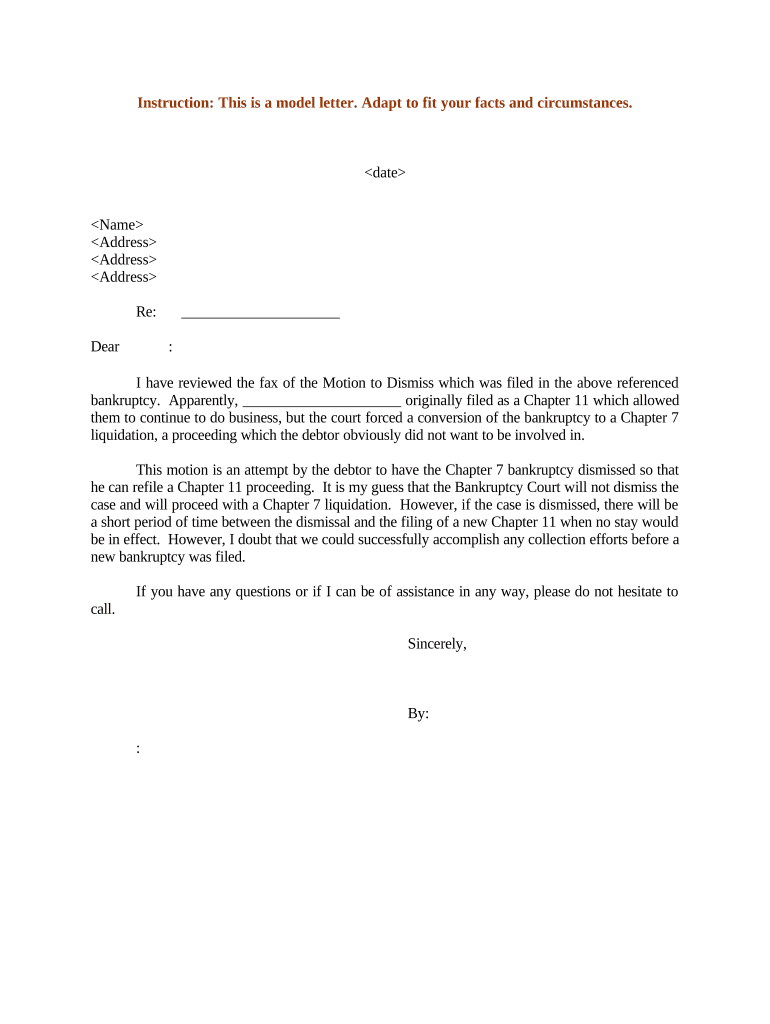
A Letter Regarding Motion to Dismiss Bankruptcy is a formal written communication sent by a creditor, debtor, or attorney to opposing counsel, the bankruptcy trustee, or the court to explain why a pending bankruptcy petition or claim should be dismissed or why a motion to dismiss is being opposed. It summarizes legal grounds, factual support, and requested relief, and typically accompanies a filed motion. The letter clarifies jurisdictional issues, standing, procedural deficiencies, or substantive legal defenses to assist the court in resolving the motion efficiently.

Why this Letter Matters in Motion Practice

Use this letter to present concise legal and factual reasons supporting dismissal of a bankruptcy filing or to oppose dismissal by highlighting compliance and creditor rights; it helps streamline court review, reduce procedural delays, and create a clear record of the party's position for the docket.

Why this Letter Matters in Motion Practice

Who Typically Prepares or Receives This Letter

Typical users include creditors, debtors, trustees, and bankruptcy attorneys who need to document legal arguments and procedural history.

  • Creditors and debt purchasers asserting dismissal for lack of jurisdiction or fraudulent filings.
  • Debtors contesting relief, clarifying compliance with disclosure and eligibility requirements under the Bankruptcy Code.
  • Bankruptcy trustees and counsel addressing procedural defects, notice issues, or improper creditor actions.

Essential Components to Include in the Letter

Core elements outline the letter's structure, supporting exhibits, legal citations, and a clear request for dismissal or disposition, and propose alternative relief if appropriate.

Purpose

State whether the party seeks dismissal, abstention, or other relief; identify the motion being referenced and any prior filings or hearings relevant to the court's analysis.
Summary

Provide a concise factual synopsis focusing on dates, transactions, and key actors, avoiding argumentative language while highlighting points that support dismissal grounds under the Bankruptcy Code.

Legal Basis

Cite statutory provisions, case law, and local rules that support dismissal; explain how each authority applies to the facts and cite relevant sections or precedents.

Facts

Summarize undisputed facts, material omissions, or inconsistencies in pleadings; include dates, amounts, and documented communications that directly affect admissibility or standing in court proceedings and service timeline.

Exhibits

Attach declarations, proofs of claim, correspondence, payment records, and any recorded instruments; label exhibits and reference them precisely in the narrative for easy judicial review.

Requested Relief

Specify exact relief sought (dismissal with prejudice, leave to refile, sanctions, or conversion), proposed order language, and any deadlines for the court's ruling and proposed notice procedures.

Security and Privacy Considerations for Attachments

Confidentiality: Limit disclosure to parties and counsel.
Encryption: AES-256 at rest; TLS 1.2/1.3 in transit.
Audit Trail: Timestamps, IP addresses, and action log.
HIPAA: BAA required for protected health information.
Access Controls: Role-based access and multi-factor authentication.
Retention: Secure storage with tamper-evident versioning.

Key Risks and Potential Consequences

Dismissal Risk: Motion may be granted.
Delay Costs: Court continuances increase expenses.
Evidence Loss: Missing exhibits weaken arguments.
Sanctions Potential: Bad faith pleadings risk fees.
Statute Limitations: Tolling issues affect claims.
Tax/Reporting: Creditor reporting may be required.

Common Preparation Pitfalls to Avoid

  • Incomplete service or defective notice often leads to procedural dismissal or a requirement to re-serve, delaying resolution and increasing litigation costs.
  • Vague factual claims without documentary support are frequently disregarded by courts; attach records and sworn statements to establish credibility and admissibility.
  • Failure to cite controlling precedent or local rules can result in denial; match authorities to jurisdiction and include pinpoint citations for efficiency.
  • Overly aggressive sanctions requests without clear statutory basis can backfire and lead to sanctions against the moving party.

Step-by-Step: Preparing and Submitting the Letter

Follow these steps to prepare and submit a letter supporting a motion to dismiss in bankruptcy court.

  • 01
    Gather Records: Collect pleadings, claims, correspondence, and trustee reports.
  • 02
    Identify Grounds: List statutory and factual bases for dismissal briefly.
  • 03
    Draft Letter: Write concise legal analysis and attach exhibit list.
  • 04
    File & Serve: File motion, submit letter to court, serve parties.

How the Letter Moves Through the Case File

Typical routing shows how the letter accompanies a motion and reaches the judge, trustee, and opposing counsel.

  • Upload Document: Attach the letter and exhibits as PDF files.
  • Add Certificate: Include a certificate of service and exhibit index.
  • Submit to Court: File via the court's electronic filing system.
  • Notify Parties: Serve all registered parties per local rule.

Setting Up an Online Signing and Filing Workflow

Configure an online workflow to collect signatures, attach exhibits, and record an audit trail for the letter.

Field Configuration
Signer Authentication Email link; SMS or KBA optional.
File Format PDF/A preferred for court filings.
Audit Trail Enable timestamps, IP logs, and certificates.
Certificate of Service Auto-generate and attach signed service certificate.

Platform Requirements for eSigning and Evidence Capture

Choose platforms that support secure e-signing, evidence capture, and integration with court e-filing workflows and storage.

  • Formats: PDF, DOCX, and scanned exhibits supported.
  • Integrations: Works with NetSuite, Salesforce, Microsoft 365.
  • Authentication: Email, SMS codes, and advanced verification.

Critical Filing and Service Deadlines to Observe

Timing matters: observe filing windows, service deadlines, and local rule requirements for motion practice to avoid sanctions.

Filing the Motion with Court:

Follow local bankruptcy court rules for motion filing deadline and format.

Serving Parties and Certificate of Service:

Serve all registered creditors and file a certificate of service promptly.

Notifying Trustee and Affected Creditors:

Provide trustee with copies; disclose related claims and required documents.

Hearing Scheduling, Responses, and Deadlines:

Monitor response deadlines and request calendar dates per local practice.

Submitting Proposed Order for Entry:

Attach a proposed order with precise relief language for clerk review.

Pricing and Feature Snapshot for eSignature Solutions

Compare starting price and core enterprise features to choose a platform that supports signing, notarization, and audit evidence for legal letters.

signNow DocuSign Adobe Sign PandaDoc HelloSign
Starting Price $8/user/mo $15/user/mo $14/user/mo $19/user/mo $15/user/mo
Free Trial 7-day trial Varies by vendor Varies by vendor Varies by vendor Varies by vendor
Bulk Send Yes (Business Premium) Yes Yes Yes No
Audit Trail Yes Yes Yes Yes Yes
HIPAA Compliant Yes Yes Yes No No

Frequently Asked Questions About Letters Regarding Motions to Dismiss Bankruptcy

Frequently asked questions address validity, signing, filing, and practical issues related to Letters Regarding Motions to Dismiss in bankruptcy proceedings.


Need help? Contact support

be ready to get more
Join over 28 million airSlate SignNow users