Establishing secure connection…Loading editor…Preparing document…

Hotel Reservation Letter

This template is fully customizable. Edit the text, fill out the fields, and send it for signature. Give it a try!
Hotel Reservation Letter

What a Hotel Reservation Letter Is and When It’s Used

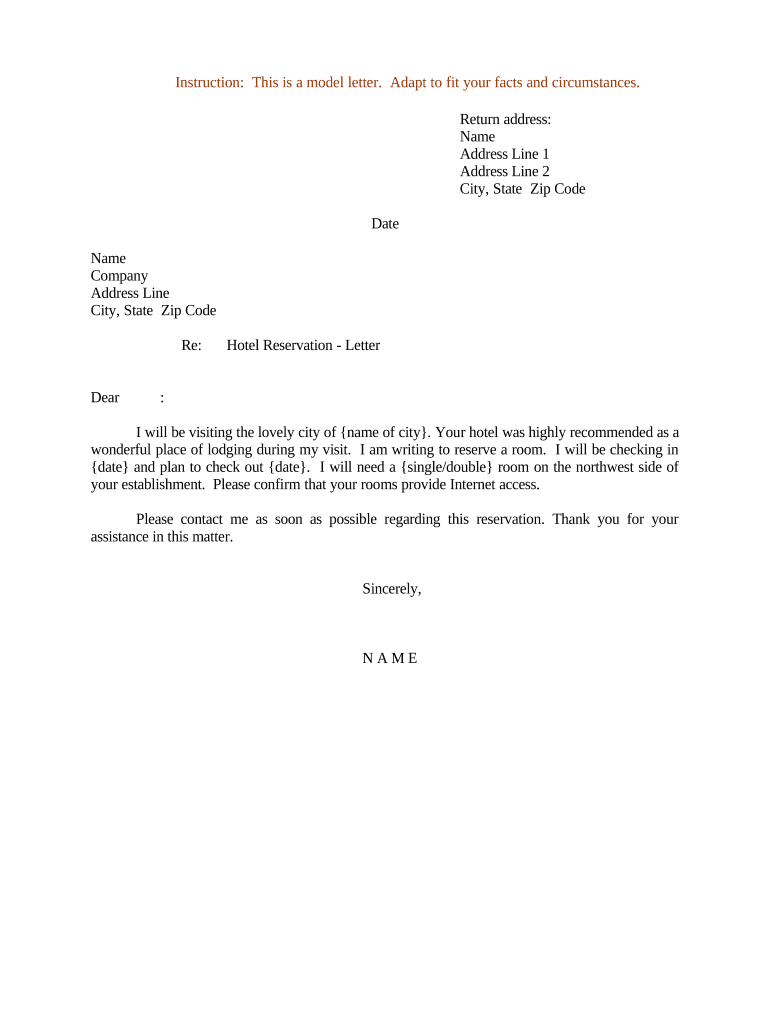
A Hotel Reservation Letter is a written confirmation from a hotel or booking agent that documents a guest’s reserved stay, including dates, room type, rate, deposit and cancellation terms. It is commonly used for visa support, corporate travel authorization, group bookings, and guest reimbursement. The letter typically includes guest and payer names, reservation or confirmation number, check-in and check-out dates, rate details, payment status, and the hotel’s contact information. A clearly drafted reservation letter reduces misunderstandings and provides a formal record for travelers and third parties.

Why a Clear Reservation Letter Matters

A precise Hotel Reservation Letter provides proof of planned lodging for visa applications, expense approvals, or travel itineraries. It protects both guest and hotel by documenting agreed terms and minimising disputes over dates, rates, or cancellation fees.

Why a Clear Reservation Letter Matters

Who Typically Prepares and Uses These Letters

Common users include hotels issuing confirmation letters, travel agents consolidating group bookings, and corporate travel or HR departments preparing documentation for employee travel.

  • Individual travelers requesting a formal confirmation for visas, reimbursements, or proof of stay.
  • Corporate travel managers or HR preparing letters for employee expense and approval workflows.
  • Travel agents and event planners coordinating group or conference hotel arrangements.

The letter’s author should match the document purpose — hotels focus on confirmation details, while employers or agents may add purpose, sponsorship, or billing instructions.

Step-by-step: Create a Complete Hotel Reservation Letter

Follow these steps to prepare an accurate reservation letter that meets visa, corporate, and guest needs.

  • 01
    Identify Parties: Enter guest, payer, and hotel legal names and contact details.
  • 02
    Specify Dates: List check-in and check-out dates in MM/DD/YYYY format.
  • 03
    Confirm Terms: State room type, nightly rate, deposit amount, and cancellation policy.
  • 04
    Sign and Deliver: Obtain signature and send the signed copy to guest or third party.

Essential Elements to Include in a Professional Letter

A professional Hotel Reservation Letter is concise, factual, and includes contactable verification details so recipients can confirm the booking and terms.

Letterhead

Use the hotel’s official letterhead or a clearly branded digital template showing address and registered business details to establish authenticity and enable third-party verification.
Reservation Identification

Include a unique confirmation number or reservation code and the booking channel (direct, OTA, travel agent) so verifiers can locate the record in the property management system.

Guest and Payer

List guest name, billing party, and any sponsoring organization to clarify who is responsible for payment and who is traveling.

Stay Details

Spell out check-in/check-out dates, room type, number of guests, and total room charges to prevent misunderstandings about booking scope and fees.

Payment and Policy

State deposit amount, payment method, cancellation and no-show policies, and deadlines. These terms determine liability and refund eligibility.

Signature

Provide an authorized signatory’s name, title, signature line, and date. For formal uses (visa letters), include a contact phone and email for verification.

Required Data Elements at a Glance

Guest Name: Exact legal name
Reservation Dates: Check-in/check-out dates
Confirmation Number: Booking reference
Room Details: Type and occupancy
Payment Status: Prepaid or guaranteed
Hotel Contact: Phone and email

Consequences of Inaccurate or Missing Information

No-show Fees: Guest may be charged full stay
Visa Denial: Insufficient proof can cause refusal
Reimbursement Refusal: Employer may deny expense claims
Reservation Void: Hotel may cancel reservation
Refund Delays: Processing may take weeks
Fraud Risk: Unverified letters can be rejected

Common Preparation Mistakes to Avoid

  • Entering a guest name that differs from passport or ID, which often triggers verification requests or visa application problems.
  • Omitting the confirmation number or booking channel, making it difficult for employers or consulates to validate the reservation.
  • Failing to state payment status clearly—prepaid, guaranteed with card, or pay-at-hotel—leading to unexpected charges or denials of reimbursement.
  • Using ambiguous language for cancellation terms; do not rely on generic phrases like 'flexible policy' without listing deadlines and fees.

How a Reservation Letter Is Typically Issued and Verified

The issuance process is straightforward and mirrors standard document workflows for other travel confirmations.

  • Create Letter: Hotel or agent populates booking details and policy items.
  • Authorize: Authorized staff sign and date the document.
  • Deliver: Send the signed letter to guest or third party by email or PDF.
  • Verify: Recipient may call hotel to confirm reservation details.

Suggested Digital Workflow Settings for Templates

Configure your template fields and validation rules to reduce data errors and speed verification.

Field | Configuration Validation rule | Required
Reservation Date Field Date picker; MM/DD/YYYY format
Guest Name Field Auto-fill from booking record
Payment Info Field Masked entry; not stored without consent
Confirmation Number Field Alphanumeric; required for verification

Digital Delivery and Integration Options

Use an eSignature-capable platform that supports secure PDF output, audit trails, and common integrations for verification.

  • Email Delivery: Send signed PDF attachments
  • Cloud Storage: Save copies to Box or Google Drive
  • CRM Integration: Link to Salesforce records

Integrations with booking systems and CRM platforms speed verification and reduce manual follow-up while preserving an auditable record of issuance and receipt.

eSignature Platform Pricing and Feature Comparison

The table compares starting prices and a few common feature criteria across signNow and major competitors; select features based on your workflow requirements.

signNow DocuSign Adobe Sign PandaDoc HelloSign
Starting Price $8/user/mo $15/user/mo $14/user/mo $19/user/mo $15/user/mo
Free Trial 7-day trial Varies by plan Varies by plan Varies by plan Varies by plan
Bulk Send Yes (Premium) Yes Yes Yes No
Audit Trail Yes Yes Yes Yes Yes
HIPAA Compliant Yes Yes Yes No No
Envelope Cap No cap 100 envelopes/user/year Varies Varies Varies

Practical Tips for Accurate, Efficient Letters

Adopt consistent templates and verification steps to reduce errors and accelerate stakeholder acceptance.

Use a Standard Template
Create a single template that includes all required fields—guest name, dates, confirmation, rate, payment status and hotel contact—to ensure consistent wording accepted by employers and consulates.
Validate Names Against ID
Always confirm the guest’s spelled name and date of birth match their passport or government ID to avoid verification delays and possible visa issues.
Document Payment Status
Clearly indicate whether the stay is prepaid, guaranteed, or requires card at arrival; attach receipts or authorization transmittals when appropriate.
Keep an Audit Trail
Save signed copies, delivery receipts, and any verification calls or emails so you can resolve disputes quickly and provide evidence to third parties.

Key Processing Milestones for a Reservation Letter

Track milestones from request through verification so the letter meets visa, corporate, and guest timelines.

01

Request Received

Client or agent submits booking details and required ID.

02

Letter Issued

Hotel prepares and signs the confirmation letter.

03

Verification

Recipient or consulate may contact hotel for confirmation.

04

Retention

Store signed copy with booking records for the retention period.

Typical Timelines and Deadlines to Communicate

Communicate clear deadlines for deposits, cancellations, and verification to avoid disputes and fees.

Deposit Deadline:

Due at booking or within 24–72 hours depending on rate rules

Cancellation Cutoff:

State specific deadline, commonly 24–72 hours before arrival for refundable rates

No-show Charge Window:

Full-stay charge typically applied after the scheduled check-in date

Verification Response Time:

Allow 24–72 hours for hotel confirmation calls or written checks

Refund Processing:

Refunds may take 7–14 business days after cancellation approval

FAQs and Troubleshooting for Hotel Reservation Letters

Answers to common questions about content, signatures, verification, and acceptance by employers or consulates.


Need help? Contact support

be ready to get more
Join over 28 million airSlate SignNow users