Establishing secure connection…Loading editor…Preparing document…

Letter Regarding Order Granting Additional Time

This template is fully customizable. Edit the text, fill out the fields, and send it for signature. Give it a try!
Letter Regarding Order Granting Additional Time

What the Letter Regarding Order Granting Additional Time Is

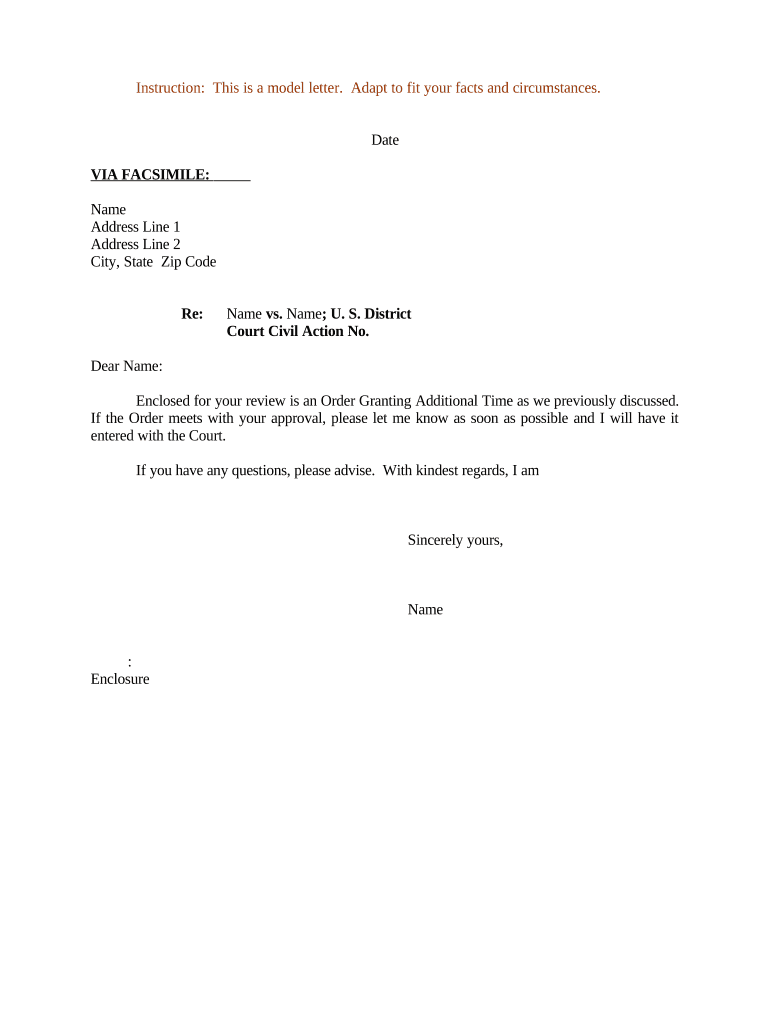
The Letter Regarding Order Granting Additional Time is a formal written notice used to record and communicate an authorized extension of a procedural or filing deadline after a court order or administrative disposition. It identifies the case caption and docket number, cites the controlling order, states the new deadline and any conditions, and supplies contact information for the sending party. The letter creates a dated record for clerks, opposing counsel, and parties to ensure consistent calendaring and reduce the risk of missed or disputed filings.

Why a Clear Written Notice Matters

A concise letter preserves a dated record of the extension, aligns expectations among parties and the court, and reduces risk of missed filings or procedural disputes. It supports administrative docketing, evidences service, and documents any conditions attached to the extended timeline.

Why a Clear Written Notice Matters

Who Typically Prepares and Uses This Letter

Common users include attorneys, pro se litigants, court clerks, and agency staff who manage procedural schedules and deadlines.

  • Civil litigation attorneys — to confirm extensions ordered by the court and notify opposing counsel promptly.
  • Pro se litigants — to document extensions and reduce risk of sanctions for late filings or missed deadlines.
  • Court clerks and administrative officers — to docket extension notices and update case calendars consistently.

Step-by-Step: Preparing and Submitting the Letter

Follow these sequential steps to prepare, authenticate, and submit the Letter Regarding Order Granting Additional Time to the court and to opposing parties.

  • 01
    Prepare: Confirm the caption, docket number, and the exact language of the order.
  • 02
    Attach Order: Include a copy of the judge's order or the signed administrative decision.
  • 03
    Sign: Sign in ink or apply a compliant electronic signature with a retained audit trail.
  • 04
    Serve & File: Serve opposing counsel and file with the clerk according to local rules and e-filing procedures.

How the Letter Moves Through Case Workflows

A simple routing and filing flow helps ensure the extension is recognized and recorded by all participants.

  • Draft: Populate caption, order citation, and new deadline.
  • Attach: Attach the signed court order or administrative decision.
  • Authenticate: Sign and preserve signature metadata and audit trail.
  • File/Serve: File with the clerk and serve parties per jurisdictional rules.

Core Elements of a Professional Extension Letter

Include these elements to ensure the letter is clear, docketable, and defensible if later questioned.

Clear Subject Line

Start with a concise subject stating the case caption and that the letter concerns an order granting additional time, so clerks and counsel can identify purpose immediately.
Full Case Caption

Provide the precise court name, parties, and docket number in the header to eliminate ambiguity and ensure correct docketing.

Order Citation

Cite the order by date and judge, and attach a copy or quote the operative paragraph to show the authority for the extension.

New Deadline Terms

State the extended deadline in MM/DD/YYYY format and include any time-of-day limitations or conditional language imposed by the order.

Attachments

Attach the signed order, proof of any communications, and any exhibits required to support the extension or its conditions.

Signature & Auth

Include a signature block with printed name and date; if e-signing, note authentication method and retain the audit trail for recordkeeping.

Practical Tips for Accurate and Efficient Letters

Apply these best practices to reduce clerical follow-up and improve acceptance by courts and recipients.

Match Court Records Exactly
Copy the caption and docket number exactly from court filings. Small variations can misroute the letter and delay docketing or cause clerk rejection.
Attach the Controlling Order
Always attach the signed order or an official copy. Providing the primary source minimizes disputes about the scope or conditions of the extension.
Preserve Proof of Service and Audit Trail
Retain certified mail receipts, e-filing confirmations, or e-signature audit logs. Proof of timely service protects against sanctions and evidentiary challenges.
Check Local Rules Before Filing
Review local court rules and e-filing requirements to confirm whether a letter alone suffices or a formal motion and judge signature are required.

Typical Timing Considerations and Expected Deadlines

Timing and processing expectations vary by court; use these general guidelines to plan prompt service and filing.

Immediate Docketing:

File or deliver the letter promptly after the order to enable accurate docket updates.

Serve Opposing Parties:

Serve parties per local rules; many practitioners serve within 1–3 business days of the order.

E-Filing Deadlines:

Comply with the court's e-filing window and time-of-day rules to avoid late entries.

Preserve Evidence:

Retain proof of service and filing confirmation indefinitely for dispute resolution.

Follow-Up:

If the clerk does not docket within expected time, follow up in writing with proof of filing or service.

Key Milestones from Order to Docketing

A clear milestone sequence helps track responsibilities and evidence from issuance through docketing.

01

Order Issued

Judge or administrative officer signs the order granting additional time.

02

Letter Prepared

Draft letter citing the order and stating the new deadline and conditions.

03

Service Performed

Serve opposing counsel and other required parties according to rules.

04

Clerk Docketed

Clerk receives and indexes the letter and attached order on the case docket.

Digital Workflow Configuration for Online Completion and Filing

Configure your document workflow to collect signatures, attach the order, and route copies to the court and parties automatically.

Field Configuration
Document Template Prepopulate caption, docket number, and order reference to reduce errors.
Signature Field Require signer name, date, and signature authentication.
Attachment Rule Automatically include the signed order and proof of service.
Distribution Route signed copies to clerk, counsel, and local case management systems.

Platform Capabilities for eSigning and eFiling

Choose tools that support secure electronic signatures, audit trails, and the file formats your court accepts.

  • Formats: PDF and DOCX accepted by many courts.
  • Integrations: Connectors to case management and cloud storage.
  • Authentication: Supports email, SMS code, or stronger methods.

Pricing Comparison for eSignature Platforms Often Used with This Letter

Platform pricing and feature availability vary by plan; signNow appears first to reflect the product-side pricing data used for eSignature cost planning.

signNow DocuSign Adobe Sign PandaDoc HelloSign
Starting Price $8/user/mo $15/user/mo $14/user/mo $19/user/mo $15/user/mo
Free Trial 7-day trial Varies Varies Varies Varies
Bulk Send Yes Yes Yes Yes Varies
Audit Trail Yes Yes Yes Yes Yes
HIPAA Compliant Yes Yes Yes No No
Envelope Cap No cap 100 env/user/yr Varies Varies Varies

Practical Examples of Use in Courts and Case Management

These brief examples show how the letter functions in real-world court and litigation workflows.

County Court Clerk

A county court clerk used the letter to log an emergency extension after a judge granted extra time during a status conference.

  • Letter attached directly to the docket.
  • The clerk docketed the extension, reduced follow-up inquiries, and provided a dated, searchable record that clarified subsequent deadlines for parties and the presiding judge, improving administrative efficiency and reducing confusion.

Civil Litigator

A civil litigator sent the letter after the court issued an order extending discovery deadlines to preserve proof of notice and reduce disputes.

  • Attachment included the signed order and new dates.
  • Opposing counsel accepted the notice, the case management system updated deadlines automatically, and the attorney retained the e-signature audit trail in the client file to defend against later sanctions claims.

Representative Users and Their Roles

Staff Attorney

A staff attorney typically drafts the letter to reflect the court's order, ensures attachments and citations are accurate, and manages service to opposing counsel. They also preserve the audit trail, docketing receipts, and client file notes for potential disputes or sanctions motions.

Court Clerk

A court clerk receives and indexes letters and attached orders, updates the case calendar and docket entries, and notifies judges and staff as required. Accurate captioning and attachments speed processing and reduce administrative follow-up.

Common Preparation Mistakes to Avoid

  • Using an incorrect or abbreviated docket number can prevent the clerk from associating the letter with the right case and cause processing delays or rejection.
  • Failing to attach the controlling order creates ambiguity about authority for the extension and invites disputes or sanctions motions.
  • Relying on an informal email when the court requires a filed document may leave the extension unrecognized and expose the filer to deadline risk.
  • Omitting signature authentication or losing the e-signature audit trail makes it harder to prove who authorized the filing and when it occurred.

Risks and Potential Consequences of Errors

Missed Deadline: Possible sanctions or denial of relief
Default Risk: Risk of default or adverse judgment
Insufficient Notice: Opposing party may challenge service
Evidentiary Dispute: Harder to prove timely compliance
Fee Exposure: Potential for court-imposed fees
Record Retention: Loss of audit trail complicates defense

How This Letter Differs from a Motion for Extension

Compare the letter to a formal motion to understand when each is appropriate in court practice.

Criteria Letter Regarding Order Granting Additional Time Motion for Extension
Court Filing Required optional required
Formality informal formal
Judge Signature
Typical Use notification/recording requesting relief

Frequently Asked Questions About the Letter

Answers to common questions about drafting, signature options, filing, and recordkeeping for the Letter Regarding Order Granting Additional Time.


Need help? Contact support

be ready to get more
Join over 28 million airSlate SignNow users