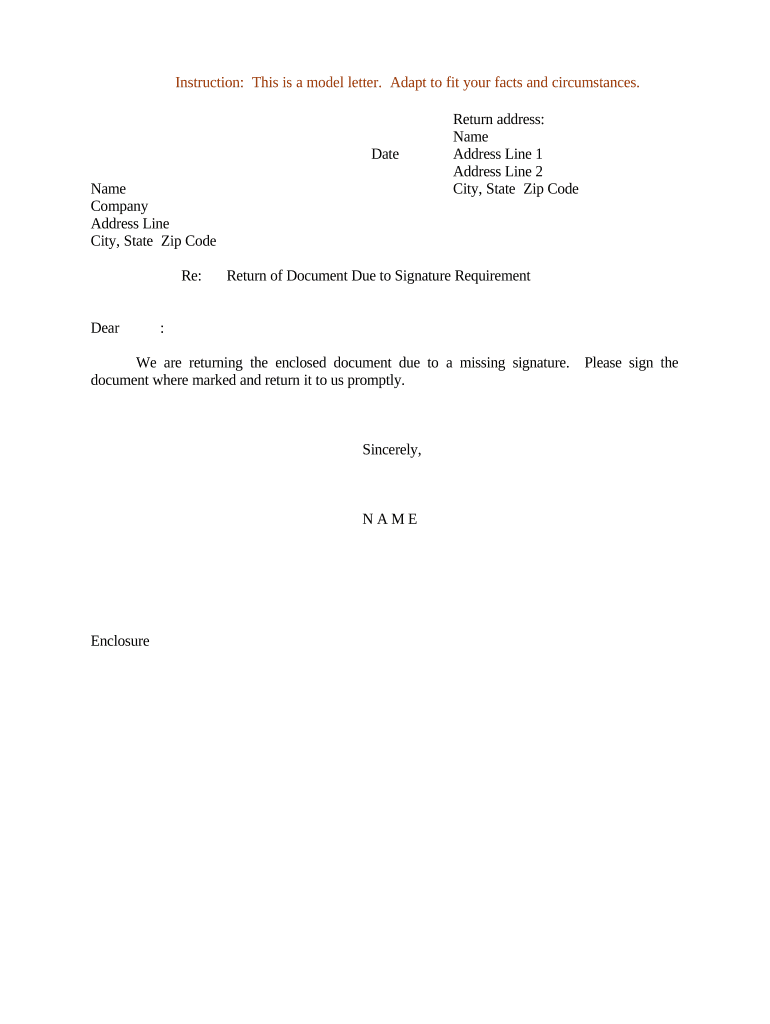
Letter Regarding Return of Document Due to Signature Requirement
What this Letter Is and When It’s Used
Why this Letter Matters for Compliance and Workflow
A concise, consistent return letter reduces processing delays, limits liability from unsigned records, and documents the organization’s attempt to obtain a valid signature under ESIGN and applicable state law.
Who Typically Sends or Receives This Letter
Clear sender identity and next-step instructions in the letter reduce churn and prevent unnecessary escalation to legal review.
- HR departments notifying employees of unsigned offer letters or acknowledgment forms
- Accounts payable teams returning invoices or vendor forms missing authorized signatures
- Healthcare administrative staff returning patient authorizations or releases lacking patient or witness signature
Step-by-step: Prepare and Send the Return Letter
-
01Identify Document: State form name, document ID, and original send date.
-
02Describe Issue: Specify missing signature, date, or incorrect signer identity.
-
03State Required Action: Explain how to sign, witness, notarize, or electronically authenticate.
-
04Provide Deadline: Set a clear return date and contact for questions.
How to set up a digital return workflow
| Field | Configuration |
|---|---|
| Sender Identity | Use department email and name for traceability |
| Authentication | Select email link or SMS code per risk level |
| Resend Method | Provide eSign link or physical return address |
| Audit Capture | Enable timestamps, IP logging, and delivery receipts |
Routing process for returning and re-executing the document
-
Receive Return: Clerk logs the returned item and notes missing signature details.
-
Issue Letter: Prepare the return letter describing the defect and required cure.
-
Resend Document: Send eSign link or physical copy with return instructions.
-
Record Completion: Capture signed copy, audit trail, and update record status.
Digital signing and delivery considerations
Ensure the chosen platform captures an audit trail (timestamps, IP, signer email) and preserves an unalterable signed record.
- Formats Supported: PDF, DOCX
- Authentication Options: Email link, SMS code, KBA, or advanced methods
- Integrations: CRM and storage integrations for automatic filing
Risks of failing to correct unsigned documents
Common preparation errors that cause returns
- Omitting the signer’s block or date field when required
- Using an incorrect signer (role vs. individual) or name mismatch
- Failing to include witness or notary where state law requires it
- Providing unclear return instructions or missing contact details
Timing expectations and deadlines for resubmission
Internal Cure Window:
7–14 days typical for routine operational forms
Tax Forms:
W-9 returned upon payer request; 1099s adhere to IRS filing deadlines
Healthcare Authorizations:
Prompt resubmission recommended to avoid treatment delays
Notarization Scheduling:
Allow additional 3–7 days for notary or RON sessions
Escalation Deadlines:
Specify when matter advances to legal review if not cured
Key milestones from return to final recording
Issue Logged
Returned document recorded and flagged in the tracking system.
Notice Sent
Return letter issued detailing missing signature and cure steps.
Resubmission Received
Validated signed document is received and verified.
File Updated
Record updated and retention triggers applied.
How this letter differs from related notices
| Criteria | Return Letter | Signature Request Email |
|---|---|---|
| Purpose | corrective notice | initial signing invitation |
| Required Info | defect detail | signing link and instructions |
| Legal Weight | documented cure attempt | transaction initiation |
| When to Use | after return flagged | before first signature |
eSignature vendor comparison for executing a corrected document
| signNow | DocuSign | Adobe Sign | PandaDoc | HelloSign | |
|---|---|---|---|---|---|
| Starting Price | $8/user/mo | $15/user/mo | $14/user/mo | $19/user/mo | $15/user/mo |
| Free Trial | 7-day trial | Varies | Varies | Varies | Varies |
| Bulk Send | Yes (Premium) | Varies | Varies | Varies | Varies |
| Audit Trail | Yes | Yes | Yes | Yes | Yes |
| HIPAA Compliant | Yes | Yes | Yes | No | No |
Real scenarios where a return letter is used
Property Lease Return
A leasing agent receives an unsigned lease
- Missing resident signature on last page
- The agent issues a return letter with an eSign link and records the attempt; the lease is returned signed within 48 hours and recorded for filing.
Vendor W-9 Return
Accounts payable receives a W-9 with no signature
- Missing taxpayer signature and date
- The team sends a return letter requesting a signed W-9 via secure upload; the corrected W-9 is received, preventing backup withholding and enabling payment.
Practical tips for clear, enforceable return letters
Who can sign the corrected document
Authorized Signer
An officer, agent, or individual with explicit signature authority must sign. Confirm authority by corporate resolution, POA, or internal approval before accepting a returned signature to prevent invalid or unauthorized execution.
Witness or Notary
Where state law or the document requires a witness or notarization, ensure the signer's execution meets those requirements, and retain the notary journal entry or audio-video RON record as applicable.
Frequently asked questions about returned documents and signatures
-
Is an unsigned returned document enforceable?
Generally no; enforceability depends on the document type and jurisdiction. Under ESIGN (15 U.S.C. ch. 96) and UETA, a valid signature is required to show intent and attribution; unsigned records typically do not meet that test.
-
Can I accept an electronic signature on a returned document?
Often yes. ESIGN and UETA permit electronic signatures when intent, consent, attribution, and retention requirements are satisfied; confirm any industry-specific exceptions before accepting eSign.
-
When is notarization required after a return?
Notarization is required where the document or state law so mandates (for example, many deeds). If a notary is required, use in-person notarization or a permitted RON workflow that meets state standards.
-
What if the signer’s name doesn’t match?
A name mismatch can void execution. Require an explanation and supporting ID; if signatory authority is in question, obtain corporate documentation or a power of attorney.
-
How long should we wait for resubmission?
Typical internal windows are 7–14 days for routine forms; urgent filings tied to statutory deadlines may need immediate escalation to legal or expedited notarization.
-
What evidence should we keep?
Retain the returned item, the return letter, any resubmission, audit trails, and notarization or RON records to document attempts to obtain a valid signature.