Establishing secure connection…Loading editor…Preparing document…

Letter Thanking Attendee of Conference

This template is fully customizable. Edit the text, fill out the fields, and send it for signature. Give it a try!
Letter Thanking Attendee of Conference

What the Letter Thanking Attendee of Conference Is

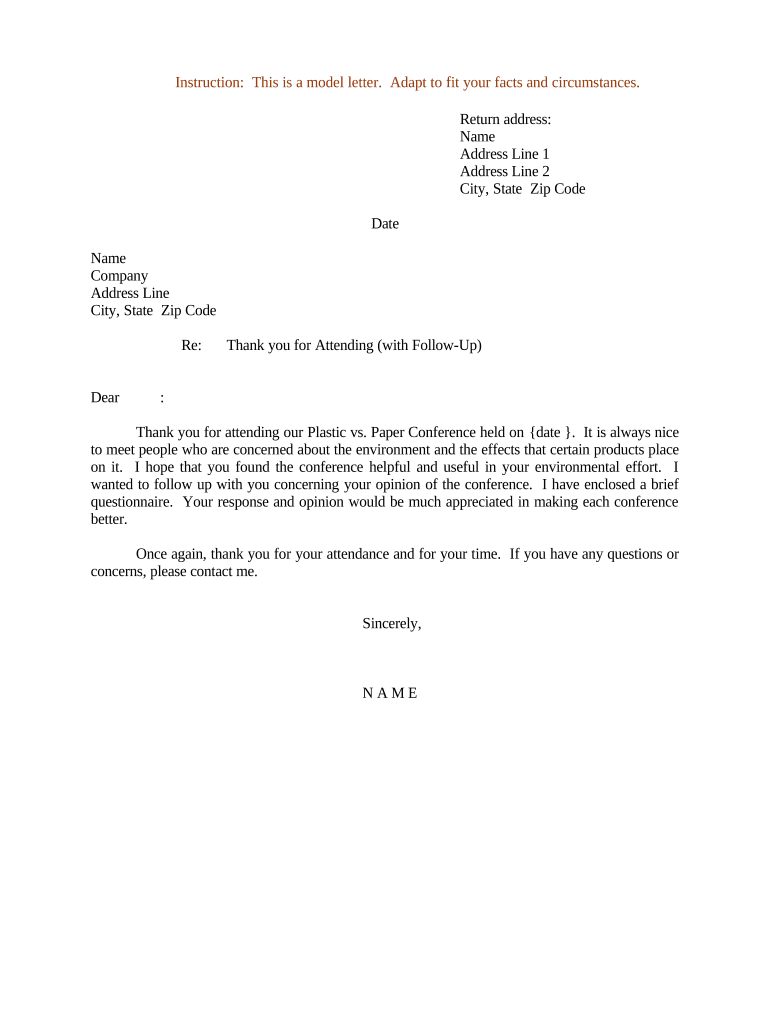
A Letter Thanking Attendee of Conference is a short professional message sent after an event to acknowledge participation, express appreciation, and reinforce relationships. It typically references the conference name and date, highlights key takeaways or next steps, and confirms any promised follow-up materials. Organizations use this letter to preserve goodwill, document attendance for internal records, and support networking or business development efforts without creating new legal obligations.

Why Send a Thank-You Letter to Conference Attendees

A timely, well-written thank-you letter strengthens attendee relationships, reinforces your message, and increases the likelihood of ongoing engagement. It helps convert passive participants into active contacts and provides a record of outreach for follow-up and reporting purposes.

Why Send a Thank-You Letter to Conference Attendees

Who Typically Sends and Receives This Letter

Organizations, event teams, speakers, sponsors, and networking hosts commonly send thank-you letters to attendees after conferences to acknowledge participation and share follow-up resources.

  • Event organizers and marketing teams use the letter to document attendance and nurture leads, often including links to session recordings or resources.
  • Speakers and panelists send personalized notes to key participants or collaborators to reinforce connections and encourage continued conversation.
  • Sponsors and exhibitors follow up with booth visitors to reference specific discussions, proposals, or product information exchanged during the event.

Essential Parts of a Professional Thank-You Letter

A concise structure ensures clarity and professional tone: a clear header, personalized greeting, a thank-you paragraph, a brief recap, optional next steps, and a professional sign-off.

Header

Include your organization name, event title, and the date to connect the message to a specific occasion and internal records.
Personal Greeting

Address the attendee by the name they used in registration; avoid generic salutations when personalization is feasible.

Expression of Thanks

Briefly state appreciation for attendance and any contribution (question, presentation, feedback), keeping the tone professional and specific.

Event Recap

Summarize one or two key takeaways, sessions, or resources relevant to the recipient to reinforce value from the conference.

Follow-Up Items

List promised materials, links, or next steps with brief delivery expectations and the responsible contact person.

Closing

Provide the sender's name, title, organization, and preferred contact information for further questions or collaboration.

Required Information to Include

Attendee Name: Full name as registered
Event Details: Conference name and date
Sender Identity: Name and role
Contact Info: Email and phone number
Follow-Up Items: Resources or next steps
Record Date: Send date for tracking

Step-by-Step: Writing and Sending the Letter

Follow these steps to prepare a clear, professional thank-you letter and ensure timely delivery and recordkeeping.

  • 01
    Draft content: Write a concise personalized message referencing the event and any specific interaction.
  • 02
    Confirm recipient: Verify the attendee's name, organization, and email as stored in registration records.
  • 03
    Attach resources: Add promised links, files, or session recordings and verify access permissions.
  • 04
    Send and archive: Deliver by chosen channel and save a copy to your records or CRM.

How to Customize and Send the Letter Online

Set up a simple digital workflow that populates fields automatically, attaches resources, and tracks delivery for follow-up.

Field Mapping Map registration fields to template placeholders for name, company, and session details.
Template Storage Store the letter as a reusable template in your document system.
Merge Tags Use merge tags for personalization and bulk send where appropriate.
Signature Field Add a signature block if required; otherwise use typed sender name.
Authentication Choose email delivery or stronger authentication for sensitive follow-up.

Where to Send and How the Letter Reaches Attendees

Select delivery channels that match attendee expectations and compliance needs; track each send to support follow-up.

  • Email Delivery: Most common; include plain-text and HTML versions and confirm link access permissions.
  • CRM Logging: Record the sent letter in your CRM to link outreach to lead records and activities.
  • Portal Upload: Post resources to a secure portal and provide a link in the letter for controlled access.
  • Postal Mail: Use for formal acknowledgements or where attendees request printed copies.

Distribution Methods and Technical Requirements

Choose delivery and storage platforms that support your privacy, access control, and archiving requirements.

  • Integrations: CRM and file storage integrations (Salesforce, NetSuite, Google Workspace)
  • Formats: PDF or DOCX preferred for consistent presentation
  • Authentication: Email link or stronger multi-factor where needed

Recommended Timing for Sending the Thank-You Letter

Timeliness affects perceived sincerity and follow-up effectiveness; aim to send while the event is still top of mind.

Immediate Follow-Up:

Send within 24–72 hours to maximize relevance and engagement.

Resource Delivery:

Provide promised materials within one week of the event.

Second Touch:

If appropriate, send a brief reminder or additional resource two weeks later.

Record Retention:

Log the send date immediately in your CRM or document system.

Escalation Window:

If questions arise, respond within 3–5 business days to maintain trust.

Common Mistakes to Avoid

  • Using a generic, non-personalized message that misses opportunity to reinforce specific conversations or sessions.
  • Sending the letter too late—after two weeks—when recall of the event and interactions has faded significantly.
  • Including incorrect names, titles, or session references that can damage credibility and relationships.
  • Failing to archive the sent letter or delivery metadata, which impairs follow-up tracking and recordkeeping.

Risks and Compliance Considerations

Reputational Risk: Incorrect or impersonal messages can harm professional relationships.
Privacy Risk: Including health or sensitive data triggers HIPAA obligations.
Recordkeeping Risk: Failure to log outreach impairs auditability and follow-up.
Delivery Failure: Incorrect emails result in lost communication opportunities.
Contract Risk: Avoid language that unintentionally creates obligations.
Data Security: Use encrypted delivery for sensitive attachments.

Typical eSignature Options for Sending and Signing Letters

Compare core plan and capability differences when selecting an eSignature provider for distributing and archiving thank-you letters and attachments.

signNow DocuSign Adobe Sign PandaDoc HelloSign
Starting Price $8/user/mo $15/user/mo $14/user/mo $19/user/mo $15/user/mo
Free Trial 7-day free trial, no credit card Varies by vendor Varies by vendor Varies by vendor Varies by vendor
Bulk Send Yes Yes Yes Yes Varies by vendor
Audit Trail Yes Yes Yes Yes Yes
HIPAA Compliant Yes (BAA required) Varies by vendor Varies by vendor Varies by vendor Varies by vendor
Envelope Cap No cap 100 envelopes/user/year Varies Varies Varies

Frequently Asked Questions About Thank-You Letters

Answers to common questions about content, delivery, personalization, and legal considerations for thank-you letters sent after conferences.


Need help? Contact support

be ready to get more
Join over 28 million airSlate SignNow users