Establishing secure connection…Loading editor…Preparing document…

Letter for Payment of Ticket

This template is fully customizable. Edit the text, fill out the fields, and send it for signature. Give it a try!
Letter for Payment of Ticket

What the Letter for Payment of Ticket Is and When to Use It

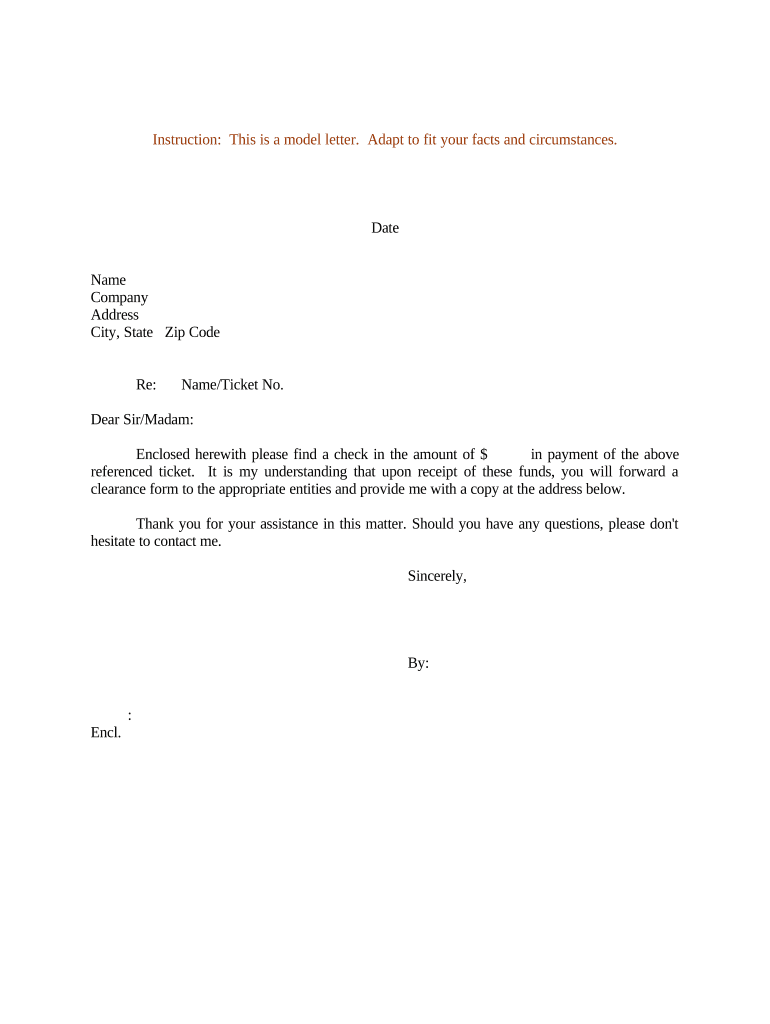
A Letter for Payment of Ticket is a written demand from a creditor, event organizer, or government agency requesting payment for an unpaid ticket, citation, or invoice tied to an identified ticket number. It documents the amount due, the reason for the charge, payment instructions, any deadlines, and consequences of nonpayment. Use this letter to create a clear paper or electronic record before escalating to collections, filing in small claims court, or seeking administrative enforcement; it also supports audit trails and consumer disclosure obligations when delivered electronically.

Why a Clear Payment Letter Matters

A concise, well-structured payment letter reduces disputes, speeds collection, and creates evidence of notice. When delivered with a verifiable audit trail it supports legal enforceability and helps demonstrate intent and attribution for electronic signatures under ESIGN and state UETA frameworks.

Why a Clear Payment Letter Matters

Who Typically Prepares and Receives This Letter

Tailor the recipient, tone, and delivery method (postal, email, or eSignature) to the ticket type and applicable jurisdictional procedures.

  • Event organizers and ticket vendors seeking payment for unpaid event admissions or reserved seating charges; letters often cite ticket number, purchase date, and seat reference.
  • Municipal or administrative offices notifying registered owners of unpaid parking or code-violation tickets; letters include payment methods and contest procedures.
  • Accounts receivable teams and collection departments sending a formal demand prior to small claims or external collection referral.

Core Elements to Include in a Professional Payment Letter

Include all essential elements to ensure the recipient clearly understands the obligation, how to pay, and the consequences of nonpayment; precise language reduces disputes and improves enforceability.

Letter Date

State the letter creation date and the deadline for payment so the timeline and any late‑fee schedule are unambiguous and enforceable.
Recipient Details

Provide the payee’s full legal name and mailing address; correct identification prevents misdelivery and supports attribution for signed electronic records.

Ticket Details

Identify the ticket number, issuance date, violation or event description, and any reference numbers used by your system for reconciliation.

Amount Due

List the principal amount, itemized fees, taxes, and any previously assessed late charges; show currency and a clear total balance.

Payment Instructions

Specify accepted payment methods, account or payment portal details, remittance address, and if applicable, instructions for installment agreements.

Signature Block

Include the authorized signer's printed name, title, date, and a clear signature area; for electronic delivery, define required signer authentication.

Required Information and Fields (Quick Reference)

Payer Name: Full legal name
Ticket Number: Unique identifier
Violation Date: MM/DD/YYYY
Amount Due: Dollar amount
Payment Method: Accepted options
Signature Date: MM/DD/YYYY

Step-by-Step: Completing a Letter for Payment of Ticket

Follow these steps to create, validate, and send a compliant payment letter with clear evidence of delivery.

  • 01
    Gather Records: Collect ticket details, transaction history, and contact information.
  • 02
    Draft Letter: Populate required fields and itemize charges.
  • 03
    Verify Accuracy: Confirm names, amounts, and dates match source records.
  • 04
    Send with Proof: Deliver via tracked mail or eSignature to capture receipt evidence.

Where to Send, File, or Submit the Letter

Choose the delivery channel that best supports notice and proof of receipt based on the ticket type and recipient preferences.

  • Postal Mail: Send certified or tracked mail for physical proof of delivery.
  • Email: Use read-receipts and secure attachments; include remittance instructions.
  • eSignature Delivery: Send signed copies with an audit trail and timestamp.
  • Court or Agency: File copies with the issuing agency when required by local procedure.

Customizing and Automating the Letter in an Online Workflow

Configure workflow settings to merge ticket data, require authentication, and automate reminders for unpaid balances.

Field | Configuration Setting | Value
Authentication Email + optional SMS code for signer verification
Template Merge Auto-fill ticket fields from CSV or database
Reminders Schedule 1st and 2nd reminders at 7 and 21 days
Attachments Allow PDF images of original ticket

Digital Signing, File Formats, and Integration Considerations

Use solutions that capture an audit trail (timestamp, IP, actions) and integrate with your payment portal and records system to minimize manual reconciliation.

  • Supported Formats: PDF, DOCX, and image attachments
  • Integrations: CRM and storage integrations like Salesforce or Google Workspace
  • Authentication: Email, SMS code, or stronger methods

Typical Timelines and Deadlines to Include or Observe

Specify clear dates so recipients understand timelines for payment, appeals, and late penalties; timing expectations vary by ticket type and issuer.

Initial Payment Deadline:

Commonly 30 days from issuance; specify exact date.

Late Fees Commence:

Note when additional charges begin, often after the due date.

Contest or Appeal Window:

Indicate how to contest and the response deadline.

Collections Referral:

State when unpaid balances escalate to collections (e.g., 60–90 days).

Court Filing:

Warn that unresolved debts may lead to legal filing per local rules.

Key Milestones from Notice to Resolution

A typical lifecycle includes issuance, first-contact, escalation steps, and final resolution—track these stages to support enforcement or dispute handling.

01

Issue Notice

Send the first written demand with payment terms.

02

Reminder Notice

Send a follow-up reminder if unpaid after the initial deadline.

03

Final Demand

Issue a last-demand letter before external referral.

04

Collections/Court

Refer unpaid accounts to collections or file a small claims action.

Common Mistakes to Avoid When Preparing the Letter

  • Missing or incorrect ticket identifiers causing reconciliation delays and disputes between parties.
  • Vague payment instructions that lead recipients to delay payment while seeking clarification.
  • Failing to capture proof of delivery or an audit trail when sending electronically.
  • Using inconsistent amounts or dates compared with original records, increasing the risk of contest.

Penalties and Risks from an Incorrect or Omitted Letter

Late Fees: Accrued additional charges
Collection Referral: Third-party action and fees
Court Costs: Potential filing or judgment costs
Credit Impact: Possible negative reporting
Loss of Evidence: Missing audit trail harms enforcement
Regulatory Exposure: Failure to follow notice rules

eSignature Vendor Comparison for Sending Payment Letters

Compare baseline pricing and common feature differences across popular eSignature vendors; signNow appears first for easy reference.

signNow DocuSign Adobe Sign PandaDoc HelloSign
Starting Price $8/user/mo $15/user/mo $14/user/mo $19/user/mo $15/user/mo
Free Trial Yes, 7-day trial No No Yes, limited Yes, limited
Bulk Send Yes Yes Yes Yes No
Audit Trail Yes Yes Yes Yes Yes
HIPAA Compliant Yes Yes Yes No No

Practical Use Cases for Payment Letters

These short scenarios show common contexts where a Letter for Payment of Ticket is useful and how it’s typically processed.

Event Organizer Example

A venue issues a demand for an unpaid VIP ticket

  • The organizer includes ticket number and order snapshot
  • The recipient signs electronically and the organizer records the audit trail to close the balance and update ticketing records.

Municipal Notice Example

A city sends a payment letter for an unpaid parking citation

  • The notice cites citation number and contest instructions
  • The recipient pays online within the stated deadline and the municipality records payment and closes the case administratively.

Frequently Asked Questions About Payment Letters

Answers to common questions about validity, signing, delivery, and next steps when sending Letters for Payment of Ticket.


Need help? Contact support

be ready to get more
Join over 28 million airSlate SignNow users