Establishing secure connection…Loading editor…Preparing document…

Letter Demanding Refund for Faulty Work

This template is fully customizable. Edit the text, fill out the fields, and send it for signature. Give it a try!
Letter Demanding Refund for Faulty Work

What the Letter Demanding Refund for Faulty Work Is

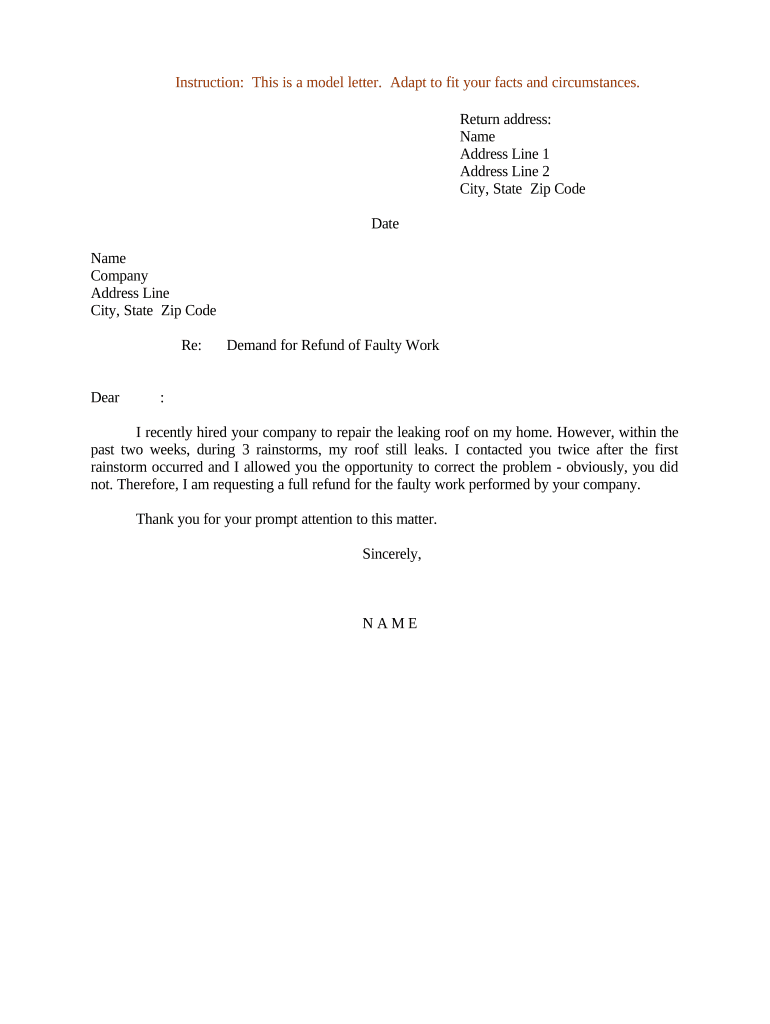
The Letter Demanding Refund for Faulty Work is a formal written demand from a customer to a contractor, tradesperson, or service provider requesting a refund, credit, or corrective work when services or goods fail to meet contractual or reasonable standards. The letter identifies the defective work, cites the controlling invoice or contract, specifies the remedy sought and an adequate response deadline, and attaches supporting evidence such as photos and invoices. It creates a documented record that helps settlement, mediation, small claims, or court actions if a negotiated resolution cannot be reached.

Why a Clear Demand Letter Makes a Difference

A focused Letter Demanding Refund for Faulty Work clarifies your claim, preserves evidence, and invites prompt resolution while documenting intent to pursue legal remedies if necessary.

Why a Clear Demand Letter Makes a Difference

Who Typically Sends and Receives This Letter

Consumers, homeowners, and small business clients commonly send this letter to contractors, subcontractors, or service firms after unacceptable or incomplete work.

  • Homeowner demanding refund after failed repair or missed contract terms.
  • Small business seeking repayment for defective installation or delayed delivery.
  • Property manager pursuing contractor refund for safety or code violations.

Step-by-Step: Prepare and Send Your Demand

Follow these steps to prepare and send a Letter Demanding Refund for Faulty Work efficiently.

  • 01
    Document defect: Describe specific problems, dates, and relevant contract terms.
  • 02
    Calculate refund: State exact refund amount or proposed credit.
  • 03
    Set deadline: Give a reasonable response period, typically 14 days.
  • 04
    Delivery method: Use certified mail or tracked e-mail for proof of delivery.

Common Questions and Practical Answers

Common questions and solutions for drafting and delivering a Letter Demanding Refund for Faulty Work are below.


Need help? Contact support

Core Elements to Include in Every Demand Letter

Essential sections of a Letter Demanding Refund for Faulty Work define the claim, evidence, remedy sought, contractual basis, timeline, and delivery method to support enforceability and dispute resolution.

Claim summary

A concise statement of what went wrong, when it occurred, parties involved, and the contractual or warranty basis for the claim. This frames the dispute and focuses any subsequent negotiations or legal arguments.
Remedy requested

Specify whether you seek a full refund, partial refund, repair, or credit. Include dollar amounts, deadlines, and any offset for additional costs incurred because of defective work.

Evidence list

Itemize attached documentation such as invoices, receipts, inspection reports, dated photographs, and communications. Clear exhibits reduce factual disputes and streamline mediation or court review.

Contract reference

Cite the contract sections, invoice numbers, purchase orders, or warranty clauses that impose standards or remedies. Referencing text strengthens legal arguments and clarifies obligations.

Deadline

Set a reasonable deadline for response and performance, typically 10 to 30 days depending on repair timeframes. State consequences for noncompliance, such as small claims or attorney involvement.

Delivery proof

Specify delivery method, request return receipt, and retain proof of transmission. Documented delivery makes it easier to prove notice and supports any future litigation or settlement discussions.

Security and Compliance Considerations for Electronic Versions

Encryption: TLS 1.2/1.3 in transit
Data at rest: AES-256 encryption at rest
Audit trail: Detailed timestamp and IP log
HIPAA compliance: BAA available for covered entities
Record export: Exportable PDFs with audit metadata
Authentication: SMS, email, KBA, and SSO

Key Risks of an Incorrect or Incomplete Letter

Missed deadline: Forfeited settlement opportunity
Wrong recipient: Refund paid to wrong party
Insufficient evidence: Claim dismissed for lack
Notarization missing: Weaker proof where required
Tax consequences: Reportable income or adjustments
Legal costs: Attorney fees and court costs

Common Preparation Mistakes to Avoid

  • Vague descriptions of defects that omit dates, locations, and measurable standards, making the claim difficult to verify or defend in court.
  • Failing to attach invoices, before/after photos, or communications reduces credibility and often leads to delayed or denied refunds.
  • Sending the letter without proof of delivery or using informal channels prevents establishing notice and may complicate enforcement.
  • Demanding unreasonable deadlines or unspecified remedies can make negotiations adversarial and reduce chances of voluntary resolution.

Where to Send and How the Process Works

Routing and submission options for the letter vary by recipient and preferred proof-of-delivery method selected.

  • Prepare PDF: Finalize letter and attach evidence in a single PDF.
  • Select method: Choose certified mail, tracked email, or e-delivery with audit trail.
  • Send: Use registered post or platform that provides delivery receipts.
  • Retain records: Store signed copies, receipts, and communications securely for evidence.

How to Configure an Online Workflow for Demand Letters

Configure online templates, automated fields, and reminders to standardize demand letters and track outcomes efficiently.

Field Configuration
Template Save reusable letter format
Auto-fill fields Pull data from contact records
Authentication Require email or SMS codes
Reminders Automated follow-up notifications

Delivery Platforms and Integration Notes

Choose delivery platforms that preserve audit trails, integrate with existing systems, and provide secure storage for signed letters.

  • Integrations: Salesforce, Microsoft 365, and NetSuite
  • Document formats: PDF, DOCX, and editable templates
  • Authentication: Email, SMS, KBA, SSO options

Preserve audit logs, delivery receipts, and signed copies in secure storage with access controls and encryption. Retain records consistent with legal and industry retention requirements to support future dispute resolution or regulatory inquiries.

Key Deadlines and Timing Considerations

Key timeframes for issuing and following up on a demand for refund help protect remedies and preserve legal rights.

Initial demand response deadline for contractor:

Typically 10 to 30 days depending on repair complexity.

Cure period and extension options for repairs:

Allow reasonable extension for scheduling repairs or inspections.

Second follow-up notice before escalation:

Send certified follow-up and document nonresponse.

Small claims filing window and state variations:

Varies by state; preserve evidence and deadlines.

Evidence preservation start date:

Begin retaining receipts and photos from initial delivery date.

eSignature Pricing and Feature Comparison for Sending Demand Letters

High-level pricing and feature availability for common eSignature vendors used to prepare and send demand letters are summarized below.

signNow DocuSign Adobe Sign PandaDoc HelloSign
Starting Price $8/user/mo $15/user/mo $14/user/mo $19/user/mo $15/user/mo
Free Trial 7-day free trial Varies Varies Varies Varies
Bulk Send Yes Yes Yes Yes No
Audit Trail Yes Yes Yes Yes Yes
HIPAA Compliant Yes Yes Yes No No
be ready to get more
Join over 28 million airSlate SignNow users