Establishing secure connection… Loading editor… Preparing document…
Navigation

Fill and Sign the Montana Permanent Form
Fill and Sign the Montana Permanent Form

How it works

Open the document and fill out all its fields.
Apply your legally-binding eSignature.
Save and invite other recipients to sign it.

Rate template

4.4
56 votes
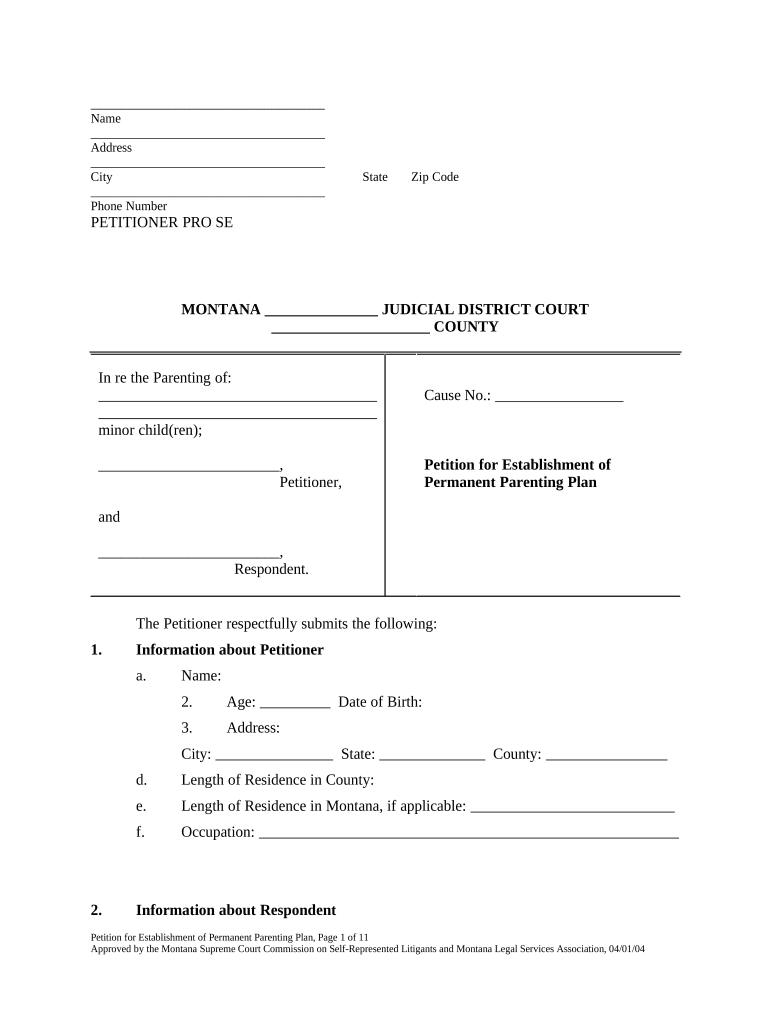
_______________________________ Name _____________________________________ Address _____________________________________ City State Zip Code _____________________________________ Phone Number PETITIONER PRO SE MONTANA _______________ JUDICIAL DISTRICT COURT _____________________ COUNTY In re the Parenting of: minor child(ren); ________________________, Petitioner, and ________________________, Respondent. Cause No.: _________________ Petition for Establishment of Permanent Parenting Plan The Petitioner respectfully submits the following: 1. Information about Petitioner a. Name: 2. Age: Date of Birth: 3. Address: City: State: County: d. Length of Residence in County: e. Length of Residence in Montana, if applicable: f. Occupation: 2. Information about Respondent Petition for Establishment of Permanent Parenting Plan, Page 1 of 11 Approved by the Montana Supreme Court Commission on Self-Represented Litigants and Montana Legal Services Association, 04/01/04 a. Name: b. Age: Date of Birth: c. Address: City: State: County: d. Length of Residence in County: e. Length of Residence in Montana, if applicable: f. Occupation: 3. Relationship The parties were never married. 4. Pregnancy Choose One: [ ] The [ ] Petitioner/[ ] Respondent is not pregnant. [ ] The [ ] Petitioner/[ ] Respondent is pregnant. However, the [ ] Petitioner/ [ ] Respondent is not the father, and the child is not at issue in this proceeding. 5. The Child(ren) The Petitioner is the [ ] Mother/[ ] Father and the Respondent is the [ ] Mother/ [ ] Father of the following minor child(ren): Name (first and last) _________________________________ Date of Birth: / / Address ________________________________________________________________ Name (first and last) _________________________________ Date of Birth: / / Address ________________________________________________________________ Name (first and last) _________________________________ Date of Birth: / / Address ________________________________________________________________ Name (first and last) _________________________________ Date of Birth: / / Address ________________________________________________________________ Name (first and last) _________________________________ Date of Birth: / / Address ________________________________________________________________ If needed, attach additional sheets as Exhibit _____. Petition for Establishment of Permanent Parenting Plan, Page 2 of 11 Approved by the Montana Supreme Court Commission on Self-Represented Litigants and Montana Legal Services Association, 04/01/04 6. Jurisdiction over the Child(ren) This Court has jurisdiction to make a parenting determination regarding the minor child(ren) listed above. Choose One: [ ] The child(ren) has/have lived in Montana for at least six consecutive months immediately before the start of this proceeding. If a child is less than six months old, the child has lived in Montana since his/her birth. [ ] Montana was the home state of the child(ren) within six months of the start of this proceeding, and one parent continues to reside in Montana. [ ] The child(ren) and one parent have had significant connections to Montana, and substantial evidence about them is available here. [ ] The child(ren) is/are physically present in Montana, and the child(ren) has/have been abandoned or an emergency exists requiring the child(ren)’s protection. 7. Required Information Regarding the Child(ren) This proceeding will affect the custody of the minor child(ren) of the parties. The following information is required by M.C.A. § 40-7-110: a. During the last five years, the child(ren) have lived at the following places with the following persons. List each place the child(ren) have lived, the dates the child(ren) lived there, and all person(s) with whom the child(ren) lived: Address Dates with Whom Petition for Establishment of Permanent Parenting Plan, Page 3 of 11 Approved by the Montana Supreme Court Commission on Self-Represented Litigants and Montana Legal Services Association, 04/01/04 Address Dates with Whom List the names and present addresses, if known, of the persons listed above, other than Petitioner and Respondent, with whom the child(ren) have lived in the last five years: Names Present Address(es) If needed, attach additional sheet(s) as Exhibit ____. b. Choose One: [ ] I have not participated as a party or witness or in any other capacity in any other proceeding concerning the custody of or visitation with the child(ren). [ ] I have participated as a [ ] party/ [ ] witness / [ ] other: _______________ in another proceeding concerning the custody of the child(ren). Court: Case No.: Date of Child Custody Determination: ____________________________. If needed, attach additional sheet(s) as Exhibit ____. Petition for Establishment of Permanent Parenting Plan, Page 4 of 11 Approved by the Montana Supreme Court Commission on Self-Represented Litigants and Montana Legal Services Association, 04/01/04 c. Choose One: [ ] I know of no other proceeding that could affect the current proceeding. [ ] The following proceeding could affect the current proceeding: Nature of Proceeding: _________________________________________ Court: Case No.: If needed, attach additional sheet(s) as Exhibit ____. d. Choose One: [ ] I know of no other person (not a party to this action) that has physical custody of the child(ren), or who claims rights of legal custody, physical custody or visitation with the child(ren). [ ] The following person(s) have physical custody of the child(ren) or claim rights of legal custody, physical custody or visitation with the child(ren): ___________________________________________________________ ___________________________________________________________ 8. Parenting Plan It is in the best interest(s) of the minor child(ren) that the Court adopt the Petitioner’s Proposed Parenting Plan, filed separately from this Petition. 9. Child Support Order Choose One: [ ] Child support in the amount of $ ___________ per month per child has been established by the Montana Child Support Enforcement Division or another appropriate administrative agency or court. A copy of the Order is attached hereto as Exhibit ____. ( Skip to Number 10. ) or [ ] The [ ] Petitioner/ [ ] Respondent needs financial assistance from the [ ] Petitioner/ [ ] Respondent to support the minor child(ren) and requests that the Court enter the following proposed Child Support Order: a. The [ ] Petitioner/ [ ] Respondent shall pay $__________ per month per child. This amount was determined in accordance with the Montana Child Support Guidelines, worksheet attached hereto as Exhibit ___. b. The first payment is due the _____ day of __________________, 20____. Payments should continue until such time as each child reaches the age of 18 years and has completed high school, or attained the age of 19 years, or is emancipated by court order, whichever shall first occur. c. On or before the first of every month, payments should be made to (Choose One): [ ] The Child Support Enforcement Division. Immediate income withholding is appropriate. The [ ] Petitioner’s/[ ] Respondent’s income is subject to immediate income withholding under M.C.A. Title 40, Chapter 5, Parts 3 and 4. [ ] [ ] Petitioner/[ ] Respondent. This child support order should be exempt from immediate income withholding because . or [ ] Clerk of Court. This child support order should be exempt from immediate income withholding because . d. The Petitioner requests that the following warning be included in the Final Child Support Order: WARNING: If a parent is delinquent in payments, that parent’s income may be subject to income withholding procedures under MCA Title 40, Chapter 5, without need for any further action by the Court. Support is delinquent when it is 8 days overdue. e. Whenever the case is receiving services under Title IV-D of the Social Security Act, support payments must be paid through the Department of Public Health and Human Services Child Support Enforcement Division as provided in M.C.A. § 40-5-909. f. This order is subject to review and modification by the Department of Public Health and Human Services upon the request of the Department or a party under M.C.A. §§ 40-5-271 through 40-5-273, when the Department is providing services for enforcement under Title IV-D of the Social Security Act. g. The obligations to provide financial child support, provide medical care for a child, and provide or comply with parenting arrangements shall be independent of each other, and the failure or inability to provide one or more shall not reduce any other obligation. h. Each party should promptly inform the Court of any changes in the following information: (i) Name, social security number, mailing address, residential address, telephone number, and driver’s license number; and (ii) Names, addresses, and telephone numbers of current employers. 1. The Petitioner requests that the following warning be included in the Final Child Support Order: WARNING: In any subsequent child support enforcement action, on sufficient showing of diligent efforts to locate the party, due process requirements for notice and service may be met by delivering written notice by regular mail to the last address of the party or the party’s employer reported to the Court. 10. Medical Support Order Choose One: [ ] A Medical Support Order has been established by the Montana Child Support Enforcement Division or another appropriate administrative agency or court. A copy of the Order is attached hereto as Exhibit ____. ( Skip to Number 11. ) or [ ] Medical support is needed to cover the medical and dental expenses of the minor child(ren) of the parties. The Petitioner requests that the Court adopt the following Medical Support Order: Existing Coverage Choose All That Apply: [ ] The child(ren) are presently covered under the following insurance plan: Carrier Name: Policy No.: The [ ] Petitioner/[ ] Respondent shall continue to provide medical coverage through the plan as long as it is available at a reasonable cost, and as long as no other plan or individual insurance is available that will better serve the interests of the parties. [ ] The child(ren) is a/are recipient(s) of medical assistance under Title XIX of the federal Social Security Act (Medicaid). [ ] The child(ren) are not covered under an existing insurance plan. Contingency Medical Support If the minor child(ren) are either (i) covered by Medicaid, (ii) are not covered under an existing insurance plan, or (iii) if the existing coverage becomes no longer available, the following provisions shall apply: a. The Petitioner shall provide medical coverage through individual insurance or a health benefit plan for the child(ren), as long as it is available at reasonable cost, and as long as no other plan or individual insurance is available that will better serve the interests of the parties. b. The Respondent shall provide medical coverage through individual insurance or a health benefit plan for the child(ren), as long as it is available at reasonable cost, and as long as no other plan or individual insurance is available that will better serve the interests of the parties. c. If health benefit plans are available to both parties at a combined cost that is reasonable or cost-beneficial and with benefits that are complementary or compatible as primary and secondary coverage, both parties shall provide coverage for the child(ren). d. Coverage is presumed to be available at reasonable cost if the cost of premiums does not exceed 25 percent of the obligated party's total child support obligation when calculated under the child support guidelines without credit for the medical support obligation. e . If circumstances change and a party believes that corresponding changes in cost are not reasonable or cost-beneficial, the party may move to petition any appropriate tribunal for relief. Duties of the Parties a. The Petitioner shall be responsible for ____% and the Respondent shall be responsible for _____% of all medical expenses of the minor child(ren), including the costs of the premium for coverage, all co-payments and deductibles required for coverage, and any uncovered medical expenses. b. Each party shall promptly execute and deliver to the insurance provider all forms necessary to ensure the child(ren)'s continuous participation in insurance coverage. Each party shall timely submit claims for processing, verification, and payment. Each party shall provide the other party with identification cards or other methods for access to coverage. c. If a party receives a reimbursement but did not pay the underlying bill, that party shall promptly pay over the proceeds to the proper party. d. If the party responsible for providing medical insurance coverage for the child(ren) allows such coverage to lapse without securing a comparable replacement, that party shall be liable for all the child(ren)'s medical expenses and shall indemnify the other party, the Department of Public Health and Human Services, or any third-party custodian for the cost of obtaining medical coverage and medical expenses. e. Any liability for unpaid medical costs and expenses may be entered as a judgment for unpaid support against the obligated party. A party may apply to the Court for expedited enforcement procedures. 6. If an obligated party fails to pay a required premium, the other parent, the Department of Public Health and Human Services, or the custodian may advance the cost of premiums and keep benefits continually in force for the child. The advance should be entered as a judgment for unpaid child support in favor of the advancing party and against the obligated parent. g. The obligation to provide medical coverage for the child(ren) ceases only when the child support obligation ceases. h. The costs of providing individual insurance or a health benefit plan may not be used as a direct offset to the child support obligation. However, as provided by the child support guidelines, the costs may be considered in making or modifying a child support order. i. Each party shall promptly inform the Court of any changes in the following information: (i) If the child(ren) is/are covered by a health or medical insurance plan, the name of the plan, the policy identification number, and the name(s) of the person(s) covered; (ii) If the child(ren) is/are not covered by a health or medical insurance plan, whether health insurance coverage for the child(ren) is available through the party’s employer or other group, and if so, whether the employer or other group pays any portion of the coverage premium. j. A civil penalty not to exceed $25 per day may be imposed for an intentional violation of this medical support order or the provisions of M.C.A Title 40, Chapter 5, Part 8 or the regulations promulgated under that Part. k. The Petitioner requests that the following warning be placed in the Final Child and Medical Support Orders: WARNING : The obligations to provide medical care, provide financial child support, and provide or comply with visitation and custody arrangements are independent of each other, and the failure or inability to provide one or more does not reduce any other obligation. 11. Notice to the Department of Public Health and Human Services Choose One: [ ] The Department of Public Health and Human Services is not providing services to the parties or minor child(ren) of the parties under the provisions of Title IV-D of the Social Security Act. [ ] The Department of Public Health and Human Services is providing services to the parties or minor child(ren) of the parties under the provisions of Title IV-D of the Social Security Act. The Petitioner will notify the Montana Child Support Enforcement Division and the Office of the Attorney General of this proceeding. [ ] Not applicable. The Petitioner is not seeking to establish, enforce, or modify the parties’ previously established child support order. 12. Other Provisions . WHEREFORE, the Petitioner requests as follows: 1. That this Court adopt the Petitioner’s Proposed Parenting Plan, filed separately from this Petition; 2. That a Child Support Order be established, if requested above; 3. That a Medical Support Order be established, if requested above; 4. Other Provisions: __________________________________________________________ ; and 5. For such other and further relief as the Court deems just and proper. DATED this _______ day of ____________________, 20___. _____________________________________ Petitioner Pro Se _____________________________________ Print Name STATE OF MONTANA ) ): ss COUNTY OF _________________ ) _______________________________, being first duly sworn on oath, says that he/she is the Petitioner in the above-entitled proceeding; that he/she has read the foregoing Petition and knows the contents thereof; and that the matter, facts and things stated therein are true to the best of his/her knowledge and belief. _____________________________________ Petitioner Pro Se _____________________________________ Print Name SUBSCRIBED AND SWORN to before me this _____ day of ________________, 20____. ___________________________________ Name (printed) : ______________________ (Seal) Notary Public for the State of Montana. Residing at __________________________ My Commission Expires________________

Practical tips for finalizing your ‘Montana Permanent’ online

Exhausted by the difficulties of handling documents? Look no further than airSlate SignNow, the premier eSignature platform for individuals and organizations. Bid farewell to the tedious task of printing and scanning paperwork. With airSlate SignNow, you can effortlessly finalize and sign documents online. Leverage the extensive features included in this intuitive and affordable system and transform your strategy for document management. Whether you need to approve forms or collect electronic signatures, airSlate SignNow manages it all seamlessly, with just a few clicks.

Follow this comprehensive guide:

  1. Sign in to your account or create a free trial with our service.
  2. Tap +Create to upload a file from your device, cloud storage, or our form repository.
  3. Open your ‘Montana Permanent’ in the editor.
  4. Select Me (Fill Out Now) to complete the document on your end.
  5. Add and designate fillable fields for other participants (if necessary).
  6. Proceed with the Send Invite options to solicit eSignatures from others.
  7. Save, print your copy, or convert it into a reusable template.

No need to worry if you need to collaborate with your teammates on your Montana Permanent or send it for notarization—our solution provides all you need to achieve these tasks. Register with airSlate SignNow today and elevate your document management to a higher level!

Here is a list of the most common customer questions. If you can’t find an answer to your question, please don’t hesitate to reach out to us.

Need help? Contact Support

The best way to complete and sign your montana permanent form
Save time on document management with airSlate SignNow and get your montana permanent form eSigned quickly from anywhere with our fully compliant eSignature tool.

How to Sign a PDF Online How to Sign a PDF Online

How to complete and sign paperwork online

Previously, dealing with paperwork required lots of time and effort. But with airSlate SignNow, document management is easy and fast. Our robust and easy-to-use eSignature solution lets you effortlessly complete and eSign your montana permanent form online from any internet-connected device.

Follow the step-by-step guidelines to eSign your montana permanent form template online:

  • 1.Sign up for a free trial with airSlate SignNow or log in to your account with password credentials or SSO authentication.
  • 2.Click Upload or Create and add a form for eSigning from your device, the cloud, or our form library.
  • 3.Click on the document name to open it in the editor and use the left-side menu to complete all the blank fields accordingly.
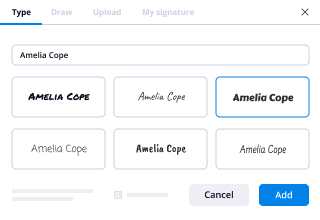
  • 4.Place the My Signature field where you need to approve your sample. Type your name, draw, or import a photo of your regular signature.
  • 5.Click Save and Close to finish modifying your completed document.

As soon as your montana permanent form template is ready, download it to your device, export it to the cloud, or invite other individuals to eSign it. With airSlate SignNow, the eSigning process only requires a few clicks. Use our robust eSignature solution wherever you are to deal with your paperwork successfully!
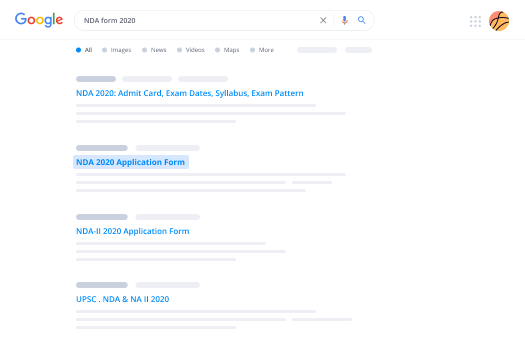
How to Sign a PDF Using Google Chrome How to Sign a PDF Using Google Chrome

How to fill out and sign paperwork in Google Chrome

Completing and signing paperwork is simple with the airSlate SignNow extension for Google Chrome. Adding it to your browser is a fast and productive way to manage your paperwork online. Sign your montana permanent form template with a legally-binding electronic signature in just a few clicks without switching between tools and tabs.

Follow the step-by-step guidelines to eSign your montana permanent form in Google Chrome:

  • 1.Go to the Chrome Web Store, search for the airSlate SignNow extension for Chrome, and install it to your browser.
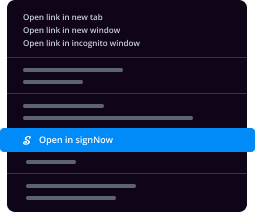
  • 2.Right-click on the link to a document you need to approve and select Open in airSlate SignNow.
  • 3.Log in to your account with your password or Google/Facebook sign-in buttons. If you don’t have one, sign up for a free trial.
  • 4.Use the Edit & Sign toolbar on the left to complete your template, then drag and drop the My Signature option.
  • 5.Add an image of your handwritten signature, draw it, or simply type in your full name to eSign.
  • 6.Verify all data is correct and click Save and Close to finish modifying your paperwork.

Now, you can save your montana permanent form template to your device or cloud storage, send the copy to other individuals, or invite them to electronically sign your form via an email request or a protected Signing Link. The airSlate SignNow extension for Google Chrome enhances your document processes with minimum time and effort. Start using airSlate SignNow today!
How to Sign a PDF in Gmail How to Sign a PDF in Gmail How to Sign a PDF in Gmail

How to complete and sign documents in Gmail

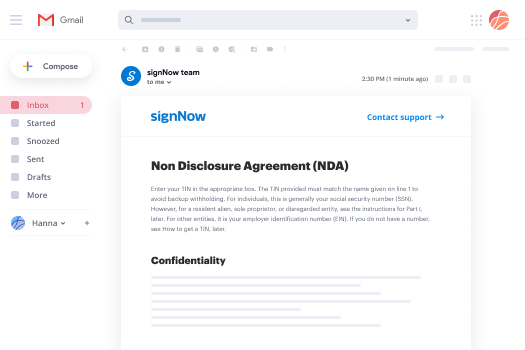
When you get an email with the montana permanent form for approval, there’s no need to print and scan a file or save and re-upload it to a different program. There’s a better solution if you use Gmail. Try the airSlate SignNow add-on to promptly eSign any paperwork right from your inbox.

Follow the step-by-step guide to eSign your montana permanent form in Gmail:

  • 1.Visit the Google Workplace Marketplace and find a airSlate SignNow add-on for Gmail.
  • 2.Set up the tool with a corresponding button and grant the tool access to your Google account.
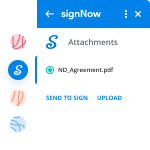
  • 3.Open an email with an attached file that needs approval and use the S sign on the right sidebar to launch the add-on.
  • 4.Log in to your airSlate SignNow account. Choose Send to Sign to forward the file to other parties for approval or click Upload to open it in the editor.
  • 5.Put the My Signature field where you need to eSign: type, draw, or import your signature.

This eSigning process saves time and only requires a couple of clicks. Use the airSlate SignNow add-on for Gmail to adjust your montana permanent form with fillable fields, sign forms legally, and invite other people to eSign them al without leaving your mailbox. Boost your signature workflows now!

How to Sign a PDF on a Mobile Device How to Sign a PDF on a Mobile Device How to Sign a PDF on a Mobile Device

How to fill out and sign documents in a mobile browser

Need to rapidly fill out and sign your montana permanent form on a smartphone while working on the go? airSlate SignNow can help without the need to install additional software applications. Open our airSlate SignNow solution from any browser on your mobile device and add legally-binding eSignatures on the go, 24/7.

Follow the step-by-step guide to eSign your montana permanent form in a browser:

  • 1.Open any browser on your device and go to the www.signnow.com
  • 2.Create an account with a free trial or log in with your password credentials or SSO authentication.
  • 3.Click Upload or Create and add a file that needs to be completed from a cloud, your device, or our form catalogue with ready-made templates.
  • 4.Open the form and fill out the blank fields with tools from Edit & Sign menu on the left.
  • 5.Add the My Signature field to the form, then type in your name, draw, or add your signature.

In a few easy clicks, your montana permanent form is completed from wherever you are. When you're finished editing, you can save the file on your device, generate a reusable template for it, email it to other people, or invite them electronically sign it. Make your paperwork on the go fast and efficient with airSlate SignNow!
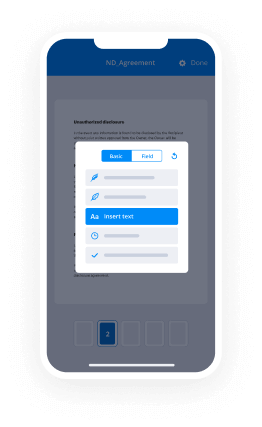
How to Sign a PDF on iPhone How to Sign a PDF on iPhone

How to complete and sign documents on iOS

In today’s corporate environment, tasks must be done rapidly even when you’re away from your computer. With the airSlate SignNow app, you can organize your paperwork and sign your montana permanent form with a legally-binding eSignature right on your iPhone or iPad. Set it up on your device to close deals and manage documents from anyplace 24/7.

Follow the step-by-step guide to eSign your montana permanent form on iOS devices:

  • 1.Open the App Store, search for the airSlate SignNow app by airSlate, and install it on your device.
  • 2.Launch the application, tap Create to import a form, and choose Myself.
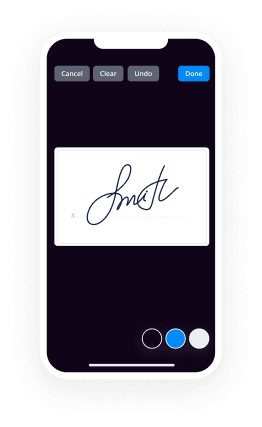
  • 3.Select Signature at the bottom toolbar and simply draw your autograph with a finger or stylus to eSign the sample.
  • 4.Tap Done -> Save right after signing the sample.
  • 5.Tap Save or take advantage of the Make Template option to re-use this paperwork in the future.

This method is so straightforward your montana permanent form is completed and signed in just a couple of taps. The airSlate SignNow app works in the cloud so all the forms on your mobile device are kept in your account and are available whenever you need them. Use airSlate SignNow for iOS to boost your document management and eSignature workflows!
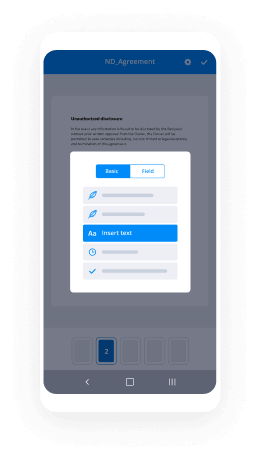
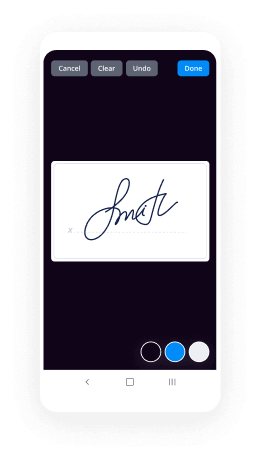
How to Sign a PDF on Android How to Sign a PDF on Android

How to complete and sign paperwork on Android

With airSlate SignNow, it’s simple to sign your montana permanent form on the go. Install its mobile application for Android OS on your device and start enhancing eSignature workflows right on your smartphone or tablet.

Follow the step-by-step guidelines to eSign your montana permanent form on Android:

  • 1.Go to Google Play, find the airSlate SignNow application from airSlate, and install it on your device.
  • 2.Sign in to your account or create it with a free trial, then upload a file with a ➕ option on the bottom of you screen.
  • 3.Tap on the uploaded file and choose Open in Editor from the dropdown menu.
  • 4.Tap on Tools tab -> Signature, then draw or type your name to electronically sign the sample. Fill out empty fields with other tools on the bottom if necessary.
  • 5.Utilize the ✔ key, then tap on the Save option to finish editing.

With an intuitive interface and full compliance with major eSignature requirements, the airSlate SignNow application is the best tool for signing your montana permanent form. It even operates without internet and updates all form changes when your internet connection is restored and the tool is synced. Fill out and eSign forms, send them for approval, and make re-usable templates whenever you need and from anyplace with airSlate SignNow.

Sign up and try Montana permanent form
  • Close deals faster
  • Improve productivity
  • Delight customers
  • Increase revenue
  • Save time & money
  • Reduce payment cycles