Establishing secure connection… Loading editor… Preparing document…
Navigation

Fill and Sign the Ms Attorney Form
Fill and Sign the Ms Attorney Form

How it works

Open the document and fill out all its fields.
Apply your legally-binding eSignature.
Save and invite other recipients to sign it.

Rate template

4.6
46 votes
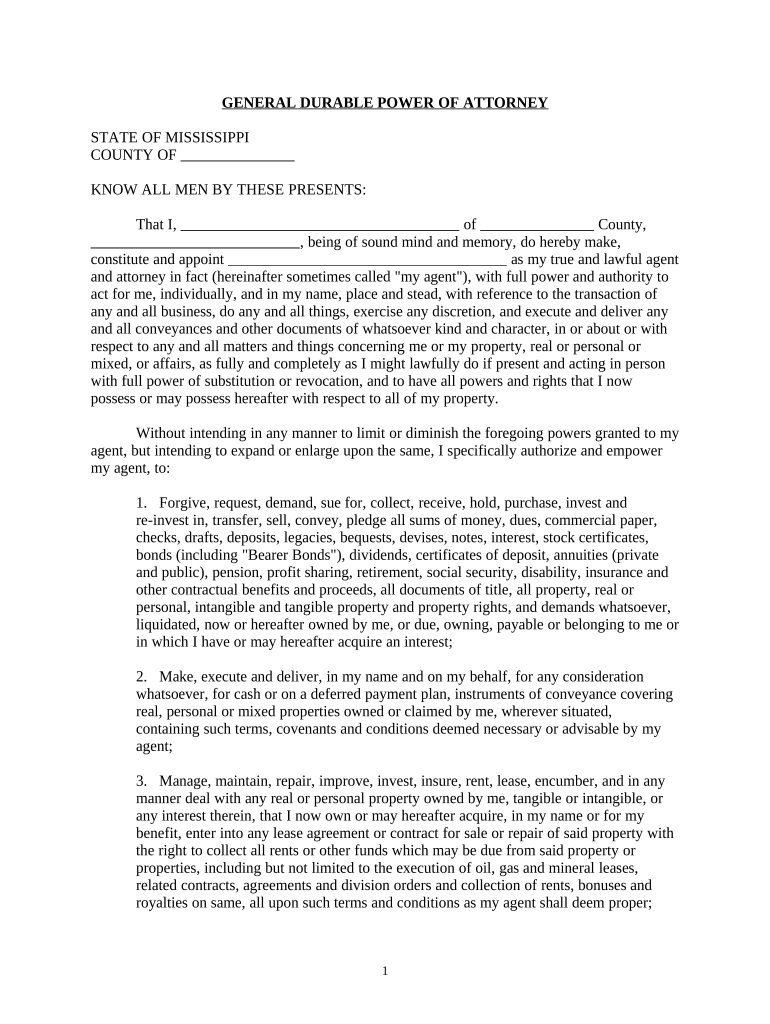
GENERAL DURABLE POWER OF ATTORNEY STATE OF MISSISSIPPI COUNTY OF __________________ KNOW ALL MEN BY THESE PRESENTS: That I, ____________________________________________ of __________________ County, _________________________________ , being of sound mind and memory, do hereby make, constitute and appoint ____________________________________________ as my true and lawful agent and attorney in fact (hereinafter sometimes called "my agent"), with full power and authority to act for me, individually, and in my name, place and stead, with reference to the transaction of any and all business, do any and all things, exercise any discretion, and execute and deliver any and all conveyances and other documents of whatsoever kind and character, in or about or with respect to any and all matters and things concerning me or my property, real or personal or mixed, or affairs, as fully and completely as I might lawfully do if present and acting in person with full power of substitution or revocation, and to have all powers and rights that I now possess or may possess hereafter with respect to all of my property. Without intending in any manner to limit or diminish the foregoing powers granted to my agent, but intending to expand or enlarge upon the same, I specifically authorize and empower my agent, to: 1. Forgive, request, demand, sue for, collect, receive, hold, purchase, invest and re - invest in, transfer, sell, convey, pledge all sums of money, dues, commercial paper, checks, drafts, deposits, legacies, bequests, devises, notes, interest, stock certificates, bonds (including "Bearer Bonds"), dividends, certificates of deposit, annuities (private and public), pension, profit sharing, retirement, social security, disability, insurance and other contractual benefits and proceeds, all documents of title, all property, real or personal, intangible and tangible property and property rights, and demands whatsoever, liquidated, now or hereafter owned by me, or due, owning, payable or belonging to me or in which I have or may hereafter acquire an interest; 2. Make, execute and deliver, in my name and on my behalf, for any consideration whatsoever, for cash or on a deferred payment plan, instruments of conveyance covering real, personal or mixed properties owned or claimed by me, wherever situated, containing such terms, covenants and conditions deemed necessary or advisable by my agent; 3. Manage, maintain, repair, improve, invest, insure, rent, lease, encumber, and in any manner deal with any real or personal property owned by me, tangible or intangible, or any interest therein, that I now own or may hereafter acquire, in my name or for my benefit, enter into any lease agreement or contract for sale or repair of said property with the right to collect all rents or other funds which may be due from said property or properties, including but not limited to the execution of oil, gas and mineral leases, related contracts, agreements and division orders and collection of rents, bonuses and royalties on same, all upon such terms and conditions as my agent shall deem proper; 1 4. Receive, receipt for, deposit, withdraw and execute, and endorse checks and drafts thereon, in my name and on my behalf, from any bank or any other financial institution, or any investment or brokerage firm or credit union, funds, owned or claimed by me and which are on deposit in my name, including but not limited to negotiating certificates of deposit in my name in banks, savings and loan associations and other institutions and the execution of any papers or documents with the Federal Social Security Administration and/or any other governmental agency, county, state or federal; and to receive and receipt for every sum of money which is now or hereafter shall be due or belonging to me; 5. Have access at any time or times to any safe deposit box rented by me, wheresoever located, and open, enter into and remove, in my name and on my behalf, from any safe deposit box registered in my name, or jointly in my name, located in any bank or any other financial institution, all or any part of the property or contents contained therein, with the further right and power, in my name and on my behalf to sell or otherwise dispose of such property, and to surrender or relinquish said safe deposit box. Any institution in which any such box may be located shall not incur any liability to me or my estate as a result of permitting my agent to exercise this power; 6. Execute, in my name and on my behalf, such contracts or other assurances as may be requested or required by any bank or other institution or individual when carrying out the powers granted herein; and prepare, execute and file in my name joint or separate federal and state tax returns, declarations of estimated tax for any year or years and related forms on my behalf and make any other related elections related thereto deemed necessary by my agent, including but not limited to federal gift tax returns on my behalf; to consent to any gift and to utilize any gift splitting provisions or other tax elections, including the authority to disclaim any assets otherwise passing to me; and to prepare, execute and file any claims for refund or any tax; and to transfer or convey any assets on a "net gift" basis if deemed advisable by my agent; 7. Acquire, purchase, exchange, gift, buy or sell options to buy or sell and convey real or personal property, tangible or intangible, or any interest therein, on such terms and conditions as my agent shall deem proper. Execute and deliver, in my name and on my behalf, conveyances of real or personal property including, but not limited to my homestead, for any consideration or gifts to my wife, children and/or their issue without consideration, of any such real or personal property owned by me at any time, including the execution of promissory notes and deeds of trust and including instruments necessary to purchase real or personal property in my name, as well as the execution or release of such deeds of trust or other security agreements as may be necessary or proper in the exercise of the rights and powers herein granted; 8. Execute in my name and on my behalf such medical insurance forms, including but not limited to Medicare and Medicaid claim forms, and other medical, hospitalization or health insurance forms as may be requested or required on my behalf, including admittance and release forms and authorizations for treatment of any kind; and to make any and all health care decisions for me if I be unable to give informed consent with respect to any given health care decision; and shall have all those powers and rights which are provided by the Uniform Health-Care Decisions Act, including any care, treatment, service or procedure to maintain, diagnose or treat any physical or mental 2 condition as well as consent, refusal of consent or withdrawal of consent to health care. However, this General Durable Power of Attorney For Health Care shall not prevail in case of my condition as set forth in that Living Will Declaration executed by me and to be filed with the State Board of Health. Should I ever be in such a State of Health as described by said Living Will Declaration, I direct that such Living Will Declaration shall take precedence over this instrument and this General Durable Power of Attorney shall be considered subordinate to same. 9. Operate any business or corporation on my behalf in the same capacity as I would have with the same powers and authority possessed by me at that time, including but not limited to exercising stock options and voting all of my shares of stock in said corporation or corporations without the necessity of a proxy and the right to appoint proxies therefore, and possessing all powers that I possess as granted to me by the Bylaws of said corporation or corporations, to incorporate, reorganize, merge, consolidate, recapitalize, sell, liquidate or dissolve any business; elect or employ officers, directors and agents; carry out the provisions of any agreement for the sale of any business interest or the stock therein; 10. Commence, prosecute, discontinue or defend all actions or other legal proceedings or remedies touching my affairs or estate or any part thereof as may be deemed necessary by my agent; and to adjust, sell, compromise, settle, and agree for the same, and to execute and deliver for me, on my behalf, and in my name, all endorsements, releases, receipts, or other sufficient discharges for the same; 11. Borrow any sum or sums of money on such terms and with security, whether real or personal property, as my agent may deem necessary, and to execute all promissory notes, deeds of trust and other instruments which may prove necessary or proper; to borrow against margin accounts on stock and other investments and pledge assets therefore; 12. Engage, employ and dismiss any agents, servants, advisors, including accountants, attorneys or other persons in and about the performance of these duties as my agent shall deem necessary and grant such persons discretionary power; 13. Exercise in my behalf any right of amendment or revocation of any trust or other instrument and to execute and deliver all documents required to evidence same as well as the right to create a trust on my behalf (for example, a revocable trust) and to fund or complete the funding of any such trust created or previously executed by me on my behalf; 14. Receive and receipt for any distribution from any trust under which I am the beneficiary and to withdraw on my behalf any funds or assets held in any trust operating for my benefit, by assignment, conveyance or otherwise; 15. Hold, purchase or invest in my name in "wasting assets" such as life estates or life interests in property and "unproductive assets" such as reminder interests in property if deemed advisable by my agent; 3 16. This instrument is to be construed and interpreted as a general durable power of attorney, with, but not limited to the full power in my agents to make gifts on my behalf to my wife, children and/or their issue. The enumeration of specific powers herein is not intended to, nor does it, limit or restrict the general powers herein granted to my agent. This instrument is executed and delivered in the State of Mississippi and the laws of the State of Mississippi shall govern all questions as to validity of this power and the construction of its provisions; 17. Third parties may rely upon the representations of the agents as to all matters relating to any power granted to them hereunder, and no person who may act in reliance upon the representations of the agent or the authority granted to it shall incur any liability to the principal or his estate as result of permitting the agent to exercise any power. I direct that the above - related powers and authority of my said agent shall be so exercisable and effective regardless of the fact that I may be mentally or physically incapacitated or incapable of understanding or unable to express myself or act in my own behalf at the time of any action on my behalf by said agent. Such incapacity, whether mental or physical, that I may exhibit shall not in any way interfere with the authority of my agent herein to act fully on my behalf according to the terms hereof. In other words, this Power of Attorney shall not be affected by the subsequent disability, incompetence or incapacity of the principal. And I do hereby undertake to ratify and confirm, all and singular, the acts heretofore performed and to be hereinafter performed by my said agents, acting in my name and on my behalf. IN WITNESS WHEREFORE, I have executed this General Durable Power of Attorney consisting of (6) six pages this the _________ day of _________________ , 20 ___ . WITNESSES: ____________________________ ______________________________ ____________________________ ______________________________, PRINCIPAL ATTESTATION The hereinafter named Witnesses, each declare under penalty of perjury under the laws of the State of ________________________ that the principal is personally known to us, that the principal signed and acknowledged this durable power of attorney in our presence, that the principal appears to be of sound mind and under no duress, fraud or undue influence, that we are not the person appointed as attorney - in - fact by this document, and that we are not a health care provider, nor an employee of a health care provider or facility. We are not related to the principal by blood, marriage or adoption, and to the best of our knowledge, are not entitled to 4 any part of the estate of the principal upon the death of the principal under a will now existing or by operation of law. WITNESSES: ______________________________ of _____________________________ _____________________________ ______________________________ of _____________________________ _____________________________ STATE OF _________________________________ COUNTY OF _________________________________ PERSONALLY appeared before me this day, the undersigned authority in and for said county and state, on this _________ day of _________________ , 20 ___ , within my jurisdiction, the within named _________________________________ personally known to me or proved to me by satisfactory evidence to be _________________________________ who, acknowledged before me that she executed the foregoing General Durable Power of Attorney which consists of six (6) pages on the day and year therein mentioned. I declare under the penalty of perjury that the person whose name is subscribed to this instrument appears to be of sound mind and under no duress, fraud or influence. ______________________________ NOTARY PUBLIC My Commission Expires: _____________________ 5 NOTICE TO PERSON EXECUTING THIS DOCUMENT This is an important legal document. Before executing this document, you should know these important facts: This document gives the person you designate as the attorney - in - fact (your agent) the power to make health care decisions for you. This power exists only as to those health care decisions to which you are unable to give informed consent. The attorney - in - fact must act consistently with your desires as stated in this document or otherwise made known. Except as you otherwise specify in this document, this document gives your agents the power to consent to your doctor not giving treatment or stopping treatment necessary to keep you alive. Notwithstanding this document, you have the right to make medical and other health care decisions for yourself so long as you can give informed consent with respect to the particular decision. In addition, no treatment may be given to you over your objection, and health care necessary to keep you alive may not be stopped or withheld if you object at the time. The document gives your agents authority to consent, to refuse to consent or to withdraw consent to any care, treatment, service or procedure to maintain, diagnose or treat a physical or mental condition. This power is subject to any statement of your desires and any limitations that you include in this document. You may state in this document any types of treatment that you do not desire. In addition, a court can take away the power of your agents to make health care decisions for you if your agent (a) authorizes anything that is illegal, (b) acts contrary to your known desires, or (c) where your desires are not known, and does anything that is clearly contrary to your best interests. You have the right to revoke the authority of your agents by notifying your agents or your treating doctor, hospital or other health care provider in writing of the revocation. Your agents have the right to examine your medical records and to consent to this disclosure unless you limit this right in this document. Unless you otherwise specify in this document, this document gives your agents the power after you die to (a) authorize an autopsy, (b) donate your body or parts thereof for transplant or for educational, therapeutic or scientific purposes, and (c) direct the disposition of your remains. If there is anything in this document that you do not understand, you should ask your lawyer to explain it to you. This power of attorney will not be valid for making health care decisions unless it is either (a) signed by two (2) qualified adult witnesses who are personally known to you and who are present when you sign or acknowledge your signature or (b) acknowledged before a notary public in this state. 6

Useful tips on completing your ‘Ms Attorney’ online

Are you fed up with the inconvenience of managing paperwork? Search no further than airSlate SignNow, the leading eSignature service for individuals and organizations. Wave farewell to the tedious routine of printing and scanning documents. With airSlate SignNow, you can easily fill out and sign documents electronically. Utilize the extensive features embedded in this intuitive and cost-effective platform and transform your method of document handling. Whether you need to authorize forms or collect signatures, airSlate SignNow manages it all seamlessly, needing just a few clicks.

Follow this comprehensive guide:

  1. Log into your account or register for a complimentary trial with our service.
  2. Click +Create to upload a file from your device, cloud storage, or our template library.
  3. Open your ‘Ms Attorney’ in the editor.
  4. Click Me (Fill Out Now) to finalize the document on your end.
  5. Add and designate fillable fields for others (if needed).
  6. Proceed with the Send Invite settings to obtain eSignatures from others.
  7. Save, print your version, or transform it into a reusable template.

No need to worry if you need to work with your colleagues on your Ms Attorney or send it for notarization—our service provides you all the tools you need to accomplish such tasks. Create an account with airSlate SignNow today and elevate your document management to a new level!

Here is a list of the most common customer questions. If you can’t find an answer to your question, please don’t hesitate to reach out to us.

Need help? Contact Support

The best way to complete and sign your ms attorney form

Save time on document management with airSlate SignNow and get your ms attorney form eSigned quickly from anywhere with our fully compliant eSignature tool.

How to Sign a PDF Online How to Sign a PDF Online

How to complete and sign paperwork online

Previously, working with paperwork required pretty much time and effort. But with airSlate SignNow, document management is easy and fast. Our powerful and user-friendly eSignature solution allows you to effortlessly complete and eSign your ms attorney form online from any internet-connected device.

Follow the step-by-step guidelines to eSign your ms attorney form template online:

  • 1.Sign up for a free trial with airSlate SignNow or log in to your account with password credentials or SSO authentication.
  • 2.Click Upload or Create and add a form for eSigning from your device, the cloud, or our form library.
  • 3.Click on the document name to open it in the editor and utilize the left-side menu to complete all the blank fields accordingly.
  • 4.Put the My Signature field where you need to approve your sample. Type your name, draw, or import an image of your regular signature.
  • 5.Click Save and Close to finish modifying your completed form.

After your ms attorney form template is ready, download it to your device, export it to the cloud, or invite other parties to electronically sign it. With airSlate SignNow, the eSigning process only takes several clicks. Use our powerful eSignature solution wherever you are to manage your paperwork efficiently!

How to Sign a PDF Using Google Chrome How to Sign a PDF Using Google Chrome

How to complete and sign forms in Google Chrome

Completing and signing paperwork is simple with the airSlate SignNow extension for Google Chrome. Adding it to your browser is a fast and productive way to manage your paperwork online. Sign your ms attorney form sample with a legally-binding electronic signature in just a few clicks without switching between applications and tabs.

Follow the step-by-step guide to eSign your ms attorney form in Google Chrome:

  • 1.Go to the Chrome Web Store, locate the airSlate SignNow extension for Chrome, and install it to your browser.
  • 2.Right-click on the link to a form you need to eSign and choose Open in airSlate SignNow.
  • 3.Log in to your account using your password or Google/Facebook sign-in buttons. If you don’t have one, sign up for a free trial.
  • 4.Use the Edit & Sign menu on the left to fill out your template, then drag and drop the My Signature option.
  • 5.Upload a picture of your handwritten signature, draw it, or simply type in your full name to eSign.
  • 6.Make sure all information is correct and click Save and Close to finish modifying your paperwork.

Now, you can save your ms attorney form sample to your device or cloud storage, email the copy to other people, or invite them to electronically sign your document with an email request or a secure Signing Link. The airSlate SignNow extension for Google Chrome enhances your document workflows with minimum effort and time. Start using airSlate SignNow today!

How to Sign a PDF in Gmail How to Sign a PDF in Gmail How to Sign a PDF in Gmail

How to complete and sign forms in Gmail

When you get an email with the ms attorney form for signing, there’s no need to print and scan a document or save and re-upload it to a different tool. There’s a better solution if you use Gmail. Try the airSlate SignNow add-on to quickly eSign any paperwork right from your inbox.

Follow the step-by-step guide to eSign your ms attorney form in Gmail:

  • 1.Visit the Google Workplace Marketplace and locate a airSlate SignNow add-on for Gmail.
  • 2.Install the program with a corresponding button and grant the tool access to your Google account.
  • 3.Open an email containing an attached file that needs approval and use the S key on the right panel to launch the add-on.
  • 4.Log in to your airSlate SignNow account. Choose Send to Sign to forward the file to other parties for approval or click Upload to open it in the editor.
  • 5.Drop the My Signature option where you need to eSign: type, draw, or upload your signature.

This eSigning process saves time and only requires a couple of clicks. Take advantage of the airSlate SignNow add-on for Gmail to adjust your ms attorney form with fillable fields, sign forms legally, and invite other people to eSign them al without leaving your mailbox. Boost your signature workflows now!

How to Sign a PDF on a Mobile Device How to Sign a PDF on a Mobile Device How to Sign a PDF on a Mobile Device

How to fill out and sign forms in a mobile browser

Need to quickly complete and sign your ms attorney form on a mobile phone while working on the go? airSlate SignNow can help without needing to set up additional software programs. Open our airSlate SignNow solution from any browser on your mobile device and create legally-binding electronic signatures on the go, 24/7.

Follow the step-by-step guidelines to eSign your ms attorney form in a browser:

  • 1.Open any browser on your device and follow the link www.signnow.com
  • 2.Sign up for an account with a free trial or log in with your password credentials or SSO authentication.
  • 3.Click Upload or Create and add a file that needs to be completed from a cloud, your device, or our form catalogue with ready-made templates.
  • 4.Open the form and fill out the blank fields with tools from Edit & Sign menu on the left.
  • 5.Add the My Signature field to the sample, then enter your name, draw, or upload your signature.

In a few easy clicks, your ms attorney form is completed from wherever you are. When you're finished editing, you can save the file on your device, create a reusable template for it, email it to other individuals, or invite them eSign it. Make your documents on the go fast and productive with airSlate SignNow!


How to Sign a PDF on iPhone How to Sign a PDF on iPhone

How to fill out and sign forms on iOS

In today’s business community, tasks must be done rapidly even when you’re away from your computer. With the airSlate SignNow application, you can organize your paperwork and sign your ms attorney form with a legally-binding eSignature right on your iPhone or iPad. Install it on your device to conclude contracts and manage forms from just about anywhere 24/7.

Follow the step-by-step guide to eSign your ms attorney form on iOS devices:

  • 1.Open the App Store, search for the airSlate SignNow app by airSlate, and install it on your device.
  • 2.Launch the application, tap Create to add a template, and choose Myself.
  • 3.Select Signature at the bottom toolbar and simply draw your signature with a finger or stylus to eSign the form.
  • 4.Tap Done -> Save after signing the sample.
  • 5.Tap Save or take advantage of the Make Template option to re-use this document later on.

This process is so simple your ms attorney form is completed and signed in just a few taps. The airSlate SignNow app works in the cloud so all the forms on your mobile device remain in your account and are available any time you need them. Use airSlate SignNow for iOS to enhance your document management and eSignature workflows!


How to Sign a PDF on Android How to Sign a PDF on Android

How to complete and sign paperwork on Android

With airSlate SignNow, it’s easy to sign your ms attorney form on the go. Install its mobile application for Android OS on your device and start enhancing eSignature workflows right on your smartphone or tablet.

Follow the step-by-step guide to eSign your ms attorney form on Android:

  • 1.Go to Google Play, search for the airSlate SignNow app from airSlate, and install it on your device.
  • 2.Log in to your account or register it with a free trial, then upload a file with a ➕ option on the bottom of you screen.
  • 3.Tap on the imported document and choose Open in Editor from the dropdown menu.
  • 4.Tap on Tools tab -> Signature, then draw or type your name to electronically sign the sample. Complete empty fields with other tools on the bottom if necessary.
  • 5.Utilize the ✔ key, then tap on the Save option to end up with editing.

With an easy-to-use interface and total compliance with major eSignature laws and regulations, the airSlate SignNow application is the perfect tool for signing your ms attorney form. It even operates without internet and updates all form adjustments when your internet connection is restored and the tool is synced. Complete and eSign documents, send them for eSigning, and make re-usable templates whenever you need and from anyplace with airSlate SignNow.

Sign up and try Ms attorney form
  • Close deals faster
  • Improve productivity
  • Delight customers
  • Increase revenue
  • Save time & money
  • Reduce payment cycles







