Petitioner Details
Full contact information, relationship to respondent, and statement of interest or standing to bring the petition, enabling the court to reach the filer easily.
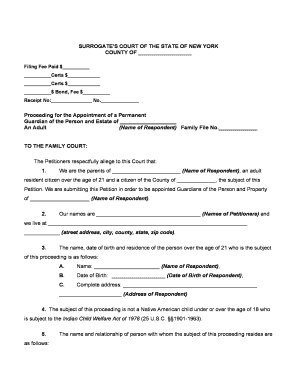
Filing a petition creates a legal mechanism to protect the personal and financial interests of someone who lacks capacity and assigns specific authority to a guardian. Electronic filings and signed documents are generally valid under the federal ESIGN Act (15 U.S.C. ch. 96, 2000) and New York's Electronic Signatures and Records Act (NY Tech Law §301–309), subject to court rules and statutory exceptions.

The petition is commonly prepared by family members, court-appointed counsel, social workers, or attorneys representing an incapacitated person or interested party.
Petitioners should confirm venue, local court forms, and service rules before filing to avoid delays or rejection.
| Field | Configuration |
|---|---|
| Template | Use a petition template with required fields pre-placed for consistency. |
| Signer Roles | Assign Petitioner, Guardian candidate, and Witness roles for ordered signing. |
| Authentication | Enable email and SMS code verification for signer attribution. |
| Conditional Fields | Show medical attachment prompts only when incapacity is alleged. |
Choose delivery channels and integrations that preserve file integrity and export to PDF/A or court-acceptable formats.
Confirm the court accepts electronically signed and exported documents; retain an immutable audit trail for every signed copy.
| signNow | DocuSign | Adobe Sign | PandaDoc | HelloSign | |
|---|---|---|---|---|---|
| Starting Price | $8/user/mo | $15/user/mo | $14/user/mo | $19/user/mo | $15/user/mo |
| Free Plan | 7-day trial | No | No | Yes, limited | Yes, limited |
| Bulk Send | Yes | Yes | Yes | Yes | No |
| Audit Trail | Yes | Yes | Yes | Yes | Yes |
| HIPAA Compliant | Yes | Yes | Yes | No | No |
Full contact information, relationship to respondent, and statement of interest or standing to bring the petition, enabling the court to reach the filer easily.
Name, date of birth, last known address, and relevant background summarizing functional limitations that justify the request for protective oversight.
Identify the proposed guardian, alternatives considered, and any consent or objections filed by family members or interested parties.
Attach dated physician evaluations, neuropsychological testing, or other clinical documentation establishing incapacity and specific limitations.
Specify requested authority such as medical decision-making, financial management, or limited mandates tied to discrete assets or care needs.
Draft proposed language for the court's order addressing scope, duration, reporting requirements, and any bond or accounting obligations.
File when evidence supporting incapacity is assembled.
Serve respondent and relatives per local rules before the hearing.
Court sets a hearing date based on calendar availability.
Interested parties must file objections within court-specified timeframes.
Guardians typically file periodic accountings as ordered by the court.
Gather medical reports, identification, and proposed orders before filing.
Submit documents to the county clerk and pay the applicable fee.
Complete service and file proof with the court per local rules.
Present evidence and obtain the court's written decision and order.
An adult with progressive dementia required financial oversight for bill payment and housing decisions.
A hospitalized patient lacked decision-making capacity and had no durable power of attorney documented.