Establishing secure connection…Loading editor…Preparing document…

Ohio Affidavit Form

This template is fully customizable. Edit the text, fill out the fields, and send it for signature. Give it a try!
Ohio Affidavit Form

Definition and role of the Ohio Affidavit Form

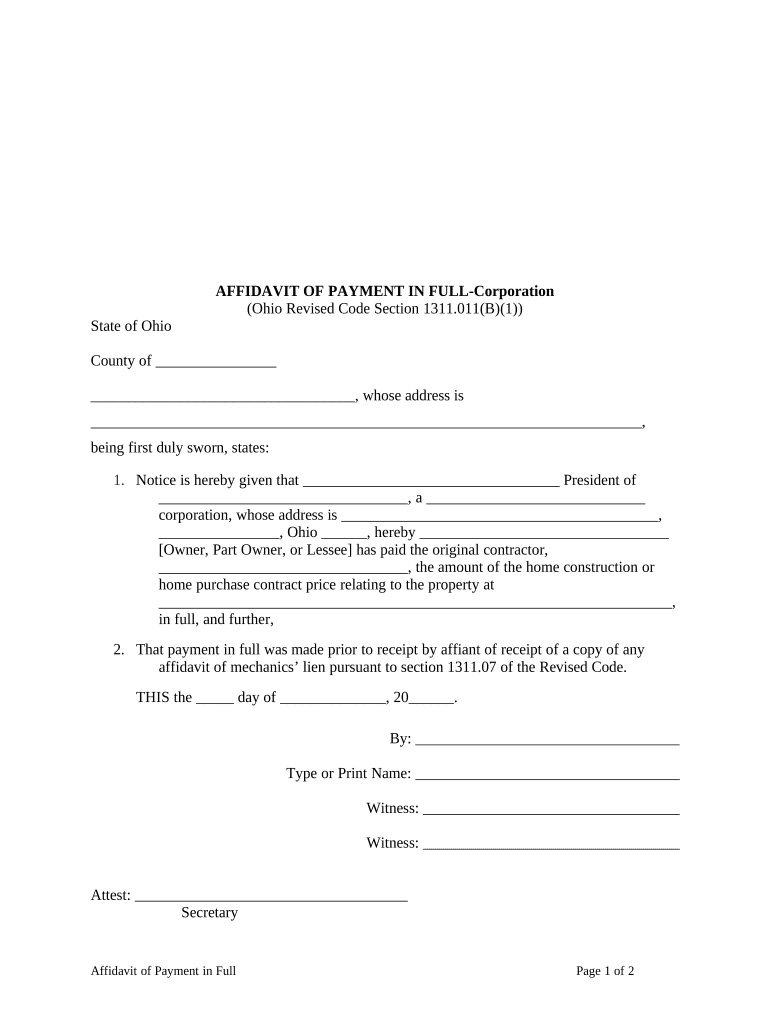
An Ohio Affidavit Form is a sworn written statement used to present facts under oath for legal, administrative, or transactional purposes in Ohio. Affidavits are used across courts, government agencies, title work, property transactions, and private disputes to provide a record of a declarant's facts or observations. The form typically includes an introductory caption, the declarant's identifying information, a numbered statement section, signature and date lines, and a notary or other authorized official acknowledgement. Accuracy and proper execution are essential because an affidavit has legal effect and may be used as evidence.

Why an affidavit matters for Ohio matters

Affidavits provide a clear, sworn record of facts that can speed administrative processing, support court filings, or validate transactions where live testimony is unnecessary.

Why an affidavit matters for Ohio matters

Who commonly prepares or signs Ohio affidavits

The exact signing and notarization requirements depend on the affidavit purpose and the receiving authority; verify the recipient's rules before submission.

  • Attorneys and paralegals completing factual statements for litigation or filings
  • Real estate and title professionals using affidavits to clear title or confirm facts
  • Individuals or corporate officers giving sworn statements for government or private transactions

Signers and authors: typical roles

Declarant

The person making the sworn statement. Must be competent, provide true facts to the best of their knowledge, and sign before an authorized official. Accuracy is critical because false statements may lead to criminal or civil consequences.

Authorized Official

Usually a notary public or other designated officer who witnesses the signature and completes the notarial acknowledgement or jurat. The official verifies identity, administers an oath where required, and records the act per Ohio rules.

Step-by-step: completing the Ohio Affidavit Form

Follow these steps in order to prepare a complete, legally effective affidavit for Ohio use.

  • 01
    Draft facts: List clear, dated factual statements in numbered paragraphs.
  • 02
    Verify identity: Ensure the declarant has government ID available for notarization.
  • 03
    Sign before notary: Do not sign in advance; the notary must witness the signature or administer an oath.
  • 04
    File or deliver: Submit the executed affidavit to the court, agency, or recipient per their rules.

Configuring an online affidavit workflow

Set up your online process to collect sworn statements, notarization, and archival copies consistently.

Field Configuration
Declarant Name Required text field with ID-match validation
Statement Paragraphs Repeatable text blocks, numbered automatically
Signature Signer-signed field; require notarization condition
Notary Acknowledgement Reserved field for notary to complete after visual or RON verification

Digital signing and platform considerations

Ensure any chosen platform can produce a tamper-evident PDF, capture signer metadata (IP, timestamp), and support a notarization process that meets Ohio requirements.

  • File formats: PDF and DOCX are widely accepted and preserve page layout for notaries.
  • Authentication: Support for email, SMS, or knowledge-based authentication helps verify signer identity.
  • Integrations: Integrations with storage or case management systems (Google Workspace, Box, NetSuite) simplify routing and retention.

Where to file or deliver an executed Ohio affidavit

After execution and notarization, route the affidavit to the recipient with responsibility for the transaction or filing.

  • Court filings: File with the clerk of court in the county where the matter is pending.
  • Government agencies: Deliver to the specific agency office or program unit that requested the affidavit.
  • Title and escrow: Provide original with notary seal to title company or closing agent.
  • Private parties: Send by recorded delivery or as required in contract instructions.

Timing and typical deadlines to watch

Affidavit timing is driven by the filing or transaction deadline that triggered the sworn statement; plan ahead for notarization and delivery.

Filing with a court:

Meet the court's filing deadline; late affidavits may be excluded.

Title matters:

Provide affidavits before closing to avoid transaction delays.

Agency submissions:

Agencies may set specific windows for acceptance — confirm in advance.

Notarization scheduling:

Allow time to book a notary or RON session.

Retention start:

Retain executed copy from the affidavit signature date onward.

Key milestones from draft to filing

A typical affidavit process follows a clear sequence from drafting through final delivery; monitor each stage to keep the timeline on track.

01

Draft and review

Prepare facts, confirm accuracy, and review for clarity.

02

Identity verification

Gather required ID documents for the notary or RON provider.

03

Execution and notary

Sign under oath or affirmation before the authorized official.

04

Delivery and filing

Submit original or certified copy to the receiving party or court.

Common mistakes to avoid when preparing an affidavit

  • Signing before notarization, which invalidates the jurat or acknowledgement
  • Using vague or speculative language instead of first-hand facts
  • Failing to provide proper identification at notarization
  • Omitting dates or failing to date signature and notary block

Consequences of incorrect or false affidavits

Perjury risk: False statements may expose the declarant to criminal penalties under applicable perjury laws.
Rejection: Recipient may refuse the affidavit, causing filing or transaction delays.
Civil liability: False or inaccurate affidavits can trigger civil claims and damages.
Administrative sanctions: Regulatory bodies may impose fines or administrative remedies.
Notarial defects: Improper notary procedure can render the affidavit ineffective.
Document disputes: Incorrect affidavits may require corrective affidavits or court testimony.

Essential data elements to include on the form

Declarant name: Full legal name
Contact address: Street, city, state, ZIP
Statement text: Numbered factual paragraphs
Signature: Signed by declarant
Date: MM/DD/YYYY format
Notary block: Notary or official acknowledgement

Practical examples of affidavit use

Two short examples show common, practical uses of affidavits in Ohio transactions.

Property Title Affidavit

A seller prepares a sworn statement listing encumbrance facts and gaps in the chain of title.

  • The affidavit identifies parcel, dates, and recorded instruments.
  • The title company accepts the notarized affidavit to clear a minor title exception before closing, avoiding a new title search and delay.

Proof of Residence Affidavit

A declarant signs a sworn statement confirming residence to support a local license application.

  • The affidavit lists the address and supporting facts.
  • The local office accepts the notarized affidavit when other proof is unavailable, allowing the applicant to complete the administrative process without further delay.

Practical tips for accurate, efficient affidavits

Follow these best practices to minimize rejection risk and to create a reliable sworn record.

Be specific
Use concrete dates, locations, and first-hand observations rather than generalities that invite challenge.
Keep copies
Retain a complete PDF with notarization metadata and the notary journal entry for future reference.
Coordinate notarization
Schedule notarization after draft finalization and ensure ID documents are available at signing.
Follow recipient rules
Confirm whether the receiving court or agency requires original hard copy, certified copy, or accepts electronic notarization.

eSignature vendor comparison for executing affidavits electronically

Key plan and capability differences that matter when you need secure signing, notarization support, and HIPAA or audit-trail features for affidavit workflows.

signNow DocuSign Adobe Sign PandaDoc HelloSign
Starting Price $8/user/mo $15/user/mo $14/user/mo $19/user/mo $15/user/mo
Free Trial 7-day trial Varies Varies Varies Varies
Bulk Send Yes Yes Yes Yes No
Audit Trail Yes Yes Yes Yes Yes
HIPAA Compliant Yes Yes Yes No No

Frequently asked questions about Ohio affidavits

Answers to common procedural and legal questions about preparing, signing, notarizing, and submitting affidavits in Ohio.


Need help? Contact support

be ready to get more
Join over 28 million airSlate SignNow users