Establishing secure connection… Loading editor… Preparing document…
Navigation

Fill and Sign the Oregon Name Change Form

Fill and Sign the Oregon Name Change Form

How it works

Open the document and fill out all its fields.
Apply your legally-binding eSignature.
Save and invite other recipients to sign it.

Rate template

4.4
41 votes
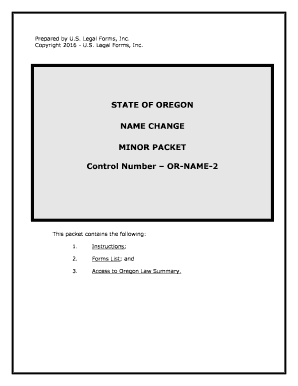
Prepared by U.S. Legal Forms, Inc.Copyright 2016 - U.S. Legal Forms, Inc. STATE OF OREGON NAME CHANGEMINOR PACKET Control Number – OR-NAME-2 This packet contains the following:1. Instructions;2.Forms List; and3. Access to Oregon Law Summary. I.EXPLANATION OF PETITION FOR CHANGE OF NAMEA. In Oregon, an action for a court ordered Change of Name begins with the filing of a Petition in the Circuit court. The Petition must contain certain information. The forms in this packet include the necessary information for a Minor Name Change in the State of Oregon.B. You can use this packet if:The person who is having their name changed is less than 18 years of age and have been a resident of the county in which the Petition will be filed for the required amount of time as reflected in the law summary.If there is proper and reasonable cause for the requested change of name. Also, the court must find that it is in the best interest of the minor(s). The change of name is not for the purposes of avoiding debts or defrauding creditors.II. WHAT FORMS ARE INCLUDEDA. Forms required for appointment of Guardian Ad Litem when the party acting for the minor(s) is not a parent or guardian.1. Petition for Appointment of Guardian Ad Litem in Order to Change Name of Minor Child (OR-NC-200) – This form used when the person petitioning on behalf of the minor is not a parent or legal guardian. 2. Affidavit re Petition for Appointment of Guardian Ad Litem in Order to Change Name of Minor Child (OR-NC-201) - This form used when the person petitioning on behalf of the minor is not a parent or legal guardian. 3. Order Appointing Guardian Ad Litem in Order to Change Name of Minor Child (OR-NC-202) - This form used when the person petitioning on behalf of the minor is not a parent or legal guardian. B. Primary Name Change Forms – These are the forms needed in the standard action to change the name of a minor child(ren) filed by a parent or legal guardian:4. Petition for Change of Name of Minor Child(ren) (OR-NC-203) - This document states the reasons and other required details for your name change. 5.Order to Give Notice and Appear and Show Cause (OR-NC-204) - This form provides notice of a hearing and notifies respondent that they must file written objections prior to hearing to show cause 6. Notice re Filing of Petition for Change of Name of Minor Child (OR-NC-205) - Notice that your Change of Name Petition has been filed with the Court and the date by which any objections must be filed. 7. Waiver and Consent to Change of Name of Minor Child— Parent or Guardian (OR-NC-206) - This document provides the written consent of any necessary parent or guardian who is not a party to the action and waives further notice of the proceeding. 8. Affidavit of Proof of Mailing or Delivery of Notice re Filing of Petition for Change of Name of Minor Child (OR-NC-207)- This form provides proof of mailing of the Notice of the Petition. 9. Notice of Change of Name Hearing (OR-NC-208)- This document provides the information to interested parties of when the Petition for a name change will be heard by the court. 10. Affidavit re Proof of Posting Notice of Hearing (OR-NC-209)- form provides proof of posting of Notice of the Hearing of the Petition. 11. Consent to Change of Name of Minor Child, Consent of Child (OR-NC-210) - This document provides the written consent of the minor child over the age of 14. 12. General Judgment of Change of Name and Order to Post (OR- NC-211) – This is the final statement of the legalities and terms of the name change. Once this form is signed by the Judge and filed with the court, the name change is effective. This Judgment is ordered to be posted properly in a public place. 13. Notice of Change of Name Judgment (OR-NC-212) - Notice that the Change of Name Judgment has been signed by the Judge and filed. 14. Affidavit re Posting Notice of Name Change (OR-NC-213) - This form provides proof of posting of the Notice of Name Change Judgment. C. Forms needed to obtain judicial permission to waive notice to the putative father of the minor child(ren): 15.Motion to Waive Notice to Putative Father (OR-NC-214)- This document requests the court allow waiver of the necessity of service of process on the putative father. 16.Affidavit for Motion to Waive Notice to Putative Father (OR-NC- 215) - This document provides information related to Motion to allow for alternative form of service on putative father. 17.Order Waiving Notice to Putative Father (OR-NC-216) - This document allows for the waiver of notice to the putative father. D.Forms necessary to obtain judicial permission for alternative form of service when the standard service forms and methods are ineffective:18. Motion to Allow Alternative Form of Service (OR-NC-217)- This document requests the court allow alternative form of service of process on the putative father. 19.Affidavit for Motion to Allow Alternative Form of Service (OR- NC-218) - This document provides information regarding a Motion for Alternative Form of Service. 20. Order Allowing Alternative Form of Service (OR-NC-219) - This document allows for an alternative form of service of process. If you did not order a completion package and need access to the download page again for any of the above forms, please check your email for a link to that will redisplay the page for you. III. PROCEDURE FOR CHANGE OF NAME (MINOR) FOR THE STATE OF OREGONA.Preliminary Note:1.The attached forms may be completed by:a.Printing the forms and completing by hand. Use black ink and print neatly.b. Printing the forms and completing using a typewriter.c. By completing the forms on your computer using a word processing program and then printing the forms.2. Use complete names and not initials. Check your spelling carefully, a misspelled word can delay your name change.3. Print at least two (2) complete sets of forms. 4.All forms with a heading – the name of the court, the Petitioner’s name, the case number, and the name of the document – require that the heading be completed. You will need to add the name of the court and the full name of the Petitioner. The “Case No.” will be assigned by the court clerk at the time of filing. 5. Forms that require your signature and include a notary block MUST be signed in the presence of the notary or court clerk who will complete the acknowledgement. Use your complete name – first name, middle name, and last name. 6. When a form is filed with the court, request the clerk “file- stamp” one copy of the form for your file. 7. A Law Summary is available and can be printed for your State. To do so, go to the end of this package and select the Law Summary link under the form title and print. Review the Law Summary before beginning the process of completing the forms. B. ProcedureStep 1. Appointment of Guardian Ad Litem: If the person petitioning for the change of name of a minor is not the minor’s parent or legal guardian, the Court will require the Petitioner acting on behalf of the minor(s) be formally appointed “guardian ad litem” of the minor child. “Guardian ad litem” is a Latin term and literally means "guardian at law." This is a person appointed by the court to look out for the best interests of the child during the course of legal proceedings. If a parent or legal guardian is not acting on behalf of the minor, complete forms OR-NC-200, OR-NC-201, and OR-NC-202 for filing with the Clerk. Step 2. Filing the PetitionTo begin the actual name change process, you must fill out and file OR-NC-203, the “Petition for Change of Name”. Fill in all the blanks on the form, except the signature on the verification (the signature line that says "petitioner" on the third page), and the case number. You must sign the verification in front of either a notary public, or the court clerk. In paragraphs E and F, check the correct box to state whether both of the child's parents are living and whether the child has a guardian. Check the box in paragraph G only if you are not one of the child's parents. If you are not one of the child's parents, you will also need to submit forms OR-NC-200, OR-NC-201 and OR-NC-202 in order to be appointed guardian ad litem for the name change action prior to filing the Petition. Also, complete OR-NC-204 through OR-NC-213. When they are filed will vary from county to county so we recommend that the captions and any portions where you have the information be completed in order that the form could be filed with the addition of any information such as hearing dates, etc.After checking your form(s), the probate department clerk will send you to the cashier's window to pay the filing fee. The filing fee varies by county and can range between $84.00 and $155.00. When you pay the filing fee, you will get a case number. At the same time, you can pay the extra fee for a Certificate of Name Change or a certified copy of the Decree (see information below regarding these).Step 3. Posting the First NoticeAfter you have filed your petition and obtained your case number, the next step is to post notice. The Clerk will complete the “Order to Give Notice and Appear and Show Cause”, OR-NC- 204. This form orders posting of notice of the name change filing. Form OR-NC-205 is the form that is actually posted on a bulletin in the courthouse. The clerk will direct you to the appropriate bulletin board. Fill out Form OR-NC-205, the “Notice Re Filing of Petition for Change of Name of Minor”. Fill in a weekday at least 14 days after the date you are posting the notice in the blank for the deadline to file objections. At the bottom of the first page, where it says: "DO NOT REMOVE THIS NOTICE BEFORE," fill in the same date. Return to the probate office, and the clerk will file your original notice and give you a copy to post. Step 4. ConsentsAny parents of the child, whether or not they have custody of the child, and any guardians for the child, must receive notice of the petition and be given an opportunity to object (if one of the parents is the person filing the petition, that parent does not have to receive notice). The easiest way to meet the notice requirement is to have the parent or guardian sign a consent to the name change. Form OR-NC-206 is the “Waiver and Consent to Change of Name of Minor Child - Parent or Guardian”. If the parent or guardian is willing to consent to the name change, get them to sign this form. Their signature must be notarized or witnessed by a court clerk.You will also need to execute form OR-NC-207 “Affidavit of Proof of Mailing or Delivery of Notice re Filing Petition for Change of Name of Minor Child”. Also, if the child whose name is to be changed is over 14, he or she must consent. Form OR-NC-210, the “Consent to Change of Name of Minor Child, Consent of Child” is the form to use for this.File any necessary consent forms with the court. If you have the consent of any parents other than the one filing the petition, and any guardian, and the minor (if over 14), proceed to step #5 of these instructions. If you have not been able to obtain the consent of a parent or guardian, please follow the instructions in section 4 of these instructions.Step 5. Instructions for Notice to Non-consenting Parent or GuardianA. GuardiansFill out Form OR-NC-205, “Notice Re Filing of Petition for Change of Name of Minor”. Fill in a date for filing objections that is a weekday at least 17 days after you are mailing or 14 days after the parent or guardian will be personally served. You may either serve by certified mail, return receipt requested, or by personal service. Certified mail is cheaper but will not work unless you get the return receipt signed by the other parent or the guardian. Personal service can be done by the sheriff or a private process server (not by the petitioner). Whether you are mailing or using personal service, you will send or deliver copies of the Petition OR-NC-203 and Form OR-NC-205, “Notice Re Filing of Petition for Change of Name of Minor”. Also include form OR-NC-210 “Consent to Change of Name of Minor Child, Consent of Child.”If you served by certified mail, file the original of Form OR-NC-207“Affidavit of Proof of Mailing or Delivery of Notice re Filing.” Do not sign form OR-NC-207 until you are in front of a notary public or a court clerk. You will attach your certified mail receipt to Form OR-NC-207. If you had the parent or guardian personally served, the sheriff or process server will file a return of service. You will still need to file the original of Form OR-NC-205. B.ParentsThere are three options for handling non-consenting parents, depending on the situation: in some cases, notice can be waived; in other cases notice can be served as described in section 4.A. of these instructions; and in other cases notice is required but can be served in a different manner. If the non-consenting parent is the father and paternity has not been established, it may be possible to waive notice. See sections i. and ii. below. If paternity has been established, or if the father has lived with or supported the child, or if the non-consenting parent is the mother, notice cannot be waived. If regular service cannot be made because the parent cannot be located, the court can authorize alternative service. See section iii. below.i. Is Paternity Established?If the non-consenting parent is the father, the first question is whether the father's paternity has been established. The father's paternity may be legally established by any of the following:#The mother was married to the father at the time of conception, at the time of birth, or after the birth of the child; #The father has voluntarily acknowledged paternity by signing the birth certificate or filing an acknowledgment of paternity with the State Registrar of the Center for Vital Statistics; or #Any other legal proceeding has determined the status of the father.ii. If Paternity is Not Established and Father Has Not Supported ChildIf paternity is not established, the presumed father is legally called the "putative father." Service on the putative father can be waived if the putative father has not contributed to the child's support in the last year or resided with the child in the last 60 days. If the putative father has lived with or supported the child during those times, go to section 4.B.iii. of these instructions.File Form OR-NC-214, the “Motion to Waive Notice to Putative Father”, and Form OR-NC-215, the “Affidavit for Motion to Waive Notice to Putative Father”. In Form OR-NC-215 you are swearing under penalty of perjury that paternity has not been legally established and that the father has not lived with or supported the child. Do not sign Form OR-NC-215 until you are in the presence of a court clerk or a notary public. You also need to submit Form OR-NC-216, the “Order Waiving Notice to Putative Father”. When filling out the form for the order, only fill out the caption. The judge will fill out the rest of the order. Once the judge has signed the order, you may proceed to step #5 of these instructions.iii. If Paternity Is Established, the Putative Father Has Resided with or Supported the Child, or the Non- consenting Parent Is the MotherIf any of these are true, notice cannot be waived: paternity is established (see section 4.B.i. of these instructions); paternity has not been established but the putative father has resided with or supported the child (see section 4.B.ii. of these instructions); or the non-consenting parent is the mother (maternity is always established).If you can learn the address of the non-consenting parent by making reasonable efforts, you must follow the instructions in section 4.A. of these instructions to serve notice either by certified mail or personal service.If you cannot find out the address of the non- consenting parent after making reasonable efforts, you may file a motion for the court to authorize service by posting or by publication. Form OR-NC- 217 is the “Motion to Allow Alternative Form of Service”.You must file Form OR-NC-218 with the motion. This is the “Affidavit for Motion for Alternative Form of Service”. When you sign this, you are swearing under penalty of perjury that the other parent has willfully deserted or neglected to provide care and maintenance for the child for one year before the filing of the petition and that you cannot locate the other parent by making reasonable efforts. Do not sign Form OR-NC-218 until you are in the presence of a court clerk or a notary public.You will also submit Form OR-NC-219, the “Order Allowing Alternative Form of Service”.When filling out the form for the order, only fill out the caption. The judge will fill out the rest of the order.The order will tell you whether the court has allowed you to serve notice by posting, or required you to publish or otherwise serve notice.If posting was allowed, and you have followed section 2 of these instructions, you are ready to go to section 5 of these instructions. If publication was required, you will need to contact the specified newspaper to arrange for publication. The newspaper will provide you with an Affidavit of Publication for filing with the court. If other service was required, you will need to comply with whatever the order requires.Step 6. ObjectionsIf any objections are filed, you will be notified by mail of a hearing date. At the hearing, the judge will hear from you and the person filing objections, and will decide whether to grant the name change.Step 7. Submitting the DecreeYou are ready to return to the courthouse and submit the decree when all of the following have been met:#Fifteen days or more have passed since you posted the first notice as described in section 2; and #If the child is 14 years or older you have his or her consent; and #If there is a guardian, the guardian has consented to the name change as described in section 3 or has been served notice as described in section 4.A. and the time for filing objections has expired; and #All parents have either signed consents as provided in section 3; or notice has been waived as described in section 4.B.ii.; or the parent(s) have been served with notice as described in section 4.B.iii. and the time for filing objections has expired; and #Either no objections were filed; or objections were filed and the court granted the name change after a hearing. Fill out OR-NC-213, the “Proof of Posting Notice of Petition for Change of Name”, but do not sign it until you are in front of a notary public or the court clerk. Second, go to the bulletin board and remove the notice that you posted. Then go to the probate office and file the copy of the notice that you posted, the proof of posting Form OR-NC-213 and any consents as described in section 3 or notices and proof of service as described in section 4 that you have not already filed. At the same time, submit Form OR-NC-211, the “General Judgment of Change of Name and Order to Post”. When filling out the “General Judgment”, fill out only the caption. The Judge will fill out the rest. When you submit the decree, please provide a self-addressed, stamped envelope or postcard. The clerk will use this to notify you when the decree has been signed. The Decree will generally be signed within a few days of being submitted, but it may take longer depending on the judge's schedule.Step 8. Posting the Last NoticeAfter the Decree has been signed, you must post an additional notice. Even though a decree has been signed, the name change is not legally effective until you comply with this requirement. Form OR-NC-212 is the “Notice of Change of Name Judgment”. Fill it out, make a copy, and post the copy the same way you posted your first notice. At the same time, fill out Form OR-NC- 213, the “Affidavit re Posting Notice of Name Change”. Do not sign Form OR-NC-213 until you are in front of a court clerk or a notary public. File Form OR-NC-212 along with the original of Form OR-NC-213. You can do this the same day that you post the copy of OR-NC-212. You do not need to return to remove the second notice from the bulletin board.If you do not return to file Forms OR-NC-212 and OR-NC-213 within six months of the decree, your case will be dismissed and the Decree will be revoked.Step 9. Changing the Child's Name In Other Official RecordsIn order to change the child's name on other official records (such as DMV, passport, Social Security), you will need either a Certificate of Name Change (a new form the probate clerk can prepare for you) or a certified copy of the “General Judgment of Change of Name” (this is OR-NC-211, but only the clerk can make a certified copy). It is your responsibility to check with wherever you want to change your name as to what they require. The probate clerk will not issue a Certificate or a certified copy of the Decree until you have filed Forms OR-NC- 212 and OR-NC-213. There is a small charge for the Certificate and the certified copy of the Decree. After you have filed Forms OR-NC-212 and OR-NC-213 and paid the fee, a probate clerk will prepare the Certificate or certified copy of the Decree for you.To change the child's birth certificate to show the new name, contact Center for Health Statistics, PO Box 14050, Portland, OR 97214 (503)731-4108. NOTE ABOUT COMPLETING THE FORMS The forms in this packet contain “form fields” created using Microsoft Word. “Form fields” facilitate completion of the forms using your computer. They do not limit you ability to print the form “in blank” and complete with a typewriter or by hand.If you do not see the gray shaded form fields, go the View menu, click on Toolbars, and then select Forms. This will open the forms toolbar. Look for the button on the forms toolbar that resembles a shaded letter “a”. Click in this button and the form fields will be visible.The forms are locked which means that the content of the forms cannot be changed. You can only fill in the information in the fields. If you need to make any changes in the body of the form, it is necessary for you “unlock” or “unprotect” the form. IF YOU INTEND TO MAKE CHANGES TO THE CONTENT, DO SO BEFORE YOU BEGIN TO FILL IN THE FIELDS. IF YOU UNLOCK THE DOCUMENT AFTER YOU HAVE BEGUN TO COMPLETE THE FIELDS, WHEN YOU RELOCK, ALL INFORMATION YOU ENTERED WILL BE LOST. To unlock click on “Tools” in the Menu bar and then selecting “unprotect document”. You may then be prompted to enter a password. If so, the password is “uslf”. That is uslf in lower case letters without the quotation marks . After you make the changes relock the document before you being to complete the fields. After any required changes and re-protecting the document, click on the first form field and enter the required information. You will be able to navigate through the document from form field to form field using your tab key. Tab to a form field and insert your data. If problems, please let us know. LAW SUMMARY The law summary for this package may be located and printed from the following address: http://www.uslegalforms.com/or/OR-NAME-2.htm DISCLAIMER These materials were developed by U.S. Legal Forms, Inc. based upon statutes and forms for the State of Oregon. All Information and Forms are subject to this Disclaimer: All forms in this package are provided without any warranty, express or implied, as to their legal effect and completeness. Please use at your own risk. If you have a serious legal problem we suggest that you consult an attorney. U.S. Legal Forms, Inc. does not provide legal advice. The products offered by U.S. Legal Forms (USLF) are not a substitute for the advice of an attorney. THESE MATERIALS ARE PROVIDED "AS IS" WITHOUT ANY EXPRESS OR IMPLIED WARRANTY OF ANY KIND INCLUDING WARRANTIES OF MERCHANTABILITY, NONINFRINGEMENT OF INTELLECTUAL PROPERTY, OR FITNESS FOR ANY PARTICULAR PURPOSE. IN NO EVENT SHALL U. S. LEGAL FORMS, INC. OR ITS AGENTS OR OFFICERS BE LIABLE FOR ANY DAMAGES WHATSOEVER (INCLUDING, WITHOUT LIMITATION DAMAGES FOR LOSS OF PROFITS, BUSINESS INTERRUPTION, LOSS OF INFORMATION) ARISING OUT OF THE USE OF OR INABILITY TO USE THE MATERIALS, EVEN IF U.S. LEGAL FORMS, INC. HAS BEEN ADVISED OF THE POSSIBILITY OF SUCH DAMAGES.

Practical advice on preparing your ‘Oregon Name Change’ online

Are you fatigued by the inconvenience of managing paperwork? Look no further than airSlate SignNow, the premier electronic signature solution for individuals and organizations. Bid farewell to the lengthy process of printing and scanning documents. With airSlate SignNow, you can effortlessly complete and sign paperwork online. Utilize the powerful features included in this user-friendly and affordable platform and transform your method of document management. Whether you need to approve forms or collect signatures, airSlate SignNow manages it all efficiently, with just a few clicks.

Adhere to this step-by-step guide:

  1. Log into your account or sign up for a complimentary trial with our service.
  2. Click +Create to upload a file from your device, cloud storage, or our template collection.
  3. Access your ‘Oregon Name Change’ in the editor.
  4. Click Me (Fill Out Now) to finalize the form on your end.
  5. Add and assign fillable fields for others (if necessary).
  6. Proceed with the Send Invite options to solicit eSignatures from others.
  7. Save, print your version, or convert it into a reusable template.

No need to worry if you need to collaborate with your colleagues on your Oregon Name Change or send it for notarization—our solution offers everything you require to accomplish such tasks. Sign up with airSlate SignNow today and elevate your document management to a new level!

Here is a list of the most common customer questions. If you can’t find an answer to your question, please don’t hesitate to reach out to us.

Need help? Contact Support

The best way to complete and sign your oregon name change form

Save time on document management with airSlate SignNow and get your oregon name change form eSigned quickly from anywhere with our fully compliant eSignature tool.

How to Sign a PDF Online How to Sign a PDF Online

How to fill out and sign documents online

In the past, coping with paperwork required lots of time and effort. But with airSlate SignNow, document management is easy and fast. Our powerful and easy-to-use eSignature solution lets you easily fill out and electronically sign your oregon name change form online from any internet-connected device.

Follow the step-by-step guidelines to eSign your oregon name change form template online:

  • 1.Register for a free trial with airSlate SignNow or log in to your account with password credentials or SSO authentication.
  • 2.Click Upload or Create and add a form for eSigning from your device, the cloud, or our form catalogue.
  • 3.Click on the document name to open it in the editor and use the left-side menu to fill out all the blank areas properly.
  • 4.Place the My Signature field where you need to approve your sample. Type your name, draw, or import a picture of your handwritten signature.
  • 5.Click Save and Close to finish modifying your completed form.

Once your oregon name change form template is ready, download it to your device, save it to the cloud, or invite other individuals to eSign it. With airSlate SignNow, the eSigning process only takes several clicks. Use our powerful eSignature solution wherever you are to manage your paperwork productively!

How to Sign a PDF Using Google Chrome How to Sign a PDF Using Google Chrome

How to complete and sign documents in Google Chrome

Completing and signing documents is simple with the airSlate SignNow extension for Google Chrome. Installing it to your browser is a quick and efficient way to deal with your forms online. Sign your oregon name change form template with a legally-binding electronic signature in just a few clicks without switching between applications and tabs.

Follow the step-by-step guide to eSign your oregon name change form in Google Chrome:

  • 1.Go to the Chrome Web Store, locate the airSlate SignNow extension for Chrome, and install it to your browser.
  • 2.Right-click on the link to a document you need to approve and select Open in airSlate SignNow.
  • 3.Log in to your account with your credentials or Google/Facebook sign-in buttons. If you don’t have one, sign up for a free trial.
  • 4.Utilize the Edit & Sign menu on the left to fill out your template, then drag and drop the My Signature field.
  • 5.Add an image of your handwritten signature, draw it, or simply type in your full name to eSign.
  • 6.Make sure all data is correct and click Save and Close to finish editing your paperwork.

Now, you can save your oregon name change form template to your device or cloud storage, email the copy to other people, or invite them to electronically sign your document with an email request or a secure Signing Link. The airSlate SignNow extension for Google Chrome improves your document workflows with minimum effort and time. Start using airSlate SignNow today!

How to Sign a PDF in Gmail How to Sign a PDF in Gmail How to Sign a PDF in Gmail

How to complete and sign documents in Gmail

When you receive an email containing the oregon name change form for approval, there’s no need to print and scan a file or save and re-upload it to another program. There’s a better solution if you use Gmail. Try the airSlate SignNow add-on to quickly eSign any documents right from your inbox.

Follow the step-by-step guidelines to eSign your oregon name change form in Gmail:

  • 1.Navigate to the Google Workplace Marketplace and look for a airSlate SignNow add-on for Gmail.
  • 2.Set up the tool with a corresponding button and grant the tool access to your Google account.
  • 3.Open an email containing an attached file that needs signing and utilize the S key on the right sidebar to launch the add-on.
  • 4.Log in to your airSlate SignNow account. Opt for Send to Sign to forward the document to other people for approval or click Upload to open it in the editor.
  • 5.Drop the My Signature field where you need to eSign: type, draw, or upload your signature.

This eSigning process saves efforts and only takes a couple of clicks. Use the airSlate SignNow add-on for Gmail to adjust your oregon name change form with fillable fields, sign paperwork legally, and invite other parties to eSign them al without leaving your mailbox. Enhance your signature workflows now!

How to Sign a PDF on a Mobile Device How to Sign a PDF on a Mobile Device How to Sign a PDF on a Mobile Device

How to complete and sign documents in a mobile browser

Need to rapidly submit and sign your oregon name change form on a mobile phone while working on the go? airSlate SignNow can help without needing to install additional software apps. Open our airSlate SignNow solution from any browser on your mobile device and add legally-binding electronic signatures on the go, 24/7.

Follow the step-by-step guide to eSign your oregon name change form in a browser:

  • 1.Open any browser on your device and go to the www.signnow.com
  • 2.Sign up for an account with a free trial or log in with your password credentials or SSO option.
  • 3.Click Upload or Create and import a file that needs to be completed from a cloud, your device, or our form collection with ready-made templates.
  • 4.Open the form and complete the blank fields with tools from Edit & Sign menu on the left.
  • 5.Put the My Signature area to the form, then enter your name, draw, or add your signature.

In a few easy clicks, your oregon name change form is completed from wherever you are. When you're done with editing, you can save the file on your device, create a reusable template for it, email it to other people, or invite them electronically sign it. Make your documents on the go quick and productive with airSlate SignNow!

How to Sign a PDF on iPhone How to Sign a PDF on iPhone

How to fill out and sign forms on iOS

In today’s corporate environment, tasks must be done quickly even when you’re away from your computer. With the airSlate SignNow app, you can organize your paperwork and approve your oregon name change form with a legally-binding eSignature right on your iPhone or iPad. Set it up on your device to conclude agreements and manage documents from just about anywhere 24/7.

Follow the step-by-step guide to eSign your oregon name change form on iOS devices:

  • 1.Open the App Store, search for the airSlate SignNow app by airSlate, and install it on your device.
  • 2.Open the application, tap Create to import a template, and select Myself.
  • 3.Select Signature at the bottom toolbar and simply draw your autograph with a finger or stylus to eSign the form.
  • 4.Tap Done -> Save after signing the sample.
  • 5.Tap Save or utilize the Make Template option to re-use this document later on.

This process is so simple your oregon name change form is completed and signed in just a couple of taps. The airSlate SignNow application works in the cloud so all the forms on your mobile device remain in your account and are available any time you need them. Use airSlate SignNow for iOS to boost your document management and eSignature workflows!

How to Sign a PDF on Android How to Sign a PDF on Android

How to fill out and sign forms on Android

With airSlate SignNow, it’s easy to sign your oregon name change form on the go. Set up its mobile app for Android OS on your device and start enhancing eSignature workflows right on your smartphone or tablet.

Follow the step-by-step guidelines to eSign your oregon name change form on Android:

  • 1.Open Google Play, find the airSlate SignNow application from airSlate, and install it on your device.
  • 2.Sign in to your account or register it with a free trial, then add a file with a ➕ key on the bottom of you screen.
  • 3.Tap on the imported document and choose Open in Editor from the dropdown menu.
  • 4.Tap on Tools tab -> Signature, then draw or type your name to electronically sign the template. Fill out empty fields with other tools on the bottom if necessary.
  • 5.Utilize the ✔ button, then tap on the Save option to end up with editing.

With a user-friendly interface and full compliance with major eSignature laws and regulations, the airSlate SignNow app is the best tool for signing your oregon name change form. It even operates offline and updates all form modifications when your internet connection is restored and the tool is synced. Complete and eSign documents, send them for approval, and generate re-usable templates whenever you need and from anyplace with airSlate SignNow.

Sign up and try Oregon name change form
  • Close deals faster
  • Improve productivity
  • Delight customers
  • Increase revenue
  • Save time & money
  • Reduce payment cycles