Establishing secure connection… Loading editor… Preparing document…
Navigation

Fill and Sign the Pennsylvania Name Change Form

Fill and Sign the Pennsylvania Name Change Form

How it works

Open the document and fill out all its fields.
Apply your legally-binding eSignature.
Save and invite other recipients to sign it.

Rate template

4.5
53 votes
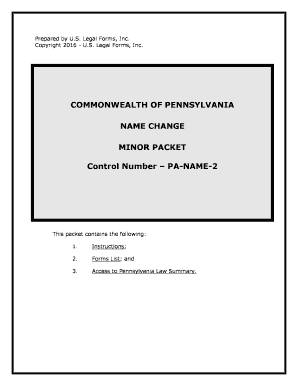
Prepared by U.S. Legal Forms, Inc.Copyright 2016 - U.S. Legal Forms, Inc. COMMONWEALTH OF PENNSYLVANIA NAME CHANGEMINOR PACKET Control Number – PA-NAME-2 This packet contains the following:1. Instructions;2.Forms List; and3. Access to Pennsylvania Law Summary. - 2 - I. EXPLANATION OF PETITION FOR CHANGE OF NAME A. In Pennsylvania, an action for a court ordered Change of Name for a Minor Petitioner begins with the filing of a Petition in the Court of Common Pleas in the county in which the Minor resides. The Petition must contain certain information. The forms in this packet include the necessary information for a Minor Name Change in the State of Pennsylvania.B.If both parents are asking for, or at least consenting to, the name change of a child born in Pennsylvania, many changes to the first, middle or last name can be accomplished through administrative modification of the birth certificate. If this is your situation, please go to the following site: http://www.dsf.health.state.pa.us/health/cwp/view.asp?a=168&q=229 939 On the above site, scroll down until you find the section titled “Procedures to Correct a Child’s Birth Record.” That link will take you to the relevant information. If you fall within the category of an administrative modification of the birth certificate, please contact customer service for a refund. C. You can use this packet if:The Minor Petitioner is less than 18 years old and a resident in the county in which the Petition is to be filed. There is proper and reasonable cause for the requested change of name and it is in the best interest of the minor petitioner.You are not changing the minor’s name to avoid debts or defraud creditors.The action is being filed on behalf of the minor petitioner by a parent or legal guardian.II. WHAT FORMS ARE INCLUDEDA. Civil Cover Sheet – (PA-NC-100) - This document provides the court with certain necessary information needed to categorize the action and provide needed statistics to the judicial system. B.Verified Petition for Change of Name – (PA-NC-201) - This document states the reasons and other required details for your name change. C.Consent of Parent – (PA-NC-207 and PA-NC-208) – consent form for parents who are not parties to the name change action to approve of - 3 - the requested name change for the minor. Provided in duplicate for use when action is not brought by either parent.D.Order for Hearing and Notice of Hearing By Publication – (PA-NC-204) This document is for use by the Judge to officially set the matter for a hearing and order publication by Petitioner of Notice of the Hearing. Also, this form also orders the Petitioner to obtain certifications of pending actions or indebtedness. E. Notice of Filing Petition – (PA-NC-202) - Notice to the public and all interested parties that that the Petition has been filed and the matter has been set for hearing. This should be published in the newspaper prior to the hearing. F. Order - (PA-NC-112) This form requires that the Petitioner provide a copy of the Petition and a set of fingerprints of the person seeking a name change to the Pennsylvania State Police for a records and identity check. Note that fingerprints are not required unless the minor is 12 years of age or older. G. Certifications of the Recorder of Deeds, Prothonotary, and Clerk of Courts – (PA-NC-109, 110, 111) - Statements as to pending actions or indebtedness – these will disclose any pending legal actions or records of indebtedness such as mortgages. Note that the certifications are not required unless the minor is 7 years of age or older. H. Decree for Change of Name – (PA-NC-206) - This is the final statement of the legalities and terms of the name change. Once this form is signed by the Judge and filed with the court, the name change is in effect. If you did not order a completion package and need access to the download page again for any of the above forms, please check your email for a link to that will redisplay the page for you. III. PROCEDURE FOR CHANGE OF NAME (MINOR) FOR THE STATE OF PENNSYLVANIAA.Preliminary Note:1.The attached forms may be completed by:a.Printing the forms and completing by hand. Use black ink and print neatly.b. Printing the forms and completing using a typewriter.c. By completing the forms on your computer using a word processing program and then printing the forms. - 4 - 2. Use complete names and not initials. Check your spelling carefully, a misspelled word can delay your name change.3. You will need an original and 5 copies of each form. You will also need 3 self-addressed stamped envelopes. 4.All forms with a heading – the name of the court, the Minor Petitioner’s name, the case number, and the name of the document – require that the heading be completed. You will need to add the name of the court and the full name of the Petitioner. The “Action/Cause No.” will be assigned by the court clerk at the time of filing. 5. Forms that require your signature and include a notary block MUST be signed in the presence of the notary or court clerk who will complete the acknowledgement. Use your complete name – first name, middle name, last name.6. When a form is filed with the court, request the clerk “file- stamp” one copy of the form for your file.7. A Law Summary is available and can be printed for your State. To do so, go to the end of this package and select the Law Summary link under the form title and print. Review the Law Summary before beginning the process of completing the forms. B. ProcedureStep 1: Complete all the forms using complete names – middle names instead of middle initials. Sign the Petition before a notary. Make 5 copies of the entire set of forms. Step 2: Take the Original with five copies, three self-addressed envelopes and a filing fee in the amount of approximately $109.00 to the Prothonotary’s Office in the county courthouse. The Prothonotary’s Office will assign your case a “docket” number and collect the fees.Step 3: After the Judge reviews the petition and signs the order, directing you to provide fingerprints and a copy of the petition/order to Court Administration, the petition and order are returned to the Prothonotary’s Office . The Prothonotary’s Office will send one copy of the petition/order to you in one of the self-addressed, stamped envelopes.Step 4: Take the Petition and Order with you to the local barracks of the Pennsylvania State Police and have the Petitioner’s - 5 - fingerprints taken on an official Name Change Fingerprint Card.If the minor is young, fingerprints are not required by most Courts. Call the clerk to determine this in your County. If required, present to the Court a set of fingerprints which will be sent to the Pennsylvania State Police for a determination of name change eligibility.Court Administration Office will forward the petition/order and fingerprint card to the Pennsylvania State Police Records Identification Division for review. When the Pennsylvania State Police Records Identification Division’s review is completed a report is mailed to the Prothonotary’s Office.Step 5: Once the report is received from the State Police, court administration will then schedule a hearing. The hearing will not be scheduled for at least 45 days in order to allow time for publication. The petition/order scheduling the hearing is returned to you in the second self-addressed, stamped envelope. Step 6: After you receive the information on your hearing date and time, you must publish notice of the hearing. You must publish the notice in two (2) local newspapers one of which must be the newspaper designated for publication of official notices. The clerk can provide the name and address of the official notice newspaprt.Written proof of publication will be provided by the newspapers and must be presented at the hearing. Some newspapers have their own proof of publication form and others will require the petitioner provide the form. A Proof of Publication form is included in this package.Step 7: Prior to your hearing, you must have signed certifications of a name search from the Prothonotary’s Office, Clerk of Courts Office, and the Recorder of Deeds Office. These certifications must be done within 48 hours of your scheduled your hearing. Included in this package is the Prothonotary’s Certification which will be completed after you have conducted your own search. Prior to your scheduled hearing, you must provide the Clerk of Courts Office AT LEAST A 24-HOUR - 6 - NOTICE to prepare a certified search of the individual filing for a legal name change. Your request must include your social security number and date of birth. Submit this request by calling the Clerk of Courts (717-299- 8275) for an appointment. The Clerk of Courts fee for preparing and certifying a search is approximately $20.00, payable by cash or money order. You may pick up your prepared search on the date of the scheduled Name Change hearing. In the Recorder of Deeds Office you do not need an appointment. You must prepare your own certification and conduct your own search. The Recorder of Deeds Office will charge a nominal fee of approximately $1.50, payable by cash only, for signature on the certification. Step 6: On the day of your hearing, you must have the proof of publication and signed certifications of a name search from the Prothonotary’s Office, Clerk of Courts’ Office and the Recorder of Deeds’ Office. The minor may or may not be required to attend the hearing. Check with the Clerk’s office to determine the practice in your county.Step 7: When all the requirements of the statutes have been satisfied and the necessary hearing held, the decree will issue. This will be mailed to you in the third self- addressed, stamped envelope. You are now ready to notify appropriate persons and governmental agencies of the change. The following is a list of items for your consideration:Driver’s license or state issued I.D.. Social Security registration. Voter’s registration.State and federal tax authorities.Insurance companies.Social service or other entitlement programs.Change car titles and notify your insurance company.Bank and other institutions where you have loans, checking accounts and savings.Credit card accounts and other charge accounts.Update records at school and university.If the minor is of draft age, the registration office should be informed of your new name. Military benefits, if the minor has such rights.Doctor’s office, dentist, pharmacy and hospital may need to amend their records so your future insurance claims can be properly processed with your insurance carrier.Postmaster and mail carrier. - 7 -  Passport Office can be notified by submitting a Passport Amendment Form. See Passport agent for details.The following is a list of items for your consideration:Driver’s license or state issued I.D.. Social Security registration. Voter’s registration.State and federal tax authorities.Insurance companies.Social service or other entitlement programs.Change car titles and notify your insurance company.Bank and other institutions where you have loans, checking accounts and savings.Credit card accounts and other charge accounts.Update records at school and university.If the minor is of draft age, the registration office should be informed of your new name. Military benefits, if the minor has such rights.Doctor’s office, dentist, pharmacy and hospital may need to amend their records so your future insurance claims can be properly processed with your insurance carrier.Postmaster and mail carrier.Passport Office can be notified by submitting a Passport Amendment Form. See Passport agent for details. NAME CHANGE CERTIFICATIONS*** As a General Rule, the Minor Petitioner, age 7 years or older, will be required to submit name change certifications from the Clerk of Courts, Prothonotary and Recorder of Deeds. In the following counties the required certification of records is different:(1) Delaware County: Certifications will be required from the Office of Judicial Support (combines offices of the Clerk of Courts and Prothonotary) and Recorder of Deeds.(2) Erie County: Has an Office of the Clerk of Records with 4 divisions: (Prothonotary (civil); Clerk of Courts (Criminal); Recorder of Deeds; and, Register of Wills and Clerk of the Orphans’ Court. Erie County Name Change Petitioner’s will still need certifications from the Recorder of Deeds, Clerk of Courts and Prothonotary. - 8 - (3) Lackawana County: Has the Office of Judicial Records that combines the duties of the prothonotary and the clerk of courts. Name Change petitioners will need certification of the Office of Judicial Records and the Recorder of Deeds.(4) Lehigh County: A Name Change Certification must be obtained from the Recorder of Deeds (Government Center Room 350) concerning the existence of any recorded mortgages. You will be required to bring this Certification to your hearing. No other certifications I s required. (5) Northampton County: The Department of Court Services is organized into the following divisions: Clerk of Courts, Criminal Division, Clerk of Courts, Civil Division (Prothonotary), Recorder of Deeds, Register of Wills and Clerk of Courts, Orphans’ Court Division. - 9 - NOTE ABOUT COMPLETING THE FORMS The forms in this packet contain “form fields” created using Microsoft Word. “Form fields” facilitate completion of the forms using your computer. They do not limit you ability to print the form “in blank” and complete with a typewriter or by hand.If you do not see the gray shaded form fields, go the View menu, click on Toolbars, and then select Forms. This will open the forms toolbar. Look for the button on the forms toolbar that resembles a shaded letter “a”. Click in this button and the form fields will be visible.The forms are locked which means that the content of the forms cannot be changed. You can only fill in the information in the fields. If you need to make any changes in the body of the form, it is necessary for you “unlock” or “unprotect” the form. IF YOU INTEND TO MAKE CHANGES TO THE CONTENT, DO SO BEFORE YOU BEGIN TO FILL IN THE FIELDS. IF YOU UNLOCK THE DOCUMENT AFTER YOU HAVE BEGUN TO COMPLETE THE FIELDS, WHEN YOU RELOCK, ALL INFORMATION YOU ENTERED WILL BE LOST. To unlock click on “Tools” in the Menu bar and then selecting “unprotect document”. You may then be prompted to enter a password. If so, the password is “uslf”. That is uslf in lower case letters without the quotation marks . After you make the changes relock the document before you being to complete the fields. After any required changes and re-protecting the document, click on the first form field and enter the required information. You will be able to navigate through the document from form field to form field using your tab key. Tab to a form field and insert your data. If problems, please let us know. - 10 - DISCLAIMER These materials were developed by U.S. Legal Forms, Inc. based upon statutes and forms for the State of Pennsylvania. All Information and Forms are subject to this Disclaimer: All forms in this package are provided without any warranty, express or implied, as to their legal effect and completeness. Please use at your own risk. If you have a serious legal problem we suggest that you consult an attorney. U.S. Legal Forms, Inc. does not provide legal advice. The products offered by U.S. Legal Forms (USLF) are not a substitute for the advice of an attorney. THESE MATERIALS ARE PROVIDED "AS IS" WITHOUT ANY EXPRESS OR IMPLIED WARRANTY OF ANY KIND INCLUDING WARRANTIES OF MERCHANTABILITY, NONINFRINGEMENT OF INTELLECTUAL PROPERTY, OR FITNESS FOR ANY PARTICULAR PURPOSE. IN NO EVENT SHALL U. S. LEGAL FORMS, INC. OR ITS AGENTS OR OFFICERS BE LIABLE FOR ANY DAMAGES WHATSOEVER (INCLUDING, WITHOUT LIMITATION DAMAGES FOR LOSS OF PROFITS, BUSINESS INTERRUPTION, LOSS OF INFORMATION) ARISING OUT OF THE USE OF OR INABILITY TO USE THE MATERIALS, EVEN IF U.S. LEGAL FORMS, INC. HAS BEEN ADVISED OF THE POSSIBILITY OF SUCH DAMAGES. LAW SUMMARY You may access the law summary by going to this URL address:http://www.uslegalforms.com/pa/PA-NAME-2.htm

Helpful advice on preparing your ‘Pennsylvania Name Change’ online

Are you fatigued by the inconvenience of managing paperwork? Look no further than airSlate SignNow, the leading eSignature solution for individuals and small-to-medium-sized businesses. Bid farewell to the lengthy process of printing and scanning documents. With airSlate SignNow, you can easily complete and sign documents online. Utilize the powerful features incorporated into this user-friendly and cost-effective platform and transform your method of document management. Whether you need to approve forms or gather signatures, airSlate SignNow manages it all seamlessly, with just a few clicks.

Follow this comprehensive guide:

  1. Sign in to your account or initiate a free trial with our service.
  2. Click +Create to upload a file from your device, cloud, or our form library.
  3. Open your ‘Pennsylvania Name Change’ in the editor.
  4. Click Me (Fill Out Now) to prepare the document on your end.
  5. Add and allocate fillable fields for other parties (if necessary).
  6. Continue with the Send Invite settings to request eSignatures from others.
  7. Download, print your copy, or convert it into a reusable template.

Don’t fret if you need to collaborate with your colleagues on your Pennsylvania Name Change or send it for notarization—our solution provides everything you need to complete these tasks. Register with airSlate SignNow today and elevate your document management to new levels!

Here is a list of the most common customer questions. If you can’t find an answer to your question, please don’t hesitate to reach out to us.

Need help? Contact Support

The best way to complete and sign your pennsylvania name change form

Save time on document management with airSlate SignNow and get your pennsylvania name change form eSigned quickly from anywhere with our fully compliant eSignature tool.

How to Sign a PDF Online How to Sign a PDF Online

How to complete and sign forms online

In the past, dealing with paperwork took pretty much time and effort. But with airSlate SignNow, document management is quick and easy. Our powerful and easy-to-use eSignature solution lets you effortlessly complete and eSign your pennsylvania name change form online from any internet-connected device.

Follow the step-by-step guide to eSign your pennsylvania name change form template online:

  • 1.Register for a free trial with airSlate SignNow or log in to your account with password credentials or SSO authorization option.
  • 2.Click Upload or Create and import a file for eSigning from your device, the cloud, or our form library.
  • 3.Click on the document name to open it in the editor and utilize the left-side toolbar to complete all the blank fields appropriately.
  • 4.Place the My Signature field where you need to eSign your form. Provide your name, draw, or import an image of your handwritten signature.
  • 5.Click Save and Close to accomplish modifying your completed form.

As soon as your pennsylvania name change form template is ready, download it to your device, export it to the cloud, or invite other people to electronically sign it. With airSlate SignNow, the eSigning process only takes a couple of clicks. Use our robust eSignature tool wherever you are to manage your paperwork successfully!

How to Sign a PDF Using Google Chrome How to Sign a PDF Using Google Chrome

How to fill out and sign forms in Google Chrome

Completing and signing paperwork is easy with the airSlate SignNow extension for Google Chrome. Installing it to your browser is a fast and beneficial way to manage your paperwork online. Sign your pennsylvania name change form template with a legally-binding eSignature in a few clicks without switching between applications and tabs.

Follow the step-by-step guidelines to eSign your pennsylvania name change form template in Google Chrome:

  • 1.Go to the Chrome Web Store, search for the airSlate SignNow extension for Chrome, and add it to your browser.
  • 2.Right-click on the link to a document you need to sign and select Open in airSlate SignNow.
  • 3.Log in to your account with your password or Google/Facebook sign-in option. If you don’t have one, you can start a free trial.
  • 4.Utilize the Edit & Sign menu on the left to complete your sample, then drag and drop the My Signature field.
  • 5.Add an image of your handwritten signature, draw it, or simply type in your full name to eSign.
  • 6.Verify all information is correct and click Save and Close to finish editing your paperwork.

Now, you can save your pennsylvania name change form sample to your device or cloud storage, email the copy to other people, or invite them to eSign your form with an email request or a secure Signing Link. The airSlate SignNow extension for Google Chrome enhances your document workflows with minimum effort and time. Try airSlate SignNow today!

How to Sign a PDF in Gmail How to Sign a PDF in Gmail How to Sign a PDF in Gmail

How to fill out and sign documents in Gmail

Every time you get an email with the pennsylvania name change form for approval, there’s no need to print and scan a document or download and re-upload it to another program. There’s a better solution if you use Gmail. Try the airSlate SignNow add-on to promptly eSign any documents right from your inbox.

Follow the step-by-step guidelines to eSign your pennsylvania name change form in Gmail:

  • 1.Navigate to the Google Workplace Marketplace and look for a airSlate SignNow add-on for Gmail.
  • 2.Install the program with a corresponding button and grant the tool access to your Google account.
  • 3.Open an email with an attachment that needs approval and utilize the S sign on the right sidebar to launch the add-on.
  • 4.Log in to your airSlate SignNow account. Select Send to Sign to forward the document to other parties for approval or click Upload to open it in the editor.
  • 5.Put the My Signature option where you need to eSign: type, draw, or upload your signature.

This eSigning process saves efforts and only requires a couple of clicks. Use the airSlate SignNow add-on for Gmail to adjust your pennsylvania name change form with fillable fields, sign paperwork legally, and invite other individuals to eSign them al without leaving your inbox. Improve your signature workflows now!

How to Sign a PDF on a Mobile Device How to Sign a PDF on a Mobile Device How to Sign a PDF on a Mobile Device

How to complete and sign forms in a mobile browser

Need to quickly submit and sign your pennsylvania name change form on a mobile phone while doing your work on the go? airSlate SignNow can help without needing to install extra software applications. Open our airSlate SignNow solution from any browser on your mobile device and create legally-binding eSignatures on the go, 24/7.

Follow the step-by-step guidelines to eSign your pennsylvania name change form in a browser:

  • 1.Open any browser on your device and go to the www.signnow.com
  • 2.Register for an account with a free trial or log in with your password credentials or SSO option.
  • 3.Click Upload or Create and import a file that needs to be completed from a cloud, your device, or our form library with ready-to go templates.
  • 4.Open the form and complete the empty fields with tools from Edit & Sign menu on the left.
  • 5.Put the My Signature area to the sample, then enter your name, draw, or upload your signature.

In a few simple clicks, your pennsylvania name change form is completed from wherever you are. When you're done with editing, you can save the file on your device, generate a reusable template for it, email it to other people, or invite them eSign it. Make your paperwork on the go fast and productive with airSlate SignNow!

How to Sign a PDF on iPhone How to Sign a PDF on iPhone

How to complete and sign forms on iOS

In today’s corporate environment, tasks must be accomplished quickly even when you’re away from your computer. Using the airSlate SignNow app, you can organize your paperwork and approve your pennsylvania name change form with a legally-binding eSignature right on your iPhone or iPad. Install it on your device to conclude agreements and manage forms from anyplace 24/7.

Follow the step-by-step guide to eSign your pennsylvania name change form on iOS devices:

  • 1.Open the App Store, search for the airSlate SignNow app by airSlate, and set it up on your device.
  • 2.Open the application, tap Create to upload a form, and select Myself.
  • 3.Choose Signature at the bottom toolbar and simply draw your autograph with a finger or stylus to eSign the form.
  • 4.Tap Done -> Save right after signing the sample.
  • 5.Tap Save or take advantage of the Make Template option to re-use this document in the future.

This process is so straightforward your pennsylvania name change form is completed and signed in just a few taps. The airSlate SignNow application works in the cloud so all the forms on your mobile device are kept in your account and are available whenever you need them. Use airSlate SignNow for iOS to improve your document management and eSignature workflows!

How to Sign a PDF on Android How to Sign a PDF on Android

How to complete and sign paperwork on Android

With airSlate SignNow, it’s easy to sign your pennsylvania name change form on the go. Set up its mobile app for Android OS on your device and start enhancing eSignature workflows right on your smartphone or tablet.

Follow the step-by-step guide to eSign your pennsylvania name change form on Android:

  • 1.Navigate to Google Play, search for the airSlate SignNow application from airSlate, and install it on your device.
  • 2.Log in to your account or create it with a free trial, then upload a file with a ➕ option on the bottom of you screen.
  • 3.Tap on the uploaded document and choose Open in Editor from the dropdown menu.
  • 4.Tap on Tools tab -> Signature, then draw or type your name to electronically sign the sample. Complete blank fields with other tools on the bottom if required.
  • 5.Use the ✔ key, then tap on the Save option to end up with editing.

With an easy-to-use interface and total compliance with primary eSignature standards, the airSlate SignNow app is the best tool for signing your pennsylvania name change form. It even works offline and updates all document adjustments when your internet connection is restored and the tool is synced. Complete and eSign documents, send them for eSigning, and generate multi-usable templates whenever you need and from anyplace with airSlate SignNow.

Sign up and try Pennsylvania name change form
  • Close deals faster
  • Improve productivity
  • Delight customers
  • Increase revenue
  • Save time & money
  • Reduce payment cycles