Establishing secure connection… Loading editor… Preparing document…
Navigation

Fill and Sign the Personnel Manual Defining the Rights and Responsibilities of Employees Form
Fill and Sign the Personnel Manual Defining the Rights and Responsibilities of Employees Form

How it works

Open the document and fill out all its fields.
Apply your legally-binding eSignature.
Save and invite other recipients to sign it.

Rate template

4.4
39 votes
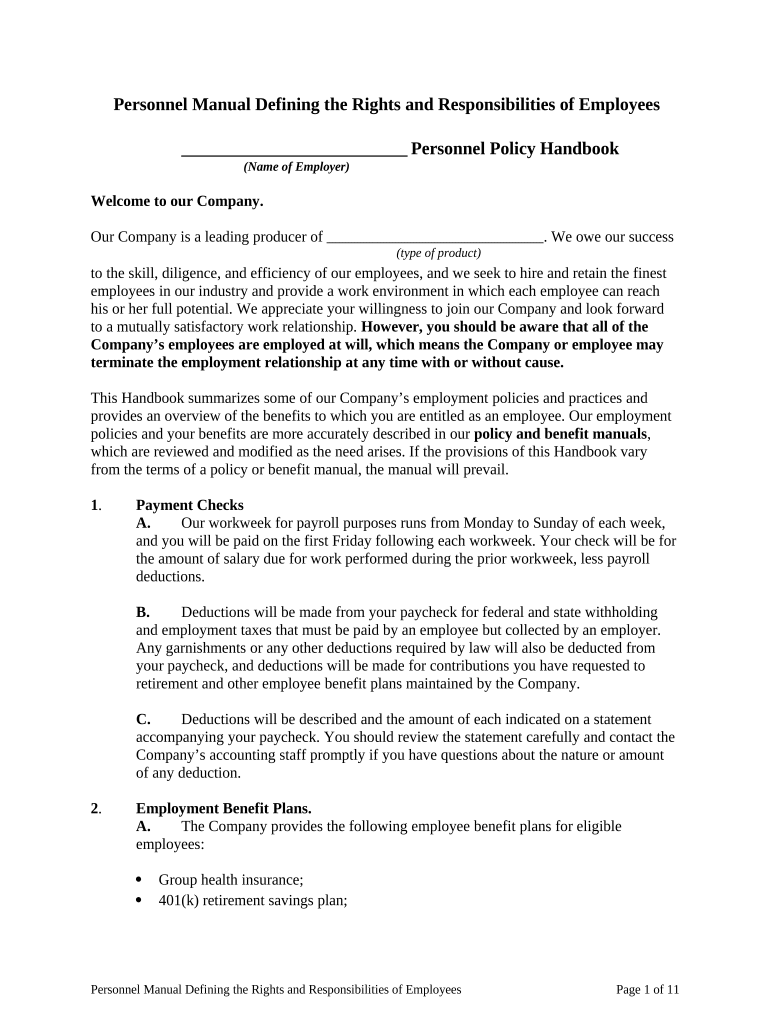
Personnel Manual Defining the Rights and Responsibilities of Employees       Personnel Policy Handbook (Name of Employer) Welcome to our Company. Our Company is a leading producer of       . We owe our success (type of product) to the skill, diligence, and efficiency of our employees, and we seek to hire and retain the finest employees in our industry and provide a work environment in which each employee can reach his or her full potential. We appreciate your willingness to join our Company and look forward to a mutually satisfactory work relationship. However, you should be aware that all of the Company’s employees are employed at will, which means the Company or employee may terminate the employment relationship at any time with or without cause. This Handbook summarizes some of our Company’s employment policies and practices and provides an overview of the benefits to which you are entitled as an employee. Our employment policies and your benefits are more accurately described in our policy and benefit manuals , which are reviewed and modified as the need arises. If the provisions of this Handbook vary from the terms of a policy or benefit manual, the manual will prevail. 1 . Payment Checks A. Our workweek for payroll purposes runs from Monday to Sunday of each week, and you will be paid on the first Friday following each workweek. Your check will be for the amount of salary due for work performed during the prior workweek, less payroll deductions. B. Deductions will be made from your paycheck for federal and state withholding and employment taxes that must be paid by an employee but collected by an employer. Any garnishments or any other deductions required by law will also be deducted from your paycheck, and deductions will be made for contributions you have requested to retirement and other employee benefit plans maintained by the Company. C. Deductions will be described and the amount of each indicated on a statement accompanying your paycheck. You should review the statement carefully and contact the Company’s accounting staff promptly if you have questions about the nature or amount of any deduction. 2 . Employment Benefit Plans. A. The Company provides the following employee benefit plans for eligible employees:  Group health insurance;  401(k) retirement savings plan; Personnel Manual Defining the Rights and Responsibilities of Employees Page 1 of 11  Accidental death and dismemberment insurance;  Life insurance; and  Long-term disability income protection; B. The eligibility requirements for the plans vary, and new employees are not eligible for any of them until they have been employed for at least ninety (90) days. Eligible employees will be contacted at the appropriate time regarding enrollment in these plans, and a summary plan description providing an overview of the plan and its benefits will be provided at that time. Benefit booklets for all plans can be obtained from the accounting staff if you wish to review them. C. The Company reserves the right to amend, modify, alter, or terminate any of its employee benefit plans. The Company may exercise this right at any time in its sole discretion. 3. Time Off. A. Holidays. Each regular full-time employee is entitled to the following holidays listed below. Each regular part-time employee working a minimum of 20 hours per workweek who has been continuously employed for 12 months is also entitled to these holidays.  New Year's Day  Martin Luther King's Birthday Celebration  President's Day  Memorial Day  Fourth of July  Labor Day  Thanksgiving Day and the day after Thanksgiving  Christmas Day B. Employees eligible for holidays will be paid for the hours they were regularly scheduled to work on the holiday. Employees who are on layoff, disability leave, family and medical leave, or any other leave on the date of the holiday occur are not entitled to holiday pay. C. Vacations. Regular full-time employees who have been continuously employed by the Company for at least one year are eligible for a paid vacation, the length of which depends on the length of the employee's employment on the anniversary date of his or her hire as follows: Length of Employment Vacation One year       Personnel Manual Defining the Rights and Responsibilities of Employees Page 2 of 11 (number of weeks) Five years       (number of weeks) Ten years       (number of weeks) D. Regular part-time employees who work a minimum of 20 hours in a workweek are eligible for one-half the paid vacation of regular full-time employees. You must schedule your vacation with the approval of your supervisor to insure adequate coverage for the work to be done. However, employee vacation scheduling preferences will be honored to the extent possible. In order to avoid staffing problems, the Company may, at its sole discretion, require employees to take vacations in increments of one full week. E. Employees eligible for vacation will be paid the compensation they would otherwise receive for regularly-scheduled work during the vacation. Vacation pay of full- time employees will be based on the salary they are receiving at the start of their vacation. Part-time employees will be paid based on the average weekly wage they received during the 12 workweeks before the start of their vacation. Vacation pay will be paid to employees on the last work day prior to their scheduled vacation. F. If a holiday occurs during an employee's vacation, it will not be considered part of the vacation, and the employee will be entitled to any pay to which he or she would otherwise receive for the holiday. G. All vacations must be taken in the 12-month period following the date in which they are earned. There is no carryover of unused vacation from one year to the next. If you do not use your vacation for the year, you will lose it. 4. Personal Days. Regular full-time employees who have completed one year of employment are entitled to       paid personal days each calendar year. (number of days) Personal days may be used, at your discretion, for religious observance or any other purpose. Personal days must be scheduled with the advance approval of your supervisor, but employee scheduling preferences will be honored to the extent possible. Employees must use their personal days in the year earned. You may not accumulate personal days. Instead, the Company will pay you for unused personal days at the end of each year. 5. Illness. A. Regular full-time employees are eligible for up to       paid (number of days) sick leave days during each calendar year after completion of one year of continuous employment. Those who have not completed one year of employment accrue one-half a day of paid sick leave for each calendar month of continuous employment completed after the expiration of 90 days from the date they were hired. Personnel Manual Defining the Rights and Responsibilities of Employees Page 3 of 11 B. An employee is not entitled to be paid for unused paid sick leave days. Unused sick leave days may be carried over into succeeding calendar years, provided that an employee may not accrue more than       days of sick leave at any (number of days) time, and days of sick leave that exceed this limit will expire. Employees missing work due to illness must call their supervisor on the first day of their absence and report the type of sickness from which they are suffering and the date they expect to return to work. The Company may request a doctor's note at any time during or at the conclusion of an employee's sick leave. 6. Bereavement Leave . The Company provides up to       (number of days) consecutive days of bereavement leave after a death of an immediate family member of an employee. The leave may begin on the date of death and continue through the day following the funeral or similar service or celebration. The employee will be paid for all days he or she was scheduled to work during that period of the leave. Immediate family includes current spouse, parent, stepparent, parent-in-law, step parent-in-law, grandparent, child, stepchild, grandchild, sibling, and stepsibling. An employee may be required to submit proof of the death and the date of the funeral, service, or celebration. If a death in the family occurs, you must notify your supervisor of the dates of your anticipated absence. 7. Jury Duty. Regular full-time employees are entitled to pay for all days served on jury duty. Employees serving on jury duty will have Saturdays and Sundays as days off during the term of such service, regardless of their normally scheduled workweek. To receive jury duty pay, an employee must provide the Company with a copy of the document issued by a court summoning the employee for jury service as well as a proof of actual days served. If you are required to be available for jury duty on a given day, but are not required to be in court, you must report to work. You should notify your supervisor promptly if called for jury service. 8. Family and Medical Leave of Absence Policy. A. Employees who have worked for the Company for at least 12 months and at least 1,250 hours during the prior 12 months may take up to 12 weeks of unpaid leave under the Company’s Family and Medical Leave of Absence Policy. FMLA leave is available for the following reasons: 1. Birth and/or care of a child of the employee; 2. Placement of a child into the employee's family by adoption or by a foster care arrangement; 3. Care of the employee's spouse, child, or parent who has a serious health condition; and 4. Inability of the employee to perform the functions of the employee's position due to a serious health condition. Personnel Manual Defining the Rights and Responsibilities of Employees Page 4 of 11 B. The amount of FMLA leave available to an employee is based on a period of 12 consecutive months ending on the day the leave commences. An employee is limited to 12 weeks of leave during any such period. C. A copy of Company’s Family and Medical Leave of Absence Policy, which further defines the circumstance in which FMLA leave is available and the procedure to apply for it, can be obtained from the accounting staff. 9. Military Leave . A. Employees who are members of the National Guard or Armed Forces Reserves are entitled to an unpaid leave of absence for military training duty so long as they present their orders in advance to their supervisor. Employees eligible for vacation may use their vacation for their military leave. An unpaid leave will also be granted to an employee who enters active military service in the Armed Forces or is ordered for an initial period of active duty for training in the National Guard or Armed Forces Reserves. B. Employees granted a military leave will be paid for any unused vacation for which they are eligible. The payment will be made on a pro rata basis for the year the leave begins. Employees who return to work after a leave for military service are eligible for reinstatement in accordance with applicable law. They must, however, seek reinstatement within the required time limits and be qualified to work. Questions about the rights of employees to military leave should be directed to the accounting staff. 10. Personal Leave. Regular full-time employees may apply to their supervisor for unpaid personal leave if they need time off to attend to personal situations not covered by the Company’s other time-off policies. The application must be in writing, and the leave may not exceed       consecutive days. Requested personal leave and any requested extensions (Number) may be granted or refused by the Company in its sole discretion, and the Company may impose such restrictions or terms as it sees fit. Employees granted a personal leave are eligible to return to their jobs with the Company at the end of the leave if it does not exceed       (Number) consecutive days. Employees on personal leave who are away from work for       (Number) consecutive days or less continue to accrue credit for vacation during their absence. 11. Overtime. The Company’s business operations sometimes require employees to work overtime, and we expect you to cooperate if asked to do so. Certain employees will receive pay at the rate of 1.5 times their regular rate for all hours worked in excess of 40 hours in any workweek, excluding meal periods, unless otherwise required by law. If you are entitled to overtime pay at 1.5 times your regular rate, you will be notified by your supervisor. 12. Performance Reviews. Your supervisor will meet with you at least once a year to evaluate your work. The evaluation will include a formal review of your job performance and work record with the Company. If your supervisor deems it appropriate, your salary may be Personnel Manual Defining the Rights and Responsibilities of Employees Page 5 of 11 increased to reflect additional duties or responsibilities and promotions. Salary increases, however, are not automatically granted at each performance review. 13. Personnel Records. A. Each employee is responsible for insuring that the Company’s records relating to the employee are current. If there is a change in address, telephone number, marital status, emergency contact, or number and names of dependents, such changes must be communicated to the Company in a written form prescribed by the Company. B. Employees are also responsible for keeping their tax information current. You are responsible for the accuracy of the Form W-4 on file with the Company and must complete a new form if the information changes. C. All personnel records maintained by the Company are its property. Employees may review their personnel files under the supervision of a Company representative. No material may be removed from the file or duplicated by an employee. D. Personnel material is shared within the Company only on a need-to-know basis. The Company provides employee information to outside agencies only with the written consent of the employee or as required by law. The Company does not provide letters of recommendation but does confirm dates of employment. 14 . Confidentiality. You may learn confidential business information in the course of your employment by the Company. Confidential business information may only be shared with other employees on a need-to-know basis. Such information may not be shared with persons who are not employees of the Company. 15 . Inspection. The Company reserves the right to search any person who comes onto its business premises or who performs services for the Company in another location. This search may include vehicles, equipment, desks, cabinets, lunch and equipment boxes or bags, clothing, and personal items The Company may also search buildings, rooms, facilities, offices, storage areas, and parking lots. Any items which you do not want to have inspected should not be brought to work. 16 . Attendance. The Company relies on you to report to work regularly and on time. If you are going to be late or absent, you must contact your supervisor immediately. If you have to leave early, you must obtain the approval of your supervisor. Your supervisor may require that you make up any lost work time. 17. Computer and Communications Systems. A. Except for limited use of telephones by employees, the Company’s computer and communications systems are for business use only and employees are prohibited from using them for personal purposes. Computer and communications systems include computers, networks, computer components, software, email, online services, copiers, fax machines, telephones, voice mail, and messenger services. Prohibited conduct includes accessing the Internet for personal purposes and sending or receiving personal email. Personnel Manual Defining the Rights and Responsibilities of Employees Page 6 of 11 B. The Company recognizes that there may be times when it is necessary for employees to make or receive personal telephone calls at work. However, employees should seek to limit these situations, and excessive use is subject to disciplinary action. Employees are prohibited from making personal long-distance telephone calls. C. The use of the Company’s computer and communications systems is not private or confidential. To the extent permitted by law, the Company reserves the right to review, audit, intercept, access, and search these systems at any time; to monitor data and messages within them for any reason; and to disclose selected contents without notice or other restrictions. Messages sent through these systems remain the property of the Company. D. Any messages or communications sent to other employees or non-employees for business purposes are subject to the Company’s policies relating to harassment, discrimination, and solicitation. Computers and email systems may not be used in ways that are disruptive, offensive to others, harmful to morale, or otherwise improper. For example, the display, transmission, or retention of sexually explicit images, messages, and cartoons is prohibited. Other such misuse includes ethnic slurs, racial comments, off- color jokes, or anything that may be construed as showing disrespect for others. Email may not be used to solicit others for commercial ventures, religious or political causes, outside organizations, or other non-business matters. E. The Company owns and licenses the right to use computer software of various types. Unless authorized by the software developer, the Company may not have the right to reproduce such software or use it on more than a specified number of computers. Employees must familiarize themselves with Company’s rights to software before transferring it between the Company’s computers. The Company’s computer and communications systems may not be used to receive or reproduce copyrighted materials, trade secrets, proprietary information, or similar materials from outside the Company without prior authorization from the owner. 18 . Equal Employment Opportunity . The Company’s policy is to select, place, train, and promote the best qualified individuals based upon relevant factors such as work quality, attitude and experience, so as to provide equal employment opportunity for all our employees in compliance with applicable local, state, and federal laws and without regard to non-work related factors such as race, color, religion/creed, sex, national origin, age, disability, citizenship, or marital status. This policy applies to all Company activities, including, but not limited to, recruiting, hiring, training, transfers, promotions, and benefits. 19 . Harassment -- Policy A. The policy of the Company is that the workplace is for work. We seek to provide a workplace free from tensions involving matters which do not relate to the Company’s business. The tensions created by non-work related conduct, including ethnic, racial, sexual, or religious remarks; animosity; unwelcome sexual advances or requests for sexual favors; or other such conduct do not belong in our workplace. Personnel Manual Defining the Rights and Responsibilities of Employees Page 7 of 11 B. Employees are prohibited from harassing other employees or applicants for employment. Harassment includes verbal harassment (epithets, derogatory statements, and slurs); physical harassment (assault and physical interference with normal work or associated activities); visual harassment (posters, cartoons, and drawings); and innuendo. C. Sexual harassment is a violation of state and federal law. It includes unwelcome sexual advances; requests for sexual favors; sexually motivated verbal or physical conduct or physical contact; and visual forms of harassment of a sexual nature when submission to such conduct is either explicitly or implicitly made a term or condition of employment or is used as the basis for employment decisions or when such conduct has the purpose or effect of unreasonably interfering with an individual's work performance or creating an intimidating, hostile, or offensive work environment. D. You cannot be forced to submit to harassment as a basis for any employment decision, and the Company will do its best to keep itself free of any conduct which creates an intimidating, hostile, or offensive work environment for employees. 20. Recourse for Harassment. A. If any sort of ethnic, racial, religious, or sexual harassment interferes with any employee's work performance or creates an intimidating, hostile, or offensive work environment, you should contact your department manager. B. If you feel uncomfortable bringing the matter to the attention of your manager, your manager is thought to be involved, or you are dissatisfied with your manager's response, you may contact the Company’s Vice President in Charge of Human Resources. This individual will promptly and thoroughly investigate the matter and report to you concerning the results of the investigation. If you are dissatisfied with the conclusions reached, you may request further investigation, and the Vice President in Charge of Human Resources will do so as deemed appropriate, including interviewing and obtaining statements from witnesses. C. If the Company determines that harassment has occurred, appropriate relief for the employee bringing the complaint and appropriate disciplinary action against the employee doing the harassing, up to and including discharge, will follow. A non- employee who subjects an employee to harassment in the workplace will be informed of the Company’s policy and appropriate action will be taken. The Company will in all cases make follow-up inquiries to ensure that the harassment has not resumed. D. The Company understands that harassment can be extremely sensitive, and so far as possible, it will keep all employee complaints and all communications, such as interviews and witness statements, in strict confidence. E. The Company will not tolerate retaliation against any employee who complains of sexual or other harassment or provides information in connection with any such complaint. Personnel Manual Defining the Rights and Responsibilities of Employees Page 8 of 11 21 . Drugs and Alcohol. A. To help insure a safe, healthy, and productive work environment for our employees and others, to protect Company property, and to insure efficient operations, the Company has a policy of maintaining a workplace free of drugs and alcohol. B. Individuals under the influence of drugs and alcohol on the job pose serious safety and health risks not only to themselves, but also to all those around them. Therefore, possessing, using, consuming, purchasing, distributing, manufacturing, dispensing or selling alcohol or controlled substances, or having alcohol or controlled substances in your system without medical authorization during your work hours, on Company premises or while on duty will result in disciplinary action, up to and including immediate termination. C. In accordance with the Federal Drug Free Workplace Act, employees must notify the Company of any conviction under a criminal statute prohibiting the use, possession, or distribution of drugs within five days after the conviction if it arises out of conduct that occurred in the workplace. 22 . Smoking. To help insure a safe, healthy, and productive work environment for our employees and others, and specifically to protect employees and visitors from the hazards of secondhand smoke, smoking is prohibited in any part of the workplace, except designated outdoor smoking areas. This prohibition includes private enclosed offices, conference and meeting rooms, cafeterias, lunchrooms, and employee lounges. 23 . Solicitation and Distribution A. Distractions in the workplace result in inefficiency, poor work performance, and unsafe working conditions. Accordingly, during periods of your workday when you are engaged in or required to be performing work duties, you may not engage in solicitation of other employees for any purpose. In addition, you may not solicit any other employee for any purposes during his or her workday when he or she is engaged in or required to be performing work tasks. B. Persons not employed by the Company are not permitted to solicit on the Company’s premises. The distribution of literature of any kind in work areas is prohibited at all times. 24 . Employee Obligations. Employees are expected to work diligently and efficiently and to meet the requirements and standards of their position. They are also expected to work harmoniously with co-workers, supervisors, and managers. We believe that having all employees participate in our goal of providing a work environment in which each employee can reach his or her full potential is in the best interests of employees as well as the Company. All employees are, accordingly, expected to respect the dignity of each individual. 25 . Disciplinary Action . Personnel Manual Defining the Rights and Responsibilities of Employees Page 9 of 11 A. Some of our specific policies for employee conduct have been outlined above. Violation of any of these polices may result in disciplinary action, up to and including discharge. B. This Handbook does not represent a listing of all of the personnel policies of the Company but rather provides guidance regarding some of the most significant policies. Conduct that the Company deems harmful to its business or its relationship with a particular employee may also be subject to disciplinary action, up to and including discharge. Some examples of such conduct are:  Failure to follow instructions of, or to perform work requested by, a supervisor or manager;  Insubordination or lack of cooperation;  Failure to cooperate fully in any Company investigation;  Violating a Company safety rule or practice or creating or contributing to unhealthful or unsanitary conditions on the Company’s premises;  Abusing, wasting, or stealing the Company’s property or that of another employee or non-employee located on the Company’s premises;  Removing the Company’s property or records from its premises without written authorization;  Falsifying Company reports or records, including employment applications, personnel records, and timesheets  Violating the law on the Company’s premise, including gambling;  Fighting or starting a disturbance on the Company’s premises or while performing job duties, including assaulting or intimidating another employee or non- employee; and  Unauthorized possession of firearms, weapons or dangerous substances while on the Company’s premises or performing job duties. 26 . Term of Employment. Unless you enter into a written agreement signed by the president of the Company stating that you are employed by the Company for a specified period of time, your employment by the Company is at-will. This means that both you and the Company have the right to terminate your employment at any time, with or without cause. Nothing in this Handbook, or any oral or written representation by any employee, supervisor, manager, or officer of the Company may be treated as an employment agreement. 27 . Policies Subject to Change. The Company continually reviews its personnel policies and employee benefits and reserves the right, in its sole discretion, to modify, supplement, amend, or delete any of the provisions contained in this Handbook at any time. Receipt by Employee I acknowledge that I have received a copy of the       Personnel Personnel Manual Defining the Rights and Responsibilities of Employees Page 10 of 11 (Name of Employer) Policy Handbook describing my benefits as an employee of the Company and my obligations under Company policies applicable to employees. I have read and understand the policies and am aware of the consequences of a failure to meet my obligations. I understand that the policies are imposed on me as a condition of my employment by the Company. Witness my signature this the       day of       , 20       . By: By: (Signature of Witness) (Signature of Employee)             (Printed Name of Witness) (Printed Name of Employee) Personnel Manual Defining the Rights and Responsibilities of Employees Page 11 of 11

Useful Advice on Finishing Your ‘Personnel Manual Defining The Rights And Responsibilities Of Employees’ Digitally

Are you fed up with the inconvenience of handling documents? Look no further than airSlate SignNow, the premier electronic signature solution for individuals and organizations. Bid farewell to the monotonous routine of printing and scanning papers. With airSlate SignNow, you can effortlessly finalize and sign documents online. Harness the extensive features integrated into this user-friendly and budget-friendly platform and transform your method of document administration. Whether you need to sign forms or gather electronic signatures, airSlate SignNow manages it all seamlessly, with just a few clicks.

Adhere to this comprehensive tutorial:

  1. Access your account or sign up for a complimentary trial with our service.
  2. Click +Create to upload a file from your device, cloud storage, or our form collection.
  3. Open your ‘Personnel Manual Defining The Rights And Responsibilities Of Employees’ in the editor.
  4. Click Me (Fill Out Now) to complete the form on your end.
  5. Add and assign fillable fields for others (if required).
  6. Continue with the Send Invite settings to solicit eSignatures from others.
  7. Save, print your version, or convert it into a reusable template.

Do not worry if you need to collaborate with others on your Personnel Manual Defining The Rights And Responsibilities Of Employees or send it for notarization—our platform offers everything you need to achieve such objectives. Create an account with airSlate SignNow today and enhance your document management to a higher level!

Here is a list of the most common customer questions. If you can’t find an answer to your question, please don’t hesitate to reach out to us.

Need help? Contact Support
Personnel manual defining the rights and responsibilities of employees answers
Sample employee handbook PDF
Employee handbook template
Employee handbook examples
Employee handbook contents
Free employee handbook template Word
Free employee handbook template for small business
Sample employee handbook for small business
Employee handbook template
Employee Handbook PDF
Employee handbook examples
Employee handbook for small business PDF

The best way to complete and sign your personnel manual defining the rights and responsibilities of employees form


Save time on document management with airSlate SignNow and get your personnel manual defining the rights and responsibilities of employees form eSigned quickly from anywhere with our fully compliant eSignature tool.

How to Sign a PDF Online How to Sign a PDF Online

How to fill out and sign documents online

In the past, coping with paperwork took lots of time and effort. But with airSlate SignNow, document management is easy and fast. Our powerful and easy-to-use eSignature solution enables you to easily fill out and electronically sign your personnel manual defining the rights and responsibilities of employees form online from any internet-connected device.

Follow the step-by-step guidelines to eSign your personnel manual defining the rights and responsibilities of employees form template online:

  • 1.Sign up for a free trial with airSlate SignNow or log in to your account with password credentials or SSO authorization option.
  • 2.Click Upload or Create and add a file for eSigning from your device, the cloud, or our form collection.
  • 3.Click on the file name to open it in the editor and utilize the left-side menu to complete all the blank fields accordingly.
  • 4.Drop the My Signature field where you need to approve your sample. Type your name, draw, or upload a photo of your regular signature.
  • 5.Click Save and Close to accomplish modifying your completed document.

After your personnel manual defining the rights and responsibilities of employees form template is ready, download it to your device, export it to the cloud, or invite other individuals to electronically sign it. With airSlate SignNow, the eSigning process only takes several clicks. Use our powerful eSignature tool wherever you are to handle your paperwork successfully!


How to Sign a PDF Using Google Chrome How to Sign a PDF Using Google Chrome

How to complete and sign paperwork in Google Chrome

Completing and signing paperwork is simple with the airSlate SignNow extension for Google Chrome. Installing it to your browser is a quick and efficient way to manage your forms online. Sign your personnel manual defining the rights and responsibilities of employees form template with a legally-binding electronic signature in a couple of clicks without switching between tools and tabs.

Follow the step-by-step guidelines to eSign your personnel manual defining the rights and responsibilities of employees form template in Google Chrome:

  • 1.Navigate to the Chrome Web Store, find the airSlate SignNow extension for Chrome, and install it to your browser.
  • 2.Right-click on the link to a form you need to approve and select Open in airSlate SignNow.
  • 3.Log in to your account using your password or Google/Facebook sign-in buttons. If you don’t have one, sign up for a free trial.
  • 4.Use the Edit & Sign toolbar on the left to complete your template, then drag and drop the My Signature option.
  • 5.Insert an image of your handwritten signature, draw it, or simply enter your full name to eSign.
  • 6.Make sure all data is correct and click Save and Close to finish editing your paperwork.

Now, you can save your personnel manual defining the rights and responsibilities of employees form sample to your device or cloud storage, email the copy to other individuals, or invite them to electronically sign your document via an email request or a secure Signing Link. The airSlate SignNow extension for Google Chrome improves your document workflows with minimum effort and time. Start using airSlate SignNow today!


How to Sign a PDF in Gmail How to Sign a PDF in Gmail How to Sign a PDF in Gmail

How to complete and sign documents in Gmail

Every time you get an email with the personnel manual defining the rights and responsibilities of employees form for signing, there’s no need to print and scan a file or save and re-upload it to another program. There’s a much better solution if you use Gmail. Try the airSlate SignNow add-on to rapidly eSign any paperwork right from your inbox.

Follow the step-by-step guidelines to eSign your personnel manual defining the rights and responsibilities of employees form in Gmail:

  • 1.Navigate to the Google Workplace Marketplace and find a airSlate SignNow add-on for Gmail.
  • 2.Set up the tool with a related button and grant the tool access to your Google account.
  • 3.Open an email with an attached file that needs signing and utilize the S key on the right sidebar to launch the add-on.
  • 4.Log in to your airSlate SignNow account. Choose Send to Sign to forward the file to other people for approval or click Upload to open it in the editor.
  • 5.Drop the My Signature option where you need to eSign: type, draw, or upload your signature.

This eSigning process saves efforts and only takes a couple of clicks. Use the airSlate SignNow add-on for Gmail to adjust your personnel manual defining the rights and responsibilities of employees form with fillable fields, sign paperwork legally, and invite other parties to eSign them al without leaving your mailbox. Boost your signature workflows now!


How to Sign a PDF on a Mobile Device How to Sign a PDF on a Mobile Device How to Sign a PDF on a Mobile Device

How to fill out and sign forms in a mobile browser

Need to rapidly submit and sign your personnel manual defining the rights and responsibilities of employees form on a smartphone while working on the go? airSlate SignNow can help without needing to set up additional software apps. Open our airSlate SignNow solution from any browser on your mobile device and create legally-binding electronic signatures on the go, 24/7.

Follow the step-by-step guide to eSign your personnel manual defining the rights and responsibilities of employees form in a browser:

  • 1.Open any browser on your device and go to the www.signnow.com
  • 2.Register for an account with a free trial or log in with your password credentials or SSO authentication.
  • 3.Click Upload or Create and add a file that needs to be completed from a cloud, your device, or our form library with ready-made templates.
  • 4.Open the form and fill out the blank fields with tools from Edit & Sign menu on the left.
  • 5.Place the My Signature field to the form, then enter your name, draw, or upload your signature.

In a few easy clicks, your personnel manual defining the rights and responsibilities of employees form is completed from wherever you are. As soon as you're done with editing, you can save the file on your device, generate a reusable template for it, email it to other people, or ask them to electronically sign it. Make your paperwork on the go speedy and efficient with airSlate SignNow!


How to Sign a PDF on iPhone How to Sign a PDF on iPhone

How to complete and sign documents on iOS

In today’s business community, tasks must be done quickly even when you’re away from your computer. With the airSlate SignNow app, you can organize your paperwork and approve your personnel manual defining the rights and responsibilities of employees form with a legally-binding eSignature right on your iPhone or iPad. Install it on your device to conclude agreements and manage forms from anyplace 24/7.

Follow the step-by-step guidelines to eSign your personnel manual defining the rights and responsibilities of employees form on iOS devices:

  • 1.Open the App Store, search for the airSlate SignNow app by airSlate, and install it on your device.
  • 2.Launch the application, tap Create to import a template, and select Myself.
  • 3.Opt for Signature at the bottom toolbar and simply draw your signature with a finger or stylus to eSign the form.
  • 4.Tap Done -> Save after signing the sample.
  • 5.Tap Save or take advantage of the Make Template option to re-use this paperwork later on.

This method is so simple your personnel manual defining the rights and responsibilities of employees form is completed and signed within a couple of taps. The airSlate SignNow app works in the cloud so all the forms on your mobile device are kept in your account and are available whenever you need them. Use airSlate SignNow for iOS to enhance your document management and eSignature workflows!


How to Sign a PDF on Android How to Sign a PDF on Android

How to fill out and sign forms on Android

With airSlate SignNow, it’s easy to sign your personnel manual defining the rights and responsibilities of employees form on the go. Set up its mobile application for Android OS on your device and start improving eSignature workflows right on your smartphone or tablet.

Follow the step-by-step guide to eSign your personnel manual defining the rights and responsibilities of employees form on Android:

  • 1.Go to Google Play, find the airSlate SignNow app from airSlate, and install it on your device.
  • 2.Log in to your account or create it with a free trial, then import a file with a ➕ option on the bottom of you screen.
  • 3.Tap on the imported file and choose Open in Editor from the dropdown menu.
  • 4.Tap on Tools tab -> Signature, then draw or type your name to eSign the sample. Complete empty fields with other tools on the bottom if necessary.
  • 5.Utilize the ✔ key, then tap on the Save option to finish editing.

With an easy-to-use interface and full compliance with primary eSignature laws and regulations, the airSlate SignNow app is the best tool for signing your personnel manual defining the rights and responsibilities of employees form. It even works offline and updates all form adjustments when your internet connection is restored and the tool is synced. Fill out and eSign forms, send them for eSigning, and make multi-usable templates anytime and from anywhere with airSlate SignNow.

Sign up and try Personnel manual defining the rights and responsibilities of employees form
  • Close deals faster
  • Improve productivity
  • Delight customers
  • Increase revenue
  • Save time & money
  • Reduce payment cycles

