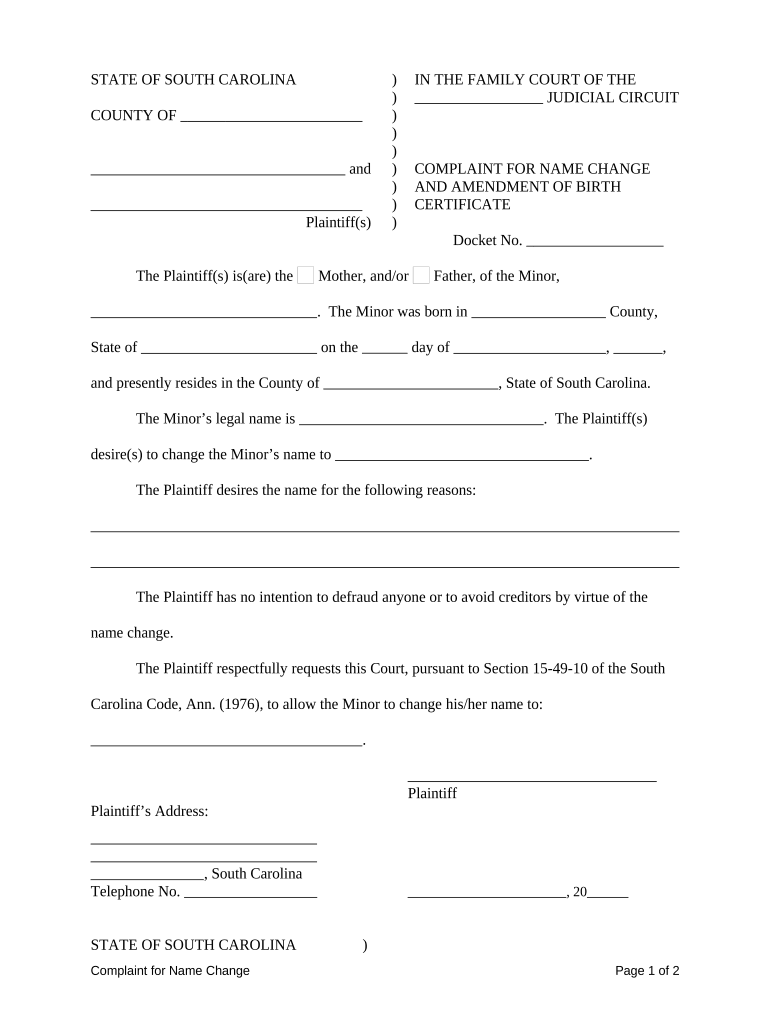
South Carolina Complaint for Name Change
What the South Carolina Complaint for Name Change Is
Why Filing This Complaint Matters
A properly completed complaint creates an official record that the court may use to update identity documents, correct the public record, and enable downstream updates for agencies and private parties. Filing helps ensure the change is recognized for legal, financial, and administrative purposes.
Who Typically Prepares or Signs This Form
Different parties have distinct requirements (consent, service, or hearings); confirm the appropriate county court procedures before filing.
- Individuals seeking a legal name change for themselves, including adults correcting or restoring a name.
- Parents or guardians filing on behalf of minor children, with required consents or notices as applicable.
- Attorneys or legal aid organizations preparing filings for clients in pro se or represented matters.
Step-by-step: Filling Out and Filing the Complaint
-
01Prepare Document: Complete the complaint using exact personal data and the required jurat or verification section.
-
02Gather ID: Assemble government-issued ID and any supporting documents the court requires.
-
03Sign and Notarize: Sign the complaint and obtain notarization if the court or local rules require it.
-
04File With Court: Submit the complaint to the county clerk or family court and pay the filing fee; get a case number.
Configuring an Online Filing Workflow
| Field | Configuration |
|---|---|
| Document Upload | Accept PDF or DOCX; lock fields after finalization. |
| Signer Identity | Use email and optional SMS code or KBA for stronger verification. |
| Notarization Step | Integrate remote notary or schedule in-person notarization as the court requires. |
| Notifications | Send confirmations to filer and record recipient with audit trail links. |
Where the Complaint Goes After You File
-
County Clerk: Files the complaint, assigns a case number, and records the filing date.
-
Scheduling: Court may set a hearing or enter a default order based on local practices.
-
Publication: Some counties require public notice or publication before final order.
-
Final Order: Court issues an order that becomes the official name-change record.
Typical Timelines and Processing Expectations
Filing to Scheduling:
County clerks typically set hearings or review within 2–6 weeks depending on caseload.
Publication Period:
If required, publication or notice periods often run 2–4 weeks prior to final action.
Hearing to Order:
Court may issue an order immediately at hearing or within 7–30 days after review.
Record Updates:
Allow additional 2–8 weeks for agencies to accept certified order and update records.
Appeals or Objections:
Opposition timelines vary; be prepared for possible motions within 20–30 days.
Common Preparation Pitfalls to Avoid
- Incomplete forms: missing dates, unsigned jurats, or omitted addresses lead to administrative rejection or delay.
- Incorrect identity evidence: submitting mismatched or expired IDs causes verification problems and may require re-filing.
- Ignoring local rules: county-specific publication, fee, or hearing rules can add unexpected steps or costs.
- Failing to notarize when required: absent notarization can render the document invalid for court processing.
Risks and Consequences of Incorrect Filings
Digital Submission and eSigning Options
Verify local court rules for e-filing capability and whether the court accepts electronic notarization or requires a physical record; follow required retention and audit standards.
- File Formats: PDF preferred; DOCX accepted by some
- Signer Authentication: Email, SMS, or KBA options
- Notarization Support: In-person or remote notary integration
eSignature Vendor Comparison for Completing and Executing the Complaint
| signNow | DocuSign | Adobe Sign | PandaDoc | HelloSign | |
|---|---|---|---|---|---|
| Starting Price | $8/user/mo | $15/user/mo | $14/user/mo | $19/user/mo | $15/user/mo |
| Free Trial | 7-day free trial | No | No | Yes, limited | Yes, limited |
| Bulk Send | Yes | Yes | Yes | Yes | No |
| Audit Trail | Yes | Yes | Yes | Yes | Yes |
| HIPAA Compliant | Yes | Yes | Yes | No | No |
Practical Tips for Accurate and Efficient Filing
Realistic Scenarios Where the Complaint Is Used
Adult Restoration Case
A petitioner restoring a maiden name after divorce completes the complaint, gathers ID and marriage certificate
- Files in county court with notarized signature
- After the court issues a certified order the petitioner uses it to update Social Security, DMV, and bank records, reducing bureaucratic friction.
Minor Name Change
A parent petitions to change a minor's last name following a custody modification
- Provides consent documents and birth certificate
- The court reviews the child's best interests, issues an order, and the family presents certified copies to schools and pediatric providers for record updates.
Frequently Asked Questions and Troubleshooting
-
What if my ID differs from my current name?
If your government ID shows a different name, include supporting documents (marriage certificate, divorce decree, or other legal proof) and explain the discrepancy to the court; some clerks may request additional verification before accepting the filing.
-
Can I e-sign the complaint?
Acceptance of electronic signatures varies by county and court. Check local filing rules; if accepted, ensure the e-signature method meets ESIGN/UETA standards and retain the audit trail for proof.
-
Is publication always required?
Publication requirements depend on local court rules and case circumstances. Some counties require public notice for a set period; others waive publication for privacy or safety concerns—confirm with the clerk.
-
How do I update federal records after the order?
Use certified copies of the court order to update Social Security, passport, IRS, and other federal records; each agency has its own process and supporting document requirements.
-
What if someone objects to the name change?
An objection can trigger a hearing where the court evaluates the objection's merits. Be prepared with supporting evidence demonstrating the change is not fraudulent and is in the petitioner's best interest.
-
How long until my new name is recognized?
Timing depends on court scheduling and agency processing. Once a certified order is issued, many private entities update records within weeks, but some government updates can take several weeks to a few months.