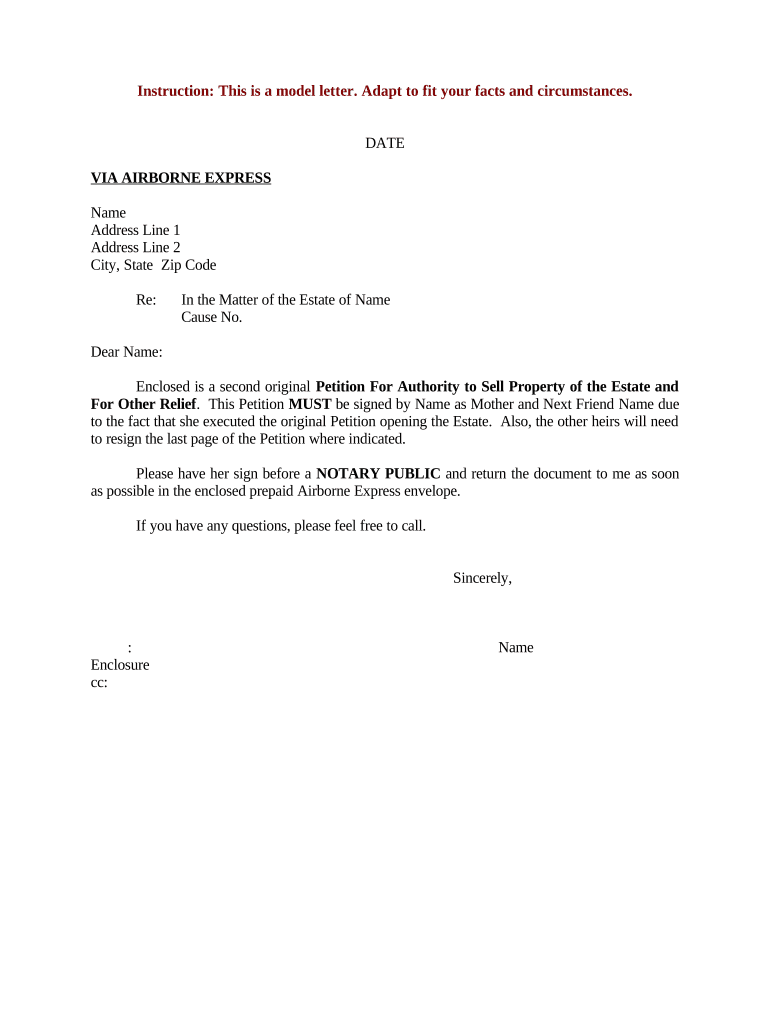
Letter Requesting Signature for Estate Petition
What this Letter Is and when to use it
Why a clear signature request matters for estate petitions
A concise, correctly completed request reduces filing delays, prevents rejections, and documents consent and intent for probate purposes under state rules and court procedures.
Who prepares and receives this letter
Typical senders include probate attorneys, personal representatives, and court-appointed administrators who need signatures to proceed with filings.
- Probate attorney coordinating signers and court submissions
- Executor or personal representative asked to sign sworn statements
- Beneficiaries or heirs asked to consent or provide signatures
Recipients must verify identity, follow notarization/witness instructions, and return the signed documents by the timeline stated in the letter.
Step-by-step: preparing and sending the signature request
-
01Draft letter: Describe documents, roles, and notarization needs clearly.
-
02Attach forms: Include all forms to be signed and any explanatory instructions.
-
03Select delivery: Choose mail, in-person, RON, or secure eSignature per signer ability.
-
04Track and file: Confirm signatures, notarizations, then file with the probate court.
Configuring an online signing workflow for this letter
| Authentication Method | Email link with optional SMS code or KBA for higher assurance |
|---|---|
| Field Types | Use signature, date, initials, and text fields for printed name |
| Notarization | Enable RON or include instructions for in-person notarization |
| Retention and Export | Export signed PDF/A with audit trail and store securely |
| Notifications | Enable reminders and completion notifications for signers |
Where to send the letter and how it reaches the court
-
Send to signer: Deliver letter with attachments and signing instructions.
-
Signer signs: Complete signatures, dates, and witness/notary steps as required.
-
Return to sender: Return via mail, courier, or secure upload/eSignature platform.
-
File with court: Petitioner files signed papers with probate court clerk.
Technical considerations for digital signing and submission
Choose a platform that supports the required file formats, notarization options, and secure storage to meet court and state requirements.
- File formats: PDF, PDF/A and DOCX are widely accepted by courts and archives
- Integrations: Integrations with Google Workspace, Box, or NetSuite aid secure document transfer
- Notarization support: Platform should support RON or produce printable packets for in-person notarization
Ensure the platform produces an audit trail (timestamps, IP addresses), supports encryption in transit and at rest, and allows export of a court-ready signed PDF with accompanying evidence of execution.
Typical timing to request and return signatures
Request promptly:
Send signature requests as soon as the petition draft is complete
Allow signer time:
Provide at least 7–14 calendar days for execution and notarization
Court filing window:
File when signatures and notarizations are complete; local rules may impose shorter windows
Reminders:
Issue one or two reminders before the requested return date
Expedited needs:
For urgent filings, note expedited handling and check court acceptance
Key milestones from request to probate filing
Draft and review
Prepare petition and attachments; confirm signer list and notarization needs.
Send and authenticate
Deliver letter and require signer authentication per chosen method.
Collect signatures
Obtain signatures, witnesses, and notary acknowledgements or RON evidence.
File with court
Submit signed petition to probate clerk and retain copies and audit trail.
Consequences of an incorrect or incomplete signature request
Common mistakes that cause delays or rejection
- Using an informal name rather than the signer's full legal name causes identity mismatches at filing and may require re-execution.
- Omitting notarization or incorrect notary language invalidates acknowledgements and leads to clerk rejection or request for re-signing.
- Failing to include witness instructions or required witness signatures where state law mandates them delays probate processing and may require testimony.
- Sending unsigned or partial attachments forces back-and-forth, increasing time to file and creating version-control problems.
Practical tips for accurate and efficient completion
Real-world scenarios for a signature request letter
Estate opening for small estate
A petitioner sends a signature request to an heir explaining the petition and required affidavit
- Heir signs remotely with RON
- The signed packet, notarized and with audit trail, is filed; clerk accepts the petition without further amendment and probate proceeds.
Executor consent for administrator appointment
A court-appointed administrator needs beneficiary consents to be assigned duties
- Beneficiaries receive clear instructions and a prepaid return envelope
- Signatures and notarizations are returned within the stated period, enabling on-time filing and avoiding notice reissues.
Illustrative eSignature vendor comparison for estate petition workflows
| signNow | DocuSign | Adobe Sign | PandaDoc | HelloSign | |
|---|---|---|---|---|---|
| Starting Price | $8/user/mo | $15/user/mo | $14/user/mo | $19/user/mo | $15/user/mo |
| Free Trial | 7-day free trial | Varies | Varies | Varies | Varies |
| Bulk Send | Yes | Yes | Yes | Yes | Varies |
| Audit Trail | Yes | Yes | Yes | Yes | Yes |
| HIPAA Compliant | Yes | Yes | Yes | No | No |
Frequently asked questions about signature requests for estate petitions
-
Can I use an electronic signature?
Yes in most cases. The ESIGN Act (15 U.S.C. §7001) and UETA (adopted by 49 states) make eSignatures legally valid where not expressly excluded. Confirm that the probate court accepts electronic or RON-signed documents before relying on e-signatures.
-
Is remote online notarization allowed?
Some states permit RON; others restrict it. Verify the state's RON status and any audio‑visual recordkeeping requirements, and ensure the notary follows identity proofing standards before accepting RON-signed documents.
-
What if a signature is signed with a nickname?
A nickname or informal name can cause a clerk to question identity. Use the signer's full legal name as shown on ID; include a printed name field and attach a photocopy of ID if required by the court.
-
Does the court require a notary or witnesses?
Requirements vary by state and document type. Some affidavits require notarization; certain affidavits or declarations may accept a self-proving affidavit. Always confirm with local probate court rules.
-
How should I store signed letters?
Retain signed originals or court-ready PDFs with audit trails. Use encrypted storage, export to PDF/A when possible, and keep files for the recommended retention period to comply with IRS, HIPAA, or state rules.
-
What happens if a document is rejected by the clerk?
The clerk will typically return the filing with reasons. Address the specific deficiency—re-execute signatures, correct notarization wording, or add required attachments—and refile promptly to avoid further delay.