Establishing secure connection…Loading editor…Preparing document…

Privacy Policy Form

This template is fully customizable. Edit the text, fill out the fields, and send it for signature. Give it a try!
Privacy Policy Form

What the Privacy Policy Form Is and When You Need It

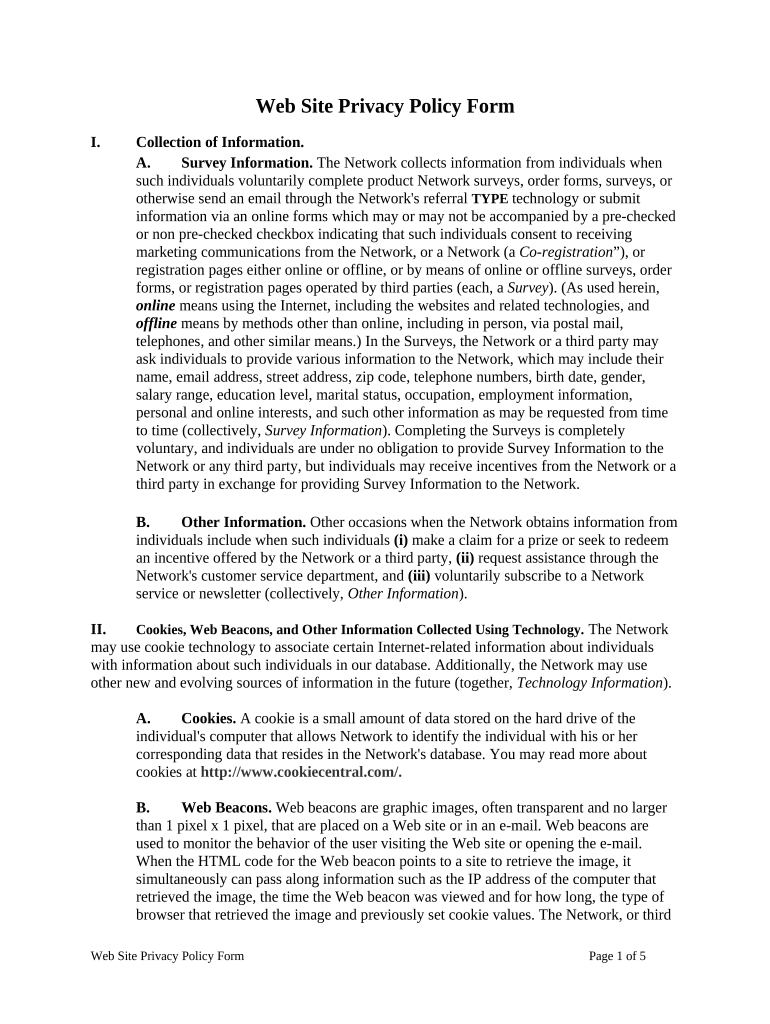
A Privacy Policy Form is a written statement that explains how an organization collects, uses, stores, shares, and deletes personal information. For U.S. organizations it documents consumer rights, data categories, retention practices, and disclosure procedures; it can be presented as a standalone policy or as a contractual attachment for vendors and customers. The form helps satisfy legal obligations under federal frameworks and state privacy laws, and it is commonly used when a website, mobile app, or service first collects personal data or changes data-handling practices.

Why a Clear Privacy Policy Form Matters

A concise, accurate Privacy Policy Form reduces legal and operational risk by documenting data practices, informing users, and supporting regulatory compliance under ESIGN/UETA, HIPAA where applicable, and state privacy laws.

Why a Clear Privacy Policy Form Matters

Who Typically Prepares or Signs a Privacy Policy Form

Organizations and individuals who collect or process personal data need a Privacy Policy Form to show how data is handled and to obtain consent when required.

  • In-house compliance teams and privacy officers ensure language meets legal and corporate standards and aligns with internal controls.
  • Product managers and marketing owners supply operational details about data flows, tracking technologies, and third-party services involved.
  • Vendors and contractors sign addenda or acknowledgements to confirm contractual obligations for handling covered personal information.

The form is also used by HR, legal, and procurement when onboarding third parties or publishing consumer-facing notices; different stakeholders handle drafting, review, and approval.

Key Roles Involved in the Form

Privacy Officer

Corporate privacy or compliance lead who reviews policy language, validates legal baselines, and coordinates notices to consumers and regulators. Typically responsible for annual reviews and breach response planning.

Data Controller

Business owner or department head accountable for deciding how and why personal data is processed; signs or approves policy versions and ensures operational alignment with published practices.

Essential Sections to Include in a Professional Privacy Policy Form

A complete Privacy Policy Form is modular; include clear sections that cover collection, purpose, sharing, rights, retention, and contact details so readers can quickly locate obligations and choices.

Data Collected

List the categories of personal data (identifiers, contact, payment, device, behavioral) and whether sensitive data is processed.
Purpose of Use

Explain each processing purpose (service delivery, analytics, marketing), and map purposes to legal bases or user consent where required.

Third-Party Sharing

Name categories of recipients (processors, analytics, ad networks) and describe contractual safeguards or international transfer mechanisms.

User Rights

Describe rights such as access, correction, deletion, portability, objection, and how to exercise them, plus any identity verification steps.

Retention

State retention periods or criteria for deletion and reference applicable regulatory minimums or internal schedules.

Contact & Dispute

Provide a privacy contact, complaint procedure, and governing law information for disputes and oversight.

Security and Compliance Items to Note in the Form

Encryption: TLS 1.2/1.3 in transit
At-Rest Protection: AES-256 encryption at rest
Certifications: SOC 2 Type II, ISO 27001 available
HIPAA: BAA required for PHI
Accessibility: WCAG 2.0 Level AA
Audit Trail: Detailed timestamped logs

Step-by-Step: Completing the Privacy Policy Form

Follow these sequential actions to draft, review, and publish a valid Privacy Policy Form that aligns with legal and organizational standards.

  • 01
    Draft Content: Assemble data categories, purposes, and retention language.
  • 02
    Legal Review: Have counsel verify obligations and consumer disclosures.
  • 03
    Stakeholder Approval: Obtain sign-off from privacy, product, and legal teams.
  • 04
    Publish & Record: Post policy, set effective date, keep archived version.

How Online Completion and eSubmission Typically Flow

A modern online workflow reduces friction; these core actions show how a privacy policy form moves from draft to signed copy.

  • Upload Document: Import PDF or DOCX to the eSignature platform.
  • Place Fields: Add signature, date, and checkbox fields.
  • Configure Auth: Set signer authentication (email, SMS, KBA).
  • Send & Audit: Distribute link; platform captures audit trail.

Typical Online Workflow Settings for the Form

Configure these settings when preparing the Privacy Policy Form for electronic distribution and signature to ensure legal validity and traceability.

Field Configuration
Signature Type Electronic signature or digital signature selection
Authentication Email link, SMS code, or stronger KBA
Versioning Enable document version control and archiving
Audit Options Capture IP, timestamp, and action log

Technical Delivery and Integration Considerations

Choose a platform that supports the document formats, integrations, and authentication methods your organization requires.

  • Formats: PDF, DOCX, HTML, Excel supported
  • Integrations: Salesforce, Microsoft 365, NetSuite, Google Workspace
  • Authentication: Email, SMS, KBA, SSO options

Confirm platform security certifications and retention capabilities before publishing; ensure audit trails meet your legal and operational needs.

Common Preparation Pitfalls to Avoid

  • Overbroad language that promises never-to-change practices, which can create unfulfillable obligations and consumer confusion.
  • Failing to map third-party processors and transfers, leaving unclear responsibilities in vendor relationships and data flows.
  • Neglecting required consumer disclosures under state laws, particularly around sale/transfer and automated profiling.
  • Publishing an updated policy without keeping an archived, auditable copy tied to its effective date and approval trail.

Key Risks If the Form Is Incorrect or Missing

Regulatory Fines: Enforcement actions and monetary penalties
Civil Litigation: Class actions or individual lawsuits
Operational Risk: Contractual breaches with vendors
Reputational Harm: Loss of consumer trust and brand damage
Service Disruption: Remediation and audit costs
Recordkeeping Exposure: Inadequate retention leads to compliance gaps

Timing Considerations and Typical Review Cadence

Set a clear effective date and a regular review cadence; document version history and notification timing for material changes.

Effective Date:

Record the date the policy becomes operative.

Annual Review:

Conduct at least yearly compliance and factual reviews.

Material Change Notice:

Provide prominent notice when substantive changes occur.

Incident Follow-Up:

Update policies after breaches and document corrective steps.

Archival:

Archive prior versions with date-stamped records.

Practical Tips for Accurate and Efficient Completion

Implement these best practices to reduce review cycles and improve clarity for users and regulators.

Use Plain Language
Write short sentences, avoid legalese, and use headings to help users locate rights and procedures quickly.
Align Internal Processes
Map policy promises to operational procedures and vendor contracts to ensure consistent execution.
Version Control
Maintain a single source of truth with archived versions and approval metadata for audits and dispute defense.
Automate Distribution
Use an eSignature or notice platform to capture consent records, timestamps, and audit trails for each recipient.

Real-World Examples of How Organizations Use a Privacy Policy Form

Representative scenarios where a Privacy Policy Form supports operations, compliance, and vendor management.

Healthcare Clinic

A clinic publishes a HIPAA-aligned privacy notice

  • Uses a BAA with its portal vendor
  • The clinic retains signed acknowledgements for six years and documents breach response steps for audits and patient inquiries.

Real Estate Brokerage

A brokerage updates disclosures for digital lead capture

  • Adds data-sharing language for MLS and marketing vendors
  • It records consumer consent during online form submission and archives consent records with the signed policy.

eSignature Pricing Snapshot for Publishing and Signing the Privacy Policy Form

Compare common vendor pricing and feature criteria relevant to distributing and capturing consent on a Privacy Policy Form. signNow appears first per platform comparisons.

signNow DocuSign Adobe Sign PandaDoc HelloSign
Starting Price $8/user/mo $15/user/mo $14/user/mo $19/user/mo $15/user/mo
Free Trial 7-day free trial Varies by vendor Varies by vendor Varies by vendor Varies by vendor
Bulk Send Yes Yes Yes Yes Varies
Audit Trail Yes Yes Yes Yes Yes
HIPAA Compliant Yes Yes Yes No No
Envelope Cap No cap 100 envelopes/user/year Varies Varies Varies

FAQs and Troubleshooting for the Privacy Policy Form

Common user questions about validity, signing, updates, and storing Privacy Policy Forms with electronic signatures.


Need help? Contact support

be ready to get more
Join over 28 million airSlate SignNow users