Establishing secure connection… Loading editor… Preparing document…
Navigation

Fill and Sign the Proxy Statementsstrategy Amp F Form
Fill and Sign the Proxy Statementsstrategy Amp F Form

How it works

Open the document and fill out all its fields.
Apply your legally-binding eSignature.
Save and invite other recipients to sign it.

Rate template

4.7
50 votes
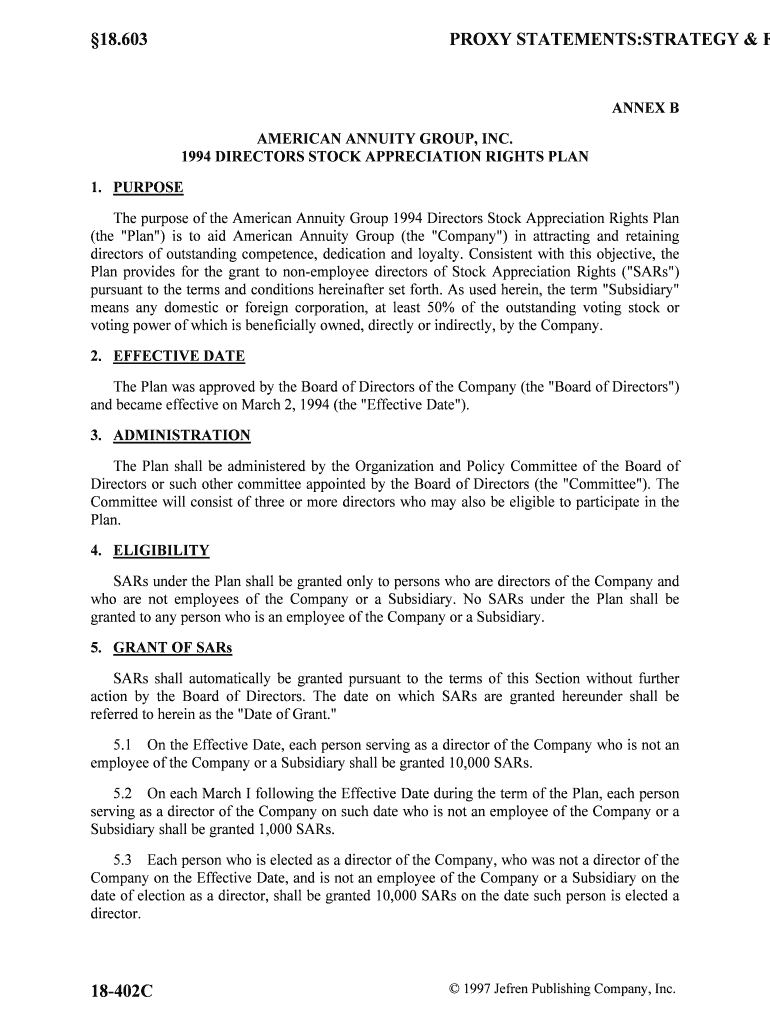
§18.603PROXY STATEMENTS:STRATEGY & FORMS © 1997 Jefren Publishing Company, Inc. 18-402C ANNEX B AMERICAN ANNUITY GROUP, INC. 1994 DIRECTORS STOCK APPRECIATION RIGHTS PLAN 1. PURPOSE The purpose of the American Annuity Group 1994 Directors Stock Appreciation Rights Plan (the "Plan") is to aid American Annuity Group (the "Company") in attracting and retaining directors of outstanding competence, dedication and loyalty. Consistent with this object ive, the Plan provides for the grant to non-employee directors of Stock Appreciation Rights ("SARs") pursuant to the terms and conditions hereinafter set forth. As used herein, the term "Subsidiary" means any domestic or foreign corporation, at least 50% of the outstanding voting stock or voting power of which is beneficially owned, directly or indirectly, by the Company. 2. EFFECTIVE DATE The Plan was approved by the Board of Directors of the Company (the "Board of Directors") and became effective on March 2, 1994 (the "Effective Date"). 3. ADMINISTRATION The Plan shall be administered by the Organization and Policy Committee of the Board of Directors or such other committee appointed by the Board of Directors (the "Committee"). The Committee will consist of three or more directors who may also be eligible to participate in the Plan. 4. ELIGIBILITY SARs under the Plan shall be granted only to persons who are directors of the Company and who are not employees of the Company or a Subsidiary. No SARs under the Plan shall be granted to any person who is an employee of the Company or a Subsidiary. 5. GRANT OF SARs SARs shall automatically be granted pursuant to the terms of this Section without furthe r action by the Board of Directors. The date on which SARs are granted hereunder shall be referred to herein as the "Date of Grant." 5.1 On the Effective Date, each person serving as a director of the Company who is not an employee of the Company or a Subsidiary shall be granted 10,000 SARs. 5.2 On each March I following the Effective Date during the term of the Plan, each person serving as a director of the Company on such date who is not an employee of the Company or a Subsidiary shall be granted 1,000 SARs. 5.3 Each person who is elected as a director of the Company, who was not a director of the Company on the Effective Date, and is not an employee of the Company or a Subsidiary on the date of election as a director, shall be granted 10,000 SARs on the date such person is ele cted a director. STOCK OPTIONS§18.603 January 1997 18-402D 5.4 All SARs granted pursuant to the Plan shall have an SAR Grant Price determined pursuant to Section 7.1 hereof. 6. AVAILABLE SARs 6.1 The stock subject to the SARs granted under the Plan shall be the Common Stock, $1.00 par value, of the Company ("Common Stock"). Each SAR shall be deemed to equal one share of Common Stock, and except as otherwise required or permitted by Paragraph 6.2, the aggregate number of SARs which may be granted under the Plan shall not exceed 500,000. If an SAR expires, terminates, is forfeited or is otherwise surrendered, in whole or in part, the Sha res allocable to such SAR shall again become available for SARs under the Plan. 6.2 The aggregate number of SARs pursuant to the provisions of the Plan shall be proportionately adjusted for any increase or decrease in the number of issued shares of Common Stock resulting from any stock dividend, stock split or similar event and may, in the sole discretion of the Board of Directors of the Company, be similarly adjusted for any other c apital adjustment (including a reclassification of shares or recapitalization or reorganization of the Company) or the distribution to holders of shares of Common Stock of rights, warrants, assets or evidences of indebtedness. 7. TERMS AND CONDITIONS OF SARs Each SAR granted pursuant to the Plan shall be evidenced by a written agreement (t he "Agreement") between the Company and the person to whom the SAR is granted (the "Grantee") in such form or forms as the Committee, from time to time, shall prescribe, which sha ll comply with and be subject to the terms and conditions of this Paragraph 7. In addition, the Commi ttee may, in its absolute discretion, include in any such Grant other terms, conditions and provisions that are not inconsistent with the express provisions of the Plan. 7.1 SAR Grant Price. The initial price at which each SAR may be granted on the Effective Date shall be $9.62. Thereafter, the price at which each SAR is granted under the Pl an shall be the average of the means between the high and low sales prices for shares of the Common Stock for the ten consecutive trading days immediately preceding the Date of Grant as reporte d on the New York Stock Exchange Composite Tape (or the principal market on which the Common Stock is traded, if the Common Stock is not listed on that exchange at any time during such ten day period). The price at which an SAR is granted is the "SAR Grant Price." Notwithstanding the foregoing, if the number of shares of Common Stock subject to any SAR is adjusted pursuant to Paragraph 6.2 hereof, a corresponding adjustment shall be made to the SAR Grant Price. 7.2 Duration of SARs. Each SAR granted under the Plan shall expire and all rights pursuant thereto shall cease on the date which shall be the tenth anniversary of the Date of Grant (the "Expiration Date"). 7.3 Vesting of SARs. Each SAR granted hereunder may be exercised to the extent that the Grantee is vested in such SAR. The SARs will vest according to the following schedule: Number of Years the Grantee has remained Shares representeda director of the Company following by an SAR in which §18.603PROXY STATEMENTS:STRATEGY & FORMS © 1997 Jefren Publishing Company, Inc. 18-402E the Date of Grant a Grantee is Vested Under one ......................................................................................................... 0% At least one but less than two .......................................................................... 20% At least two but less than three ........................................................................ 40% At least three but less than four ........................................................................ 60% At least four but less than five ......................................................................... 80% Five or more ..................................................................................................... 100% Anything contained in this Paragraph 7.3 to the contrary notwithstanding, a Grantee shall become fully (100%) vested in each of his or her SARs under the following circumstances: (i) upon termination of the Grantee's service as a director of the Company for reasons of death, Disability or Retirement (as such terms are defined in Paragraphs 7.7.4 and 7.7.5); (ii) if t he Committee, in its sole discretion, determines that acceleration of the SAR vesting schedule would be desirable for the Company; or (iii) if such SARs vest pursuant to Paragraph 7.4. 7.4 Merger, Consolidation, Etc. If the Company shall, pursuant to action by its Board of Directors, at any time propose to merge into, consolidate with, or sell or otherwise transfer all or substantially all of its assets to another corporation and provision is not made pursuant to the terms of such transaction for the assumption by the surviving, resulting or acquiring corporation of outstanding SARs or for substitution of new SARs therefor, the Committee shall cause writt en notice of the proposed transaction to be given to each Grantee not less than twenty days prior to the anticipated effective date of the proposed transaction, and his or her SARs shall be come fully (100%) vested and, prior to a date specified in such notice, which shall be not more than ten days prior to the anticipated effective date of the proposed transaction, each Grantee sha ll have the right to exercise his or her SARs. Each Grantee, by so notifying the Company in writi ng, may in exercising his or her SARs, condition such exercise upon, and provide that such exercise shall become effective at the time of, but immediately before, the consummation of the transaction. If the transaction is consummated, each SAR, to the extent not previously exercised be fore the date specified in the foregoing notice, shall terminate on the effective date of such c onsummation. If the transaction is abandoned, (i) any SAR not exercised shall continue to be available for exercise in accordance with other provisions of the Plan and (ii) to the extent tha t any SAR not exercised before such abandonment shall have vested solely by operation of this Paragraph 7.4, such vesting shall be deemed annulled, and the vesting schedule set forth in or pursuant to Paragraph 7.3 shall be reinstituted, as of the date of such abandonment. 7.5 Exercise of SARs. A person entitled to exercise an SAR may exercise it to the extent vested pursuant to Paragraph 7.3 in whole or in part during any period beginning on the third business day following the date of release of the financial data specified in Rule 16b-3(e )(1)(ii) of the Securities Exchange Act of 1934, as amended (the "Exchange Act"), and ending on the twelfth business day following such date (the "Window Period"), by delivering to the Secretary of the Company written notice (the "Notice") specifying the number of SARs being exercised. Upon exercise of an SAR by a Grantee, the Company will pay the Grantee an amount (the "Spread") equal to (i) the excess of the Exercise Price over the SAR Grant Price mult iplied by the (ii) number of shares represented by the SAR or portion thereof being exercised. The "Exercise Price" shall be the average of the means between the high and low sale s prices of shares of Common Stock for the ten consecutive trading days immediately preceding the Noti ce STOCK OPTIONS§18.603 January 1997 18-402F as reported on the New York Stock Exchange Composite Tape (or the principal market on which the Common Stock is traded, if the Common Stock is not listed on such exchange at any time during such ten day period). Payment by the Company upon exercise of an SAR shall be in the manner provided below. 7.5.1 The Company shall pay 50% of the Spread in cash to the Grantee, subject to any applicable tax withholding provisions, within ten business days after the exercise of the SAR. 7.5.2 The Company shall have the option to pay the remaining 50% of the Spread in any combination of cash or shares of Common Stock. The number of shares of Common Stock to be issued shall be determined by dividing the portion of the Spread being paid in Shares by the Exercise Price. To the extent that the Compa ny chooses to pay a portion of the Spread in shares of Common Stock, the Company will deliver a certificate registered in the name of the Grantee for the number of suc h shares to the Grantee within twenty business days after the exercise of the SAR. The Company may include a legend on any stock certificate issued hereunder to reflect any restrictions provided for in Paragraph 8 hereof. In no event shall the Company issue shares of Common Stock in partial payment of a Spread if Article Twelfth of the Company's Certificate of Incorporation as in existence at the Effective Date or a ny substantially similar successor provision shall be in effect and the issuance of Shares would cause the Grantee to beneficially own 4.75% or more of the Company's outstanding Shares. To the extent that the Company chooses to pay the remaining 50% of the Spread in cash, such payment shall be paid over a period of ten years. Such deferred cash payment shall bear interest at a rate of 10%, and the Company shall make ten equal annual payments of principal plus accrued interest payable on each January 15. 7.6 Nontransferability. SARs shall not be transferable other than by will or the laws of descent and distribution and may be exercised, during the lifetime of the Grantee, only by the Grantee. 7.7 Termination of Service as a Director. Unless otherwise determined by the Committee, the following rules shall apply in the event of Grantee's termination of service as a director of the Company. 7.7.1 Except as provided in Paragraph 7.7.4 or 7.7.5, in the event of a Grantee's termination of service as a director of the Company either (1) as a result of his removal as a director for cause or (2) as a result of resignation of the director, his or her SAR shall immediately terminate. 7.7.2 In the event of the Grantee's termination of service as a director under circumstances other than those specified in Paragraph 7.7.1 hereof and for reasons other than death, Disability (as defined in Paragraph 7.7.4) or Retirement (as defined in Paragraph 7.7.5), his or her SARs shall terminate on the date which is 90 days from the date of such termination of service as a director or on its Expiration Date, whichever shall first occur; provided, however, that if the Grantee is subject to the provisions of Section 16(a) of the Exchange Act on the date of termination of service as a direct or, such SARs shall terminate (x) on the date which is the end of the first Window Period §18.603PROXY STATEMENTS:STRATEGY & FORMS © 1997 Jefren Publishing Company, Inc. 18-402G following the later of 90 days from the date of such termination of service as a direc tor or six months and ten days after the date of Grant of such SARs or (y) on its Expiration Date, whichever shall first occur. 7.7.3 In the event of the death of a Grantee while he or she is serving as a director of the Company, his or her SAR shall terminate on the first anniversary of the Grantee's death or on its Expiration Date, whichever shall first occur. 7.7.4 In the event of the Grantee's termination of service as a director due to mental or physical infirmity of the Company ("Disability"), his or her SAR shall terminate on first anniversary of such Disability, or on its Expiration Date, whichever shall first occur. 7.7.5 In the event that the Grantee's service as a director terminates after five or more years of service as a director ("Retirement"), his or her SAR shall terminat e on the second anniversary of the date of such Retirement or on its Expiration Date, whichever shall first occur. 7.7.6 Anything contained in this Paragraph 7.7 to the contrary notwithstanding, an SAR may only be exercised following the Grantee's termination of service as a director for reasons other than death, Disability or Retirement if, and to the extent that, such SAR was exercisable immediately prior to such termination service as a director. 7.8 No Rights as Stockholder or to Continue as a Director. No Grantee shall have any rights as a stockholder of the Company with respect to any shares of Common Stock prior to the date of issuance to him or her of a certificate representing such shares issued pursuant to Paragraph 7.5.2, and neither the Plan nor any SAR granted under the Plan shall confer upon a Grantee any right to continue to serve as a director. 8. ISSUANCE OF SHARES: RESTRICTIONS 8.1 Unless any shares of Common Stock to be issued by the Company under the Plan have been registered under the Securities Act of 1933, as amended (the "Securities Ac t"), and, in the case of any Grantee who may be deemed an "affiliate" of the Company as defined in Rule 405 under the Securities Act, such shares have been registered under the Securities Ac t for resale by such Grantee, or unless the Company has determined that an exemption from registra tion is available, the Company may require prior to and as a condition of the issuance of any shares of Common Stock that the person receiving such shares hereunder furnish the Company with a written representation in a form prescribed by the Committee to the effect that such person is acquiring such shares solely with a view to investment for his or her own account and not wi th a view to the resale or distribution of all or any part thereof, and that such person will not dispose of any of such shares otherwise than in accordance with the provisions of Rule 144 under the Securities Act unless and until either the shares are registered under the Securiti es Act or the Company is satisfied that an exemption from such registration is available. 8.2 Anything contained herein to the contrary notwithstanding, the Company shall not be able to issue any shares of Common Stock under the Plan unless and until the Company i s satisfied that such sale or issuance complies with all applicable requirements of the New York STOCK OPTIONS§18.603 January 1997 18-402H Stock Exchange (or the governing body of the principal market in which the Common Stock is traded, if the Common Stock is not then listed on that exchange), all applicable provisions of the Securities Act and all other laws or regulations by which the Company is bound or to whi ch the Company is subject. 9. TERM OF THE PLAN Unless the Plan has been sooner terminated pursuant to Paragraph 10 hereof, the Plan shall terminate on, and no SARs shall be granted after the tenth anniversary of the Effective Date. The provisions of the Plan, however, shall continue thereafter to govern all SARs theretofore granted, until the exercise, expiration or cancellation of the SARs. 10. AMENDMENT AND TERMINATION OF PLAN The Board of Directors at any time may terminate or suspend the Plan or amend it from time to time in such respects as it deems desirable; provided that, without the furthe r approval of the stockholders no amendment shall increase the maximum aggregate number of SARs which ma y be granted under the Plan, change the SAR Grant Price provided for in Paragraph 7.1 hereof, change the eligibility provisions of Paragraph 4 hereof or make any other amendment which in the opinion of counsel to the Company must be approved by the Company's stockholders in order to remain an exempted plan under Rule 16b-3, and provided further that, subject to the provisions of Paragraph 8 hereof, no termination of or amendment to the Plan shall adversely affect the rights of any participant without the consent of such participant, as the case may be. In addition, the provisions of the Plan shall not be amended more than once every six months, ot her than to comport with changes to the Internal Revenue Code of 1986, as amended, the Employee Retirement Income Security Act of 1974, as amended, or the rules thereunder. 11. STOCKHOLDER APPROVAL This Plan and any Grants made hereunder are conditioned upon approval of the Plan at the 1994 Annual Meeting of Stockholders of the Company. If such approval is not obtained, the Plan and any Grants made hereunder shall automatically terminate and be of no further force or effect and a Grantee shall have no rights under the Plan or any Grant. American Annuity Group, Inc. 5/16/94

Useful advice for setting up your ‘Proxy Statementsstrategy Amp F’ online

Are you fed up with the inconvenience of managing paperwork? Look no further than airSlate SignNow, the premier eSignature solution for individuals and businesses. Bid farewell to the tedious process of printing and scanning documents. With airSlate SignNow, you can effortlessly fill out and sign documents online. Take advantage of the robust features included in this user-friendly and affordable platform and transform your method of document handling. Whether you need to approve forms or collect eSignatures, airSlate SignNow manages it all smoothly, needing only a few clicks.

Follow this detailed guide:

  1. Log into your account or sign up for a complimentary trial of our service.
  2. Click +Create to upload a file from your device, the cloud, or our template library.
  3. Edit your ‘Proxy Statementsstrategy Amp F’ in the editor.
  4. Click Me (Fill Out Now) to finalize the form on your end.
  5. Insert and designate fillable fields for other participants (if needed).
  6. Proceed with the Send Invite options to request eSignatures from others.
  7. Save, print your version, or transform it into a reusable template.

Don't fret if you need to work with others on your Proxy Statementsstrategy Amp F or send it for notarization—our platform has everything you require to accomplish those tasks. Join airSlate SignNow today and elevate your document management to a new standard!

Here is a list of the most common customer questions. If you can’t find an answer to your question, please don’t hesitate to reach out to us.

Need help? Contact Support

The best way to complete and sign your proxy statementsstrategy amp f form

Save time on document management with airSlate SignNow and get your proxy statementsstrategy amp f form eSigned quickly from anywhere with our fully compliant eSignature tool.

How to Sign a PDF Online How to Sign a PDF Online

How to complete and sign paperwork online

In the past, dealing with paperwork required lots of time and effort. But with airSlate SignNow, document management is quick and simple. Our powerful and user-friendly eSignature solution lets you effortlessly complete and eSign your proxy statementsstrategy amp f form online from any internet-connected device.

Follow the step-by-step guide to eSign your proxy statementsstrategy amp f form template online:

  • 1.Sign up for a free trial with airSlate SignNow or log in to your account with password credentials or SSO authorization option.
  • 2.Click Upload or Create and import a file for eSigning from your device, the cloud, or our form library.
  • 3.Click on the document name to open it in the editor and utilize the left-side toolbar to complete all the blank areas properly.
  • 4.Put the My Signature field where you need to approve your sample. Type your name, draw, or upload an image of your regular signature.
  • 5.Click Save and Close to accomplish editing your completed document.

Once your proxy statementsstrategy amp f form template is ready, download it to your device, export it to the cloud, or invite other people to electronically sign it. With airSlate SignNow, the eSigning process only requires a few clicks. Use our powerful eSignature tool wherever you are to deal with your paperwork successfully!


How to Sign a PDF Using Google Chrome How to Sign a PDF Using Google Chrome

How to complete and sign documents in Google Chrome

Completing and signing documents is easy with the airSlate SignNow extension for Google Chrome. Installing it to your browser is a fast and beneficial way to manage your forms online. Sign your proxy statementsstrategy amp f form sample with a legally-binding eSignature in just a couple of clicks without switching between tools and tabs.

Follow the step-by-step guidelines to eSign your proxy statementsstrategy amp f form in Google Chrome:

  • 1.Go to the Chrome Web Store, search for the airSlate SignNow extension for Chrome, and add it to your browser.
  • 2.Right-click on the link to a document you need to approve and select Open in airSlate SignNow.
  • 3.Log in to your account using your credentials or Google/Facebook sign-in buttons. If you don’t have one, sign up for a free trial.
  • 4.Use the Edit & Sign menu on the left to complete your sample, then drag and drop the My Signature option.
  • 5.Upload a picture of your handwritten signature, draw it, or simply enter your full name to eSign.
  • 6.Verify all data is correct and click Save and Close to finish editing your form.

Now, you can save your proxy statementsstrategy amp f form sample to your device or cloud storage, email the copy to other people, or invite them to electronically sign your document with an email request or a secure Signing Link. The airSlate SignNow extension for Google Chrome improves your document workflows with minimum effort and time. Try airSlate SignNow today!


How to Sign a PDF in Gmail How to Sign a PDF in Gmail How to Sign a PDF in Gmail

How to fill out and sign forms in Gmail

When you receive an email containing the proxy statementsstrategy amp f form for approval, there’s no need to print and scan a file or save and re-upload it to a different program. There’s a much better solution if you use Gmail. Try the airSlate SignNow add-on to quickly eSign any documents right from your inbox.

Follow the step-by-step guide to eSign your proxy statementsstrategy amp f form in Gmail:

  • 1.Navigate to the Google Workplace Marketplace and locate a airSlate SignNow add-on for Gmail.
  • 2.Set up the program with a related button and grant the tool access to your Google account.
  • 3.Open an email with an attached file that needs signing and use the S sign on the right panel to launch the add-on.
  • 4.Log in to your airSlate SignNow account. Choose Send to Sign to forward the file to other parties for approval or click Upload to open it in the editor.
  • 5.Drop the My Signature option where you need to eSign: type, draw, or upload your signature.

This eSigning process saves time and only requires a couple of clicks. Take advantage of the airSlate SignNow add-on for Gmail to update your proxy statementsstrategy amp f form with fillable fields, sign documents legally, and invite other parties to eSign them al without leaving your mailbox. Improve your signature workflows now!


How to Sign a PDF on a Mobile Device How to Sign a PDF on a Mobile Device How to Sign a PDF on a Mobile Device

How to complete and sign forms in a mobile browser

Need to quickly complete and sign your proxy statementsstrategy amp f form on a smartphone while working on the go? airSlate SignNow can help without needing to install extra software programs. Open our airSlate SignNow tool from any browser on your mobile device and create legally-binding electronic signatures on the go, 24/7.

Follow the step-by-step guidelines to eSign your proxy statementsstrategy amp f form in a browser:

  • 1.Open any browser on your device and follow the link www.signnow.com
  • 2.Sign up for an account with a free trial or log in with your password credentials or SSO option.
  • 3.Click Upload or Create and add a file that needs to be completed from a cloud, your device, or our form catalogue with ready-made templates.
  • 4.Open the form and fill out the empty fields with tools from Edit & Sign menu on the left.
  • 5.Place the My Signature area to the sample, then type in your name, draw, or upload your signature.

In a few simple clicks, your proxy statementsstrategy amp f form is completed from wherever you are. As soon as you're done with editing, you can save the document on your device, create a reusable template for it, email it to other people, or invite them electronically sign it. Make your paperwork on the go quick and effective with airSlate SignNow!


How to Sign a PDF on iPhone How to Sign a PDF on iPhone

How to complete and sign forms on iOS

In today’s corporate environment, tasks must be completed quickly even when you’re away from your computer. With the airSlate SignNow mobile app, you can organize your paperwork and approve your proxy statementsstrategy amp f form with a legally-binding eSignature right on your iPhone or iPad. Install it on your device to close deals and manage documents from anywhere 24/7.

Follow the step-by-step guidelines to eSign your proxy statementsstrategy amp f form on iOS devices:

  • 1.Go to the App Store, search for the airSlate SignNow app by airSlate, and install it on your device.
  • 2.Open the application, tap Create to add a template, and choose Myself.
  • 3.Opt for Signature at the bottom toolbar and simply draw your signature with a finger or stylus to eSign the sample.
  • 4.Tap Done -> Save after signing the sample.
  • 5.Tap Save or use the Make Template option to re-use this document later on.

This method is so easy your proxy statementsstrategy amp f form is completed and signed within a couple of taps. The airSlate SignNow app works in the cloud so all the forms on your mobile device remain in your account and are available whenever you need them. Use airSlate SignNow for iOS to enhance your document management and eSignature workflows!


How to Sign a PDF on Android How to Sign a PDF on Android

How to complete and sign paperwork on Android

With airSlate SignNow, it’s easy to sign your proxy statementsstrategy amp f form on the go. Set up its mobile app for Android OS on your device and start improving eSignature workflows right on your smartphone or tablet.

Follow the step-by-step guide to eSign your proxy statementsstrategy amp f form on Android:

  • 1.Open Google Play, search for the airSlate SignNow app from airSlate, and install it on your device.
  • 2.Sign in to your account or register it with a free trial, then import a file with a ➕ button on the bottom of you screen.
  • 3.Tap on the imported file and select Open in Editor from the dropdown menu.
  • 4.Tap on Tools tab -> Signature, then draw or type your name to electronically sign the form. Complete empty fields with other tools on the bottom if necessary.
  • 5.Use the ✔ key, then tap on the Save option to end up with editing.

With an intuitive interface and total compliance with major eSignature requirements, the airSlate SignNow application is the perfect tool for signing your proxy statementsstrategy amp f form. It even works offline and updates all record modifications once your internet connection is restored and the tool is synced. Fill out and eSign documents, send them for eSigning, and create multi-usable templates whenever you need and from anyplace with airSlate SignNow.

Sign up and try Proxy statementsstrategy amp f form
  • Close deals faster
  • Improve productivity
  • Delight customers
  • Increase revenue
  • Save time & money
  • Reduce payment cycles

