Establishing secure connection…Loading editor…Preparing document…

Reminder Letter

This template is fully customizable. Edit the text, fill out the fields, and send it for signature. Give it a try!
Reminder Letter

What a Reminder Letter Is and when to use it

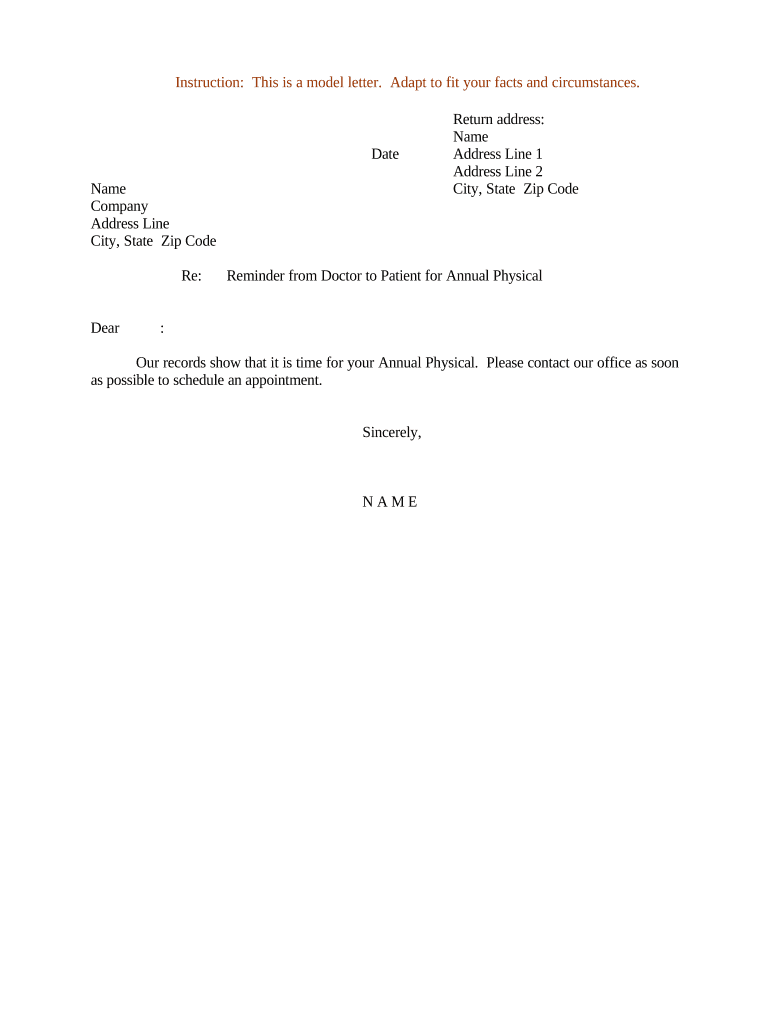
A Reminder Letter is a written notice sent to an individual or organization to prompt action on a missed obligation, most often payment, a required document, or a missed appointment. It documents the attempt to notify, summarizes the outstanding item, and explains next steps or consequences. Reminder Letters are typically concise, factual, and date-stamped; they are not a demand letter or final notice unless explicitly labeled as such. Many organizations send reminders before escalating to formal collection, legal action, or administrative penalties.

Why sending a clear Reminder Letter matters

A precise Reminder Letter reduces ambiguity, preserves evidence of notice, and increases the chance of timely resolution while keeping a clear audit trail for internal records and potential legal proceedings.

Why sending a clear Reminder Letter matters

Typical users and recipients of Reminder Letters

Organizations and teams that need to recover a missed obligation or document routinely issue Reminder Letters as a first formal step.

  • Accounts receivable teams issuing past-due notices to customers and vendors for outstanding invoices.
  • Property managers or landlords reminding tenants about late rent, lease obligations, or required inspections.
  • Schools, clinics, and administrative offices notifying individuals about missing forms, unpaid fees, or missed appointments.

Core elements to include in every Reminder Letter

A professional Reminder Letter is concise and structured so recipients can act immediately. Include a clear subject line, a factual opening, the referenced obligation, exact amounts and dates, payment or delivery instructions, and a concise description of next steps or consequences.

Subject line

Use a direct subject such as 'Reminder: Invoice 12345 — Payment Overdue' so the recipient recognizes the issue at a glance and can prioritize response.
Opening

State the purpose in one sentence: identify the original obligation, the due date, and that this letter serves as a reminder rather than a demand.

Reference details

List invoice or account numbers, original issue and due dates, and any prior notice dates so the recipient can verify and reconcile quickly.

Amount and terms

State the exact outstanding amount, any late fees or interest that will apply, and the acceptable payment methods with payment instructions.

Action requested

Be explicit about the action required (pay, return a form, confirm appointment) and include a clear deadline and contact for questions.

Consequences

Explain the next step if unresolved (final notice, service suspension, referral to collections) in neutral language and with applicable timeframes.

Step-by-step: create and send a Reminder Letter

Follow these steps to prepare a legally clear and actionable Reminder Letter that documents notice and minimizes disputes.

  • 01
    Collect records: Gather the original agreement, invoice, and prior notices for reference.
  • 02
    Draft the letter: Include facts, amounts, dates, action requested, and a neutral statement of consequences.
  • 03
    Choose delivery: Select an appropriate delivery method with proof of delivery or electronic audit trail.
  • 04
    Record and follow up: Log the notice in your records and schedule follow-up or escalation steps.

How digital Reminder Letters fit into a workflow

Digital reminder workflows reduce manual steps and provide an auditable record of delivery and recipient action.

  • Prepare template: Create a reusable letter template with fillable fields.
  • Personalize: Auto-populate account-specific data from your system.
  • Send: Deliver by email or certified mail with tracking.
  • Track: Capture delivery, open, and signature events in the audit trail.

Common digital setup options for Reminder Letter workflows

Configure authentication, scheduling, and archival settings to match your risk tolerance and regulatory obligations.

Field Configuration
Authentication level Email link, SMS code, or two-factor authentication
Reminder schedule Initial + automated follow-ups at configurable day intervals
Auto-escalation Route to collections or legal after missed deadlines
Archive rule Retain signed copy and audit trail per retention policy

Delivery channels and technical requirements

Ensure the selected platform supports audit trails, appropriate authentication, and secure storage to meet internal policies and regulatory requirements.

  • File formats: PDF and DOCX supported
  • Integrations: CRM, accounting, and document storage connectors
  • Mobile readiness: Works on desktop and mobile

Timing: when to send reminders and follow-ups

Set a standard schedule for reminders to ensure consistent handling and compliance with consumer notice requirements.

Initial reminder:

Send within 7 days after the missed due date

First follow-up:

Send 14–30 days after the missed due date

Final notice:

Deliver 45–60 days after due date before escalation

Collections referral:

Refer after your company’s final notice period

Statute caution:

Avoid actions that could unintentionally restart limitation periods

Milestones from draft through resolution

Track milestones so each reminder step is evidence-backed and time-limited.

01

Draft complete

Letter prepared with supporting reference materials and approval

02

Send notice

Delivered with proof of receipt and audit record

03

Follow-up

Automated or manual reminder(s) according to schedule

04

Resolve or escalate

Payment processed or matter sent to next-stage handling

Common preparation mistakes to avoid

  • Using vague dates or ambiguous payment instructions that cause recipient confusion and delay.
  • Failing to reference the original invoice or account number, making reconciliation difficult for recipients.
  • Omitting proof of delivery or an audit trail, which weakens evidence of notice in disputes.
  • Applying inconsistent fees or penalties not previously disclosed in the original agreement.

Legal and practical risks of incorrect Reminder Letters

Regulatory risk: Unintended consumer-law violations
Collection exposure: Missteps can complicate later collections
Privacy breach: Improper PHI handling risks HIPAA penalties
Contract disputes: Ambiguous notices may trigger disputes
Reputational harm: Insensitive language may damage relationships
Data errors: Incorrect amounts lead to refunds or audits

Security and compliance controls to protect Reminder Letters

Encryption: TLS 1.2/1.3 and AES-256
Audit trail: Timestamps, IPs, and action history
Access control: Role-based permissions and SSO
HIPAA readiness: BAA available for PHI handling
Regulatory frameworks: ESIGN, UETA, 21 CFR Part 11
Certifications: SOC 2 Type II and ISO 27001

Practical tips for accurate, efficient Reminder Letters

Adopt templates, automation, and standardized language to reduce manual errors while preserving flexibility for sensitive cases.

Use templates
Maintain approved templates to ensure consistent language and compliance across senders.
Auto-populate data
Pull account and invoice data from authoritative systems to avoid manual transcription errors.
Document delivery
Always capture proof of delivery and store the signed copy with the audit trail.
Escalation rules
Define objective triggers and timelines for escalation to collections or legal review.

Real-world Reminder Letter scenarios

Two practical examples show how Reminder Letters are used across common industries, with clear outcomes when properly executed.

Property management example

A landlord sends a 7-day rent reminder referencing lease section and invoice

  • the tenant receives a payment link and pays online within 48 hours
  • keeping the exchange in the tenant portal and audit trail avoided a late-fee dispute and preserved relationship.

Medical billing example

A clinic issues a billing reminder after insurance adjudication with itemized balance

  • the letter includes HIPAA-compliant contact instructions
  • the patient scheduled a repayment plan and the clinic recorded the consent and payment schedule for compliance and follow-up.

Representative eSignature pricing and envelope limits for Reminder Letter workflows

Compare basic vendor pricing and envelope limits to evaluate cost and capacity for high-volume reminder mailings.

signNow DocuSign Adobe Sign PandaDoc HelloSign
Starting Price $8/user/mo $15/user/mo $14/user/mo $19/user/mo $15/user/mo
Free Trial 7-day free trial Varies by plan Varies by plan Varies by plan Varies by plan
Bulk Send Yes (available) Yes Yes Yes No
Audit Trail Yes Yes Yes Yes Yes
Envelope Cap No envelope cap 100 envelopes/user/year Varies Varies Varies

Frequently asked questions about Reminder Letters

Answers to common practical and legal questions when preparing, sending, and storing Reminder Letters.


Need help? Contact support

be ready to get more
Join over 28 million airSlate SignNow users