Establishing secure connection…Loading editor…Preparing document…

Complaint Form

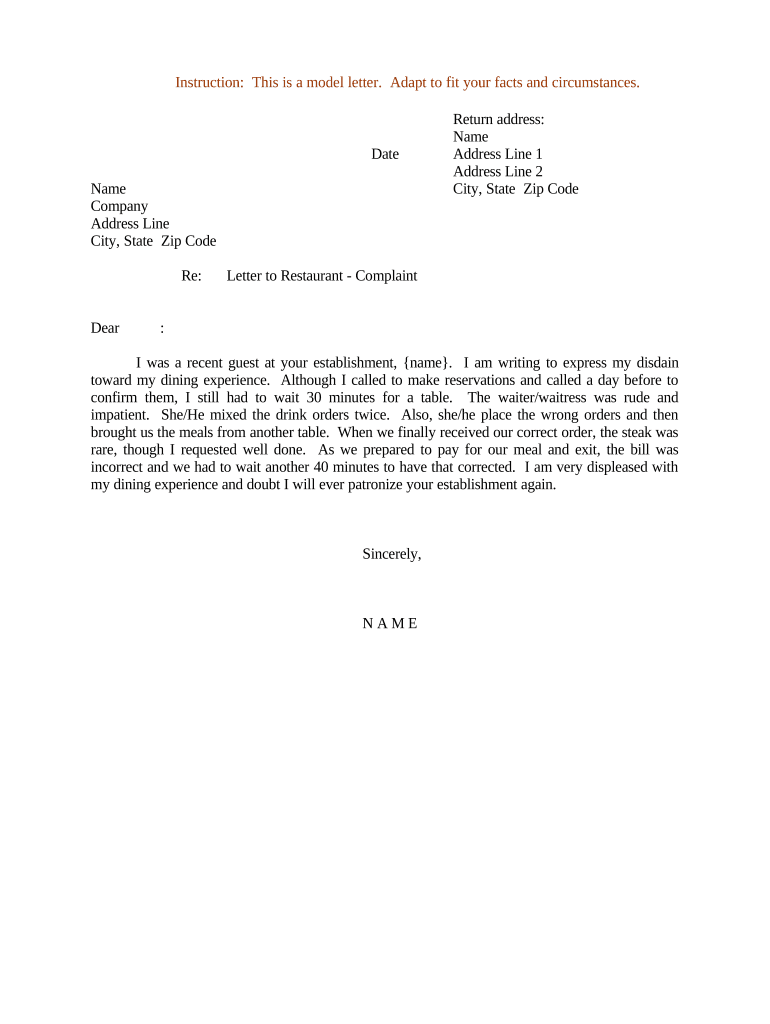
This template is fully customizable. Edit the text, fill out the fields, and send it for signature. Give it a try!
Complaint Form

What a Complaint Form Is and when organizations use it

A Complaint Form is a structured document used to report a problem, incident, policy violation, or dispute to an organization, regulator, or agency. It captures who is filing, who the complaint is about, a clear description of the issue, relevant dates, and requested remedies. Complaint Forms standardize intake, create an auditable record, and enable consistent handling across departments while preserving evidence for investigations or appeals.

Why a clear Complaint Form matters

A well‑designed Complaint Form speeds resolution, reduces follow‑up questions, and preserves facts needed for investigations or legal processes.

Why a clear Complaint Form matters

Who prepares and who receives Complaint Forms

Complaint Forms are used by individuals, employees, managers, compliance teams, and external claimants to document incidents or requests for review.

  • Employees and customers filing complaints about service or conduct.
  • HR, Compliance, or Legal teams responsible for intake and investigation.
  • Regulators and agencies receiving externally filed complaints.

Proper routing to the correct recipient ensures timely investigation and maintains chain of custody for the record.

Step-by-step: completing and submitting the Complaint Form

Follow these steps to prepare a complete complaint that can be processed without repeated follow‑up.

  • 01
    Gather Evidence: Collect emails, receipts, dates before writing the form.
  • 02
    Complete Fields: Fill name, contact, incident details, and remedy requested.
  • 03
    Attach Documents: Upload documents, screenshots, or witness statements as PDF or image files.
  • 04
    Review & Submit: Proofread, confirm contact info, then file through the designated channel.

Typical intake and handling workflow for complaint intake

Complaint processing usually follows a predictable flow from submission through investigation to closure; use routing controls to preserve the record.

  • Submission: Complainant files the form via email, portal, or paper intake.
  • Acknowledgment: Recipient sends receipt and reference number to filer.
  • Investigation: Assigned team collects evidence and interviews parties.
  • Resolution: Decision communicated and record closed with documentation.

Core elements every professional Complaint Form should include

A complete Complaint Form collects identity, facts, evidence, and a clear record of requested corrective action to support fair investigation and defensible outcomes.

Identification

Complainant and respondent legal names, contact details, and relationship to organization.
Incident Details

Precise dates, times, locations, and chronological description of events.

Supporting Evidence

Attachments such as emails, photos, receipts, or witness statements to corroborate claims.

Witnesses

Names and contact info for any witnesses, with brief summaries of their observations.

Desired Outcome

Clear statement of remedy requested or resolution sought by the complainant.

Signatures & Date

Complainant signature, date, and any certifying official signatures when required.

Security and privacy controls to protect Complaint Forms

Encryption: TLS 1.2/1.3 in transit, AES-256 at rest
Audit Trail: Immutable timestamps and action logs
Access Controls: Role-based permissions and SSO options
HIPAA Support: BAA available for protected health information
Certifications: SOC 2 Type II, ISO 27001 compliance
Accessibility: WCAG 2.0 Level AA support

Common mistakes that slow resolution

  • Incomplete contact details or ambiguous respondent identification forcing additional follow‑up and delaying investigation.
  • Vague incident descriptions lacking dates and specific actions, which complicate fact‑finding and evidence correlation.
  • Failure to attach supporting documentation such as screenshots or receipts, reducing credibility and forcing re‑requests.
  • Using emotional or accusatory language instead of chronological facts, which can escalate disputes and hinder mediation.

Risks and potential penalties from incorrect or late complaints

Missed Statute: Loss of remedy if filing deadline lapses
Regulatory Fines: Agency penalties for late or false filings
Legal Exposure: Civil claims if process is mishandled
Data Breach Risk: Inadequate protection may trigger HIPAA or state fines
Reputational Harm: Public disclosure or escalation damages trust
Evidence Loss: Missing attachments can preclude relief

Configuring an online complaint intake workflow

Set up fields, routing, authentication, and retention rules to ensure consistent processing and legal defensibility.

Field Configuration
Authentication Email link, SMS code, or advanced verification
Routing Auto-assign by complaint type or department
Conditional Fields Show adviser fields only when needed
Retention Set hold period and archival policy

Technical channels and format requirements for eSubmission

Choose submission channels and file formats that balance accessibility with security and auditability.

  • Accepted Formats: PDF, DOCX, JPEG, PNG
  • Integrations: Salesforce, NetSuite, Google Workspace
  • Authentication: Email link, SMS code, or SSO

Timelines to expect when filing a formal complaint

Timelines vary by organization and regulator; plan for acknowledgment, investigation, and possible appeals windows when filing.

Acknowledgment Time:

Often within 3–10 business days

Initial Review:

Preliminary review typically 10–30 days

Investigation Window:

Investigations commonly take 30–90 days

Agency Deadlines:

Some agencies require charges within 180 or 300 days

Appeals Period:

Appeals windows vary; consult the agency policy

Key processing milestones for a complaint intake lifecycle

Track milestones from intake through closure to ensure SLA compliance and defensible documentation of each step.

01

Intake Completed

Form and attachments received and logged with ID

02

Acknowledgment Sent

Complainant receives confirmation and reference number

03

Formal Investigation

Evidence gathered and interviews conducted

04

Decision & Closure

Final determination recorded and communicated

eSignature pricing and capability snapshot for Complaint Form workflows

Basic pricing and feature availability across common providers; signNow is listed first per comparative format and pricing reflects typical annual billing tiers.

signNow DocuSign Adobe Sign PandaDoc HelloSign
Starting Price $8/user/mo $15/user/mo $14/user/mo $19/user/mo $15/user/mo
Free Trial 7-day free trial Varies by vendor Varies by vendor Varies by vendor Varies by vendor
Bulk Send Yes Yes Yes Yes Yes
Audit Trail Yes Yes Yes Yes Yes
HIPAA Compliant Yes Yes Yes No No
Envelope Cap No cap 100 envelopes/user/year Varies Varies Varies

Real-world examples showing digital intake in practice

Organizations use digital Complaint Forms to reduce manual handling, improve auditability, and speed resolution for customer and employee complaints.

Optica Ventures — intake simplification

Optica centralized intake with digital forms to reduce back‑and‑forth and ensure consistent records.

  • The team reported fewer missing details during intake.
  • "The interface is simple and easy-to-use for our team; more importantly, it is just as easy for our customers."

Martin Properties — mobile reporting

Martin Properties allowed tenants to file complaints via mobile forms with attachments.

  • Mobile submissions increased timely reporting.
  • "I can process and execute all of these documents online with 100% compliance and built-in security."

Practical tips to improve accuracy and speed when completing Complaint Forms

Apply these best practices to reduce errors, maintain evidence integrity, and accelerate resolution of complaints.

Be specific and factual
Write events in chronological order, include exact dates and times, and avoid speculation. Clear facts reduce investigator follow-up and strengthen the record.
Attach corroborating evidence
Include screenshots, emails, and receipts as separate attachments. Properly labeled attachments prevent confusion and speed evidence review during investigations.
Preserve originals
If physical evidence exists, note its location and chain of custody. Convert to PDF and capture metadata to retain authenticity for later proceedings.
Use controlled vocabulary
Use predefined categories and severity levels in forms to standardize routing and ensure consistent application of policies across cases.

Frequently asked questions about Complaint Forms

Answers to common questions about completing, submitting, and managing Complaint Forms in organizational and regulatory contexts.


Need help? Contact support

be ready to get more
Join over 28 million airSlate SignNow users