Establishing secure connection…Loading editor…Preparing document…

Employment Agreement Contract

This template is fully customizable. Edit the text, fill out the fields, and send it for signature. Give it a try!
Employment Agreement Contract

What an Employment Agreement Contract Is

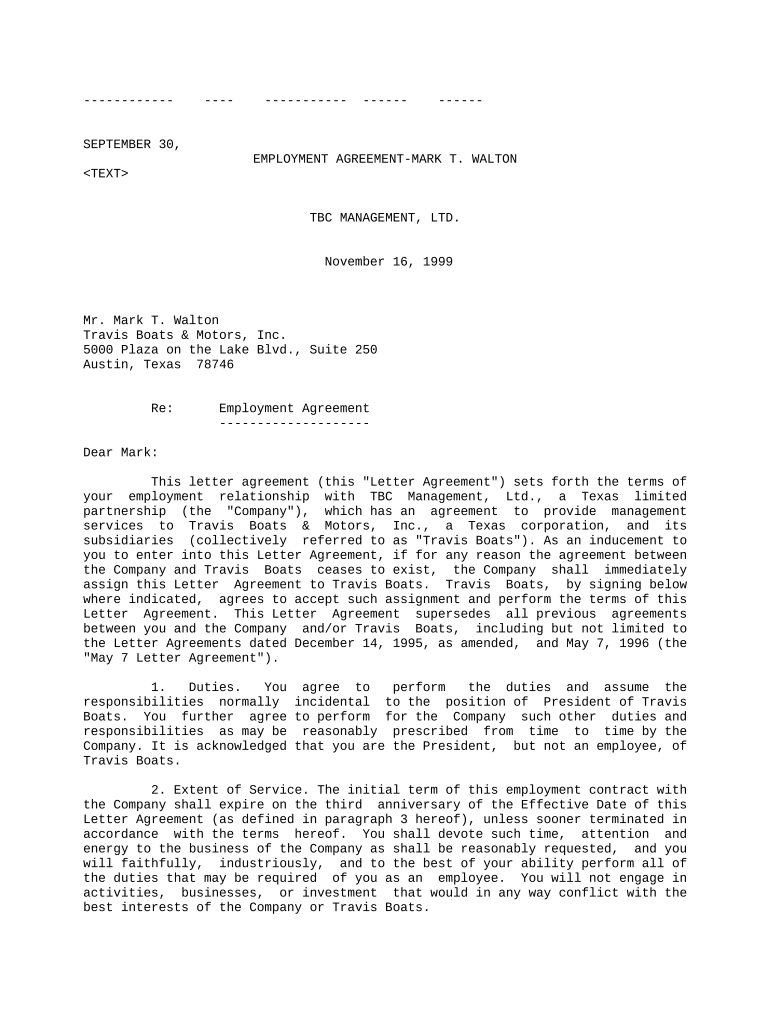
An Employment Agreement Contract is a written legal document between an employer and an employee that records the terms of employment. It sets the start date, job title, duties, compensation and benefits, work schedule, confidentiality and intellectual property assignment, restrictive covenants where applicable, termination terms, and dispute-resolution procedures. The contract documents mutual expectations, supports compliance with wage and labor laws, and supplies an evidentiary record if disagreements or legal claims arise, so parties can rely on clear, signed terms rather than informal understandings.

Why use a formal Employment Agreement Contract

A clear written agreement reduces ambiguity about pay, duties, and legal obligations, helps satisfy regulatory and payroll requirements, preserves confidential information, and creates an enforceable record for dispute resolution and IP ownership.

Why use a formal Employment Agreement Contract

Who typically prepares and signs these contracts

Employers, HR teams, hiring managers, and counsel rely on Employment Agreement Contracts to set reciprocal obligations and reduce risk before work begins.

  • HR managers and in-house counsel preparing standardized offer letters and employment templates.
  • Small business owners and hiring managers documenting startup or early-stage employment terms.
  • Outside counsel and recruiters reviewing and finalizing contract language for compliance.

Key clauses to include in a professional Employment Agreement Contract

A complete agreement organizes obligations and protections so both parties understand compensation, duties, duration, and remedies; precise language reduces litigation risk and eases onboarding.

Term & Role

Specify job title, start date, employment basis (at-will or fixed term), work location, reporting lines, and any probationary period to make role and duration unambiguous.
Compensation & Benefits

Detail base salary, bonus plans, equity or stock options, pay schedule, benefit eligibility, expense reimbursement, and any commission structures with calculation examples and payment timing.

Duties & Performance

Define primary responsibilities, performance expectations, reporting and review cadence, and reference to applicable job descriptions or performance plans to support employment decisions.

Confidentiality & IP

Include nondisclosure provisions and clear assignment of work product or inventions to the employer with examples and survival provisions beyond termination.

Restrictive Covenants

If used, state non-compete, non-solicitation, and non-disclosure limits, geographic scope, duration, and consideration, mindful of state enforceability differences and reasonableness tests.

Termination & Remedies

Describe notice periods, cause definitions, severance terms if any, final pay handling, return of property, and dispute resolution (arbitration or courts) to avoid confusion at separation.

Essential fields required in the contract

Employer name: Full legal entity name
Employee name: Full legal name as on ID
SSN or TIN: Required for payroll
Job title: Official position name
Compensation terms: Salary and pay schedule
Effective date: Agreement start date

How to prepare, sign, and finalize an Employment Agreement Contract

Follow a concise process from drafting through signature and secure storage to ensure compliance and clear records for HR and payroll teams.

  • 01
    Draft terms: Assemble role, pay, dates, and protections in a single document.
  • 02
    Review and customize: Adjust jurisdiction-specific or role-specific clauses; involve counsel as needed.
  • 03
    Execute signatures: Obtain signatures from authorized signer and employee with eSignature audit trail.
  • 04
    Store records: Archive signed document in HRIS and secure storage for retention compliance.

Configuring an online Employment Agreement workflow

Set up a repeatable template with authentication, conditional fields, and reminders to streamline offers and onboarding while preserving audit trails.

Field Configuration
Template Create reusable template with locked legal clauses
Conditional fields Show or hide clauses based on role or compensation
Signature order Employer signs first or simultaneous signing as needed
Authentication & reminders Use email/SMS auth and automated reminders

Technology and format considerations for electronic completion

Employment agreements should be handled by platforms that support common formats, signer authentication, templates, and audit-ready recordkeeping.

  • Supported Formats: PDF, DOCX, and editable HTML
  • Integrations: Salesforce, NetSuite, Google Workspace
  • Authentication: Email link, SMS code, or SSO

End-to-end routing for an Employment Agreement Contract

A typical digital workflow moves the agreement from template to signed record with authentication, optional witnesses, and distribution to HR and payroll.

  • Upload or create: Start with a vetted template and populate fields
  • Assign signers: Add employee and authorized employer signatory and order
  • Signer authentication: Confirm identity via email, SMS, or stronger methods
  • Complete and distribute: Signed copies and audit trail sent to stakeholders

Typical timing and deadlines to track

Key dates affect rights and obligations; document them clearly and align payroll and benefits setup windows with the agreement's effective dates.

Effective date:

Date obligations begin and determine payroll setup

Start date:

First day of work and benefits eligibility tracking

Probationary period end:

Date for evaluation and confirmation of employment

Benefits enrollment deadline:

Typically 30–60 days from start, varies by plan

Notice period:

Employee or employer required notice for resignation/termination

Key milestones from offer to archived record

Sequence these milestones so each step transitions the agreement status from draft to signed to archived with clear ownership at every stage.

01

Offer issued

Employer sends finalized offer and draft agreement for review

02

Agreement signed

Employee and employer execute the contract with verifiable signatures

03

Onboarding completed

HR completes payroll, benefits, and access provisioning

04

Record archived

Signed agreement stored per retention policy with audit trail

Common preparation errors to avoid

  • Using vague or undefined compensation formulas that later create disputes or payroll miscalculations.
  • Failing to obtain signatures from an authorized representative or omitting the employee's dated signature.
  • Including restrictive covenants without considering state enforceability and required consideration.
  • Not aligning agreement dates with payroll or benefits enrollment windows, causing coverage gaps.

Risks and consequences of incorrect or incomplete agreements

Wage claims: Back wages and penalties
Tax withholding errors: Incorrect payroll taxes owed
Confidentiality breach: Loss of trade secrets
Unenforceable covenant: Restrictions invalidated in court
Litigation costs: Court fees and legal expenses
Recordkeeping fines: Violations of filing or retention rules

Real-world examples of electronic agreement workflows

Organizations across sectors use eSignature and template workflows to speed offers, centralize signed contracts, and maintain audit-ready records for HR and compliance.

Tech Data

Tech Data adopted eSignature to accelerate document workflows across hiring, vendor onboarding, and internal approvals while maintaining audit trails.

  • Bob Dutkowsky, CEO, noted improved service and speed to revenue.
  • For employment agreements, similar workflows can reduce offer-to-acceptance time and centralize signed records for HR, payroll, and compliance reviews, simplifying onboarding and supporting regulatory audits.

Xerox

Xerox integrated eSignature into ERP-driven processes to ensure documents are routed and stored with consistent metadata during personnel changes and contract updates.

  • Kodi-Marie Evans described the platform's flexibility for NetSuite integrations.
  • Standardizing Employment Agreement Contracts within connected systems reduces data reconciliation, speeds benefits enrollment, and ensures searchable archives for audits and employee record requests.

Comparing common eSignature vendors for Employment Agreement workflows

Compare price, trial availability, bulk-send needs, HIPAA options, and envelope limits when selecting an eSignature vendor; signNow appears first for direct comparison.

signNow DocuSign Adobe Sign PandaDoc HelloSign
Starting Price $8/user/mo $15/user/mo $14/user/mo $19/user/mo $15/user/mo
Free Trial 7-day free trial Varies by plan Varies by plan Varies by plan Varies by plan
Bulk Send Yes Yes Yes Yes No
HIPAA Compliant Yes Yes Yes No No

Frequently asked questions about Employment Agreement Contracts

Answers to common legal and practical questions about validity, notarization, enforceability, and recordkeeping for employment agreements in the United States.


Need help? Contact support

be ready to get more
Join over 28 million airSlate SignNow users