Establishing secure connection…Loading editor…Preparing document…

Letter Regarding Agreed Order for Mobile Home

This template is fully customizable. Edit the text, fill out the fields, and send it for signature. Give it a try!
Letter Regarding Agreed Order for Mobile Home

What the Letter Regarding Agreed Order for Mobile Home Is

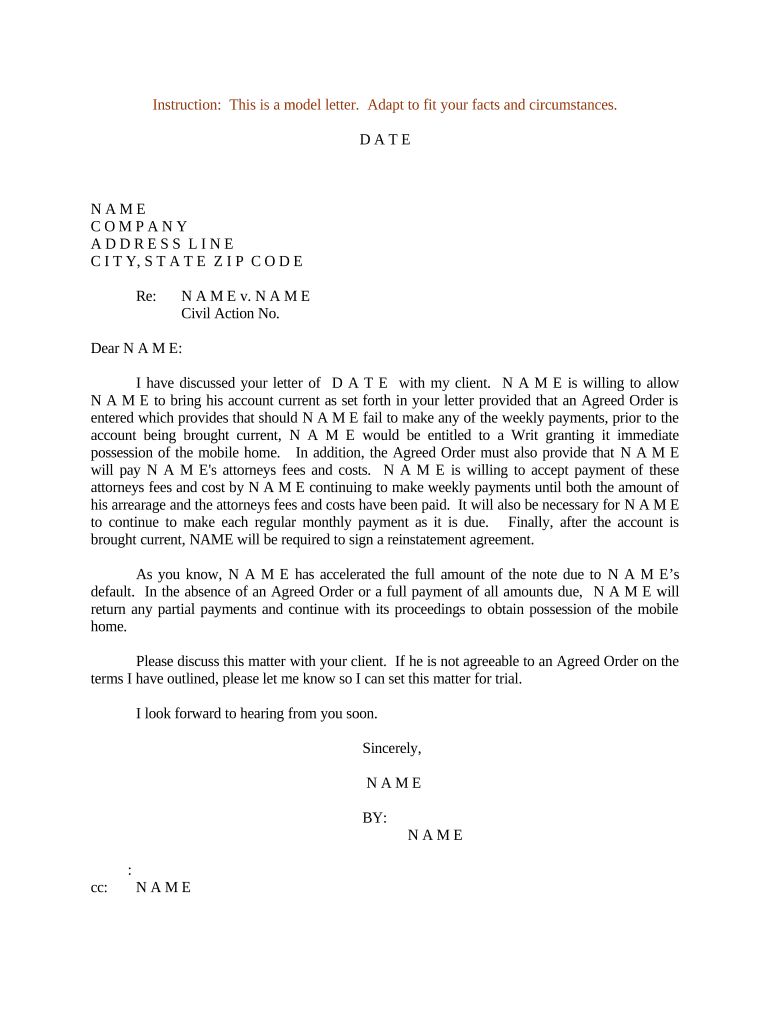
A Letter Regarding Agreed Order for Mobile Home is a formal correspondence sent to confirm, implement, or explain terms negotiated and approved by the parties and, when applicable, ordered by a court. Typical uses include confirming title transfers, lien releases, agreed sale terms, relocation or removal schedules, and conditions set in an agreed court order. The letter summarizes obligations, effective dates, payment or cure terms, and instructions for filing or recording documents with the appropriate agency. It functions as a written record that parties and third parties (title companies, lenders, registries) can rely on.

Why a Clear Agreed-Order Letter Matters

A concise letter reduces ambiguity, documents party intent after negotiation or court approval, and creates a clear roadmap for filings or title changes.

Why a Clear Agreed-Order Letter Matters

Who Typically Prepares or Receives This Letter

Accurate preparation and distribution help avoid filing errors, recording delays, and downstream disputes.

  • Owner or buyer: Confirms agreed sale terms, payment schedule, and obligations to obtain clear title.
  • Attorney or court clerk: Prepares language reflecting the court’s agreed order and certifies agreed terms.
  • Title company or registrar: Receives letter to update title records, release liens, or record transfer.

Core Components to Include in the Letter

A professional letter should be structured, precise, and easy for third parties to act on. Include identifiers, the agreed order summary, obligations, dates, and next steps for recording or releasing encumbrances.

Case/Order ID

Include the court name, docket or case number, and the agreed order title so recipients can locate the official record.
Parties Named

List full legal names and roles (buyer, seller, lienholder) as they appear on title documents and identification.

Summary of Terms

Concise bullet list of obligations required by the agreed order: payments, repairs, deadlines, or transfer conditions.

Effective Dates

State the effective date of the agreed order and any staged performance dates required by its terms.

Recording Instructions

Specify whether the letter accompanies a deed, title application, lien release, or requested registrar action and listing required attachments.

Contact Info

Provide attorney or responsible party contact details and where third parties should send confirmations or recorded documents.

Step-by-Step: How to Draft and Send the Letter

Follow a simple sequence to reduce mistakes: draft precisely, confirm agreed order language, obtain signatures, then deliver to recording or title offices.

  • 01
    Draft Letter: Prepare concise summary language reflecting the agreed order’s terms.
  • 02
    Attach Order: Include a certified copy or stamped court order when required.
  • 03
    Obtain Signatures: Have authorized parties sign, including counsel or authorized agents.
  • 04
    Deliver and Confirm: Send to registrar or title company and retain proof of delivery and acceptance.

How to Configure an Online Workflow for This Letter

An online workflow standardizes drafting, signature order, and distribution when multiple parties or a title company must approve or receive the letter.

Field Configuration
Signing Order Sequential or parallel as required by parties
Authentication Email plus SMS code or additional ID check
Attachments Upload certified agreed order and title documents
Delivery Send signed copies to all listed recipients automatically

Digital Signing and eSubmission: Platform Basics

Ensure the chosen system meets any notarization or recording office technical requirements before relying on fully electronic submissions.

  • File Formats: PDF or PDF/A preferred for recording
  • Authentication: Email + optional SMS or KBA for stronger signer attribution
  • Audit Trail: Timestamped record of signing events

Where to Send or File the Letter

Route the letter and attachments to the parties and the agency that handles mobile home titles, or to the court clerk when the order requires filing.

  • Court Clerk: File a conformed copy when order requires court docketing
  • Title Registry: Submit to the state mobile home/title bureau for record changes
  • Lienholder: Send to lenders listed in the agreed order for lien release steps
  • Title Company: Provide to title agent for closing or transfer processing

Typical Timelines and Practical Deadlines

Timelines vary by court and state registrar; use the agreed order as the baseline and confirm local filing expectations before sending documents.

Immediate Delivery:

Send letter within 7 days of executed agreed order when practicable

Recording Window:

Record or submit documents according to local registrar timelines

Lien Release:

Expect 7–30 business days for lienholder processing

Court Filings:

Comply with local rules for filing any compliance notices

Retention:

Keep copies per retention guidelines and regulatory basis

Key Milestones from Agreement to Recorded Title

A typical sequence moves from drafting to recording; track each milestone to ensure obligations and recording steps are completed.

01

Draft and Review

Prepare letter and attachments; verify against the agreed order.

02

Signatures Obtained

Collect all required party and attorney signatures.

03

Deliver to Recorder

Submit letter with attachments to the title bureau or registrar.

04

Confirm Recording

Obtain recorded instrument or confirmation from the official agency.

Common Mistakes to Avoid When Preparing the Letter

  • Using inconsistent party names between the letter and court order, which often triggers additional identity verification and delays at the registrar or title company.
  • Failing to attach the certified agreed order or stamped copy, causing the recipient to request proof and delaying recording or lien releases.
  • Not specifying the exact action requested (for example, 'release lien no. X' versus a vague 'take necessary steps'), which can result in incorrect processing.
  • Overlooking notarization or witness requirements that vary by jurisdiction, producing documents that some recording offices will not accept.

Penalties and Risks from Incorrect or Incomplete Letters

Recording Delay: May cause ownership or payment disputes
Liability Exposure: Incorrect releases can leave liens outstanding
Court Noncompliance: Failure to follow an agreed order can invite sanctions
Financial Loss: Delayed sales or title problems can reduce proceeds
Reputational Risk: Errors may harm relationships with lenders and title agents
Administrative Fines: Local office fees or re-filing penalties may apply

Required Information and Supporting Documents

Party Names: Full legal names
Mobile Home ID: VIN or title number
Court Order: Certified or conformed copy
Title Documents: Current title and any prior releases
Notary Page: If notarization is required
Proof of Payment: If order conditions include payment

Practical Examples of Use

Two short scenarios show how the letter functions in real workflows and what recipients typically require.

Title Transfer After Settlement

A buyer and seller sign an agreed order resolving a dispute and directing title transfer.

  • The letter lists VIN, buyer, seller, and recording request.
  • The title company used the letter plus certified order to update the state title within ten business days and issued a new title in the buyer’s name.

Lien Release Following Payment

Parties agree a lienholder will be paid and will release the lien upon receipt.

  • The letter states the payoff amount and required release document.
  • The lender issued a signed release after payment and the registrar accepted the release with the accompanying agreed-order letter for recording.

Practical Tips for Accurate, Efficient Letters

Adopt consistent practices to minimize delays: standardize templates, confirm identity, and include all required attachments before sending.

Use Verified Names and IDs
Confirm each party’s legal name against government ID and title records; inconsistent naming is the most common cause of recording rejection and additional administrative work.
Attach Certified Documents
Include a certified copy of the agreed order and any lien releases or payoff statements to prevent requests for supplemental proof and avoid processing delays at recording offices.
Specify Exact Actions
State precisely what you are requesting (record deed, release lien number, issue new title) to prevent misinterpretation and ensure the recipient takes the correct ministerial action.
Keep Proof of Delivery
Retain delivery receipts, conformed filed copies, or recorded instrument numbers to document compliance with the agreed order and to provide evidence in any subsequent dispute.

How This Letter Differs from Similar Documents

Compare the Letter Regarding Agreed Order for Mobile Home with closely related documents to avoid misuse or duplication.

Criteria Agreed-Order Letter Lien Release Notice
Purpose confirm court order release lien
Attachment court order release instrument
Use with Title
Notarization sometimes often

eSignature Platform Comparison for Preparing and Signing the Letter

Common eSignature vendors and selected plan features used when preparing or executing an agreed-order letter. Platform choice affects authentication, audit trails, and cost.

signNow DocuSign Adobe Sign PandaDoc HelloSign
Starting Price $8/user/mo $15/user/mo $14/user/mo $19/user/mo $15/user/mo
Free Trial 7-day free trial Yes Yes Yes Yes
Bulk Send Yes Yes Yes Yes No
Audit Trail Yes Yes Yes Yes Yes
HIPAA Compliant Yes Yes Yes No No

FAQs and Troubleshooting for the Letter Regarding Agreed Order for Mobile Home

Answers to common questions about acceptability, signing, notarization, and what to do when a registrar rejects the letter.


Need help? Contact support

be ready to get more
Join over 28 million airSlate SignNow users