Establishing secure connection…Loading editor…Preparing document…

Letter of Congratulations on New House

This template is fully customizable. Edit the text, fill out the fields, and send it for signature. Give it a try!
Letter of Congratulations on New House

What a Letter of Congratulations on New House Is

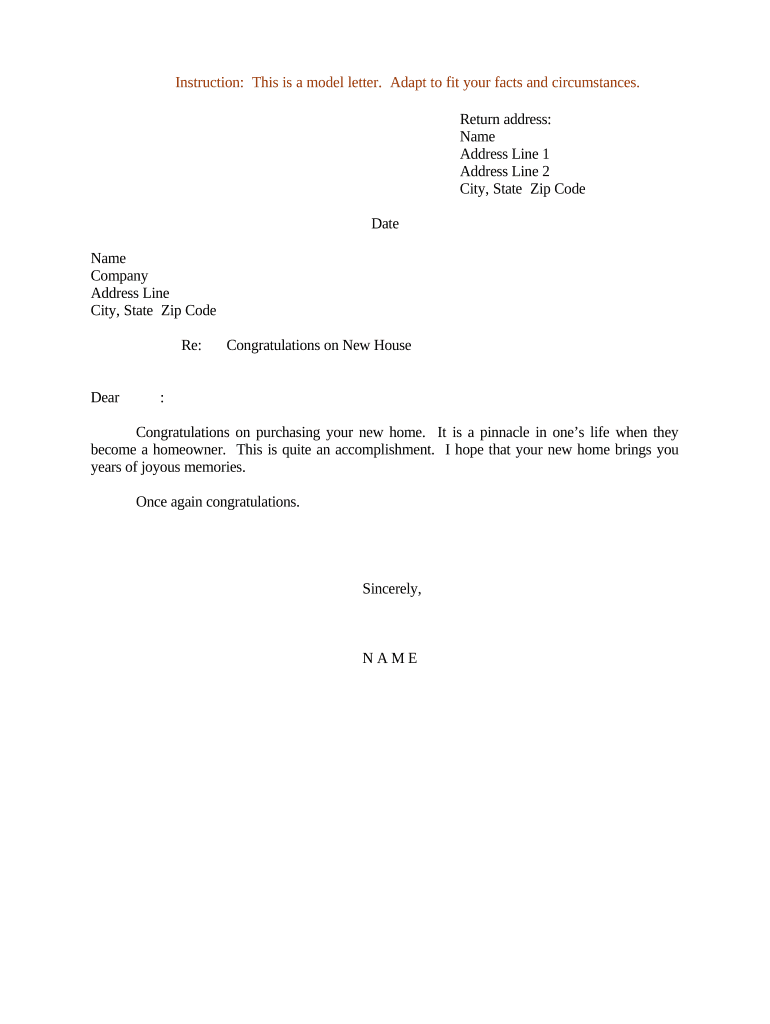
A Letter of Congratulations on New House is a short, personal or professional message sent to someone after they purchase or move into a new home. It typically expresses goodwill, notes details about the property or closing, and may include contact information or an offer of help. The letter is not a legal instrument; it is a courtesy document used by friends, family, real estate professionals, lenders, and service providers to mark the milestone and maintain goodwill or business relationships.

Why Sending This Letter Matters

A clear, considerate congratulatory letter fosters relationships, reinforces professional networks, and creates a record of timely client outreach without creating legal obligations.

Why Sending This Letter Matters

Who Typically Sends or Receives This Letter

Common senders include real estate agents, mortgage lenders, closing attorneys, employers, colleagues, neighbors, and friends.

  • Real estate professionals maintaining post-closing client relationships and referrals.
  • Lenders or brokers acknowledging loan closings and offering ongoing support or services.
  • Friends, family, or employers celebrating a personal milestone and offering assistance or welcome gestures.

Recipients are new homeowners; the tone and content should reflect the prior relationship and avoid creating unintended promises or obligations.

Essential Elements to Include in the Letter

A professional Letter of Congratulations on New House is concise and structured: a clear opening, a personalized reference to the property or closing, an expression of goodwill, optional helpful information, and a polite closing with contact details.

Header

Sender name, organization (if applicable), and date — establishes who is sending the congratulations and when.
Greeting

Use the recipient's preferred name and a friendly opener; avoid overly formal salutations unless the relationship dictates them.

Personalization

Reference the address, neighborhood, or a detail from closing to show the message is specific to the recipient and not generic.

Main Message

A brief congratulatory statement acknowledging the home purchase and offering good wishes or practical assistance.

Helpful Info

Optional: local service recommendations, contact for post-closing follow-up, or next steps for utilities and maintenance.

Sign-off

Polite closing, printed name, and contact details; include title or company if sent in a professional capacity.

Step-by-Step: Drafting and Sending the Letter

Follow these practical steps to create a concise and appropriate congratulatory letter that respects privacy and reduces risk.

  • 01
    Draft: Write a one-paragraph congratulatory message with property detail and contact info.
  • 02
    Review: Check names, address, and tone for accuracy and appropriateness.
  • 03
    Add Signature: Sign physically or add a clear electronic signature and date.
  • 04
    Deliver: Choose delivery method: email, printed letter, or card depending on relationship.

How Sending or Sharing the Letter Typically Works

The workflow is simple: prepare the message, choose format, deliver to recipient, and retain a copy for records.

  • Prepare: Compose message and confirm recipient details.
  • Format: Select email, PDF letterhead, or printed card format.
  • Send: Dispatch via chosen channel, optionally with read receipt or delivery tracking.
  • Archive: Store a copy in your records for reference and relationship management.

Digital Workflow Settings for Online Completion

If completing and sending online, configure these basic workflow options to streamline delivery and recordkeeping.

Field Configuration
Template Save a short template for repeat use to ensure consistent messaging.
Recipient Enter recipient email and name; verify accuracy before sending.
Delivery Method Choose Email or PDF download; enable read receipts for proof of delivery.
Save Location Store signed copy to cloud folder or CRM contact record for follow-up.

Technical Options for Sending and Storing the Letter

Choose platforms that support PDF, DOCX, cloud storage, and simple e-signatures for convenience and traceability.

  • File Formats: PDF, DOCX, or printable PNG supported
  • Integrations: Salesforce, Microsoft 365, Google Workspace supported
  • Storage: Save to Box, Google Drive, or CRM

Confirm the platform you choose preserves a dated copy and, if needed, an audit trail showing delivery and access.

Timing Considerations and Recommended Delivery Window

There are no legal filing deadlines for a congratulatory letter; timing is driven by etiquette and relationship management.

Send Promptly:

Within 1–2 weeks of closing or move-in for maximum relevance.

No Legal Deadline:

The letter creates goodwill only; it does not affect the closing record or title.

Follow-Up:

If offering services, follow up within 30 days to avoid seeming intrusive.

Retention Suggestion:

Keep a copy with client records for at least three years.

Event-Based:

Coordinate timing with welcome packages or neighborhood introductions if applicable.

Key Milestones from Draft to Archive

A simple four-step milestone sequence helps ensure the message is accurate and preserved.

01

Draft Message

Compose and personalize text referencing the property and closing details.

02

Proofread and Approve

Confirm spelling, address accuracy, and appropriate tone.

03

Send Delivery

Dispatch via chosen channel and record delivery or receipt where possible.

04

Archive Copy

Store a dated copy in client files or CRM for future reference.

Common Mistakes to Avoid When Preparing the Letter

  • Using incorrect recipient names or addresses can undermine credibility and offend the recipient.
  • Including confidential or protected health information (PHI) in a casual letter risks HIPAA violations for healthcare senders.
  • Making offers or promises (repairs, reimbursements) in a congratulatory letter may create unintended obligations.
  • Sending unsolicited marketing content with the congratulatory message can damage relationships and violate spam rules.

Risks and Potential Consequences

Privacy Breach: Disclosing PHI
Defamation: False statements risk liability
Unintended Contract: Overly specific offers may imply obligations
Spam Rules: Unsolicited marketing exposure
Recordkeeping: Failure to retain copy
Incorrect Details: Wrong address or closing facts

Security and Compliance Considerations

ESIGN / UETA: Electronic delivery compliant
Encryption: TLS 1.2/1.3 in transit
Data At Rest: AES-256 encryption
Audit Trail: Delivery and access logs
HIPAA BAA: BAA required for PHI
Access Controls: User authentication and permissions

How This Letter Differs from Formal Closing Notices

A Letter of Congratulations on New House is a personal communication rather than a formal, legally required closing document; the table highlights key distinctions.

Criteria Congratulatory Letter Closing Disclosure
Legal Form
Signature Needed optional required
Filing Required
Typical Use personal/pr legal/financial

eSignature Vendor Pricing for Sending and Signing Letters

Typical vendor pricing and feature availability for sending simple letters and signed acknowledgements. signNow is listed first for comparison consistency.

signNow DocuSign Adobe Sign PandaDoc HelloSign
Starting Price $8/user/mo $15/user/mo $14/user/mo $19/user/mo $15/user/mo
Free Trial 7-day free trial Varies Varies Varies Varies
Bulk Send Yes Yes Yes Yes No
Audit Trail Yes Yes Yes Yes Yes
HIPAA Compliant Yes Yes Yes No No
Envelope Cap No cap 100 envelopes/user/year Varies Varies Varies

Frequently Asked Questions about the Letter of Congratulations on New House

Answers to common practical and compliance questions about drafting, delivering, and storing a congratulatory letter for new homeowners.


Need help? Contact support

be ready to get more
Join over 28 million airSlate SignNow users