Establishing secure connection…Loading editor…Preparing document…

Sample Letter Invitation

This template is fully customizable. Edit the text, fill out the fields, and send it for signature. Give it a try!
Sample Letter Invitation

What a Sample Letter Invitation Is and When to Use It

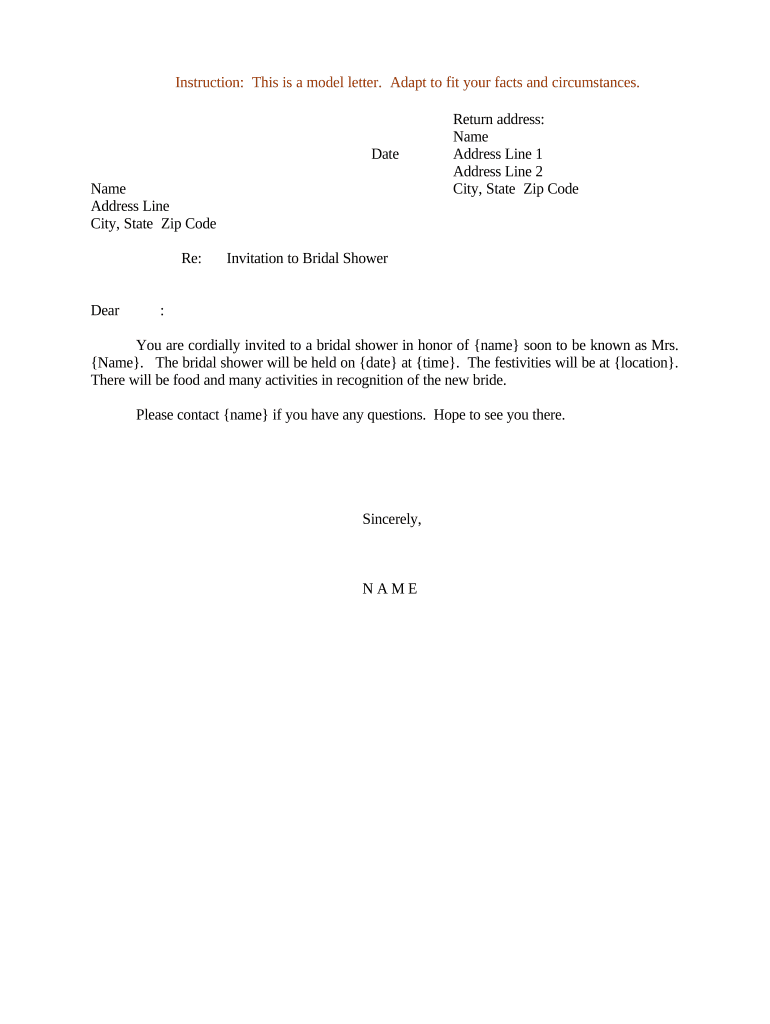
A Sample Letter Invitation is a short, formal letter used to invite a person or group to an event, meeting, interview, or other planned activity. It establishes date, time, location, purpose, RSVP instructions, and any documents or materials attendees should bring. The letter can be delivered on paper or electronically and is commonly adapted to include response deadlines, special instructions, and a signature block. When signed electronically, it is subject to U.S. e-signature law such as the ESIGN Act (15 U.S.C. ch. 96) and state UETA frameworks for enforceability.

Why a Clear Invitation Letter Matters

A concise Sample Letter Invitation provides a single authoritative message, reduces misunderstandings about logistics, and creates a record for attendance and follow-up. Using an e-signature-capable workflow improves turnaround and preserves an audit trail under ESIGN and UETA.

Why a Clear Invitation Letter Matters

Who Typically Sends and Receives Invitation Letters

Organizations and individuals across industries use invitation letters to confirm meetings, events, or required appearances.

  • Event planners and venues confirming attendee details and special access requirements.
  • Human resources teams inviting candidates to interviews or onboarding sessions with pre-attendance forms.
  • Educational institutions issuing permission or enrollment meeting invitations for students and guardians.

Essential Elements to Include in a Professional Invitation

A well-built Sample Letter Invitation follows a predictable structure so recipients can act quickly and accurately.

Header

Sender name, organization, address, and date. Provides provenance and makes it easy to confirm authenticity for records and replies.
Recipient Details

Full recipient name and mailing or email address. Accurate recipient data avoids misdelivery and supports correct audit trails.

Purpose

A clear opening sentence stating the event type and reason for the invitation so the recipient understands context immediately.

Event Details

Date, start/end times, location (with virtual link if online), and agenda or expected activities to set expectations.

RSVP Instructions

Deadline, preferred reply method, any registration links, and consequences of non-response or late response.

Signature Block

Sender name, title, contact details, and date. For formal notices, include signer authority and optionally a notary or witness line.

Step-by-Step: Complete and Send the Invitation

Follow these four basic steps to prepare, verify, sign, and distribute a Sample Letter Invitation.

  • 01
    Draft: Populate fields, include attachments, and set RSVP terms.
  • 02
    Review: Proofread names, dates, addresses, and legal language.
  • 03
    Sign: Collect signatures and dates from authorized sender(s).
  • 04
    Distribute: Send to recipients, copy stakeholders, and archive signed copy.

How Electronic Completion and Delivery Works

A typical e-sign workflow for an invitation letter follows predictable stages from upload to completed record.

  • Upload Document: Import the letter as PDF or DOCX into the signing platform.
  • Place Fields: Add signature, date, and text fields where recipients should act.
  • Add Signers: Specify recipient emails and signing order if required.
  • Send or Share: Deliver by email link, SMS code, or shared signing URL.

Common Workflow Settings for Online Invitations

Configure these workflow settings to control authentication, reminders, and how the final record is stored.

Field Configuration
Authentication Email link | SMS code | KBA optional
Reminders Auto-remind at 3 days and 24 hours before RSVP deadline
Expiration Set link to expire after RSVP deadline
Template Save Save as reusable template for recurring events

File Formats, Integrations, and Security Needs

Choose a platform that supports your preferred file formats and integrates with your contact and calendar systems.

  • File Formats: PDF, DOCX, and HTML supported
  • Integrations: CRM and calendar sync available
  • Authentication: Email, SMS, or stronger options

Ensure the platform provides an audit trail, secure storage (TLS/AES encryption), and any industry-specific compliance features you require.

Key Dates to Track When Sending Invitations

Set and communicate these dates clearly so recipients and internal teams can act and comply with any timing requirements.

Issue Date:

Date the letter is sent to recipients; often used for response timing.

RSVP Deadline:

Final date for recipient response; drives attendee counts and logistics.

Reminder Schedule:

Typical reminders: one week and 24 hours before RSVP deadline.

Signature Due Date:

If signature required, set a clear due date tied to the event planning timeline.

Cancellation Notice:

Date by which event may be canceled or changed without penalty.

Common Mistakes to Avoid When Preparing Invitations

  • Using informal recipient names or nicknames causes delivery to the wrong person and complicates tracking responses.
  • Omitting time zone or virtual meeting details leads to missed attendance for remote participants in other regions.
  • Failing to include RSVP instructions or deadlines creates ambiguous expectations and can delay event planning.
  • Sending the wrong version or an unsigned draft results in conflicting information and requires follow-up corrections.

Risks and Practical Consequences of Errors

Attendance Impact: Low turnout
Credential Errors: Misdelivery risk
Contractual Risk: If invitation is part of contractual notice, timing errors can affect rights
Privacy Exposure: Unsecured attachments risk PHI or PII disclosure
Reputational Harm: Conflicting information undermines trust
Administrative Cost: Extra corrections and re-sends

Comparing eSignature Providers for Invitation Workflows

Price and core features vary; signNow is listed first for neutral comparison. Select a provider that matches your authentication, template, and compliance needs.

signNow DocuSign Adobe Sign PandaDoc HelloSign
Starting Price $8/user/mo $15/user/mo $14/user/mo $19/user/mo $15/user/mo
Free Trial Yes, 7-day trial Varies Varies Varies Varies
Bulk Send Yes Yes Yes Yes No
Audit Trail Yes Yes Yes Yes Yes
HIPAA Compliant Yes Yes Yes No No

Real-World Examples of Invitation Letters in Use

These short examples show how organizations structure invitations when execution speed and traceability matter.

Optica Ventures

Optica needed a consistent RSVP process for investor briefings

  • The team used templates and reminders to improve response rates
  • The approach reduced manual follow-up and made attendance records auditable for regulatory and internal review.

Martin Properties

A property manager sent viewing invitations with signed disclosures

  • Guests received clear instructions and an e-signed acknowledgement
  • The workflow eliminated paper waivers and provided a searchable archive for tenant records.

FAQs: Signing, Sending, and Managing Invitation Letters

Answers to common questions about execution, electronic signatures, notarization, and post-signature management for invitation letters.


Need help? Contact support

be ready to get more
Join over 28 million airSlate SignNow users