Establishing secure connection…Loading editor…Preparing document…

Promotional Letter for Music School

This template is fully customizable. Edit the text, fill out the fields, and send it for signature. Give it a try!
Promotional Letter for Music School

What a Promotional Letter for Music School Is and When It's Used

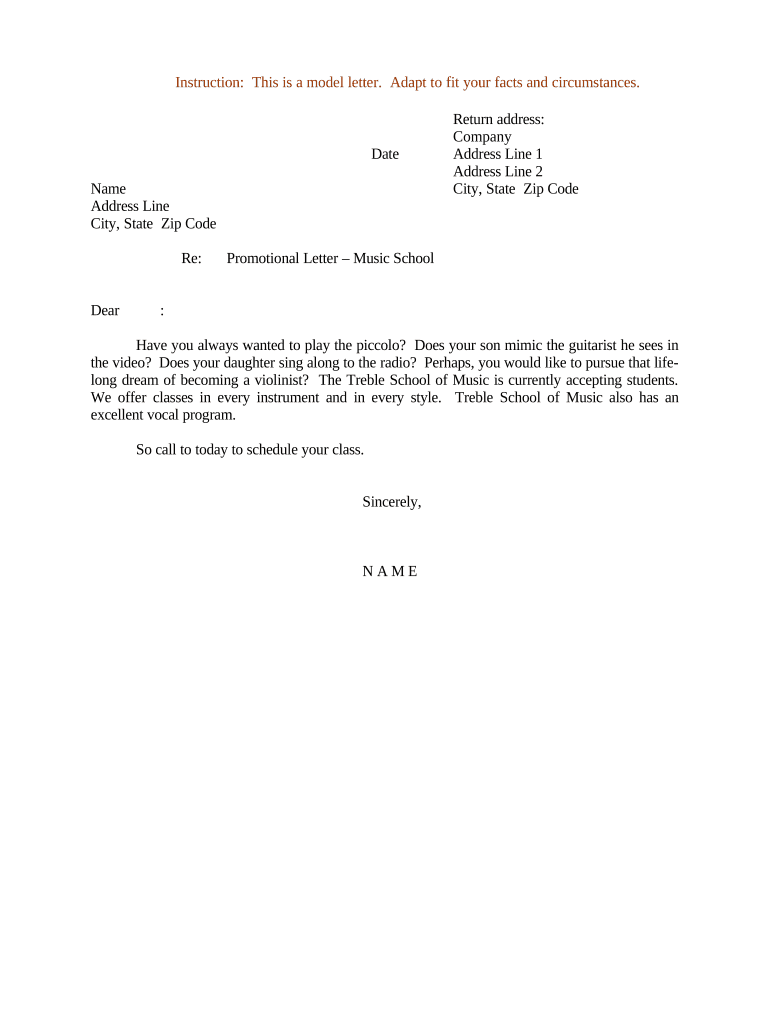
A Promotional Letter for Music School is a written communication sent to prospective students, parents, community partners, or referral sources that explains classes, ensembles, tuition, scholarships, schedules, and registration steps. It typically summarizes program details, eligibility, pricing or discounts, and important dates. The letter can be delivered as a printed mailer, PDF attachment, or an electronic message and may accompany enrollment forms, permission slips, or event notices. When distributed electronically, the letter should preserve a copy for records and comply with applicable state and federal rules for electronic communications.

Why Use a Formal Promotional Letter for Your Music Program

A clear promotional letter organizes program information, sets expectations, and creates a consistent record of offers, deadlines, and terms. It helps administrators track responses, document offers or discounts, and provides a reproducible record that supports enrollment, billing, and compliance with privacy or consumer protection rules.

Why Use a Formal Promotional Letter for Your Music Program

Typical Users and Recipients

Recipients include parents, adult learners, school districts, community organizations, and prospective sponsors who need clear enrollment and contact information.

  • School administrators sending program announcements and enrollment details to prospect lists and past students.
  • Private instructors or departments offering new classes, scholarships, or seasonal recitals to parents and adult learners.
  • Community partners and venues receiving proposals for outreach, joint events, or facility rentals.

Step-by-Step: Prepare, Approve, and Send the Letter

Follow these sequential steps to create a compliant, clear promotional letter and convert it to an electronic or printable format.

  • 01
    Draft Content: Assemble program facts, dates, fees, and contact details.
  • 02
    Internal Review: Have administration or legal review for accuracy and disclosures.
  • 03
    Convert to Template: Create a PDF or online template with fillable fields.
  • 04
    Distribute: Send via mail, email, or secure eDelivery and log distribution.

Essential Components to Include in a Professional Letter

A complete promotional letter balances persuasive program details with clear administrative information so recipients can act, enroll, or request more information without ambiguity.

Header

Include school name, logo, address, and a date so recipients can verify origin and timing of the offer.
Program Summary

Concise description of class content, level, schedule, instructor credentials, and location to set participant expectations.

Fees

Clear tuition, materials, and any refundable deposits with payment methods and deadlines identified to avoid disputes.

Eligibility

State age ranges, prerequisites, or audition requirements so applicants self-screen before applying.

Enrollment Instructions

Step-by-step registration process: required forms, payment links, deadlines, and contact for questions.

Privacy Notice

A short statement on how student data will be used and shared in compliance with FERPA or similar rules.

Required Information and Key Fields

School Legal Name: Full registered name
Program Title: Course or ensemble name
Effective Dates: Start/end dates
Tuition Amount: Exact fee
Contact Details: Phone and email
Signature Line: Name and date

Common Preparation Errors to Avoid

  • Using vague fee descriptions or omitting additional costs, which can lead to refund claims and customer disputes.
  • Failing to include a precise registration deadline, producing enrollment confusion and negative student experience.
  • Distributing lists containing personal student data without appropriate consent or privacy safeguards, risking FERPA or state privacy issues.
  • Not tracking or archiving distributed copies and responses, making it difficult to resolve disputes or verify offers later.

Risks and Potential Consequences of Errors

Misleading Offers: Consumer complaints
Privacy Violations: FERPA or state penalties
Contract Disputes: Refunds or litigation
Tax Implications: Incorrect reporting
Notary Omissions: Reduced evidentiary weight
Data Breach: Regulatory fines

How Electronic Distribution and eSigning Typically Work

If you convert the promotional letter to an electronic template, follow standard online signing workflow steps to preserve intent and a reliable audit trail.

  • Upload Document: Save as PDF or DOCX and upload to eSignature platform.
  • Place Fields: Add name, date, signature, and required checkbox fields.
  • Set Authentication: Choose email, SMS code, or stronger verification.
  • Send and Track: Dispatch to recipients and monitor completion status.

Customize an Online Template: Key Settings

Map common template settings when converting the letter to a reusable online form or workflow to streamline repeat campaigns.

Field Configuration
Template Name Clear, versioned label for reuse
Conditional Fields Show scholarships only if applicant selects 'apply'
Authentication Email or SMS verification options
Reminder Schedule Auto-reminders at 7 and 3 days before deadline

Delivery Formats and Integrations to Consider

Ensure the platform you use preserves an audit trail and supports secure storage and exports for compliance and recordkeeping.

  • File Formats: PDF, DOCX supported
  • Storage Integrations: Google Drive, Box, NetSuite
  • Authentication: Email, SMS, or SSO

Typical Timelines and Response Expectations

Plan distribution and allow sufficient lead time for registration, material procurement, and staff scheduling. Use clear RSVP deadlines and automated reminders.

Advance Notice:

Send 6–8 weeks before program start

Registration Cutoff:

Set deadline 1–2 weeks before start

Follow-Up:

Send reminders 7 and 3 days before deadline

Processing Time:

Allow 3–5 business days for mailed responses

Refund Window:

State refund terms and cutoff clearly

Key Milestones from Draft to Archived Record

Track milestones so responsibilities and retention points are clear throughout the campaign lifecycle.

01

Draft Approval

Content reviewed and approved by administration.

02

Distribution

Letter sent to recipients via chosen channels.

03

Enrollment Close

Responses collected and deposits recorded.

04

Archive

Final signed records stored for retention period.

How a Promotional Letter Differs from an Enrollment Agreement

Compare the promotional letter against a formal enrollment agreement to decide whether a signature creates binding obligations.

Criteria Promotional Letter Enrollment Agreement
Formality informational binding
Signature Required optional typically required
Obligations Created no, unless specified yes, specifies duties
Retention short-term record long-term contract

eSignature Vendor Pricing and Feature Comparison for Letter Distribution

Basic price and capabilities can affect how you distribute and store promotional letters. Compare starting price and key features across vendors.

signNow DocuSign Adobe Sign PandaDoc HelloSign
Starting Price $8/user/mo $15/user/mo $14/user/mo $19/user/mo $15/user/mo
Free Trial 7-day free trial Varies by vendor Varies by vendor Varies by vendor Varies by vendor
Bulk Send Yes Yes Yes Yes No
Audit Trail Yes Yes Yes Yes Yes
HIPAA Compliant Yes Yes Yes No No
Envelope Cap No cap 100 envelopes/user/year Varies by plan Varies by plan Varies by plan

Practical Examples of How Organizations Use Promotional Letters

Two concise examples show typical letter use and the downstream recordkeeping or enrollment actions they trigger.

Community Evening Class

A community music school announces an eight-week beginner guitar series and lists fees and materials required.

  • Recipients register online with a deposit.
  • The school retains a signed enrollment confirmation, updates student roster, and issues receipts to document payments and attendance for three years.

Scholarship Invitation

A conservatory sends targeted scholarship invitations to qualified applicants with award terms and renewal criteria.

  • Award acceptance is requested via signed form.
  • The institution stores signed acceptances, conditions, and renewal evaluations as part of the student's academic file for retention and audit purposes.

Common Questions and Answers About Promotional Letters

Answers to frequent operational and legal questions encountered when preparing promotional letters for music programs.


Need help? Contact support

be ready to get more
Join over 28 million airSlate SignNow users