Establishing secure connection…Loading editor…Preparing document…

Letter Concerning Inquiry of Cancelled Coverage

This template is fully customizable. Edit the text, fill out the fields, and send it for signature. Give it a try!
Letter Concerning Inquiry of Cancelled Coverage

What the Letter Concerning Inquiry of Cancelled Coverage Is

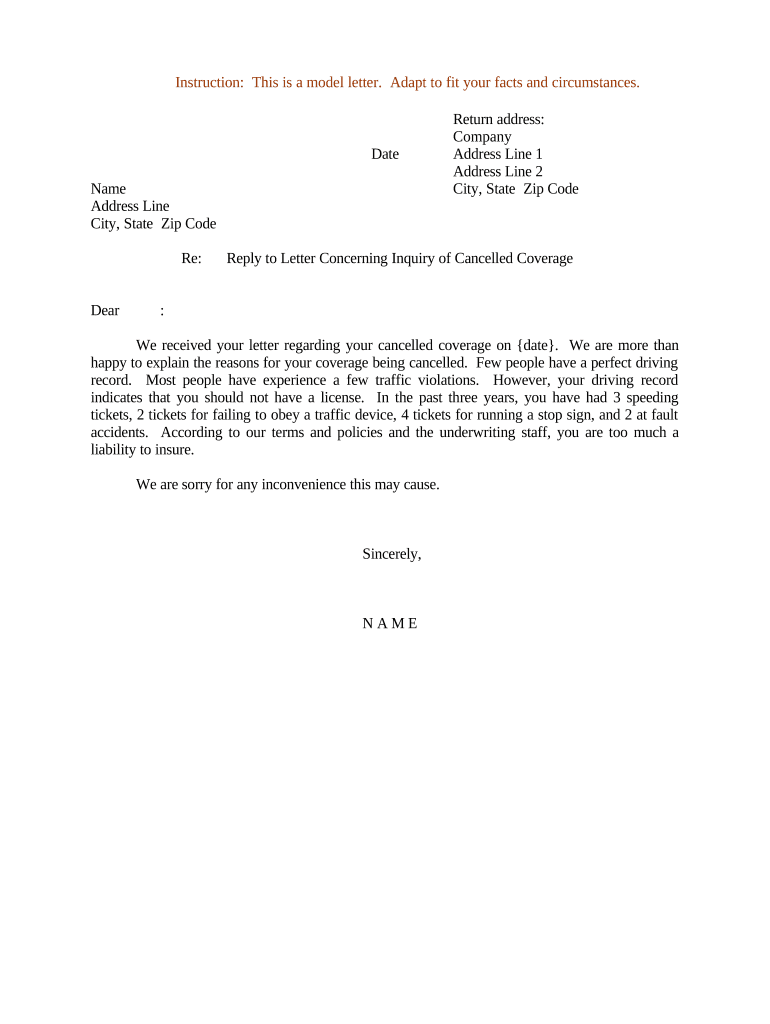
A Letter Concerning Inquiry of Cancelled Coverage is a written notice sent by an insured party or their representative to an insurer to request clarification, confirm reasons, or dispute a termination or cancellation of an insurance policy. The letter documents the inquiry, records dates and communications, and requests written confirmation or reinstatement options. It serves as a formal record for appeals, internal files, and any future regulatory or legal review where proof of timely inquiry and carrier response is important.

Why this letter matters for coverage disputes

This letter preserves a clear record of your inquiry, establishes a written trail for the insurer’s response, and helps protect denial- or cancellation-related rights. It also supports appeals, complaints to state insurance regulators, and potential legal or regulatory reviews where documented notice timing can be decisive.

Why this letter matters for coverage disputes

Who typically sends or receives this letter

Parties commonly involved include insured individuals, brokers, benefits administrators, and claims or legal teams that need formal confirmation.

  • Individual policyholders confirming a cancellation or requesting reinstatement information
  • Insurance agents or brokers acting on behalf of clients to clarify coverage status
  • Employer benefits administrators following up on group policy or COBRA-related cancellations

Use this letter when clarity, timing evidence, or a documented request for reconsideration is required in an insurance matter.

Typical signers and their roles

Policyholder

A named insured or policy owner who asks the insurer for reasons and documentation of policy cancellation; their signature confirms the identity and intent to seek remedy or reinstatement.

Authorized Agent

An insurance broker, attorney, or designated company representative who signs on the insured's behalf after receiving written authorization; their signature establishes authorized representation and may speed communications.

Essential sections to include in a professional inquiry letter

A clear, concise letter increases the chance of a timely and useful response; include identification, policy details, and a specific request.

Heading

Date the letter and address it to the insurer and responsible department to ensure correct routing and tracking.
Policy Details

Provide policy number, insured name, coverage type, and effective dates so the insurer can locate the file without delay.

Cancellation Notice

Quote any cancellation notice reference numbers or dates you received to tie the inquiry to the insurer’s action.

Requested Action

State the precise request: explanation, reinstatement options, appeal instructions, or supporting documents to be provided by the insurer.

Supporting Facts

Briefly summarize relevant facts (payments made, previous communications, errors) that justify your inquiry or dispute.

Signature Block

Sign and date the letter, include printed name, title (if applicable), and contact details for response or follow-up.

Step-by-step: preparing and sending your inquiry letter

Follow these steps to create a complete, trackable letter that supports later appeals or regulator inquiries.

  • 01
    Gather documents: Locate policy documents, cancellation notices, and payment records.
  • 02
    Draft letter: State facts, policy number, and precise request clearly.
  • 03
    Sign and date: Use an authorized signature and include contact details.
  • 04
    Send and track: Use certified mail, email with read receipt, or secure eDelivery and retain proof.

How to set up a digital workflow for this letter

Configure a simple e-document workflow that attaches evidence, collects a signature, and retains an audit trail for compliance.

Field Configuration
Recipient field Add insurer contact email and organization name
Attachment area Attach cancellation notice, payment receipts, or authorization letters
Signature block Place name, title, and date signature fields
Audit settings Enable timestamps, IP capture, and completed PDF copy

Typical communications sequence after sending the letter

Expect a straightforward sequence: acknowledgment, investigation, written response, and next steps or appeal instructions.

  • Acknowledgement: Insurer confirms receipt and gives expected timeline
  • Investigation: Carrier reviews file and payment or underwriting history
  • Response: Insurer issues a written reason and options
  • Follow-up: You may request further review or file appeal with regulator

Delivery and eSubmission considerations

Choose delivery methods that create verifiable proof: certified mail, documented email, or secure eSignature platforms with audit trails.

  • Certified Mail: Provides postal tracking and signature on delivery
  • Secure Email: Use provider delivery receipt and read-tracking
  • eSignature Platform: Captures timestamp, IP, and signer attribution

Retain copies of sending receipts and the signed document; these are essential for appeals and regulatory complaints.

How this letter differs from other insurance notices

Compare the inquiry letter with common insurance documents to choose the right format and delivery method.

Criteria Inquiry Letter Cancellation Notice
Primary purpose request clarification inform termination
Required response often requested typically provided
Filing required
Typical delivery certified/edelivery postal or edelivery

eSignature solution pricing for sending and signing the letter

Platform pricing varies by plan type and usage model; signNow appears first for easy vendor comparison of starting price and key features.

signNow DocuSign Adobe Sign PandaDoc HelloSign
Starting Price $8/user/mo $15/user/mo $14/user/mo $19/user/mo $15/user/mo
Free Trial 7-day free trial Trial available Trial available Trial available Trial available
Bulk Send Yes Yes Yes Yes No
Audit Trail Yes Yes Yes Yes Yes
HIPAA Compliant Yes Yes Yes No No

Potential risks if the letter is incorrect or incomplete

Missed Deadlines: Loss of appeal rights
Incomplete Identification: Insurer cannot locate the policy
Unauthorized Signature: Challenges to standing or enforceability
Privacy Errors: Potential HIPAA exposure or complaint
Improper Delivery: Delayed response and remedies
Record Gaps: Weakened evidence for regulator review

Common preparation errors to avoid

  • Failing to include the exact policy number and insured name, which delays insurer searches and slows response time.
  • Sending only a verbal inquiry without written confirmation, resulting in no verifiable record for appeals or regulator complaints.
  • Not preserving delivery receipts or signed copies, making it harder to prove timely submission if disputes escalate.
  • Using ambiguous language about desired remedies; a specific request (reinstatement, appeal, documentation) speeds proper handling.

Typical timelines and expectations for responses

Timelines vary by insurer and state; use the letter to request a written reply and note any statutory response windows where known.

Consumer Submission Timeline:

Send promptly after notice; document mailing and delivery dates

Insurer Acknowledgement:

Many carriers acknowledge within 10–30 days

Insurer Investigation:

Investigation and formal response often take 15–60 days

Appeal Period:

Follow insurer appeal deadlines stated in response

Regulator Filing:

If unresolved, file complaint per state insurance department rules

Frequently asked questions about this letter

Answers to common questions about validity, e-signing, notarization, and next steps after you send a Letter Concerning Inquiry of Cancelled Coverage.


Need help? Contact support

be ready to get more
Join over 28 million airSlate SignNow users