Establishing secure connection…Loading editor…Preparing document…

Letter Regarding Expired Credit Card

This template is fully customizable. Edit the text, fill out the fields, and send it for signature. Give it a try!
Letter Regarding Expired Credit Card

What the Letter Regarding Expired Credit Card Is

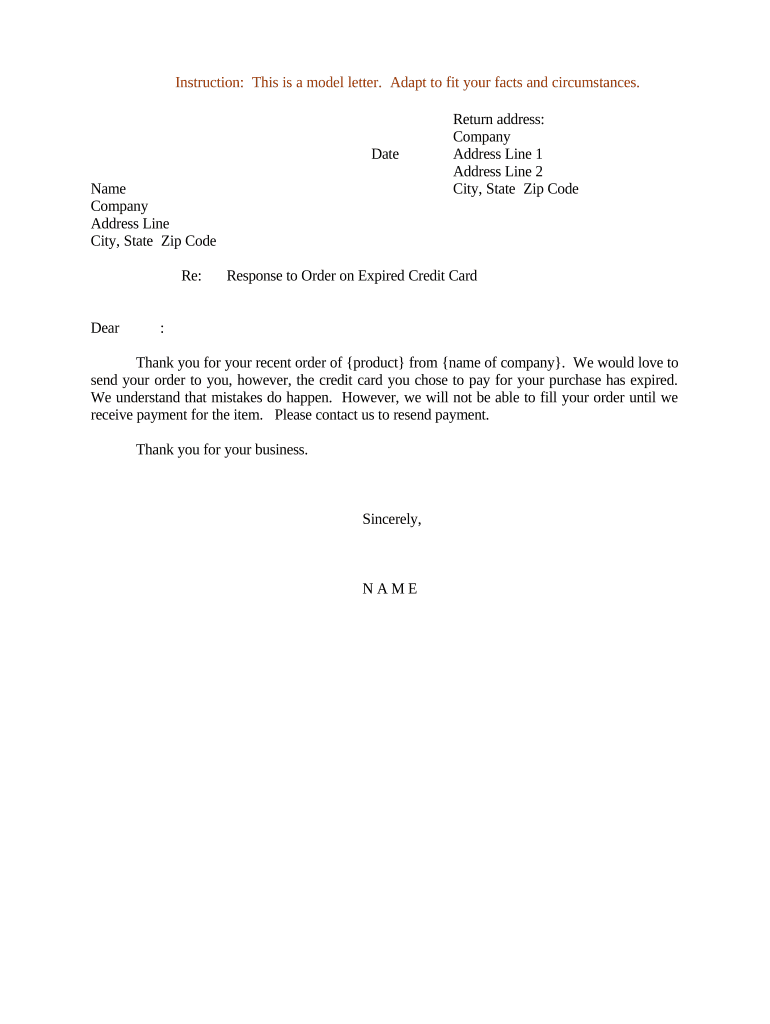
The Letter Regarding Expired Credit Card is a formal written notice used to inform a merchant, service provider, or billing agent that a previously authorized credit card has expired and that updated payment information or explicit authorization is required to continue automatic billing. The letter typically identifies the account, references the prior card (partially masked), provides a replacement card number or alternative payment method, states the effective date for resumed charges, and documents the cardholder’s consent to any renewal or one-time charge. Such letters can be delivered in paper or electronically and comply with ESIGN and UETA when executed properly.

Why a Clear Expired-Card Letter Matters

Use this Letter Regarding Expired Credit Card to reduce billing interruptions, create a clear audit trail of cardholder authorization, and document the timing of payment updates. A concise, dated notice protects both payer and payee by clarifying consent and responsibility for resumed charges.

Why a Clear Expired-Card Letter Matters

Who Typically Prepares or Receives This Letter

Use this letter when a consumer, billing department, or accounts receivable team needs to update payment details after card expiration.

  • Small business billing teams updating recurring customer payment methods after card expiry.
  • Subscription services needing signed consent to resume automatic renewals on replacement cards.
  • Individual consumers notifying merchants or landlords to avoid service interruption or late fees.

Primary Roles Involved

Billing Manager

Responsible for receiving expired card notices, updating payment records, and obtaining signed authorization for new charges. Should verify account numbers, match cardholder identity, confirm effective date, and retain the letter in accounts receivable with the audit trail for compliance and dispute resolution.

Cardholder

The individual whose card expired. Must provide updated card details, confirm billing address and authorization to charge the replacement card, and sign or electronically acknowledge the letter. Accurate name and TIN (if requested) prevent processing delays and backup withholding triggers.

Security and Compliance Essentials

Encryption: TLS in transit; AES-256 at rest
Certifications: SOC 2 Type II; ISO 27001; PCI DSS
HIPAA: HIPAA compliant with BAA option
Audit Trail: Time-stamped events, IP and action log
Legal Compliance: ESIGN and UETA acceptance for e-signatures
Accessibility: WCAG 2.0 Level AA support

Key Risks and Consequences

Service Interruption: Unpaid balance may suspend services
Late Fees: Additional charges or penalties may apply
Backup Withholding: 24% withholding if TIN missing
Tax Penalties: Incorrect 1099 information triggers IRC §6721 fines
Chargeback Risk: Customer disputes can reverse charges
Compliance Risk: Improper consent undermines ESIGN validity

Common Preparation Pitfalls to Avoid

  • Failing to include a clear effective date leads to disputes about when authorization to charge the replacement card began, complicating refunds and reconciliations.
  • Providing an incomplete or unmasked card number can violate PCI rules and may prevent the merchant from validating the replacement card for automated billing.
  • Not recording the cardholder’s signed consent or electronic audit trail exposes both parties to higher chargeback and regulatory risk during disputes.
  • Using informal email phrasing without a clear authorization statement can fail the ESIGN legal test for intent, consent, attribution, and retention.

Step-by-Step: Complete and Deliver the Letter

Follow this step-by-step process to prepare, authorize, and deliver the Letter Regarding Expired Credit Card to ensure proper billing updates and documentation.

  • 01
    Gather Details: Account number, masked card info, and contact information.
  • 02
    Draft Letter: State replacement card, effective date, and consent language.
  • 03
    Authenticate: Obtain signature or electronic consent per ESIGN standards.
  • 04
    Send & Record: Deliver to billing address, archive copy, and log audit trail.

How the Update and Authorization Flow Works

This flow shows how to update billing: prepare the letter, confirm identity, obtain authorization, and update payment records securely.

  • Prepare: Fill template with account and new card details.
  • Verify: Confirm cardholder identity and billing address.
  • Authorize: Collect written or e-signed consent for charges.
  • Update Records: Post updated payment method in accounts receivable.

Core Elements Every Letter Should Contain

Key elements ensure the Letter Regarding Expired Credit Card is complete, enforceable, and easy to process for billing teams and customers alike.

Identification

Include full legal name, account number (last four digits only for PCI safety), billing address, and a contact telephone or email to verify identity and reduce delays during processing or dispute resolution.

Updated Payment

Provide replacement card type, expiration date, cardholder name exactly as on card, and either a secure token, a truncated number, or instructions to update the payment portal rather than sending full PAN in plain text.

Authorization

State explicit consent for one-time or recurring charges, the amount or method of calculation if variable, an effective date, and a signature line or electronic consent field to meet ESIGN attribution requirements.

Retention

Note retention instructions and how to obtain a copy; specify where the signed letter will be stored and how long records will be retained for audit purposes.

Best Practices for Clear Authorization

Follow these best practices to limit disputes, protect cardholder data, and ensure the Letter Regarding Expired Credit Card serves as clear authorization.

Use clear consent language in letter
Explicitly state whether the authorization covers a single transaction or ongoing recurring charges, include the effective date and any cancellation instructions, and ensure the signer understands how to revoke consent to satisfy ESIGN/consumer disclosure expectations.
Avoid sending full PAN in plaintext
Transmit replacement card information using secure tokens, payment portal updates, or masked digits. Do not email full primary account numbers; follow PCI DSS guidance to reduce exposure and merchant liability for payment card data.
Record authentication method used and results
Log whether identity verification used SMS OTP, knowledge-based questions, government ID review, or in-person verification. Preserve timestamps, IP addresses, and a copy of the signed letter for audit and potential chargeback defense.
Train staff on retention and privacy
Ensure accounts receivable and customer support teams understand retention timelines, HIPAA or state privacy obligations where applicable, secure storage practices, and how to respond to customer revocations or disputes within the prescribed regulatory windows.

Key Timing and Processing Expectations

Key deadlines and expected processing times for updating payment methods and resolving billing after an expired card is submitted.

Submit update as soon as possible:

Avoid billing gaps by updating before next scheduled charge.

Merchant processing time varies by vendor:

Allow 24 to 72 hours for processing.

Dispute window for unauthorized charges:

Typically 60 to 120 days depending on issuer.

Tax reporting and withholding risk:

Missing TIN or incorrect details may trigger 24% backup withholding.

Record retention for billing updates and audits:

Keep a copy for minimum three years or per state rules.

Six Details That Make the Letter Defensible

Six practical components make the Letter Regarding Expired Credit Card actionable, compliant, and defensible for both billing teams and cardholders.

Purpose

Summarize why the card expired notice is issued, who will act on it, and whether the authorization permits one-time or recurring charges. Clarity here reduces processing errors and supports compliance with consumer protection rules.
Card Details

Include card type, last four digits, expiration month/year, and cardholder name exactly as on the card. Avoid transmitting full PAN in unsecured channels to comply with PCI DSS.

Consent

Use explicit language authorizing the merchant to charge the replacement card. Specify limits, whether charge amounts are estimated or variable, and how the cardholder can revoke consent or update payment details later.

Privacy

State how payment data will be stored, masked, or tokenized. Reference privacy policy or HIPAA obligations where health payment information is involved and retention practices.

Verification

Require a verification step such as a call-back, SMS OTP, or review of a government ID. Record method and outcome to strengthen attribution and support audit trails in disputes or chargebacks.

Contact Info

Provide a billing contact name, telephone number, and secure email or portal link for confirmation. Clear contact details speed verification and reduce failed updates or duplicate processing.

Frequently Asked Questions

Answers to common questions about preparing, signing, and processing a Letter Regarding Expired Credit Card, including electronic signature and retention concerns.


Need help? Contact support

Pricing and Feature Comparison for eSignature Tools

Compare common eSignature plan features and starting prices for handling signed payment authorizations and administrative workflows.

signNow DocuSign Adobe Sign PandaDoc HelloSign
Starting Price $8/user/mo $15/user/mo $14/user/mo $19/user/mo $15/user/mo
Free Trial Yes, 7-day trial No No Yes, limited Yes, limited
Bulk Send Yes Yes Yes Yes No
Audit Trail Yes Yes Yes Yes Yes
HIPAA Compliant Yes Yes Yes No No
Envelope Cap No cap 100 envelopes/user/year Varies by plan Varies by plan Varies by plan
be ready to get more
Join over 28 million airSlate SignNow users