Establishing secure connection…Loading editor…Preparing document…

Tuition Payment Letter

This template is fully customizable. Edit the text, fill out the fields, and send it for signature. Give it a try!
Tuition Payment Letter

What a Tuition Payment Letter Is and when it’s used

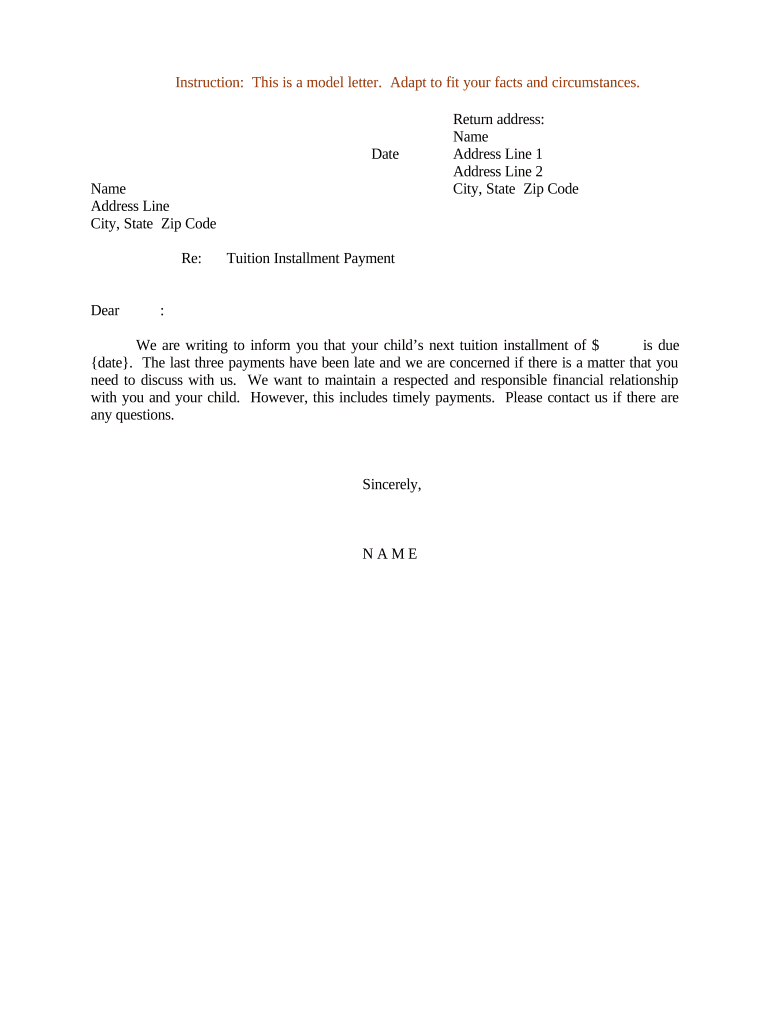
A Tuition Payment Letter is a written declaration from an individual, employer, sponsor, or third party stating who will pay a student’s tuition, the amount or method of payment, and any conditions or authorization required by the school. It documents payer identity, student information, payment schedule, and consent to billing or invoice assignment. Institutions use this letter to set up third‑party billing, tuition assistance, or payment plans. When executed properly it creates a clear administrative record for admissions, bursar, financial aid, and auditing purposes and can be delivered as a signed paper or an electronic record.

Why a clear Tuition Payment Letter matters

A concise, properly completed letter prevents billing errors, speeds account setup, and documents authorization for third‑party payments. It clarifies financial responsibility, supports financial aid or employer reimbursement, and reduces administrative follow‑up between the payer and the institution.

Why a clear Tuition Payment Letter matters

Typical users and recipients

Colleges, universities, private schools, and training providers receive Tuition Payment Letters from parents, students, employers, and sponsors when third‑party payment arrangements are required.

  • Parent or guardian — confirms responsibility and preferred billing method for a dependent student.
  • Employer or sponsor — authorizes tuition assistance and specifies reimbursement or direct pay terms.
  • Student — declares self‑payment, installment election, and consent for institutional billing.

Essential elements to include in a professional Tuition Payment Letter

A complete letter is concise but detailed: identify parties and student, specify exact amounts or billing formulas, define payment timing, provide taxpayer identification where relevant, include signatures, and note any supporting documents or conditions.

Payer Identity

Full legal name, billing address, contact phone and email for the person or organization taking legal responsibility for payment.
Student Details

Student name, date of birth, student ID or admission number, program or term, and relationship to the payer when applicable.

Payment Terms

Exact dollar totals, per-term amounts, installment schedule, accepted payment methods, and any late fee or interest provisions.

Authorization

Clear statement authorizing the institution to bill the named payer or accept third‑party payments on the student’s behalf.

Supporting Documents

Attach employer sponsorship letters, purchase orders, proof of funds, billing contacts, or tax ID documentation as required.

Signature Block

Printed name, title (if organization), signature, and date. Include notary block if the institution requires notarization.

Step‑by‑step: completing and delivering the letter

Follow these sequential steps to draft, verify, and submit a Tuition Payment Letter so the institution can process billing without delay.

  • 01
    Draft the letter: Fill payer, student, amount, and schedule fields accurately.
  • 02
    Attach documents: Include employer authorization, purchase order, or proof of funds if required.
  • 03
    Sign and date: Obtain required signatures; notarize only if requested by the school.
  • 04
    Submit to bursar: Send to the institution’s designated billing email or upload portal as instructed.

Submission and processing flow for institutions

After you submit the letter, the institution validates payer details, links the payment authorization to the student account, and sets up invoicing or payment plans per the agreed terms.

  • Receive: Bursar or financial services receives the letter and supporting documents.
  • Verify: Office confirms payer identity, tax ID, and payment authorization.
  • Link: Account manager attaches authorization to the student record.
  • Bill: Institution issues invoices or activates payment plan per the schedule.

How to set up an online version for eSubmission

Configure a digital form to collect the same data fields, include conditional fields, and capture an audit trail for compliance and recordkeeping.

Field Configuration
Payer Identity Required; validate via email and phone fields.
Student Identifier Required; match format used by the institution.
Payment Schedule Conditional fields shown when installments selected.
Signature Capture Enable eSignature field and date stamp; add signer authentication.

eSubmission and digital signing considerations

Use an eSignature platform that produces an auditable record, supports conditional fields, and preserves a tamper‑evident PDF copy.

  • File formats: Accept PDF and DOCX for editable templates.
  • Authentication: Email or SMS code verification reduces signer disputes.
  • Audit trail: Capture timestamp, IP address, and signer identity.

Common timing rules and processing expectations

Timing varies by institution, but include dates for when payments are due, refund windows, and any term‑registration deadlines so billing aligns with academic schedules.

Invoice due date:

Typically due before or at term start; institutions set the specific deadline.

Installment start:

Enter first payment date in MM/DD/YYYY format; subsequent dates must be listed.

Refund window:

Policies vary — note the institution’s withdrawal and refund deadlines.

Employer verification:

Allow time (two to four weeks) for employer approvals when reimbursement is required.

Processing time:

Expect two to ten business days for the bursar to validate and link authorization.

Common mistakes that delay processing

  • Omitting the student ID or using an incorrect name results in misapplied payments and requires manual correction by the bursar office.
  • Providing incomplete payer contact information prevents the institution from confirming billing authority and can block account setup.
  • Using vague payment terms like 'partial' without numeric amounts causes disputes and delays invoice generation.
  • Failing to attach employer or sponsor authorization when required forces the institution to request additional documentation.

Potential consequences of incorrect or missing information

Late fees: Institutional late payment charges may apply.
Account hold: Registration or transcript holds if bills remain unpaid.
Collection actions: Past‑due balances can be sent to collections.
Reimbursement denial: Employers may deny reimbursement without proper authorization.
Tax reporting: Incorrect payer TINs can trigger backup withholding.
Processing delays: Missing signatures or documents delay account setup.

Practical examples of common scenarios

Two representative examples show how payers and institutions typically use the letter to authorize billing and record payment responsibility.

Employer Sponsorship Example

An employer confirms payment for employee tuition for a professional certificate

  • employer provides purchase order and TIN
  • the bursar links the authorization to the employee’s student ID, issues invoices to the employer, and tracks reimbursement deadlines.

Third‑Party Sponsor Example

A private sponsor agrees to cover a student’s semester tuition

  • sponsor attaches proof of funds and billing contact
  • the institution sets up third‑party billing and notifies the student once invoicing is active.

Practical tips for accurate and efficient letters

Follow these best practices to reduce errors, speed processing, and maintain a clear audit trail for institutional and tax purposes.

Use institution templates
Start from the school’s approved template to include any institution‑specific language and reduce the chance of missing required fields or signature formats.
Confirm payer authority
If an organization signs, include the signer’s job title and proof of authorization to bind the organization to payment obligations.
Keep backup documentation
Attach employer letters, PO numbers, or proof of funds to facilitate faster verification and avoid repeated information requests.
Prefer auditable eSignature
Use an eSignature solution that records timestamps, IP addresses, and authentication events to support later disputes or audits.

FAQs and troubleshooting for common issues

Answers to frequent questions about validity, signatures, notarization, tax IDs, refunds, and revocation for Tuition Payment Letters.


Need help? Contact support

be ready to get more
Join over 28 million airSlate SignNow users