Establishing secure connection…Loading editor…Preparing document…

Letter Requesting Verification of Job Applicant Education

This template is fully customizable. Edit the text, fill out the fields, and send it for signature. Give it a try!
Letter Requesting Verification of Job Applicant Education

What this Letter Is and when employers use it

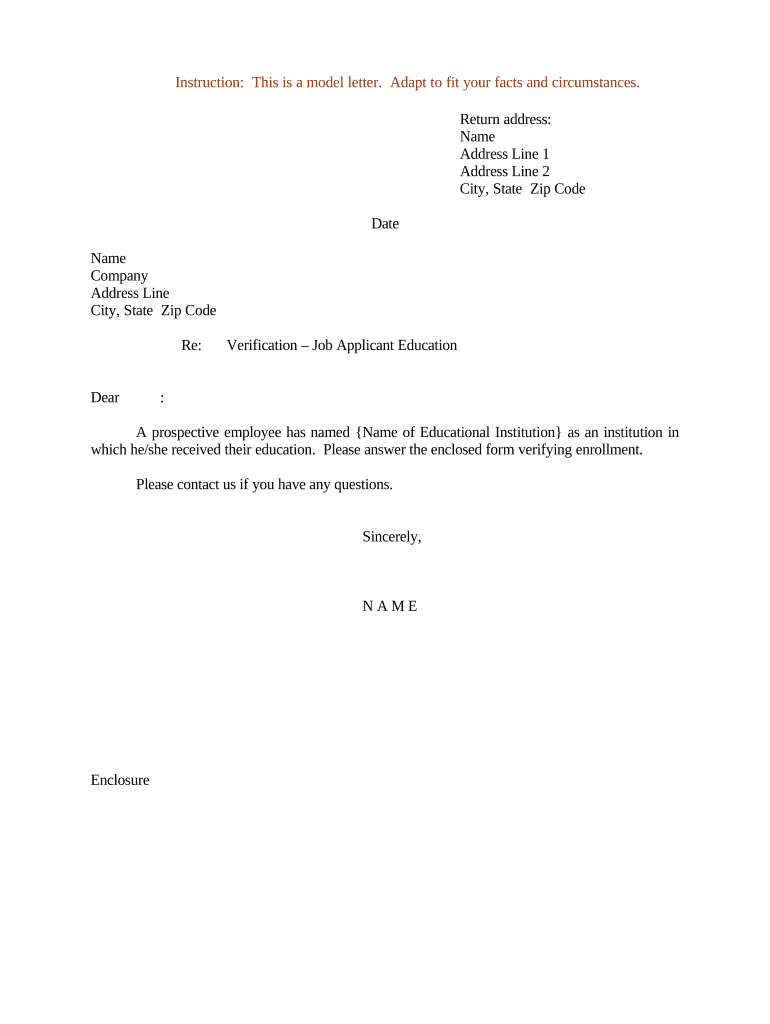
A Letter Requesting Verification of Job Applicant Education is a written request sent by an employer, background-screening vendor, or hiring manager to an educational institution or third-party verifier asking to confirm a candidate's academic credentials. The letter typically identifies the applicant, specifies the records to be verified (degrees, majors, dates of attendance, enrollment status), and grants any necessary consent or authorization. Used during pre-employment screening, the letter supports hiring decisions, credential validation, regulatory compliance for licensed roles, and mitigation of misrepresentation risks.

Why a formal verification letter matters

A clear, properly completed verification letter reduces hiring risk by producing authoritative confirmation of credentials, documents consent for record release where required, and creates a written audit trail that supports hiring decisions and compliance with industry rules such as licensing prerequisites or grant conditions.

Why a formal verification letter matters

Who prepares and receives these letters

Typical senders include HR teams, hiring managers, background check providers, and university relations staff seeking confirmation.

  • Human resources teams handling new-hire screening and compliance checks.
  • Background-check vendors conducting credential and education verifications.
  • Hiring managers needing documented proof for licensed or credentialed positions.

Core parts of a professional verification request

A complete letter follows a standard structure so recipients can quickly locate authorization and requested details. Using consistent sections reduces follow-up and speeds responses from educational institutions and third-party verifiers.

Sender details

Name, title, department, organization, and contact information so the verifier can return results or request clarification.
Applicant identity

Full legal name, any former names, date of birth, and student ID if available to ensure accurate record matching.

Records requested

Specify degree(s), major(s), conferral date(s), enrollment dates, and whether honors or GPA should be reported.

Applicant consent

A signed release or explicit statement authorizing the institution to disclose education records to the requester.

Verification method

State whether you accept an institutional letter, official transcript, electronic verification service output, or notarized copy.

Return instructions

Indicate preferred delivery (email, postal mail, secure portal) and include a contact for questions.

Step-by-step: prepare and send a verification letter

Follow these steps to draft, authorize, and deliver a complete letter that institutions can process without unnecessary follow-up.

  • 01
    Draft the letter: Populate sender, applicant, and requested records sections accurately.
  • 02
    Obtain consent: Secure the applicant's signature or written authorization before sending the request.
  • 03
    Choose delivery: Select email, secure portal, postal mail, or an approved vendor channel per the institution's preference.
  • 04
    Track and record: Log the request date and expected response timeframe; retain copies for your hiring file.

Configuring a digital workflow for verification requests

Map fields and routing rules when automating verification letters to reduce manual steps and standardize consent capture.

Field Configuration
Applicant Name Auto-populate from HRIS to avoid typos
Consent Signature Require signer signature field before sending
Return Method Conditional: email for institutions that accept electronic verification
Follow-up Task Auto-create a reminder 7–14 days after request

How verification requests typically move through the process

A clear routing model helps coordinate HR, the applicant, the verifying institution, and any third-party vendor used to gather responses.

  • Initiation: HR or vendor prepares the letter with applicant consent attached.
  • Delivery: Send via institution's preferred channel: direct email, secure portal, or postal mail.
  • Institution review: Registrar or records office validates identity and locates the record.
  • Response issued: Institution returns an official letter, transcript, or verification report to the requester.

Digital distribution and e-signature considerations

When sending verification letters electronically, choose secure channels and a platform that supports consent capture and audit trails.

  • Secure delivery: Use encrypted email, secure portal uploads, or verified third-party vendors.
  • Consent capture: Record applicant's signed authorization and store with the request.
  • Audit trail: Log timestamps, delivery receipts, and signer identity evidence.

Typical response times and internal deadlines

Establish internal deadlines to track outstanding verifications and escalate when institutions or vendors delay responses.

Initial send date:

Record the date you transmitted the request to start tracking.

Standard response window:

Allow 7–21 calendar days for institutional processing depending on term and registrar workloads.

First follow-up:

If no reply in 10 business days, send a polite reminder to the records office.

Escalation:

Escalate to vendor or institutional supervisor after 21–30 days.

File closure:

Retain request and response in the candidate file once verification is complete.

Common mistakes that slow or block verification

  • Missing or incorrect applicant identifiers such as former names or DOB causing false negatives.
  • Failure to attach a signed consent where FERPA or institutional policy requires it.
  • Sending to a generic inbox instead of the registrar or official verification service.
  • Using non-secure channels for delivery that institutions will not accept.

Legal and compliance risks to be aware of

FERPA consent: Without proper written consent, institutions may refuse to disclose education records.
Privacy law: State privacy statutes may restrict third-party access or impose notices.
Hiring risk: Relying on inaccurate or incomplete verification can lead to negligent hiring claims in regulated roles.
Recordkeeping: Failure to retain consent and verification records can impair audits and regulatory defense.
Notarization: Requiring unnecessary notarization can delay processing and add fees.
Data breach exposure: Improper transmission of sensitive PII increases breach and notification obligations.

How organizations use education verification letters

Sample scenarios show common variants and the practical effect of clear requests on speed and completeness of responses.

University registrar response

A registrar receives a vendor request and confirms degree conferral

  • The registrar attaches an official letter with seal
  • The employer records the verification date and stores the letter with onboarding files for licensing audit readiness.

Background-check vendor workflow

A background vendor emails a signed consent and request to the verification service

  • The vendor receives an electronic verification report
  • HR uses the report to finalize the offer and logs the audit trail for compliance.

eSignature vendor comparison for sending verification letters

Compare common vendor criteria for electronic delivery and secure consent capture when automating education verification requests. signNow is listed first for reference.

signNow DocuSign Adobe Sign PandaDoc HelloSign
Starting Price $8/user/mo $15/user/mo $14/user/mo $19/user/mo $15/user/mo
Free Trial 7-day free trial Varies by plan Varies by plan Yes, limited Yes, limited
Bulk Send Yes Yes Yes Yes No
Audit Trail Yes Yes Yes Yes Yes
HIPAA Compliant Yes Yes Yes No No

Practical tips for accurate and efficient verification

Adopt consistent templates, confirm institutional preferences, and centralize consent records to speed responses and reduce legal risk.

Use a standard template
Create a template that includes required consent language and fields to minimize omission errors.
Confirm recipient
Send requests directly to registrar or verification service rather than generic inboxes to avoid routing delays.
Keep consent records
Store signed consent and the returned verification together in the candidate file for audits and regulatory checks.
Verify acceptance of electronic documents
Confirm the institution accepts emailed or portal-delivered verifications before relying on electronic copies.

Frequently asked questions about verification letters

Answers to common questions cover consent, acceptable proof, timelines, and electronic delivery so HR teams can avoid delays and compliance issues.


Need help? Contact support

be ready to get more
Join over 28 million airSlate SignNow users